https://github.com/jongacnik/rploy
Minimal rsync deployment
https://github.com/jongacnik/rploy
Last synced: 6 months ago
JSON representation
Minimal rsync deployment
- Host: GitHub
- URL: https://github.com/jongacnik/rploy
- Owner: jongacnik
- Created: 2020-07-29T00:47:34.000Z (about 6 years ago)
- Default Branch: master
- Last Pushed: 2023-07-12T06:43:24.000Z (about 3 years ago)
- Last Synced: 2025-04-01T19:25:21.008Z (over 1 year ago)
- Language: JavaScript
- Size: 69.3 KB
- Stars: 78
- Watchers: 4
- Forks: 3
- Open Issues: 2
-
Metadata Files:
- Readme: readme.md
Awesome Lists containing this project
README
# rploy 🚚
Minimal rsync deployment
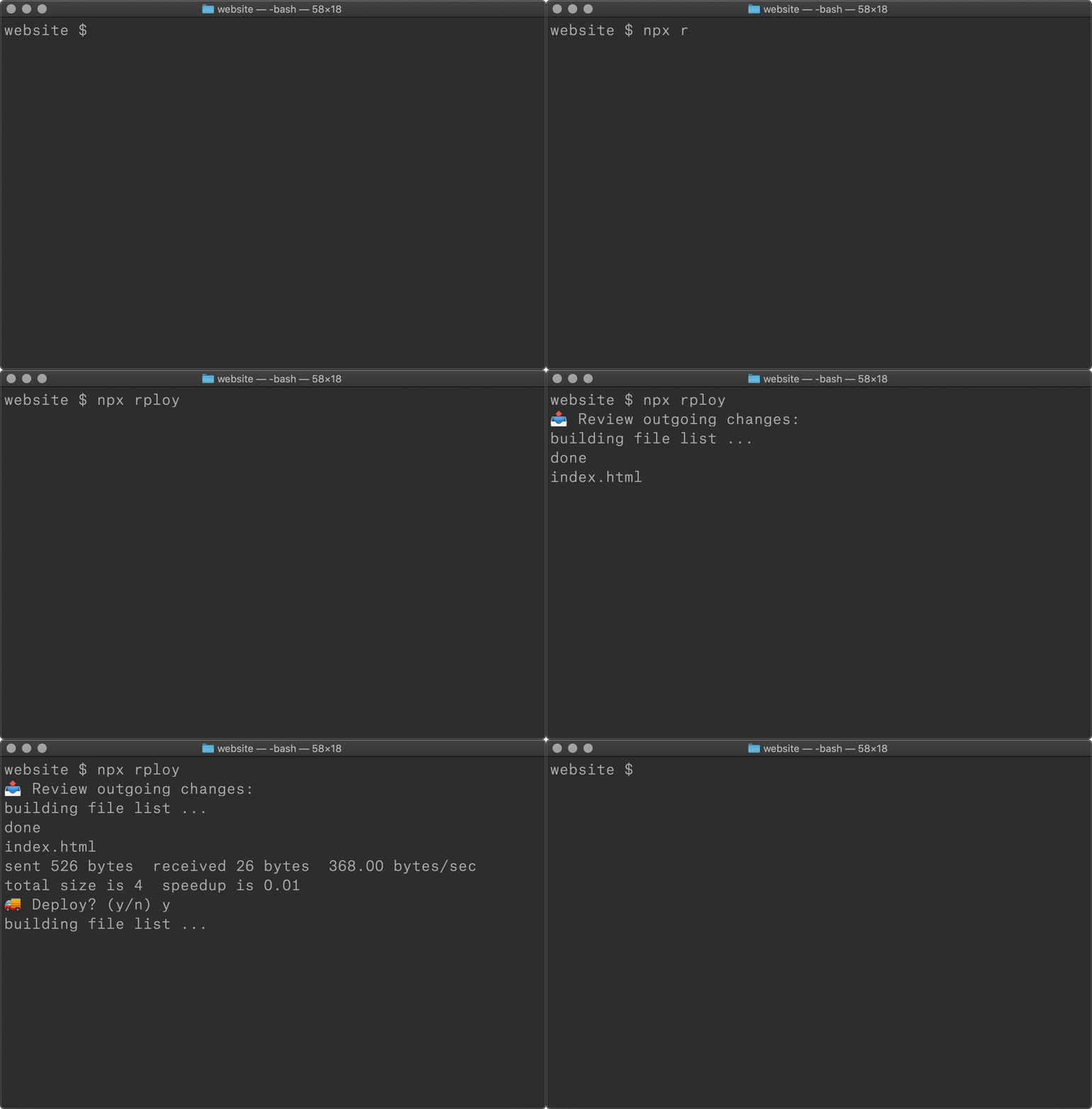
## Usage
```
npm i rploy -D
```
Add source and destination options to your `package.json`:
```json
{
"rploy": {
"source": "public/",
"destination": "user@ip:/var/www/public/"
}
}
```
Alternatively, you can create an `rploy.config.js` file in your document root:
```js
module.exports = {
source: 'public/',
destination: "user@ip:/var/www/public/"
}
```
Deploy:
```
npx rploy
```
## Config
`rploy` wraps [`node-rsync`](https://github.com/mattijs/node-rsync), so you can pass any relevant options to configure flags, progress, excludes, etc. Here is an example:
```json
{
"rploy": {
"source": "public/",
"destination": "user@ip:/var/www/public/",
"exclude": [
".DS_Store",
"Icon",
"node_modules",
".git"
],
"progress": true
}
}
```
## Branches
When deploying git repositories, `rploy` offers a `branches` option, which provides a way to be explicit about a destination for each branch:
```json
{
"rploy": {
"source": "public/",
"branches": {
"master": "user@ip:/var/www/prod/public/",
"dev": "user@ip:/var/www/dev/public/"
}
}
}
```
You will now be notified of your current working branch and the destination:

This provides an easy way to prevent issues like accidentally deploying your staging branch to production. It will always check your working branch and look for a deploy context. You can even pass `node-rsync` options into each branch, to get even more granular:
```json
{
"rploy": {
"source": "public/",
"branches": {
"master": {
"destination": "user@ip:/var/www/prod/public/",
"exclude": [
"readme.md"
]
},
"dev": {
"destination": "user@ip:/var/www/dev/public/",
"delete": false
}
}
}
}
```
## Tips
- I recommend adding your ssh key to the server you are deploying to, for easy passwordless auth.
- Use a lifecycle script to build assets before a deploy:
```json
{
"scripts": {
"build": "parcel src/index.js",
"deploy": "npx rploy",
"predeploy": "npm run build"
},
"rploy": {
"source": "public/",
"destination": "user@ip:/var/www/public/"
}
}
```
## Why?
I’ve been using a similar little bash script to deploy things with rsync for a while. Figured should finally package this up since there somehow still seems to be a lack of simple deployment tools for “websites.” This brings some of the ease of deploying to platforms like [netlify](https://www.netlify.com/) or [vercel](https://vercel.com), but without any ecosystem. Works great with traditional php projects, like [kirby](https://getkirby.com/). `git`-based deployment is also cool, but sometimes it’s nice to have them decoupled, to quickly deploy to staging during dev, for example.
Provided as-is, but hopefully you find it useful! 🥂