https://github.com/jonico/pscale-example
https://github.com/jonico/pscale-example
Last synced: 12 months ago
JSON representation
- Host: GitHub
- URL: https://github.com/jonico/pscale-example
- Owner: jonico
- Created: 2021-11-19T11:48:32.000Z (over 4 years ago)
- Default Branch: main
- Last Pushed: 2021-11-19T13:21:58.000Z (over 4 years ago)
- Last Synced: 2025-07-08T22:04:32.259Z (12 months ago)
- Language: Shell
- Size: 8.79 KB
- Stars: 0
- Watchers: 2
- Forks: 0
- Open Issues: 0
-
Metadata Files:
- Readme: README.md
Awesome Lists containing this project
README
# PlanetScale pscale CLI helper scripts
Ever wanted to automate a complex task with [pscale CLI](https://github.com/planetscale/cli) and needed a way to wait until asynchronous operations like branch creations or deploy request merges finished? This is a collection of helper scripts around the PlanetScale CLI to synchronously
* [wait for branch creation to be completed](wait-for-branch-readiness.sh)
* [wait for deploy requests to be successfully merged](wait-for-deploy-request-merged.sh) (and get an update on the current migration status)
* [connection string creation/parsing and extending scope of service tokens](create-database.sh)
* examples on how to make use of those scripts ([branches](add-operation-column-and-index.sh), [credentials](create-database.sh), [deploy requests](merge-latest-open-deploy-request.sh))
* [run pscale from a Docker container](https://github.com/jonico/pscale-cli-helper-scripts/blob/main/use-pscale-docker-image.sh) and still use your local config files, service tokens and port forwarding
## Zero-setup Action workflows included :sparkles:
In case you like to see those helper scripts in action without any further manual configuration, just
1. [Create a copy of this repo](https://github.com/jonico/pscale-cli-helper-scripts/generate) by clicking on the green 'Use this template' button or just [here](https://github.com/jonico/pscale-cli-helper-scripts/generate). Both private and public repo visibility work.

2. Create a PlanetScale account: If you have not done already, [sign up here](https://auth.planetscale.com/sign-up) for a PlanetScale account, you can have one database for free. Do not create a database yet though, this step will be automated as part of the first Action workflow.
3. Switch to the Actions tab in your repo
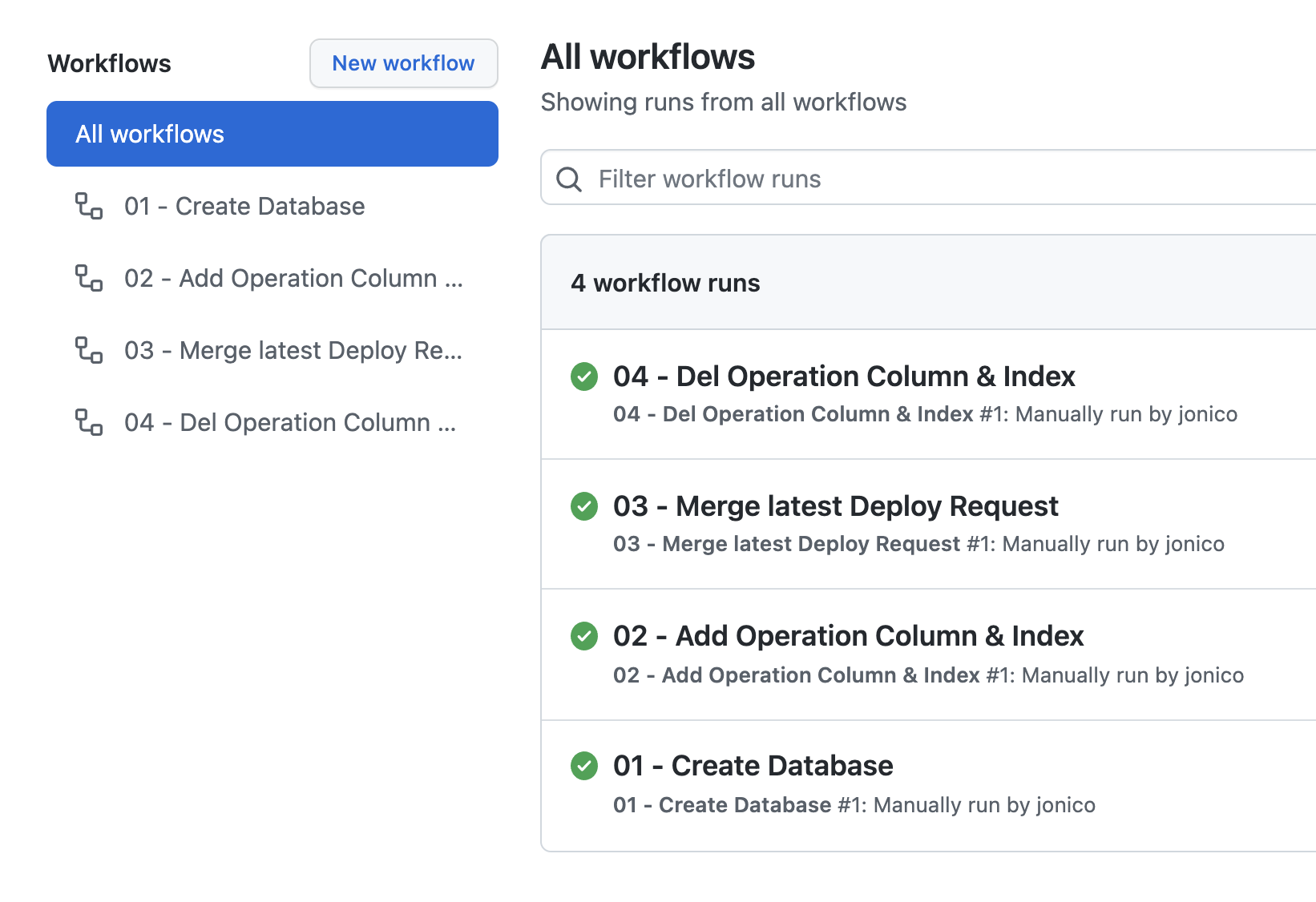
4. [Start the workflows manually](https://docs.github.com/en/actions/managing-workflow-runs/manually-running-a-workflow), in the displayed order.

5. When you run the workflows, follow the output where it will ask you to authenticate to PlanetScale by clicking the displayed links.
