https://github.com/jonyeezs/atom-file-split
An Atom package that allows you to separate your file at cursors into multiple files.
https://github.com/jonyeezs/atom-file-split
atom-plugin filemanager split-files
Last synced: 9 months ago
JSON representation
An Atom package that allows you to separate your file at cursors into multiple files.
- Host: GitHub
- URL: https://github.com/jonyeezs/atom-file-split
- Owner: jonyeezs
- License: mit
- Created: 2018-09-21T04:06:10.000Z (almost 8 years ago)
- Default Branch: master
- Last Pushed: 2018-09-21T05:33:01.000Z (almost 8 years ago)
- Last Synced: 2025-09-04T18:51:32.986Z (11 months ago)
- Topics: atom-plugin, filemanager, split-files
- Language: TypeScript
- Size: 443 KB
- Stars: 1
- Watchers: 0
- Forks: 0
- Open Issues: 1
-
Metadata Files:
- Readme: README.md
- License: LICENSE
Awesome Lists containing this project
README
# File-Split for Atom
An Atom package that allows you to separate your file at cursors into multiple files.
## Installation
### Command Line
1. Install [Atom 1.30](https://atom.io) or newer
2. In the terminal, install the package via apm:
```sh
apm install file-split
```
### GUI
1. Install [Atom 1.30](https://atom.io) or newer
1. Launch Atom
1. Open Settings View using Cmd+, on macOS or Ctrl+, on other platforms
1. Click the Install tab on the left side
1. Enter `file-split` in the search box and press Enter
1. Click the "Install" button that appears
## Usage
ctrl-alt-n to split cursor points on files into separated _untitled_ files.
#### Command
`file-split:split`
### How It Works
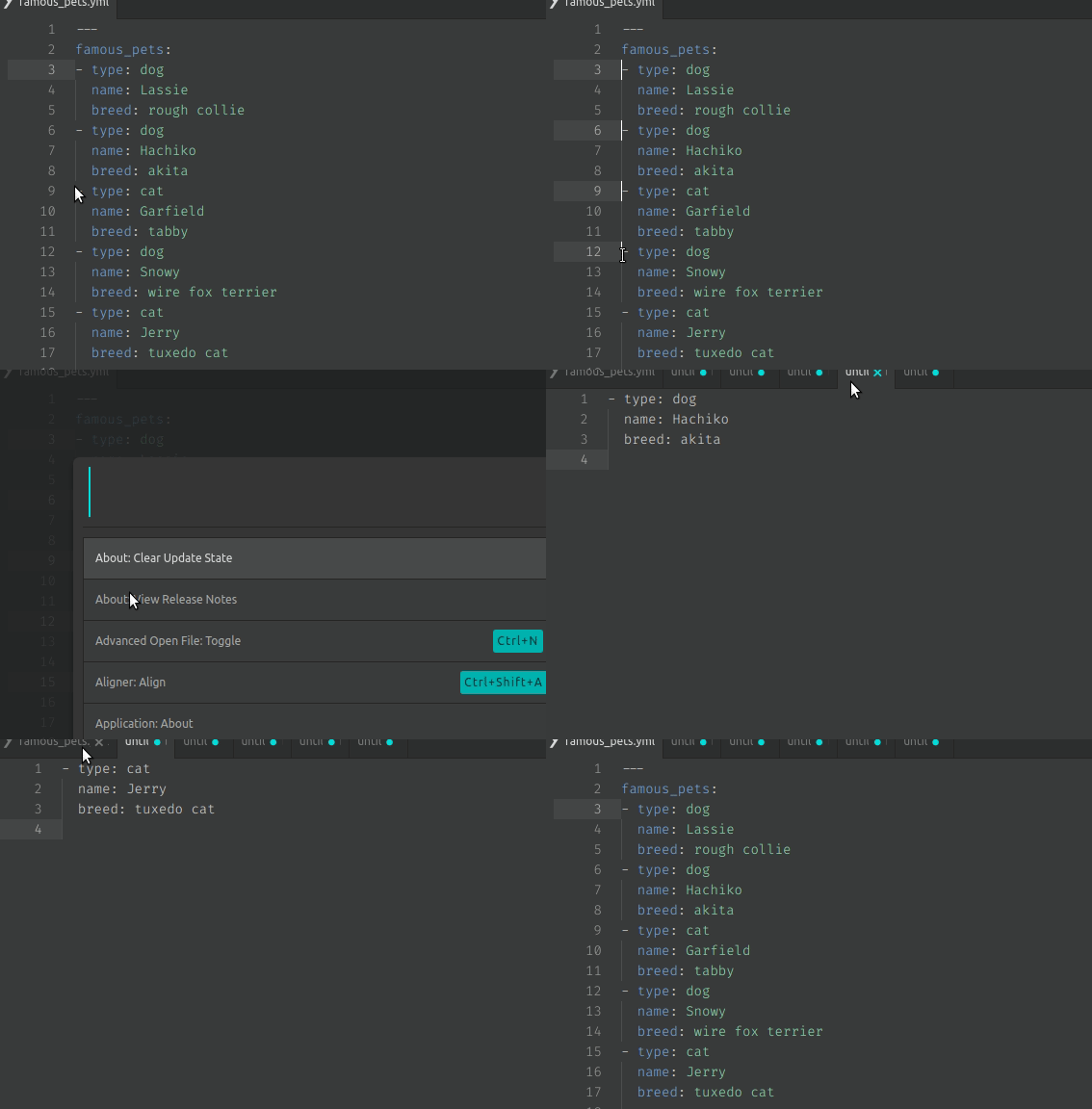
1. Set cursors to the points you wish for it to break into separate files.
* _If you need more help on how to make more cursors, see [This section in the Flight Manual](https://flight-manual.atom.io/using-atom/sections/editing-and-deleting-text/#multiple-cursors-and-selections
)._
1. Use the default key-binding: ctrl-alt-n
* _You can remap the keybindings, see [This section in the Flight Manual to know how](https://flight-manual.atom.io/using-atom/sections/basic-customization/#customizing-keybindings)._
1. It should now create _untitled_ files to the right with the content that you've separate on.
1. Save the files however you wish.
1. Done!