https://github.com/joomlalabs/webservices-documentation
About Interactive API documentation component for Joomla with Swagger UI and Redoc. Automatically generates OpenAPI specs from installed Joomla components.
https://github.com/joomlalabs/webservices-documentation
api api-rest api-restful joomla joomla-component joomla-module redoc swagger swagger-ui
Last synced: about 2 months ago
JSON representation
About Interactive API documentation component for Joomla with Swagger UI and Redoc. Automatically generates OpenAPI specs from installed Joomla components.
- Host: GitHub
- URL: https://github.com/joomlalabs/webservices-documentation
- Owner: JoomlaLABS
- License: gpl-2.0
- Created: 2026-01-07T17:24:00.000Z (6 months ago)
- Default Branch: main
- Last Pushed: 2026-05-03T15:12:49.000Z (2 months ago)
- Last Synced: 2026-05-03T17:14:51.775Z (2 months ago)
- Topics: api, api-rest, api-restful, joomla, joomla-component, joomla-module, redoc, swagger, swagger-ui
- Language: PHP
- Homepage: https://joomlalabs.com/en/extensions/web-services-documentation
- Size: 945 KB
- Stars: 2
- Watchers: 0
- Forks: 0
- Open Issues: 0
-
Metadata Files:
- Readme: README.md
- Changelog: CHANGELOG.md
- Contributing: CONTRIBUTING.md
- Funding: .github/FUNDING.yml
- License: LICENSE
- Support: SUPPORT.md
Awesome Lists containing this project
README
# Web Services Documentation for Joomla!



[](LICENSE)
[]()
[]()
## 📖 Description
**Web Services Documentation** is a comprehensive API documentation system for Joomla 6.0+. It provides interactive API documentation using **Swagger UI** and **Redoc**, with automatic **OpenAPI 3.1.0** specification generation from installed Joomla components.
Perfect for developers building integrations, testing APIs, or documenting custom components. Features intelligent hierarchical navigation, dark mode support, and seamless Joomla admin integration.
## 🖼️ Screenshots
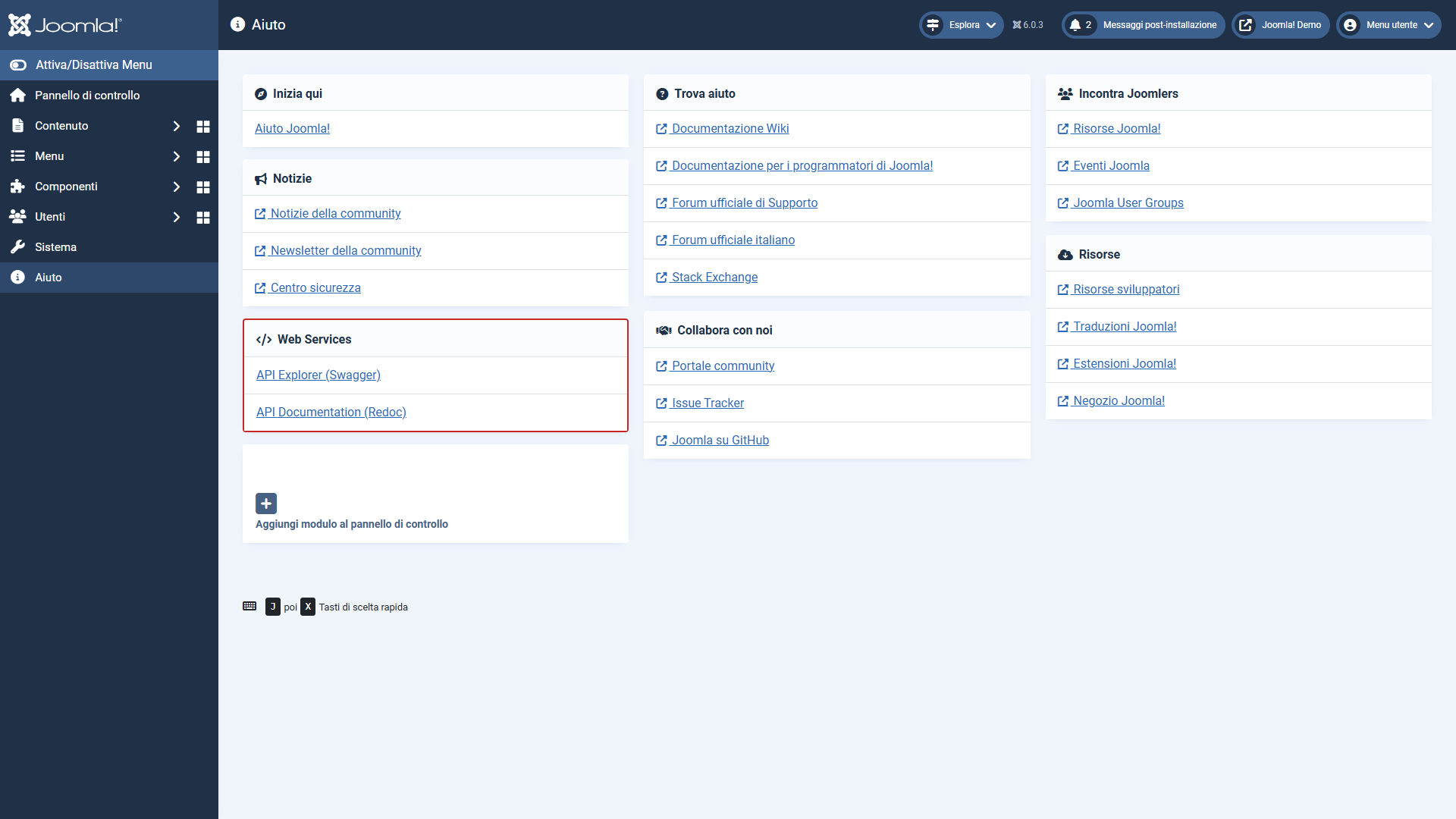
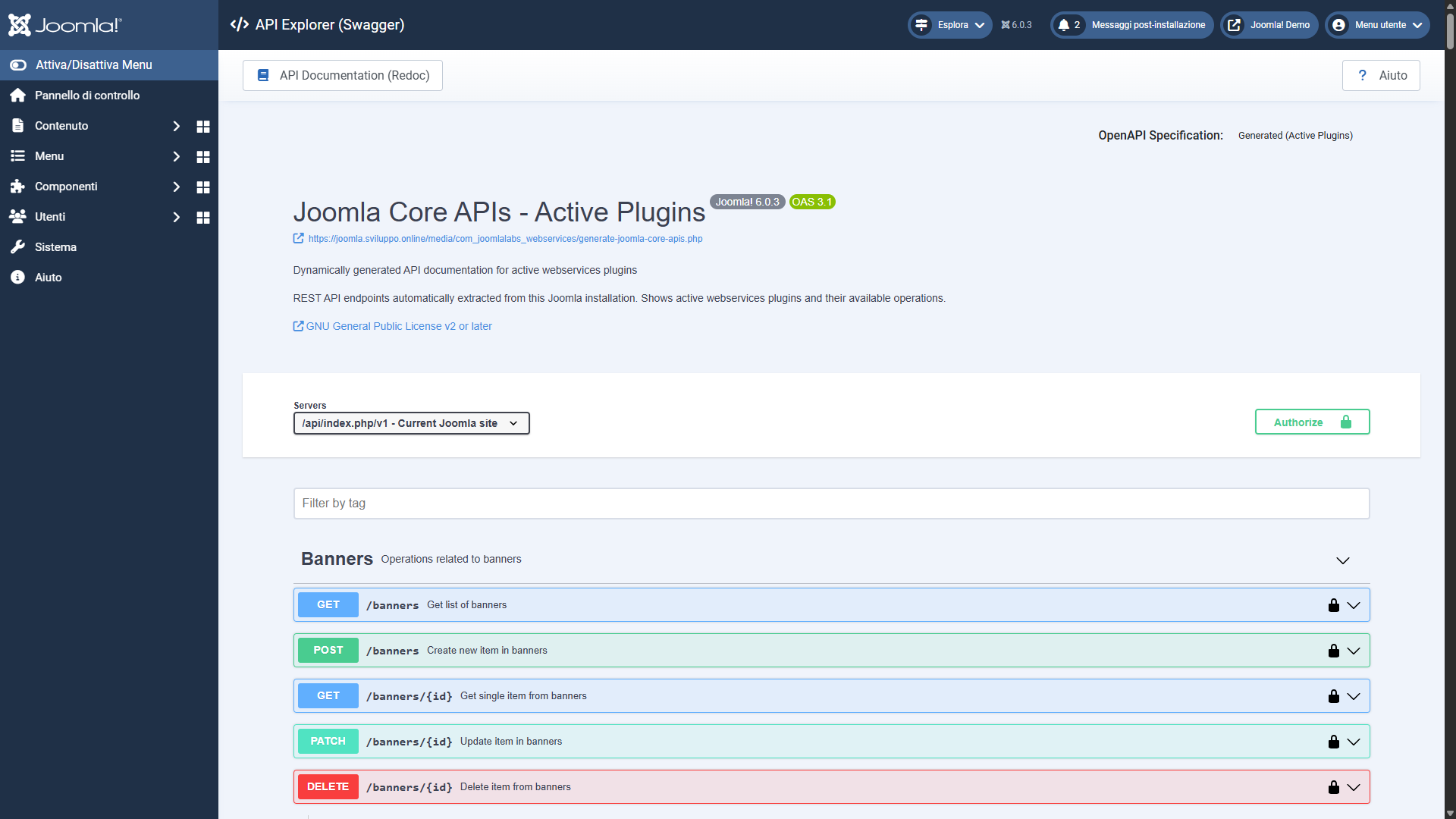
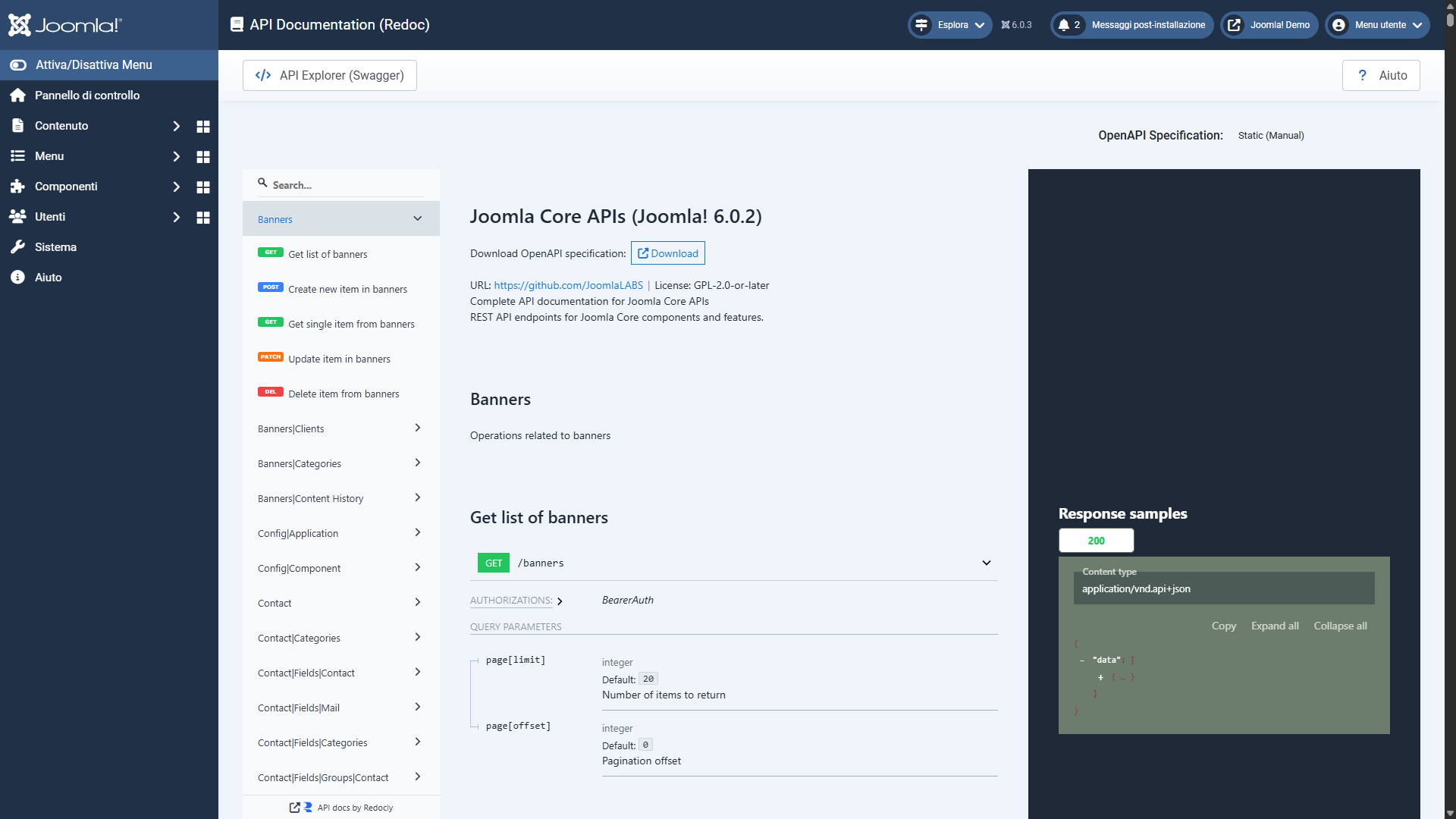
## ✨ Features
### 🎨 Dual Documentation Interfaces
**Swagger UI**
- Interactive API explorer with live testing
- Hierarchical navigation (up to 4-level tag tree)
- Request/response examples with syntax highlighting
- Built-in authentication with automatic token injection
- Filter parameter detection and documentation
- Custom hierarchical tags plugin for organized navigation
**Redoc**
- Clean, professional documentation interface
- Dark mode with automatic Joomla theme synchronization
- Responsive design optimized for all devices
- Fast rendering with virtual scrolling
- Three-panel layout with search functionality
- Sticky navigation for easy browsing
### 🔧 Automatic OpenAPI Generation
- **Dual-mode generator**: CLI script and web-accessible PHP
- **Component scanning**: Discovers all installed component endpoints
- **Plugin support**: Detects plugin-based API routes
- **Custom route parsing**: Handles complex Joomla routing patterns
- **Filter extraction**: Automatically documents query parameters
- **Smart deduplication**: Prevents duplicate parameter definitions
- **Hierarchical tags**: Generic path-based hierarchy (1-4 levels)
### 📊 Three Spec Options
1. **Static Spec**: Pre-generated core Joomla APIs
2. **Generated (Active Plugins)**: Dynamic spec with enabled plugins
3. **Generated (All Components)**: Complete spec including all installed components
### 🔐 Security & Authentication
- Automatic API token generation and management
- Secure token storage in Joomla database
- Token reuse for existing users
- Integration with Swagger UI authorization
- Proper permission checks throughout
### 🎯 Joomla Integration
**Component** (`com_joomlalabs_webservices`)
- Three views: Documentation, Swagger, Redoc
- Admin menu integration
- WebAssetManager for optimized asset loading
- PSR-4 namespacing
- Service Provider architecture
**Help Menu Module** (`mod_joomlalabs_webservices_helpmenu`)
- Quick access buttons in admin help menu
- Links to Documentation, Swagger, and Redoc
- Proper icon integration
## 📋 Requirements
| Software | Minimum | Recommended |
|----------|---------|-------------|
| **Joomla!** | 6.0.0 | 6.0.1+ |
| **PHP** | 8.1+ | 8.2 or 8.3 |
| **Browser** | Modern browsers | Chrome 90+, Firefox 88+, Safari 14+, Edge 90+ |
**Joomla Configuration:**
- Web Services must be enabled (System → Global Configuration → API Settings)
- User must have API token configured
- PHP extensions: json, curl, mbstring
## 📦 Installation
### Download & Install
1. Download the latest release from [GitHub Releases](https://github.com/JoomlaLABS/webservices-documentation/releases)
2. In Joomla Administrator, go to **System → Extensions → Install**
3. Upload the component package: `com_joomlalabs_webservices.zip`
4. Upload the module package: `mod_joomlalabs_webservices_helpmenu.zip`
5. Enable the module and plugin from **System → Extensions → Manage**
### Initial Configuration
1. **Enable Web Services** (if not already enabled):
- Go to **System → Global Configuration → API Settings**
- Set **Enable Joomla's Web Services** to **Yes**
- Save
2. **Configure API Token**:
- The system will automatically generate a token on first access
- Or manually create one: **System → API Tokens → New**
3. **Access Documentation**:
- Via Help Menu: Click **Help → API Documentation/Swagger/Redoc**
- Or direct URLs:
- Documentation: `administrator/index.php?option=com_joomlalabs_webservices&view=documentation`
- Swagger: `administrator/index.php?option=com_joomlalabs_webservices&view=swagger`
- Redoc: `administrator/index.php?option=com_joomlalabs_webservices&view=redoc`
For detailed installation instructions, see [INSTALLATION](INSTALLATION.md).
## 💡 Usage
### Browsing API Documentation
**Swagger UI:**
1. Navigate to Swagger view via Help Menu
2. Select spec option from dropdown (Static/Generated)
3. Expand endpoint groups using hierarchical navigation
4. Click endpoints to view details
5. Use "Try it out" to test APIs live
**Redoc:**
1. Navigate to Redoc view via Help Menu
2. Select spec option from dropdown
3. Browse using left sidebar navigation
4. Click endpoints for detailed documentation
5. Use search to find specific endpoints
### Testing APIs
1. Open Swagger UI
2. Click "Authorize" button (top right)
3. Your token is pre-filled, click "Authorize"
4. Navigate to any endpoint
5. Click "Try it out"
6. Fill in parameters
7. Click "Execute"
8. View response
## 🎨 Features Showcase
### Hierarchical Navigation
Endpoints are automatically organized in a tree structure:
```
Content
├── Articles
│ ├── GET /content/articles
│ ├── POST /content/articles
│ └── GET /content/articles/{id}
└── Fields
├── Articles
│ ├── GET /content/fields/articles
│ └── POST /content/fields/articles
└── Groups
└── Articles
└── GET /content/fields/groups/articles
```
### Dark Mode Support
- Automatically detects Joomla admin theme
- Synchronized theme switching
- Optimized for both light and dark modes
- Smooth transitions between themes
### Smart Filter Detection
Automatically extracts and documents query parameters:
- `filter[search]` - Search filter
- `filter[published]` - Published status
- `filter[category_id]` - Category filter
- `page[offset]` - Pagination offset
- `page[limit]` - Results per page
## 💝 Donate
If you find this project useful, consider supporting its development:
[](https://github.com/sponsors/JoomlaLABS)
[](https://buymeacoffee.com/razzo)
[](https://www.paypal.com/donate/?hosted_button_id=4SRPUJWYMG3GL)
Your support helps maintain and improve this project!
---
**Made with ❤️ for the Joomla! Community**
**⭐ If this project helped you, please consider giving it a star! ⭐**