https://github.com/jorgelbg/dissect-tester
Simple API/UI for testing filebeat dissect patterns against a collection of sample log lines.
https://github.com/jorgelbg/dissect-tester
dissect elasticsearch filebeat filter hacktoberfest logstash
Last synced: over 1 year ago
JSON representation
Simple API/UI for testing filebeat dissect patterns against a collection of sample log lines.
- Host: GitHub
- URL: https://github.com/jorgelbg/dissect-tester
- Owner: jorgelbg
- License: apache-2.0
- Created: 2020-02-11T23:50:34.000Z (over 6 years ago)
- Default Branch: master
- Last Pushed: 2023-12-19T21:12:47.000Z (over 2 years ago)
- Last Synced: 2025-03-22T23:04:02.347Z (over 1 year ago)
- Topics: dissect, elasticsearch, filebeat, filter, hacktoberfest, logstash
- Language: HTML
- Homepage: https://dissect-tester.jorgelbg.me/
- Size: 10.3 MB
- Stars: 121
- Watchers: 4
- Forks: 6
- Open Issues: 8
-
Metadata Files:
- Readme: README.md
- Contributing: CONTRIBUTING.md
- Funding: .github/FUNDING.yml
- License: LICENSE
Awesome Lists containing this project
README
# dissect-tester



This project presents a simple web UI to test a collection of log line samples against a pattern
supported by the [Filebeat dissect processor](https://www.elastic.co/guide/en/beats/filebeat/master/dissect.html).
> Both [Logstash](https://www.elastic.co/guide/en/logstash/current/plugins-filters-dissect.html) and
> [Elasticsearch pipelines](https://www.elastic.co/guide/en/elasticsearch/reference/master/dissect-processor.html)
> have a similar filter/processor that uses the same configuration pattern. Therefore, this UI can be
> used to test a pattern that will be used in either Logstash or Elasticsearch pipelines.
## 🎮 Installing / Getting started
🔗 If you only want to test some samples you can go directly to the demo instance running in http://dissect-tester.jorgelbg.me/.
New releases are published to a public [Docker image](https://hub.docker.com/repository/docker/jorgelbg/dissect-tester). To run it you can use the following command:
```shell
docker run --rm -ti -p 8080:8080 jorgelbg/dissect-tester
```
The terminal should print a couple of messages similar to
```json
{"level":"info","timestamp":"2020-06-30T01:42:16.838+0200","caller":"dissect-tester/main.go:112","msg":"maxprocs: Leaving GOMAXPROCS=8: CPU quota undefined"}
{"level":"info","timestamp":"2020-06-30T01:42:16.838+0200","caller":"dissect-tester/main.go:137","msg":"Server is running","port":8080}
```
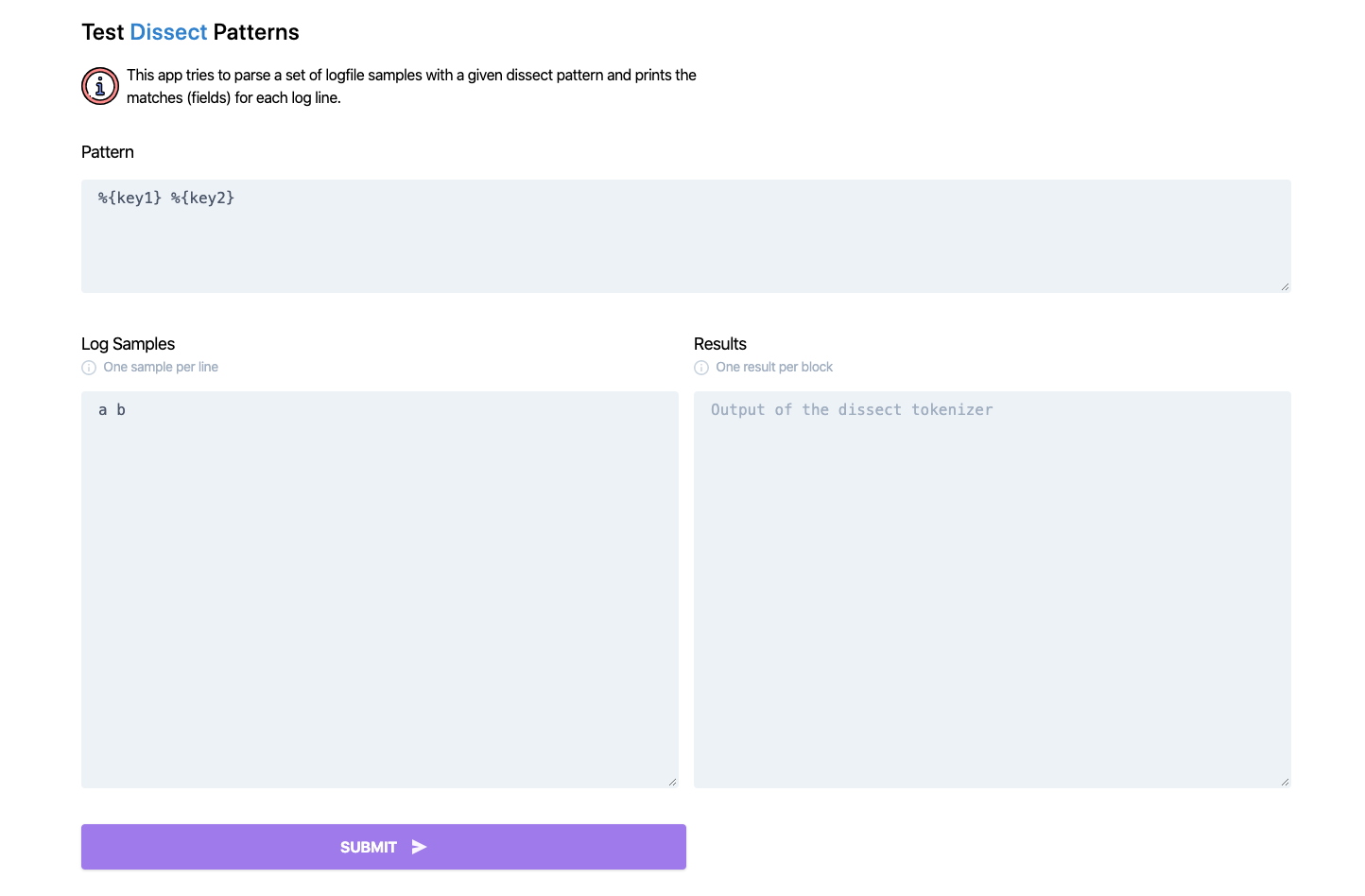
Indicating the the server is running. Head your browser to http://localhost:8080/ and enjoy 🎉.
Your browser should show the following:
## 👨🏻💻 Developing
```shell
git clone https://github.com/jorgelbg/dissect-tester
cd dissect-tester/
make
```
This will build a binary placed in `bin/github.com/jorgelbg/dissect-tester` for your native platform.
If you want to build a new Docker image use the following command:
```shell
make docker
```
For running all tests you can use:
```shell
make test
```
## 🤚🏻 Contributing
If you'd like to contribute, please fork the repository and use a feature
branch. Pull requests are warmly welcome.
## 🚀 Links
- Project homepage/Demo: http://dissect-tester.jorgelbg.me/
- The project icon is based on the icon made by [monkik in www.flaticon.com](https://www.flaticon.com/free-icon/checklist_1085842)
- Icons made by [Pixel perfect from www.flaticon.com](https://www.flaticon.com/authors/pixel-perfect)