https://github.com/josephcatrambone/pixelbox
Image Search Engine in Rust
https://github.com/josephcatrambone/pixelbox
rust search
Last synced: 11 months ago
JSON representation
Image Search Engine in Rust
- Host: GitHub
- URL: https://github.com/josephcatrambone/pixelbox
- Owner: JosephCatrambone
- Created: 2021-03-10T04:20:18.000Z (over 5 years ago)
- Default Branch: main
- Last Pushed: 2023-11-29T18:19:04.000Z (over 2 years ago)
- Last Synced: 2024-05-16T04:17:12.359Z (about 2 years ago)
- Topics: rust, search
- Language: Rust
- Homepage:
- Size: 91.1 MB
- Stars: 29
- Watchers: 5
- Forks: 1
- Open Issues: 7
-
Metadata Files:
- Readme: README.md
Awesome Lists containing this project
README
## PixelBox
#### A desktop image search and indexing tool.
---
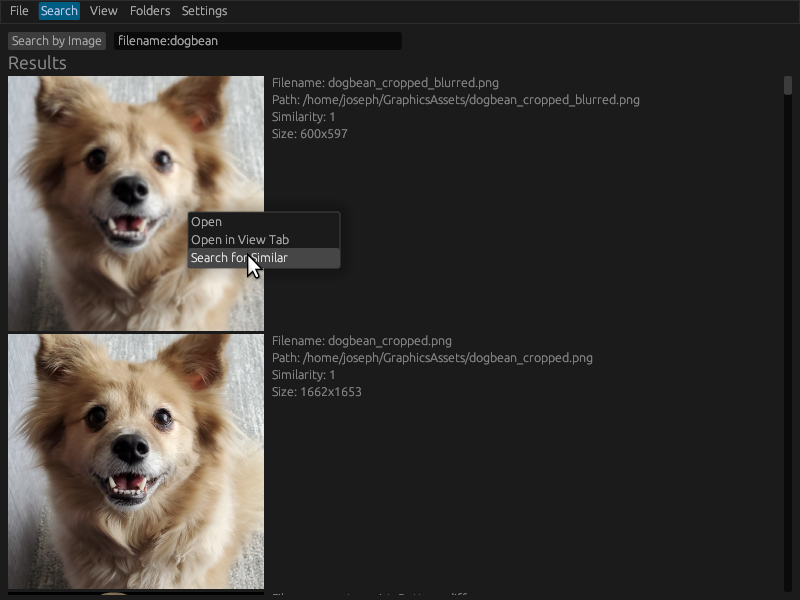
PixelBox is still pre-alpha. Database schema and feature prioritization are subject to change.
### Features
* Cross-platform (Windows, Linux, MacOS) and FOSS
* Search across filenames and exif tags
* Drag and drop search for visually similar images
* Fast parallel indexing of images
* User-moddable image similarity engine (!)
* Portable and inspectable database format
### Technologies
* Rust as the primary language (with egui and tract-onnx)
* SQLite as a storage medium for the image database
* Torch for training the image similarity model
* ONNX for running the similarity model
### TODOs for Alpha Release
* ~~Compress thumbnails in database~~ [DONE - 2x Compression for No Loss in Speed]
* ~~Remove from index on folder clear~~ [DONE]
* ~~Settings Page~~ [DONE]
* Start removing those unwraps
### TODOs for Roadmap
* Better similarity search
* OCR for images (search on text in images)
* Editable tags
* Face search
* Search on image contents in plaintext
* Watched directories via notify crate
* If a model is unavailable, don't perform image hash and just disable similarity search so people can use it for just tags
* Index inside of zip files
### Project Structure
* .github - Links to demo pictures for readme and, eventually, CI/GitHub Action build scripts
* models - The final ONNX files to be used by the application for visual similarity
* resources - Non-shipped experiment logs and python training files
* src - The main application code
* image_hashes - Wrappers for different image hashing methods
* ui - Code for each of the major UI panels like search view, folder view, etc.
### Using Your Own Image Hash (Advanced)
PixelBox's search uses the cosine distance between byte-quantified n-dimensional floats.
For example, if you represent your image as [-1.0, 1.0, 0.0, 0.1] then this will be mapped to a 4-byte vector of [0x00, 0xFF, 0x80, 0x8C].
There are two ways to use your own image hash methods:
1) Replace the image_similarity.onnx file with your own trained model. The inputs should be channel-first 128x128 RGB images and the outputs should be a 1D vector of floats between -1 and 1. See image_hashes/efficientnet.rs for constraints.
2) Replace the 'hash' in the 'semantic_hash' table of your database. This should be an array of u8s as described above. You will not be able to drag-and-drop images for search if using this approach, but after finding a seed image you can right-click and do 'find similar'.