https://github.com/josuegaleas/jay
Yet another Vim colorscheme on GitHub. Inspired by Molokai.
https://github.com/josuegaleas/jay
airline colorscheme lightline vim vim-colorscheme vimrc
Last synced: 11 months ago
JSON representation
Yet another Vim colorscheme on GitHub. Inspired by Molokai.
- Host: GitHub
- URL: https://github.com/josuegaleas/jay
- Owner: josuegaleas
- License: mit
- Created: 2016-06-15T22:22:15.000Z (about 10 years ago)
- Default Branch: master
- Last Pushed: 2018-08-21T19:31:26.000Z (almost 8 years ago)
- Last Synced: 2024-11-25T05:30:34.117Z (over 1 year ago)
- Topics: airline, colorscheme, lightline, vim, vim-colorscheme, vimrc
- Language: Vim script
- Homepage:
- Size: 9.77 MB
- Stars: 37
- Watchers: 5
- Forks: 4
- Open Issues: 0
-
Metadata Files:
- Readme: README.md
- License: LICENSE
Awesome Lists containing this project
README
# jay
Yet another Vim colorscheme on GitHub. Inspired by [Molokai](https://github.com/tomasr/molokai).
## Features
- Same color palette for both terminal and GUI Vim
- Light and dark modes
- Transparent option
- Support for 256 and 16 color terminals
- Explicitly supported plugins:
- [vim-airline](https://github.com/vim-airline/vim-airline) (no 16-color support yet)
- [lightline.vim](https://github.com/itchyny/lightline.vim) (no 16-color support yet)
- [Vim Better Whitespace](https://github.com/ntpeters/vim-better-whitespace)
- Want a certain plugin supported? Feel free to open an issue!
# Gallery
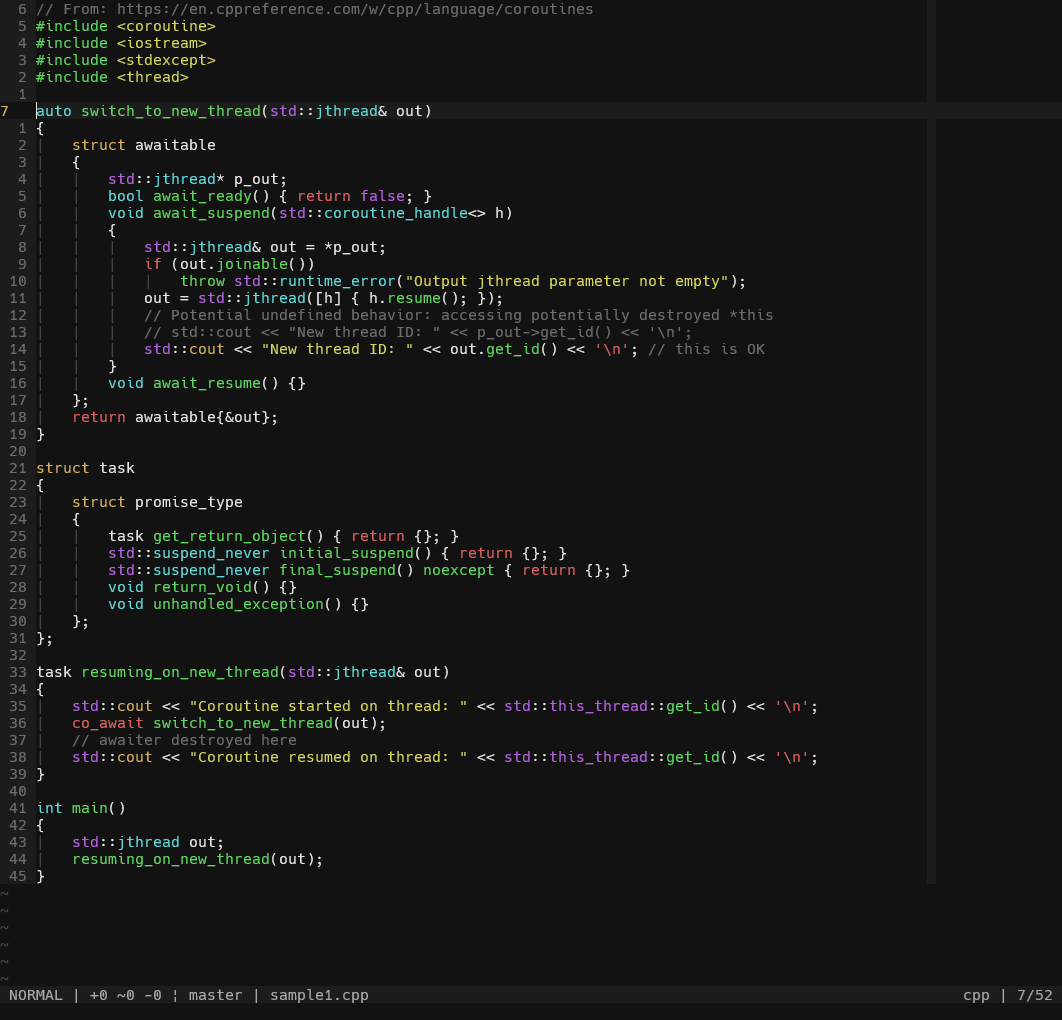
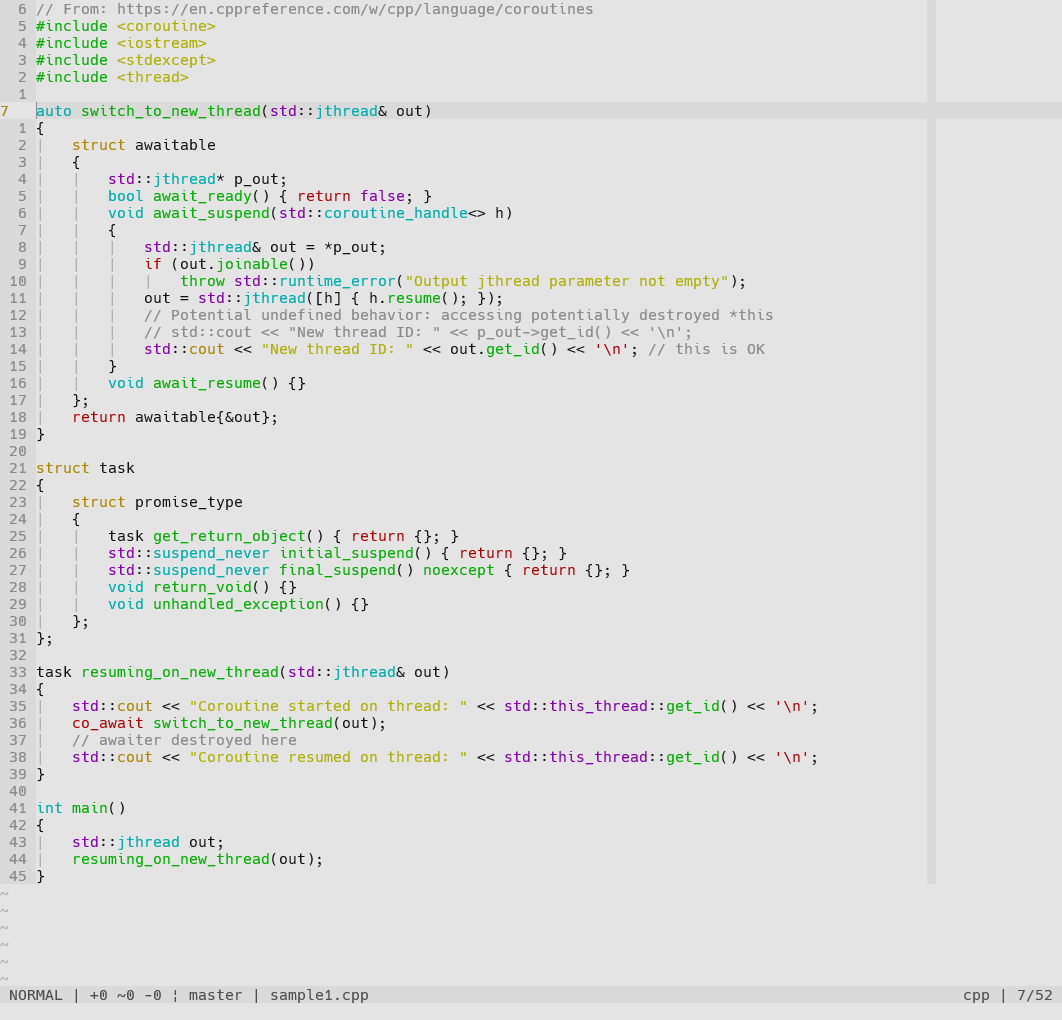
Font used in screenshots is [Hack](https://github.com/source-foundry/Hack). Additional syntax highlighting done by [vim-polyglot](https://github.com/sheerun/vim-polyglot). Statusline is a handmade one that can be found in [jvim](https://github.com/josuegaleas/jvim). For more examples in different languages, visit 'jay' on [colorswat.ch](https://colorswat.ch/vim/schemes/jay).
## Dark Mode
## Light Mode
## Airline Theme


## Lightline Colorscheme


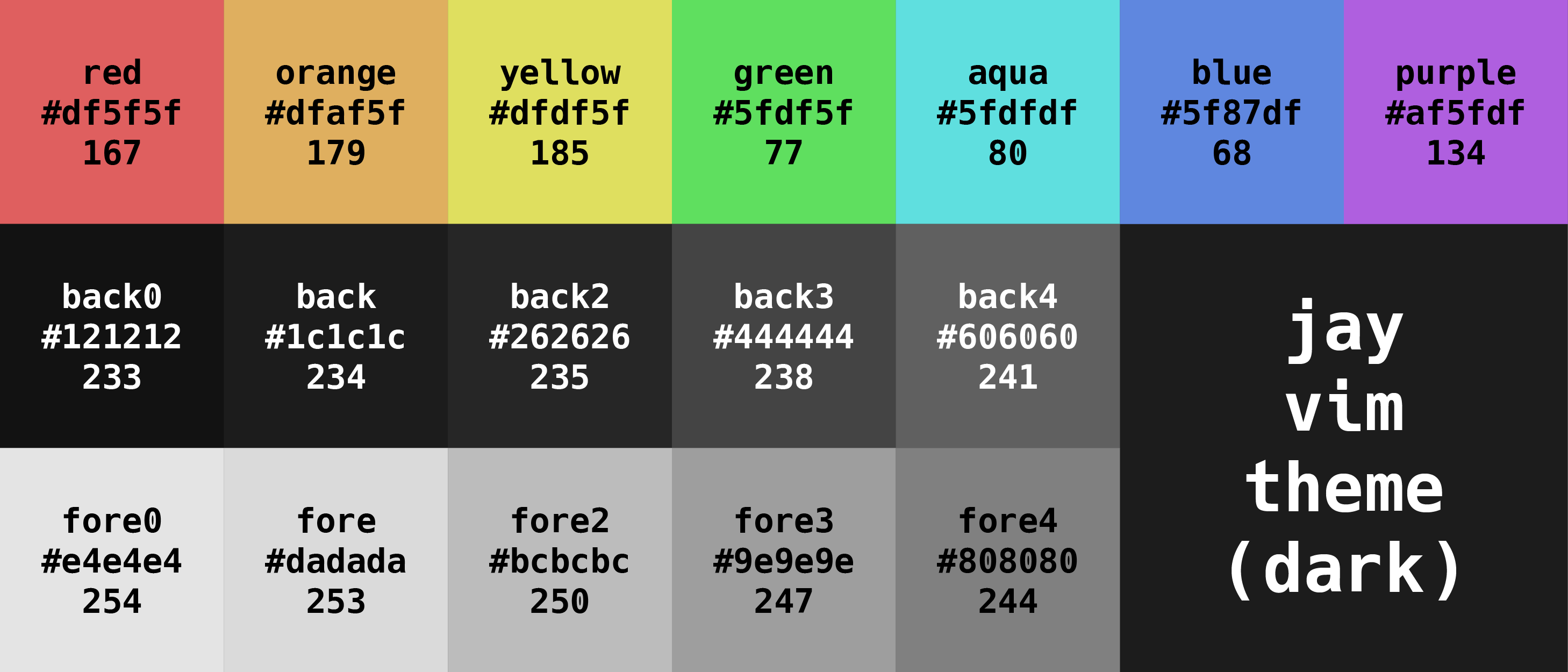
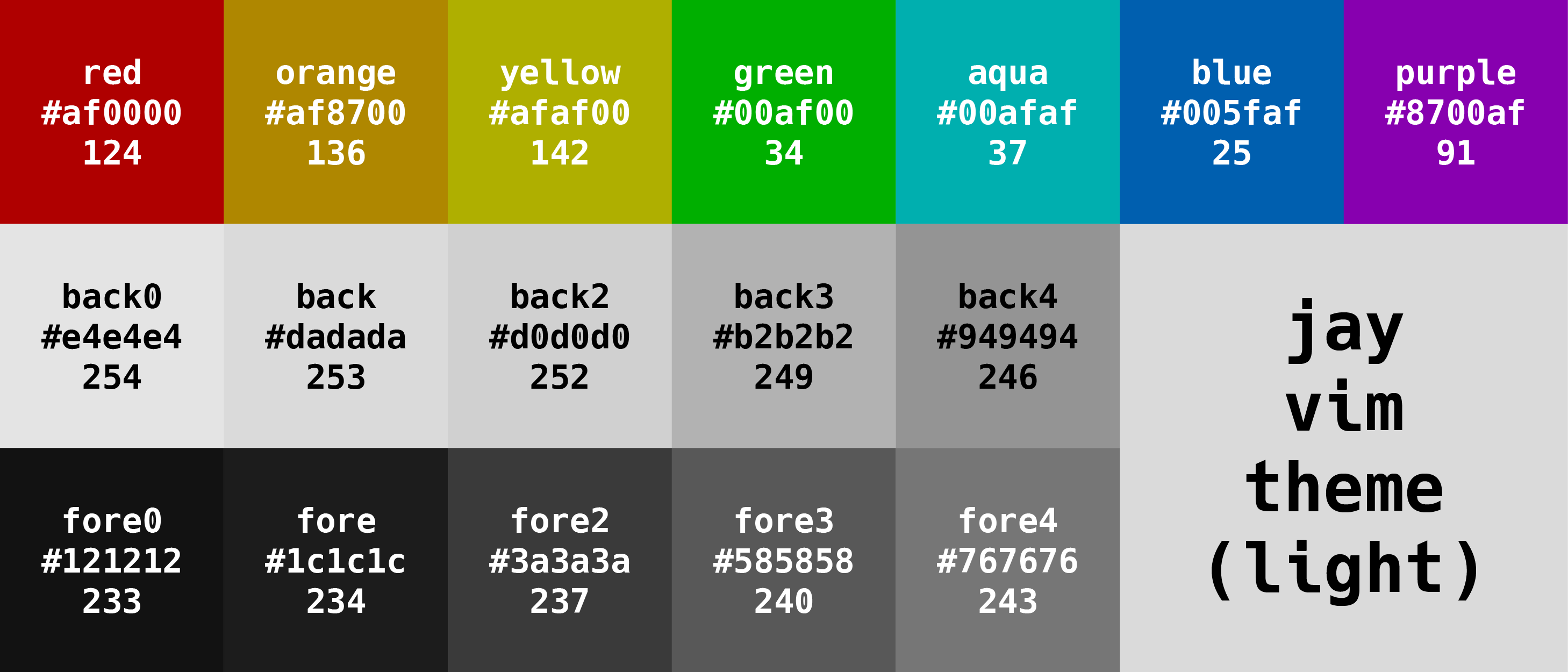
## Palette
Tabulated values can be found [here](./PALETTE.md).
# Installation
## 1) Installing the Colorscheme
### Manually
- Download this repository and unzip its contents
- Copy or move the contents into your `.vim` directory
### [vim-plug](https://github.com/junegunn/vim-plug) (or similar plugin manager)
- Add `Plug 'josuegaleas/jay'` to your `.vimrc`
- Restart Vim and use `:PlugInstall` to install
### Vim's Built-In Package Manager (see `:help packages`)
Clone this repository into your `.vim/pack` directory with:
```bash
git clone --depth=1 https://github.com/josuegaleas/jay.git ~/.vim/pack/josuegaleas/start/jay
```
### [pathogen.vim](https://github.com/tpope/vim-pathogen)
Clone this repository into your `.vim/bundle` directory with:
```bash
git clone --depth=1 https://github.com/josuegaleas/jay.git ~/.vim/bundle/jay/
```
## 2) Updating `.vimrc`
### Dark Mode
Add the following lines to your `.vimrc`:
```viml
syntax enable
set background=dark
colorscheme jay
```
### Light Mode
Add the following lines to your `.vimrc`:
```viml
syntax enable
set background=light
colorscheme jay
```
### Transparent Option
Add the following line anywhere **before** `colorscheme jay` to your `.vimrc`:
```viml
let jay_transparent = 1
```
### Matching Airline Theme
Airline *should* automatically set the matching theme. Optionally, you can enable powerline symbols with:
```viml
let g:airline_powerline_fonts = 1
```
### Matching Lightline Colorscheme
Add the following line to your `.vimrc`:
```viml
let g:lightline = {'colorscheme': 'jay'}
```
# Roadmap
- Add 16-color support to the Airline theme and the Lightline colorscheme
- Add explicit support for more plugins
- Maybe rewrite the colorscheme using [vim-colortemplate](https://github.com/lifepillar/vim-colortemplate)
- Add support for Neovim exclusive stuff
# References
- [gruvbox](https://github.com/morhetz/gruvbox)
- [Solarized](https://github.com/altercation/vim-colors-solarized)
- [Creating colorschemes for Vim](https://web.archive.org/web/20240416003858/http://vimcasts.org/episodes/creating-colorschemes-for-vim/)
- [Consistent terminal colors with 16-ANSI-color Vim themes](https://jeffkreeftmeijer.com/vim-16-color/)
- [Vim's colorscheme incubator](https://github.com/vim/colorschemes)
- [Everforest](https://github.com/sainnhe/everforest)
- [abbott.vim](https://github.com/bcat/abbott.vim)
- `$VIMRUNTIME/syntax/syncolor.vim`
# Tools
- [Xterm Color Table](https://github.com/guns/xterm-color-table.vim)
- [Colorizer](https://github.com/chrisbra/Colorizer)
- [HiLinkTrace](https://github.com/gerw/vim-HiLinkTrace)
- `:highlight`
- `:source $VIMRUNTIME/syntax/hitest.vim`
# Credit
- [FliiFe](https://github.com/FliiFe) for motivating me to make the transparent option.
- [ksergey](https://github.com/ksergey) for motivating me to improve the tabline of the Airline theme and the Lightline colorscheme.