https://github.com/joxit/tile-server-ui
User Interface for tile servers using leaflet
https://github.com/joxit/tile-server-ui
docker leaflet openstreetmap riot riot-mui riotjs tile-server tile-server-ui tile-source user-interface
Last synced: about 1 year ago
JSON representation
User Interface for tile servers using leaflet
- Host: GitHub
- URL: https://github.com/joxit/tile-server-ui
- Owner: Joxit
- License: agpl-3.0
- Created: 2016-04-02T21:51:06.000Z (about 10 years ago)
- Default Branch: master
- Last Pushed: 2022-04-28T08:05:05.000Z (about 4 years ago)
- Last Synced: 2025-04-10T11:39:26.379Z (about 1 year ago)
- Topics: docker, leaflet, openstreetmap, riot, riot-mui, riotjs, tile-server, tile-server-ui, tile-source, user-interface
- Language: JavaScript
- Homepage: https://joxit.dev/tile-server-ui/
- Size: 1.3 MB
- Stars: 7
- Watchers: 3
- Forks: 1
- Open Issues: 2
-
Metadata Files:
- Readme: README.md
- License: LICENSE
Awesome Lists containing this project
README
# Tile Server UI
## Overview
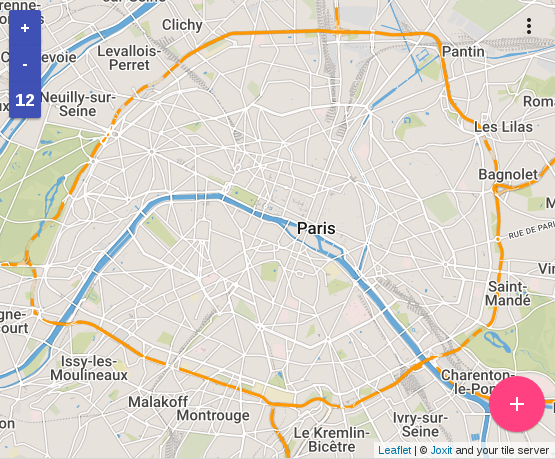
This project aims to provide a user interface for tile servers.
The default tile-server is openstreetmap on this UI and you can add your own according to the leaflet notation (e.g. `https://{s}.tile.openstreetmap.org/{z}/{x}/{y}.png`).
All tile servers will be stored in the [local storage](https://en.wikipedia.org/wiki/Web_storage#Local_and_session_storage) of your browser.
This project uses [Riot](http://riotjs.com/), [riot-mui](http://kysonic.github.io/riot-mui/) and [leaflet](http://leafletjs.com/).
## [GitHub Page](https://joxit.dev/tile-server-ui/) and [Live Demo](https://joxit.dev/tile-server-ui/demo/)
## Content
- [Features](#features)
- [Getting Started](#getting-started)
- [Basic](#basic)
- [Docker](#docker)
- [Get the docker image](#get-the-docker-image)
- [Run the docker](#run-the-docker)
- [Screenshots](#screenshots)
## Features
- Add any tile sources
- Remove your added tile sources
- Add an overlay (two tiles sources at the same time)
- One interface for many tile sources
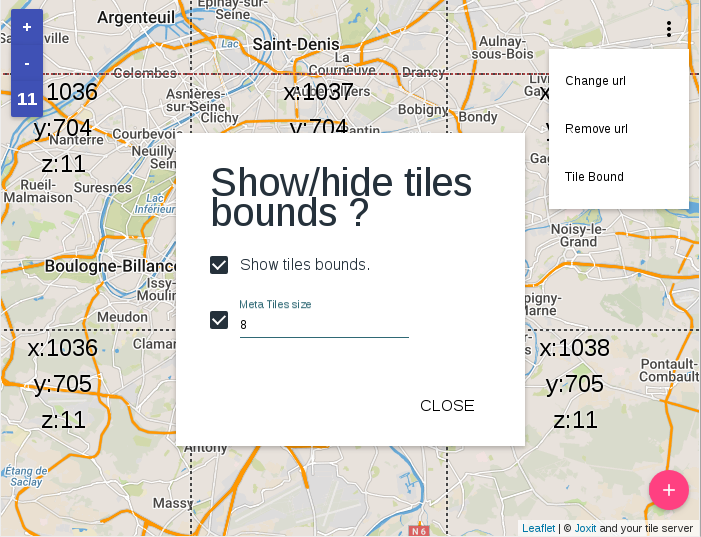
- Show tiles bounds
- Show meta-tile bounds
- Save settings in local storage (servers URL, tile bounds, meta-tile bounds, meta-tile size)
- Coordinates in the URL for position sharing
## Getting Started
### Basic
First you need node and npm in order to download dependencies.
```sh
git clone https://github.com/Joxit/tile-server-ui.git
cd tile-server-ui
npm install
```
Now you can open index.html with your browser or use a http-server
```sh
npm install -g http-server
http-server
```
### Docker
The docker contains the source code and a node webserver in order to serve the tile-server-ui.
#### Get the docker image
You can get the image in three ways
From sources with this command :
```sh
git clone https://github.com/Joxit/tile-server-ui.git
docker build -t joxit/tile-server-ui tile-server-ui
```
Or build with the url :
```sh
docker build -t joxit/tile-server-ui github.com/Joxit/tile-server-ui
```
Or pull the image from [docker hub](https://hub.docker.com/r/joxit/tile-server-ui/) :
```sh
docker pull joxit/tile-server-ui
```
#### Run the docker
To run the docker and see the website on your 80 port, try this :
```sh
docker run -d -p 80:80 joxit/tile-server-ui
```
## Screenshots