https://github.com/jsakamoto/spprologa
"Build client web apps with Prolog" - The library to make Single Page Prolog Applications!
https://github.com/jsakamoto/spprologa
blazor prolog spa
Last synced: 11 months ago
JSON representation
"Build client web apps with Prolog" - The library to make Single Page Prolog Applications!
- Host: GitHub
- URL: https://github.com/jsakamoto/spprologa
- Owner: jsakamoto
- License: mpl-2.0
- Created: 2020-12-25T05:45:51.000Z (over 5 years ago)
- Default Branch: main
- Last Pushed: 2021-01-05T01:43:10.000Z (over 5 years ago)
- Last Synced: 2025-07-23T04:43:33.204Z (11 months ago)
- Topics: blazor, prolog, spa
- Language: HTML
- Homepage: https://jsakamoto.github.io/Spprologa/
- Size: 15.6 MB
- Stars: 7
- Watchers: 3
- Forks: 0
- Open Issues: 0
-
Metadata Files:
- Readme: README.md
- License: LICENSE
Awesome Lists containing this project
README
# Spprologa [](https://www.nuget.org/packages/Spprologa.CSProlog/) [](https://github.com/jsakamoto/Spprologa/actions?query=workflow%3Atest) [](https://github.com/jsakamoto/Spprologa/blob/main/LICENSE)
## _"Build client web apps with Prolog."_
_**"Spprologa"**_ is the open source library to make a "**S**ingle **P**age **Prolog** **A**pplication" built on _"[Blazor](https://blazor.net/) WebAssembly"_ and _"[C#Prolog](https://github.com/jsakamoto/CSharpProlog)"_.
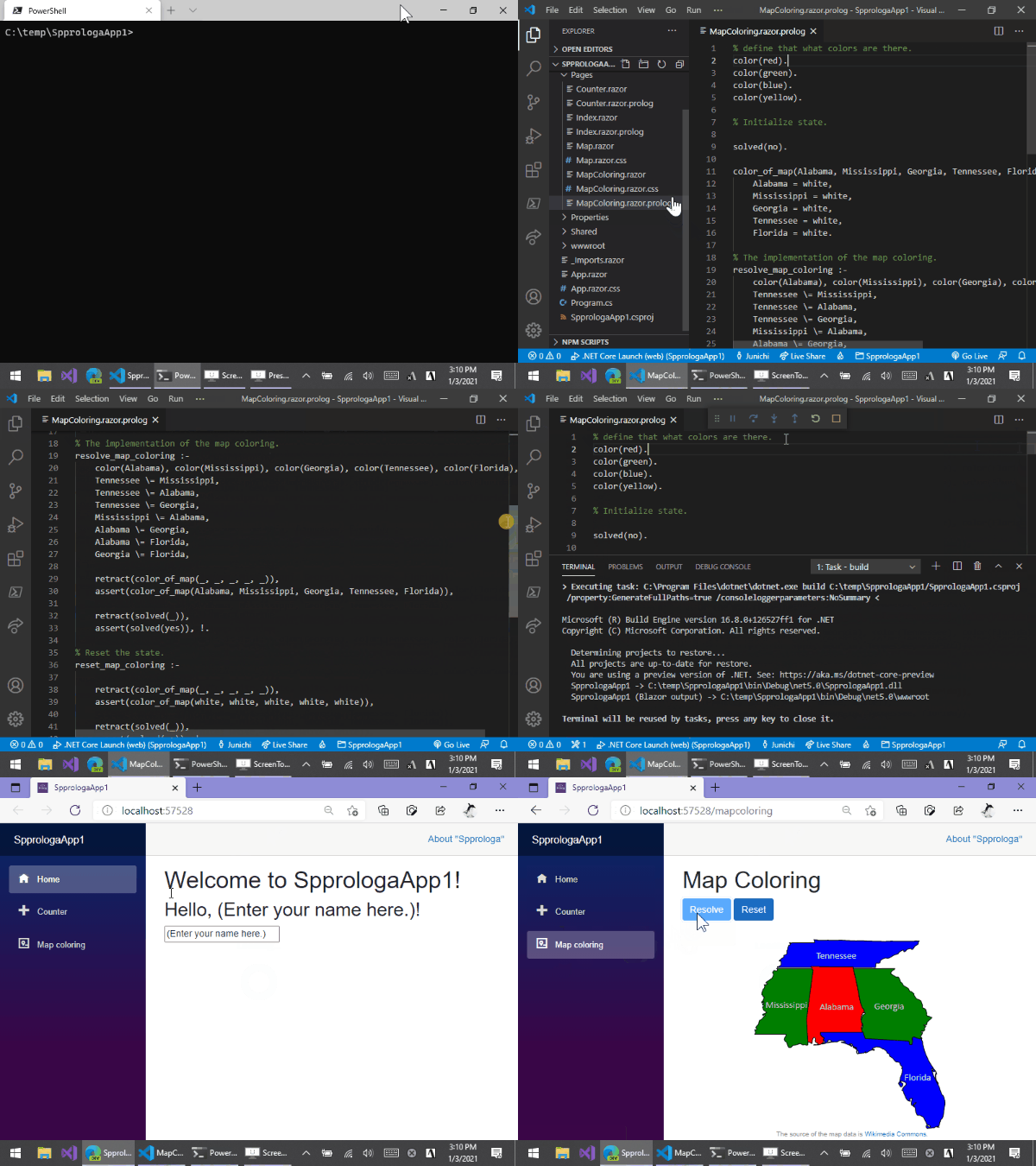
Please visit also the URL below to the live demo site.
- [https://jsakamoto.github.io/Spprologa/](https://jsakamoto.github.io/Spprologa/)
## Hosting model
All of the Prolog codes are **running inside of the Web browser**, not the server process.
The Prolog codes are interpreted by the interpreter that runs on the Web browser's WebAssembly engine, **not transpiled to JavaScript**.
"Spprologa" apps can be hosted on any HTTP servers that can serve static contents at least, such as GitHub Pages, Firebase, Netlify, Azure Static Web, etc.
## Jump start
### Requirements
- .NET SDK v.5.0 or later. (see also: _["Download .NET"](https://dotnet.microsoft.com/download)_)
- Any OS platforms and versions those are supported by .NET v.5.0 or later, such as Linux distributions, macOS, and Windows.
### Install project template
Before starting the "Spprologa" app programming, I recommend installing the "Spprologa" project template by the following command:
```shell
$ dotnet new -i Spprologa.Templates::0.0.1-preview.4.0.0.0
```
### Create a new "Spprologa" app project , and run it.
Once the installation of the project template is complete, you can create a new "Spprologa" application project in the current folder by the `dotnet new` command.
```shell
$ dotnet new spprologa
```
After creating a new "Spprologa" application project, executing the following command starts building and running the app. And the application's URL will be opened by a default Web browser automatically.
```shell
$ dotnet watch run
```
### Publish the project
If you want to deploy the app to a Web server, execute the `dotnet publish` command like this:
```shell
$ dotnet publish -c:Release -o path/to/output
```
After executing the command above, all of the contents will be generated that are required to running the app in the `path/to/output/wwwroot` folder.
## Programming "Spprologa" application
### `*.razor.prolog` files in the project are consulted automatically.
```prolog
% /Pages/Foo.razor.prolog
% This Prolog code file will be consulted only once
% when the "Foo.razor" component is first rendering.
input(name, "").
bird("swallow", canfly).
bird("penguin", canswim).
canfly(Name) :- bird(Name, canfly).
classify(Name, "can fly") :- canfly(Name).
classify(Name, "is bird, but can't fly.") :- bird(Name, _).
classify(_, "isn't bird.").
check :-
input(name, Name), classify(Name, Message),
retractall(message(_, _)), asserta(message(Name, Message)).
```
### Bind result of a query to DOM contents.
Use **`@query("...")`** to retrieve a variable value inside a solution of a query which is specified as an argument, and render it as the HTML contents.
```html
...
@query("canfly(Name)")
```
### Bind input to a fact.
Use **`@fact("...")`** to two way bind to an `input` element.
```html
...
```
If the user inputs the text "gopher" into the `input` element above, then all `input(name, _)` facts will be retracted, and instead the fact `input(name, "gopher")` will be asserted.
### Bind an action to a query.
Use **`@then("...")`** to make the query will be called when an event is fired.
```html
...
Check
```
If the user clicks the button above, the query `check` will be called.
### List up facts.
Use the **``** component to retrieve all solutions of a query and render values of each solution to HTML contents.
```html
...
- @context["Name"] - @context["Ability"]
- swallow - canflay
- penguin - cannotflay
```
The above code will render to HTML as follow:
```html
```
### Aside
Currently, the "Spprologa" is dependent on "C#Prolog".
But the "Spprologa" is implemented based on pluggable architecture, so it can be replaced by the other Prolog implementation easily.
## Important Notice
### This is NOT a stable project.
This project is a ** "proof of concept" ** to create a single page web app using the "Prolog" programming language.
This project has been started by just only my interest that the "Prolog" can make a single page web app or not.
Therefore, **this project may be abandoned** after I lose interest in it.
However, this project is distributed under the Mozilla Public License.
So anybody can **fork** and can **continue** this project freely anytime, and I will strongly welcome it.
## Release Notes
[Release notes is here.](https://github.com/jsakamoto/Spprologa/blob/main/RELEASE-NOTES.txt)
## License
[Mozilla Public License Version 2.0](https://github.com/jsakamoto/Spprologa/blob/main/LICENSE)
(The source codes of sample site are distributed under [The Unlicense](https://unlicense.org/).)