https://github.com/jsdecena/laracom
Laravel FREE E-Commerce Software
https://github.com/jsdecena/laracom
admin-lte e-commerce ecommerce free hacktoberfest laravel laravel-ecommerce open-source opensource shop shopping shopping-cart shopping-cart-solution shopping-list storefront tdd test-driven-development
Last synced: 9 days ago
JSON representation
Laravel FREE E-Commerce Software
- Host: GitHub
- URL: https://github.com/jsdecena/laracom
- Owner: jsdecena
- Created: 2017-08-15T04:38:27.000Z (about 9 years ago)
- Default Branch: master
- Last Pushed: 2026-10-17T22:02:07.000Z (10 days ago)
- Last Synced: 2026-10-18T16:34:58.360Z (10 days ago)
- Topics: admin-lte, e-commerce, ecommerce, free, hacktoberfest, laravel, laravel-ecommerce, open-source, opensource, shop, shopping, shopping-cart, shopping-cart-solution, shopping-list, storefront, tdd, test-driven-development
- Language: PHP
- Homepage: https://jsdecena.github.io/laracom
- Size: 12.7 MB
- Stars: 2,040
- Watchers: 118
- Forks: 855
- Open Issues: 0
-
Metadata Files:
- Readme: README.md
- Funding: .github/FUNDING.yml
- Security: SECURITY.md
Awesome Lists containing this project
- awesome-opensource-apps - Laracom - Commerce Software | [https://laracom.net](https://laracom.net) | (Laravel)
- awesome-php - jsdecena/laracom - Laravel FREE E-Commerce Software (Other / Mathematics)
- awesome-opensource-apps - Laracom - Commerce Software | [https://laracom.net](https://laracom.net) | (Laravel)
README
[](https://github.com/jsdecena/laracom)
[](https://github.com/jsdecena/laracom)
[](https://gitter.im/larac0m/Lobby)
[](https://app.fossa.io/projects/git%2Bgithub.com%2FLaracommerce%2Flaracom?ref=badge_shield)
### I released a new ecommerce software using NodeJS (adonis framework) Check it out if you are curious: https://github.com/getakinai/storefront
# Get discount on Digital Ocean
Sign-up with [Digital Ocean and get $10 discount](https://m.do.co/c/bce94237de96)!
# Laravel FREE E-Commerce Software
Features Provided
- Products
- Cart
- Checkout
- Categories
- Customers
- Orders
- Payment
- Couriers
- Employees
- To view more details of the features
See full [documentation](https://jsdecena.github.io/laracom)
# Simplified DOCKER setup
## In your teminal, issue these commands
- RUN `docker-compose up -d --build`
- If your runtime is apple silicon, use `docker-compose -f docker-compose-m1.yml up -d --build` command
- RUN `docker exec -it app bash`
- Inside the container, run `composer install && chmod -R 777 storage/ bootstrap/cache/`
- Inside the container, run `php artisan migrate --seed`
- While inside the container, compile the assets with `npm i && npm run dev`
- While inside the container, link the images `php artisan storage:link`
- OPEN [http://localhost:8000](http://localhost:8000)
## If you want to use mailhog as SMTP
1.Create a ./mails directory
2.change .env like this
```
MAIL_DRIVER=smtp
MAIL_HOST=mailhog
MAIL_PORT=1025
MAIL_USERNAME=null
MAIL_PASSWORD=null
MAIL_ENCRYPTION=null
MAIL_FROM_ADDRESS="test@example.com"
MAIL_FROM_NAME="${APP_NAME}"
```
3.Go to http://localhost:8025 and verify that the mailhog screen appears
# Author
[Jeff Simons Decena](https://jsdecena.me)
# Contributors

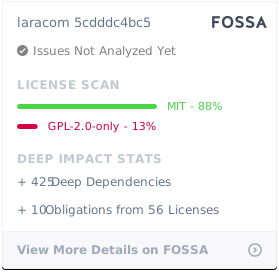
## License
[](https://app.fossa.io/projects/git%2Bgithub.com%2FLaracommerce%2Flaracom?ref=badge_large)