https://github.com/jsem-nerad/dotwave.js
A JavaScript library for making cool star effect reacting to cursor
https://github.com/jsem-nerad/dotwave.js
animation javascript js library
Last synced: over 1 year ago
JSON representation
A JavaScript library for making cool star effect reacting to cursor
- Host: GitHub
- URL: https://github.com/jsem-nerad/dotwave.js
- Owner: jsem-nerad
- License: gpl-3.0
- Created: 2025-03-26T18:53:30.000Z (over 1 year ago)
- Default Branch: main
- Last Pushed: 2025-04-05T14:53:21.000Z (over 1 year ago)
- Last Synced: 2025-04-05T15:27:40.827Z (over 1 year ago)
- Topics: animation, javascript, js, library
- Language: JavaScript
- Homepage: http://dotwave.vojtikdortik.eu/
- Size: 28.3 KB
- Stars: 1
- Watchers: 2
- Forks: 0
- Open Issues: 0
-
Metadata Files:
- Readme: README.md
- License: LICENSE
Awesome Lists containing this project
README
DotWave.js
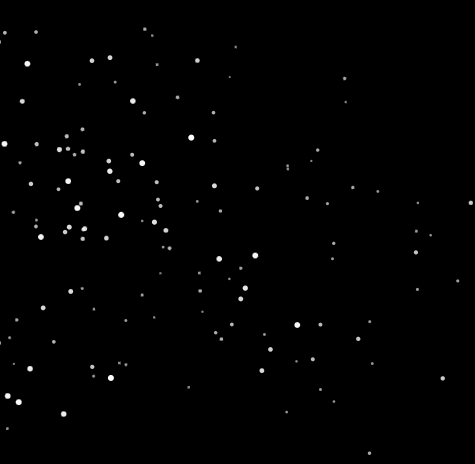
A lightweight JavaScript library that creates interactive dot backgrounds
Report a Bug
·
Request a Feature
### Try now on [dotwave.vojtikdortik.eu](https://dotwave.vojtikdortik.eu/)
## Features
- Dots react smoothly to cursor movements
- Depth perception with parallax effect
- Fully customizable (colors, sizes, behavior)
- Responsive design
- No dependencies
- Lightweight
## Installation
### Direct Download
Download the library [here](https://github.com/jsem-nerad/DotWave.js/blob/main/src/dotwave.js) from the [`src`](https://github.com/jsem-nerad/DotWave.js/tree/main/src) folder and include it in your HTML:
```xml
```
or you can use it remotely like this:
```xml
```
## Basic Usage
```xml
DotWave Basic Example
body {height: 100vh;}
// Initialize with default options
const dotwave = new DotWave({container: 'body'});
```
### Configuration Options
```JavaScript
const dotwave = new DotWave({
container: 'body', // Container selector or DOM element
numDots: 200, // Number of dots
dotColor: 'white', // Dot color (CSS color)
backgroundColor: 'black', // Background color
dotMinSize: 0.5, // Minimum dot size
dotMaxSize: 2.5, // Maximum dot size
dotMinOpacity: 0.5, // Minimum dot opacity
dotMaxOpacity: 1, // Maximum dot opacity
influenceRadius: 150, // Mouse influence radius
influenceStrength: 0.08, // Mouse influence strength
randomFactor: 0.03, // Random movement factor
friction: 0.97, // Movement friction
maxSpeed: 3, // Maximum dot speed
responsive: true, // Automatically resize with container
zIndex: -1 // Canvas z-index
});
```
### Methods
```JavaScript
// Initialize
const dotwave = new DotWave(options);
// Pause animation
dotwave.pause();
// Resume animation
dotwave.resume();
// Update options
dotwave.updateOptions({
dotColor: 'blue',
numDots: 300
});
// Clean up when done
dotwave.destroy();
```
## Contributing
Contributions are welcome! Please feel free to submit a pull request or an issue.