https://github.com/jsmith/battleship
A battleship game built with pure Java
https://github.com/jsmith/battleship
Last synced: 10 months ago
JSON representation
A battleship game built with pure Java
- Host: GitHub
- URL: https://github.com/jsmith/battleship
- Owner: jsmith
- Created: 2017-03-24T21:16:58.000Z (over 9 years ago)
- Default Branch: master
- Last Pushed: 2019-03-03T20:49:31.000Z (over 7 years ago)
- Last Synced: 2025-03-01T18:31:04.470Z (over 1 year ago)
- Language: Java
- Homepage:
- Size: 11.4 MB
- Stars: 0
- Watchers: 2
- Forks: 0
- Open Issues: 0
-
Metadata Files:
- Readme: README.md
Awesome Lists containing this project
README
# Battleship

> Battleship game using Java
## General
The main file of ther server is BattleShip, it will print the port number for the two clients. The first to connect will be player one, the second will be player two.
The main file for running a client is Client, enter the port given by the server and the server IP address when prompted to connect.
## Running the Server
Just use the following commands!
```
cd server/
javac *.java
java -classpath "sqlite-jdbc-3.16.1.jar:$CLASSPATH" BattleShip
```
## Running the Client
After launching the server, run two instances of the client.
Use the following commands to launch one client.
```
# this will download the theme song. It's 50mb because it's a WAV... sorry
./setup.sh
cd client/
javac *.java
java Client
```
> WARNING: Registration seems to be broken. When logging in, use "jacob" as the username and "jacob" as the password.
## Screenshot

> Regular Gameplay
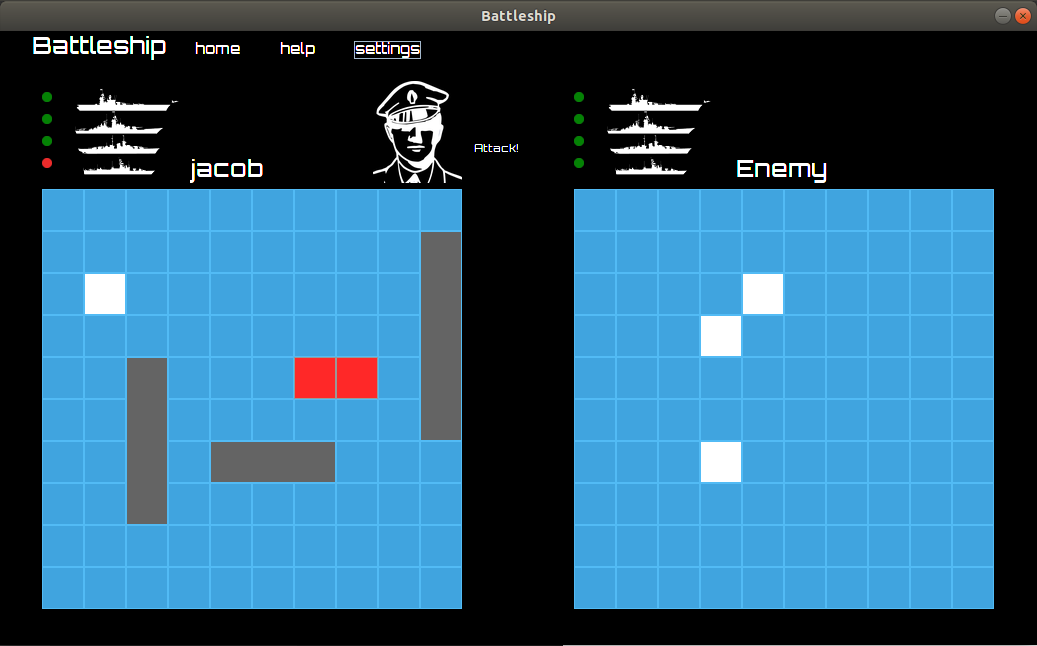
> Dark Mode

> Leaderboards
## Other Important Information
1. Returning to the home screen after signing in or registering will cause errors in the game. The protocol does not support moving back and forth between game states.
2. Returning home at the leaderboards screen is possible as the server will restart each time and run until the connection is broken with a client. Returning home at this stage in the game will reset everything and you will be able to play again.