https://github.com/jsmith/invoicer
Just a toy snowpack application :)
https://github.com/jsmith/invoicer
Last synced: 12 months ago
JSON representation
Just a toy snowpack application :)
- Host: GitHub
- URL: https://github.com/jsmith/invoicer
- Owner: jsmith
- Created: 2020-04-24T21:14:55.000Z (about 6 years ago)
- Default Branch: master
- Last Pushed: 2020-04-25T03:09:19.000Z (about 6 years ago)
- Last Synced: 2025-03-01T18:30:58.349Z (over 1 year ago)
- Language: TypeScript
- Homepage: https://jsmith.github.io/invoicer
- Size: 701 KB
- Stars: 0
- Watchers: 2
- Forks: 0
- Open Issues: 0
-
Metadata Files:
- Readme: README.md
Awesome Lists containing this project
README
# Invoicer
A toy invoice creator using [`Snowpack`](https://www.snowpack.dev/#snowpack) 🧾
## What does it do?
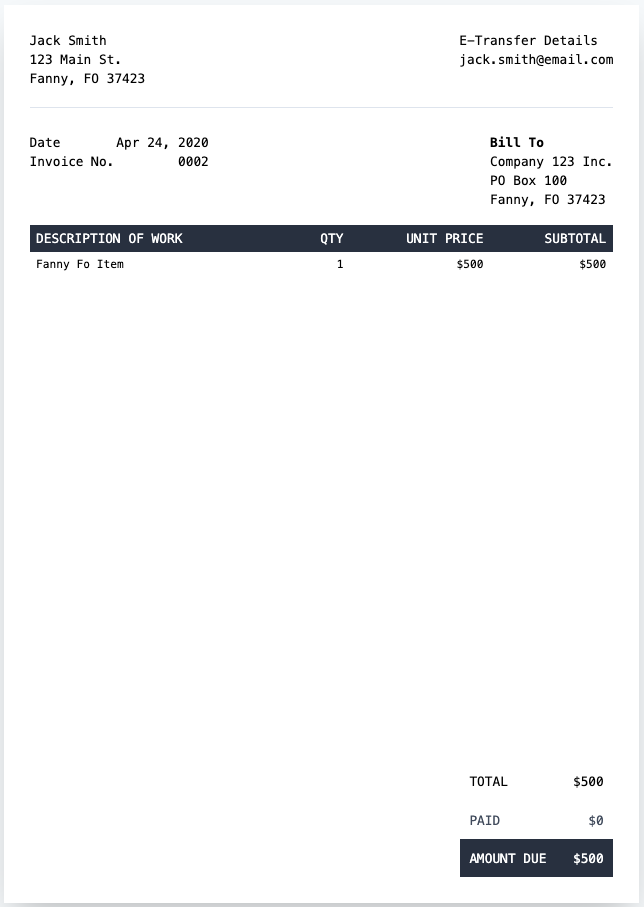
It builds an invoice using HTML, [`Tailwind`](https://tailwindcss.com/) and a config object (currently hardcoded). Use `Ctrl/Cmd+P` to print it :)
## Why did I build it?
I needed to create an invoice and I thought this would be a good opportunity to use Snowpack (linked above) which is a no bundler solution for modern application development. This project uses React, Tailwind, PurgeCSS and TypeScript and deploys to GitHub pages!
## Screenshot
## Development
### Setup
#### Install the Dependencies
You first need to install the dependencies and run snowpack (look in the snowpack docs for more info about the `snowpack` command).
```
npm i && npx snowpack --source pika
```
#### Build Tailwind
Next, you'll need to build the `tailwind.`css file!
```
# you need to run this command every time you change index.css (which shouldn't be often) :)
npx tailwind build src/index.css -o lib/tailwind.css
```
### Running the Dev Server
Just run the `babel` in one tab and `servor` in another!!
```
# Run this in one tab
npx babel src/ --out-dir lib --watch --extensions ".ts,.tsx"
# And also run this in parallel in another tab
npx servor --reload
```
Now, once you change a `.ts` or `.tsx` files, `babel` will immeditely recompile your modified file and `servor` will refresh your browser 🎉
## Deployment
Run the following script, commit your changes and then push to GitHub :)
```
./build.sh
```