https://github.com/jthomas/cfbot
Cloud Foundry Application Monitoring Bot For Slack
https://github.com/jthomas/cfbot
Last synced: 4 months ago
JSON representation
Cloud Foundry Application Monitoring Bot For Slack
- Host: GitHub
- URL: https://github.com/jthomas/cfbot
- Owner: jthomas
- License: mit
- Created: 2015-11-10T14:21:30.000Z (over 10 years ago)
- Default Branch: master
- Last Pushed: 2017-07-25T08:46:04.000Z (almost 9 years ago)
- Last Synced: 2025-10-09T03:08:30.648Z (8 months ago)
- Language: JavaScript
- Size: 26.4 KB
- Stars: 26
- Watchers: 6
- Forks: 11
- Open Issues: 1
-
Metadata Files:
- Readme: README.md
- License: LICENSE
Awesome Lists containing this project
README
# cfbot
[Cloud Foundry](http://cloudfoundry.org) application monitoring bot for
[Slack](https://slack.com).
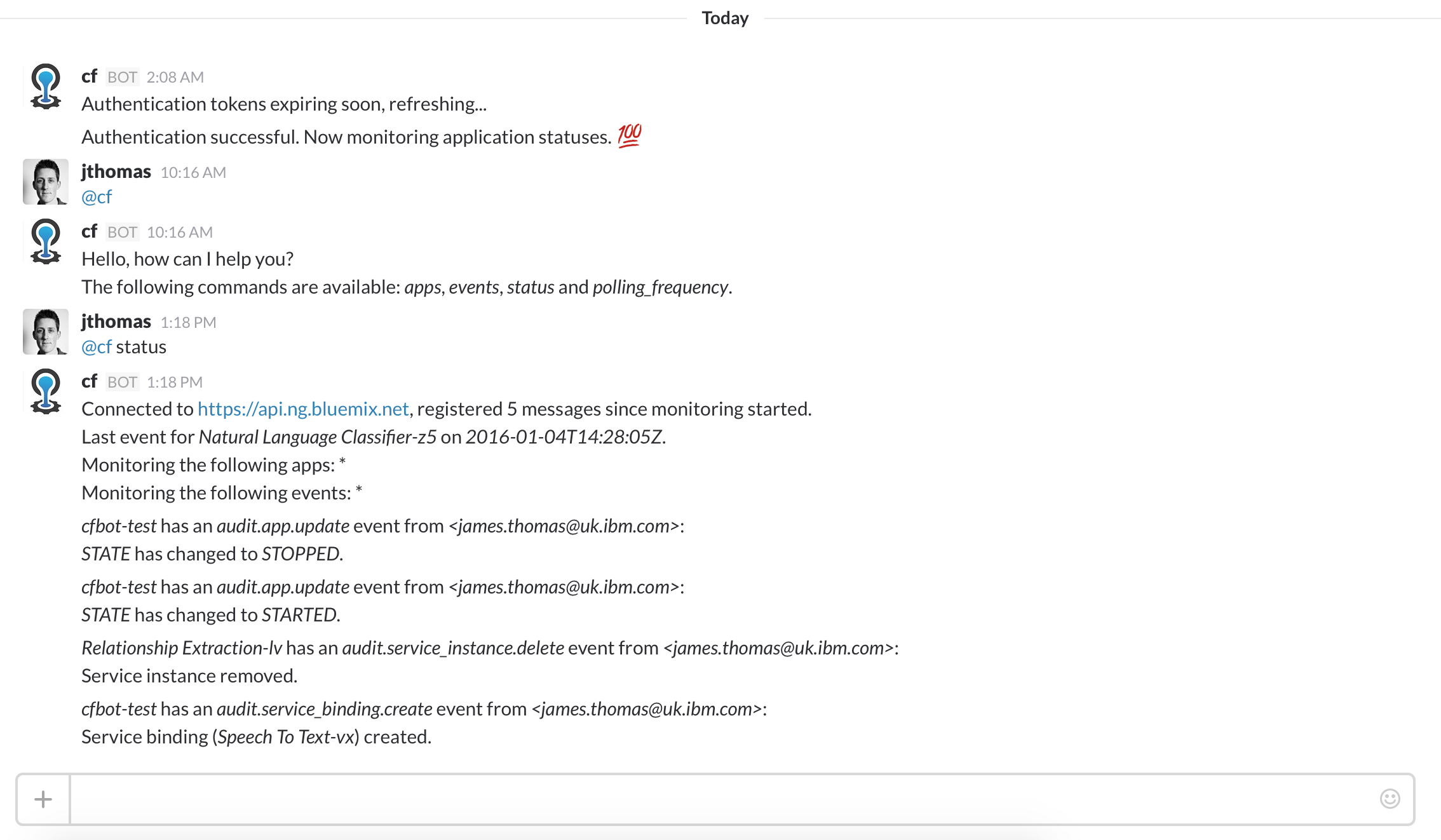
cfbot monitors application events through the
[CF events API](https://apidocs.cloudfoundry.org/224/events/list_all_events.html) and forwards
details to channels it's registered in. Users can configure the applications
and events being monitored.
## install
This Cloud Foundry monitoring bot can be deployed to... Cloud Foundry!
You will need to register the bot with your Slack group to receive an
authentication token. This token, along with login details for
a platform account, need to be created as user-provided service credentials.
The bot will read these service credentials on deployment and start monitoring
for events.
### register slack bot
Add a new bot integration [here](https://slack.com/services/new/bot) with the
following details:
* *username:* _cf_
Make a note of the API token.
*tip: grab the cloud foundry logo for your bot picture from [here](https://twitter.com/cloudfoundry)*
### create user provided service credentials
Create user-provided service credentials on the Cloud Foundry
instance where you will be deploying cfbot using the command below.
You need to provide the API token from Slack, the Cloud Foundry endpoint running
the applications you want to monitor and user account credentials for that
platform.
cf cups cfbot -p '{"slack_token":"xoxb-some-token","cf_api":"https://api.ng.bluemix.net", "cf_username":"xxx", "cf_password":"xxx"}'
*tip: create a new user account for cfbot and add it to your cf organisation to expose applications
for monitoring, rather than having to use normal user accounts.*
### deploy

or...
$ cf push
## usage
cfbot will monitor events from applications in all spaces and
organisations that the user account has access to.
Users can filter the applications and events being reported using the *apps* and
*events* commands. Both commands take application or event identifiers that are
used to match incoming events. The wildcard '*' identifier can be used to revert
to matching all events.
@cf apps // show the currently application filter
@cf apps app_name // add the 'app_name' to the filter list
@cf apps * // reset to the filter to wildcard matching
@cf events // show the currently event filter
@cf events event_type // add the 'event_type' to the filter list
@cf events * // reset to the filter to wildcard matching
@cf status // show the current bot status message
@cf polling_frequency // show the cf events api polling time in seconds
@cf polling_frequency 10 // set the cf events api polling time in seconds
The following events are currently registered:
* _App Creation and Deletion Events._
* _App Lifecycle Events (start, stop, restart, restage)_
* _Instance Crash Events._
* _Service Creation, Deleting and Binding._
* _Scaling (memory, CPU, disk)_
* _Routes Changes (map, unmap)_
## config
Environment variables (APPS and EVENTS) can be used to configure default event property filtering for
application names and event types (use spaces to separate multiple terms).
POLLING_FREQ can be defined to configure the default CF events api polling
frequency.
env:
APPS: my_app your_app another_app
EVENTS: app.create app.update
POLLING_FREQ: 30
## bugs / feedback / comments
Open [issues](https://github.com/jthomas/cfbot/issues) or find me on [twitter](http://twitter.com/thomasj).
Pull requests welcome!