https://github.com/julien-jacob/wplingua
wpLingua - WordPress plugin - Translate and make your website multilingual
https://github.com/julien-jacob/wplingua
automatic-translation bilingual languages localization machine-translation multilingual plugin plugin-wordpress translate translate-api translated translation translation-api translations wordpress wp wp-plugin
Last synced: 2 months ago
JSON representation
wpLingua - WordPress plugin - Translate and make your website multilingual
- Host: GitHub
- URL: https://github.com/julien-jacob/wplingua
- Owner: julien-jacob
- Created: 2023-05-19T19:50:04.000Z (about 3 years ago)
- Default Branch: master
- Last Pushed: 2026-05-18T23:27:24.000Z (2 months ago)
- Last Synced: 2026-05-19T01:27:52.897Z (2 months ago)
- Topics: automatic-translation, bilingual, languages, localization, machine-translation, multilingual, plugin, plugin-wordpress, translate, translate-api, translated, translation, translation-api, translations, wordpress, wp, wp-plugin
- Language: PHP
- Homepage: https://wplingua.com/
- Size: 95.4 MB
- Stars: 18
- Watchers: 1
- Forks: 3
- Open Issues: 0
-
Metadata Files:
- Readme: README.md
Awesome Lists containing this project
README
# wpLingua - WordPress plugin
## 🌎 Translate and make your website multilingual
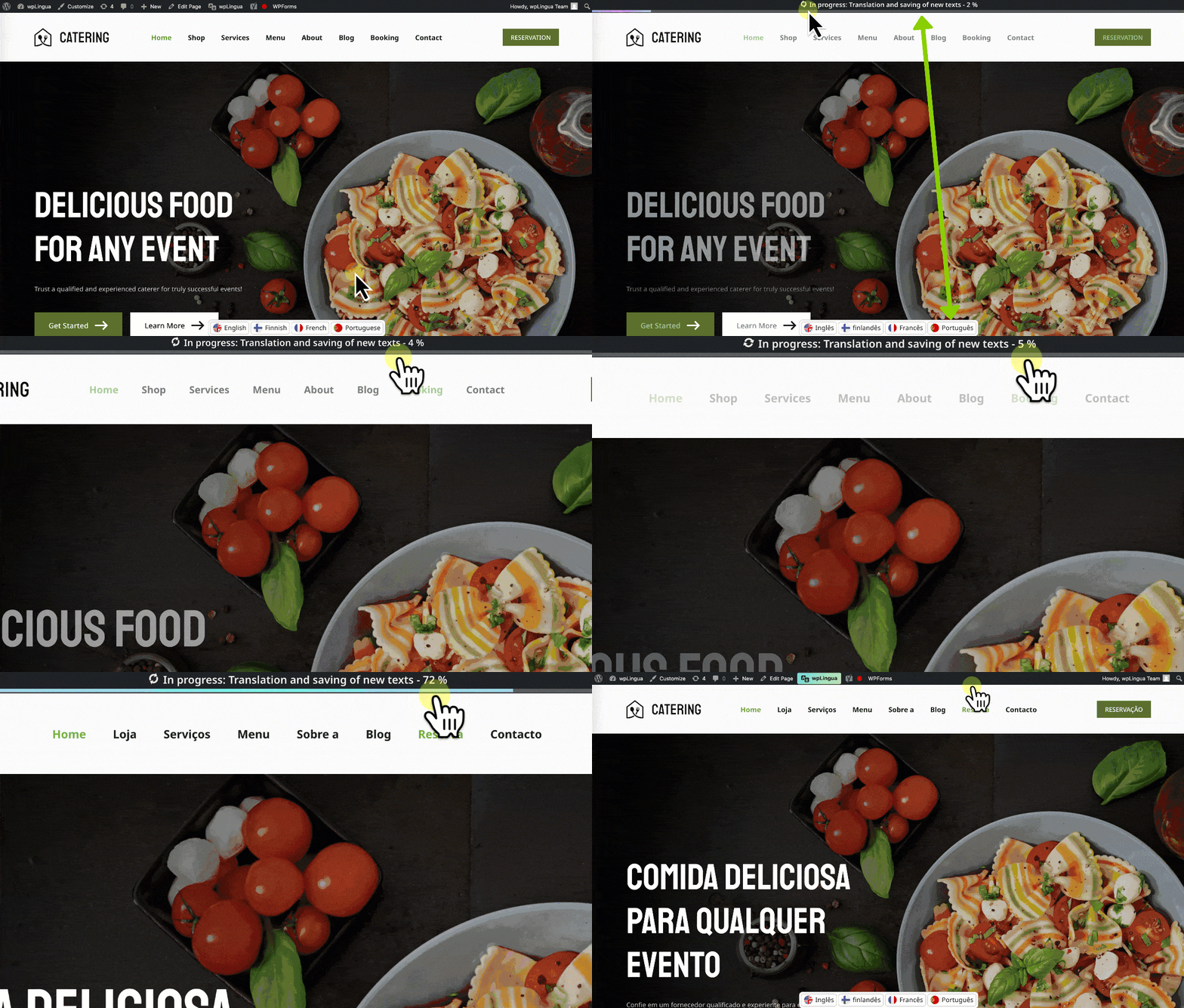
An all-in-one solution that makes your websites multilingual and translates them automatically, without word or page limits.
✅ One free first language for non-commercial websites
✅ Automatic translation API
✅ Unlimited number of translated words
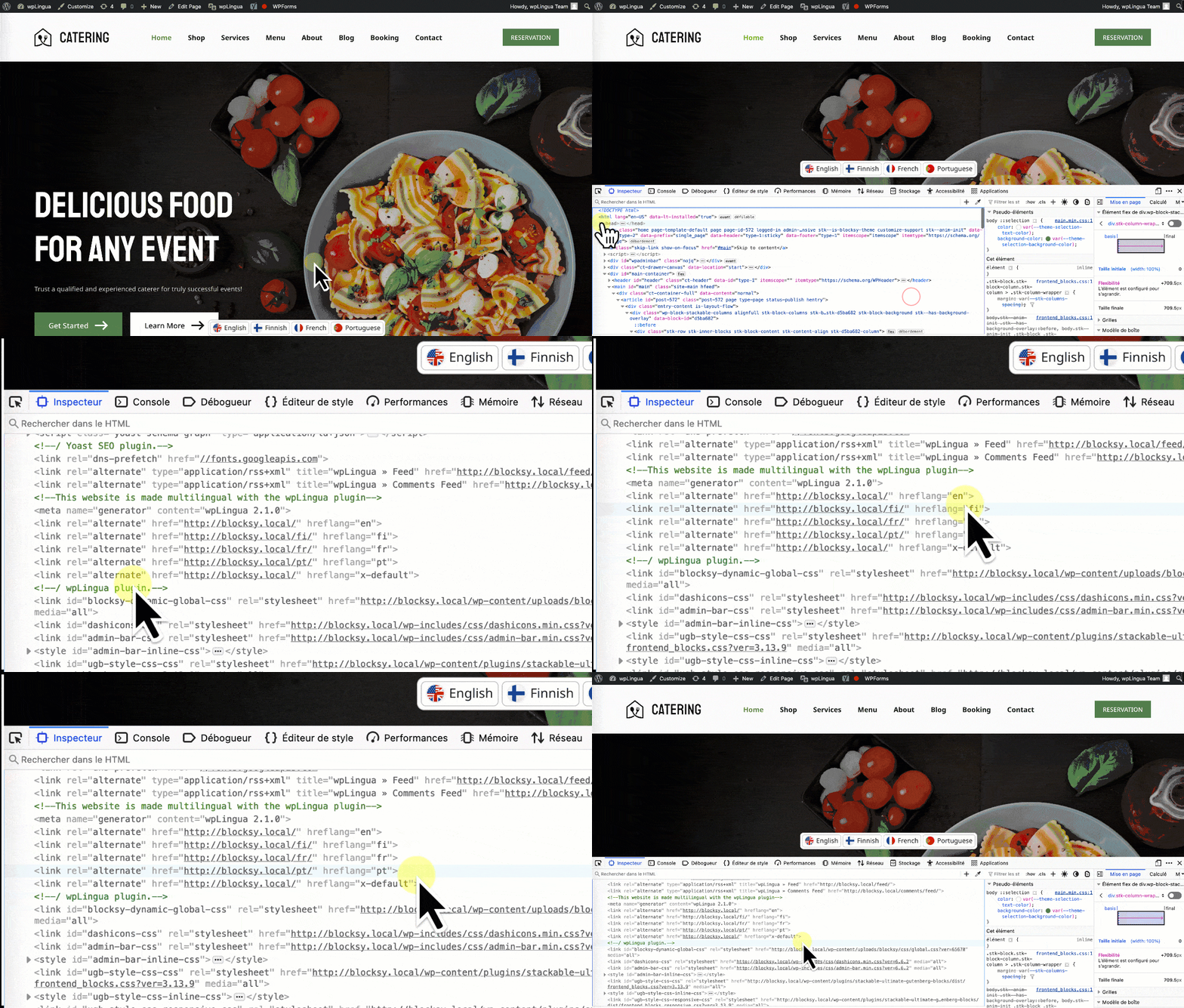
✅ SEO-friendly: indexing of translated pages in search engines
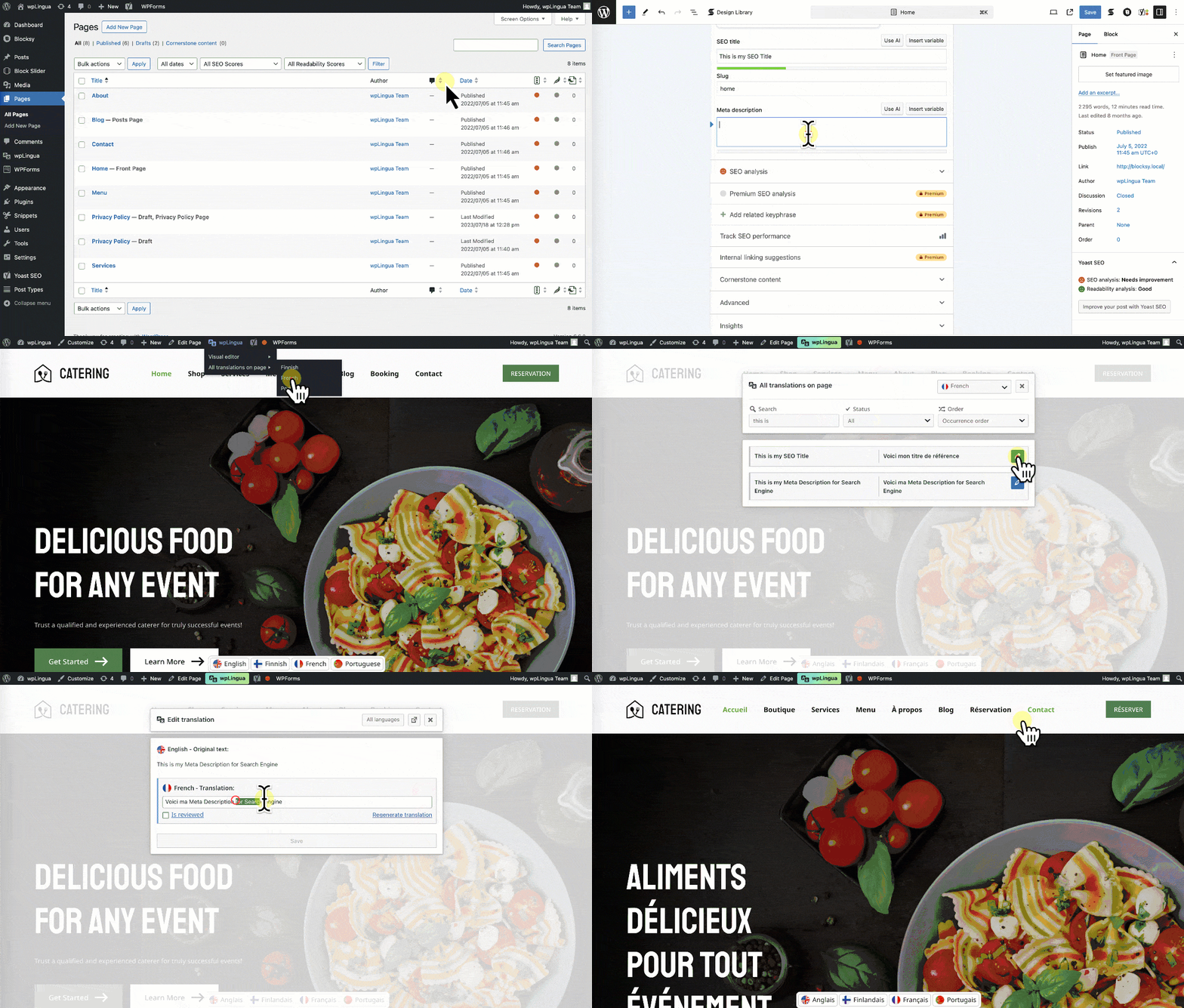
✅ On-page visual editor for editing translations
✅ Customizable language switcher
✅ Translate website URLs
✅ No coding knowledge needed
✅ Self-hosted data
✅ And more!
**The plugin on wp.org - [wordpress.org/plugins/wplingua](https://wordpress.org/plugins/wplingua/)**
**The project website - [wpLingua.com](https://wplingua.com)**
## 🚀 Optimized for international search engines (SEO)
When you use wpLingua on your website, all elements of your content – even those that are invisible – are translated.
wpLingua is **SEO-Friendly** because it takes care of translating:
✅ Meta Title tags
✅ Meta Description tags
✅ Hreflang alternative links
✅ Meta tags for social networks (Twitter X, OpenGraph Facebook...)
✅ ALT attributes of images
✅ Website URLs
✅ Making XML sitemaps automatically multilingual
✅ And more.
By optimizing indexing, wpLingua ensures that your translated pages are not only understood by your audience, but also easily discovered by search engines.
## ✨ On-page visual editor for editing translations
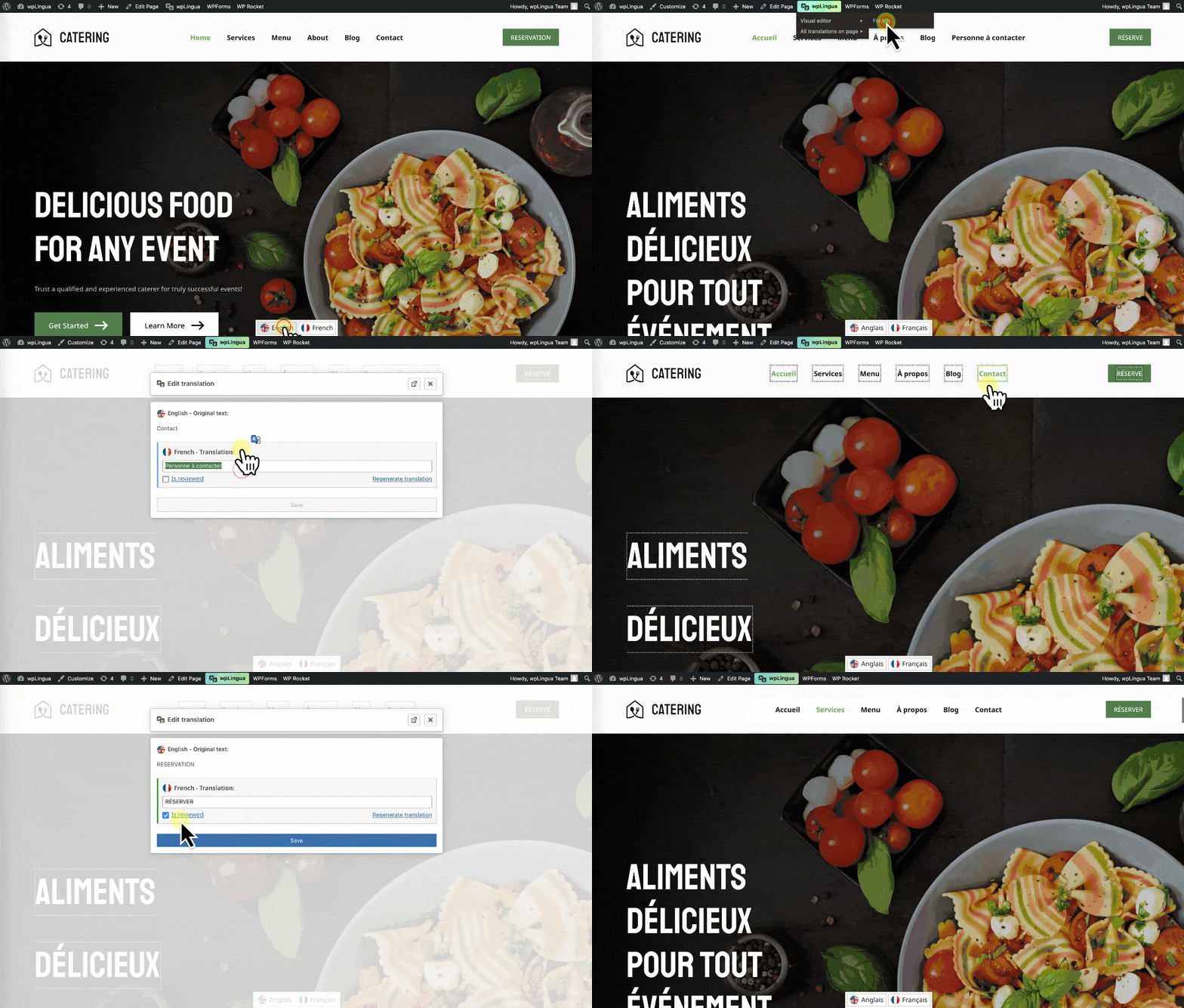
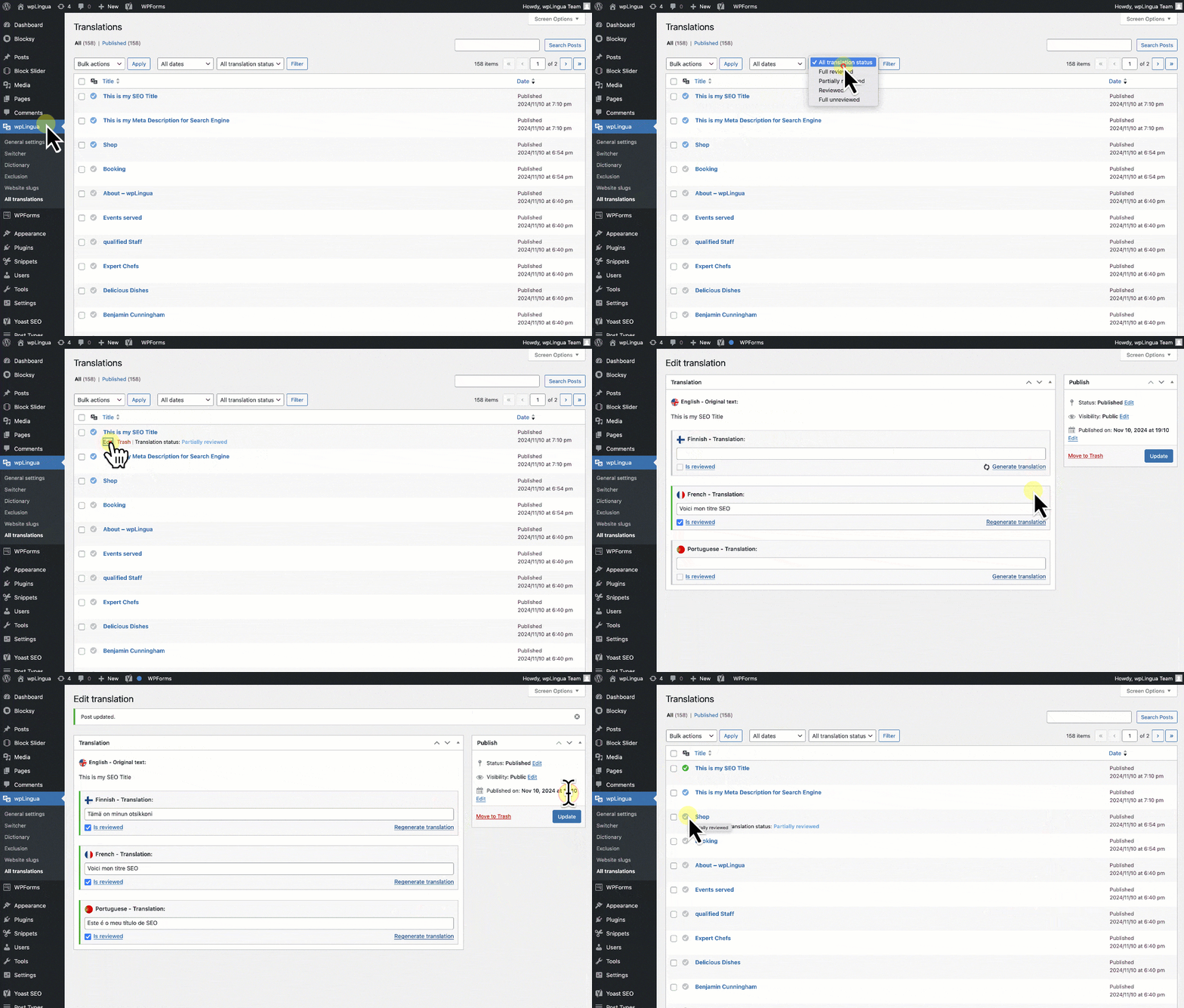
All translations are editable. Discover the visual editor and edit translations simply by clicking on them. Although wpLingua gives you the convenience of **machine translations**, we understand the nuances of each language. wpLingua allows you **to fine-tune each translation manually** if you need to.
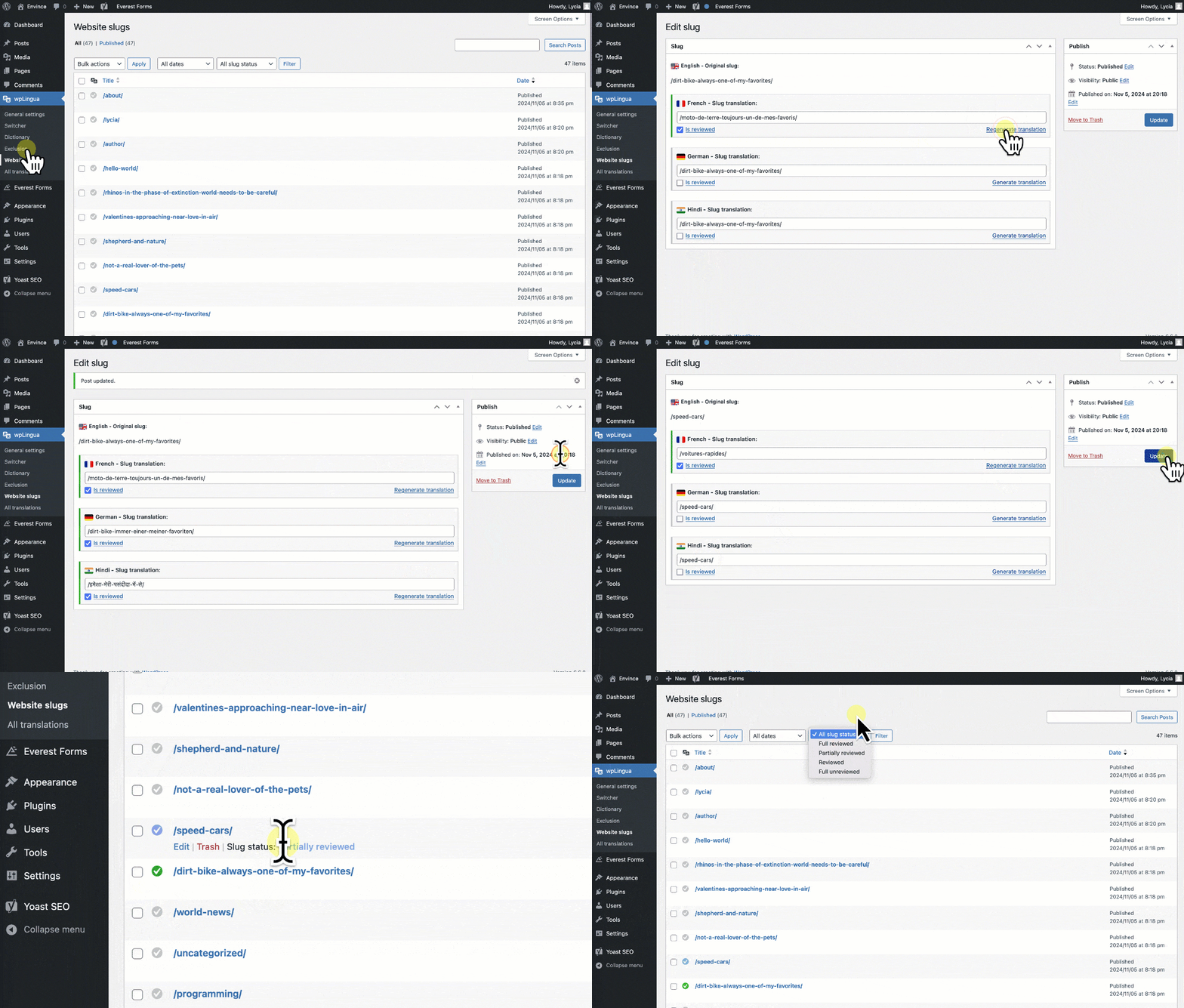
## 🔗 Editable URL translation
The plugin **automatically discovers URLs on your website and lets you translate them**. URLs are split into slugs (parts of the URL), making them easy to edit. This feature boosts SEO performance!
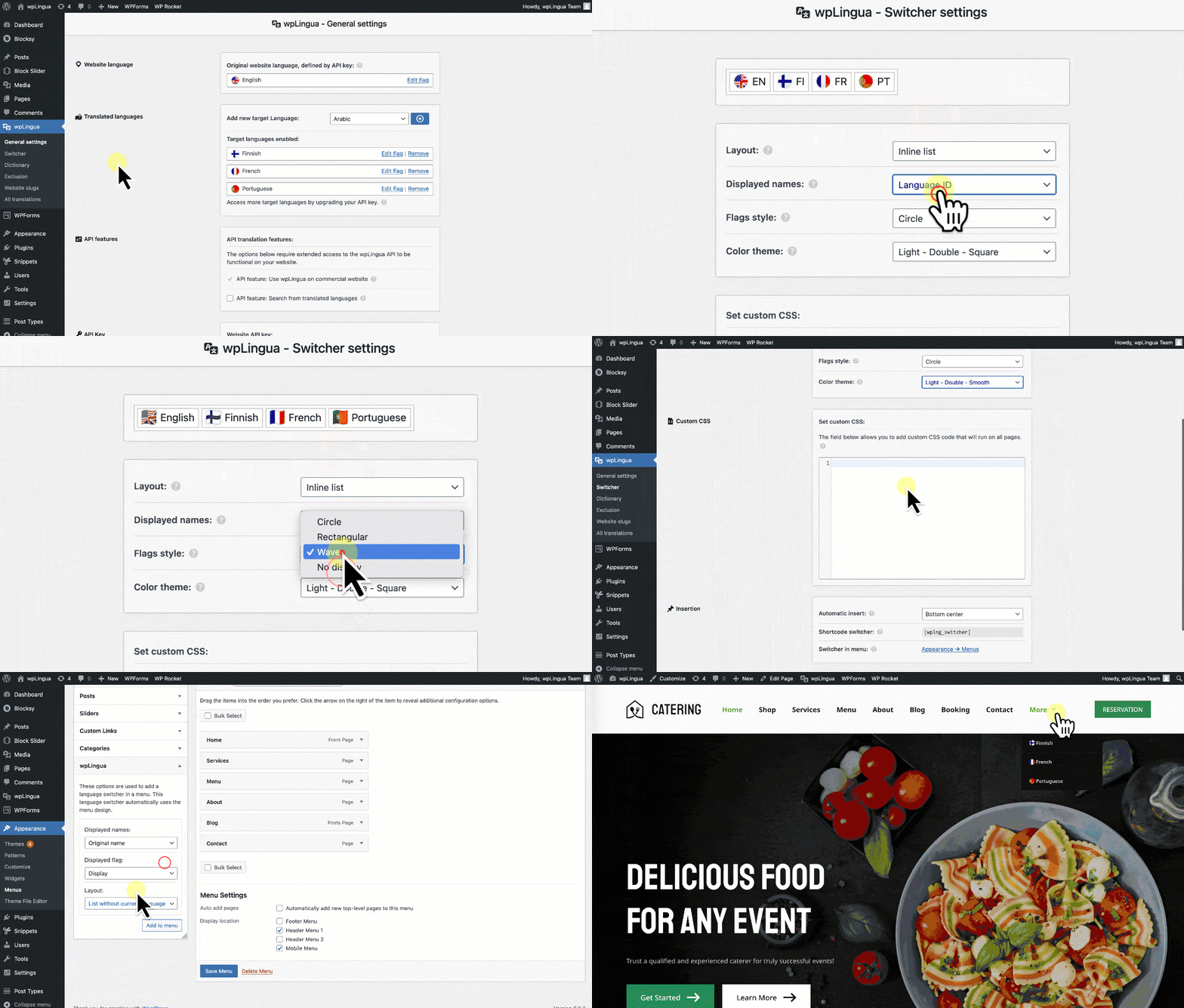
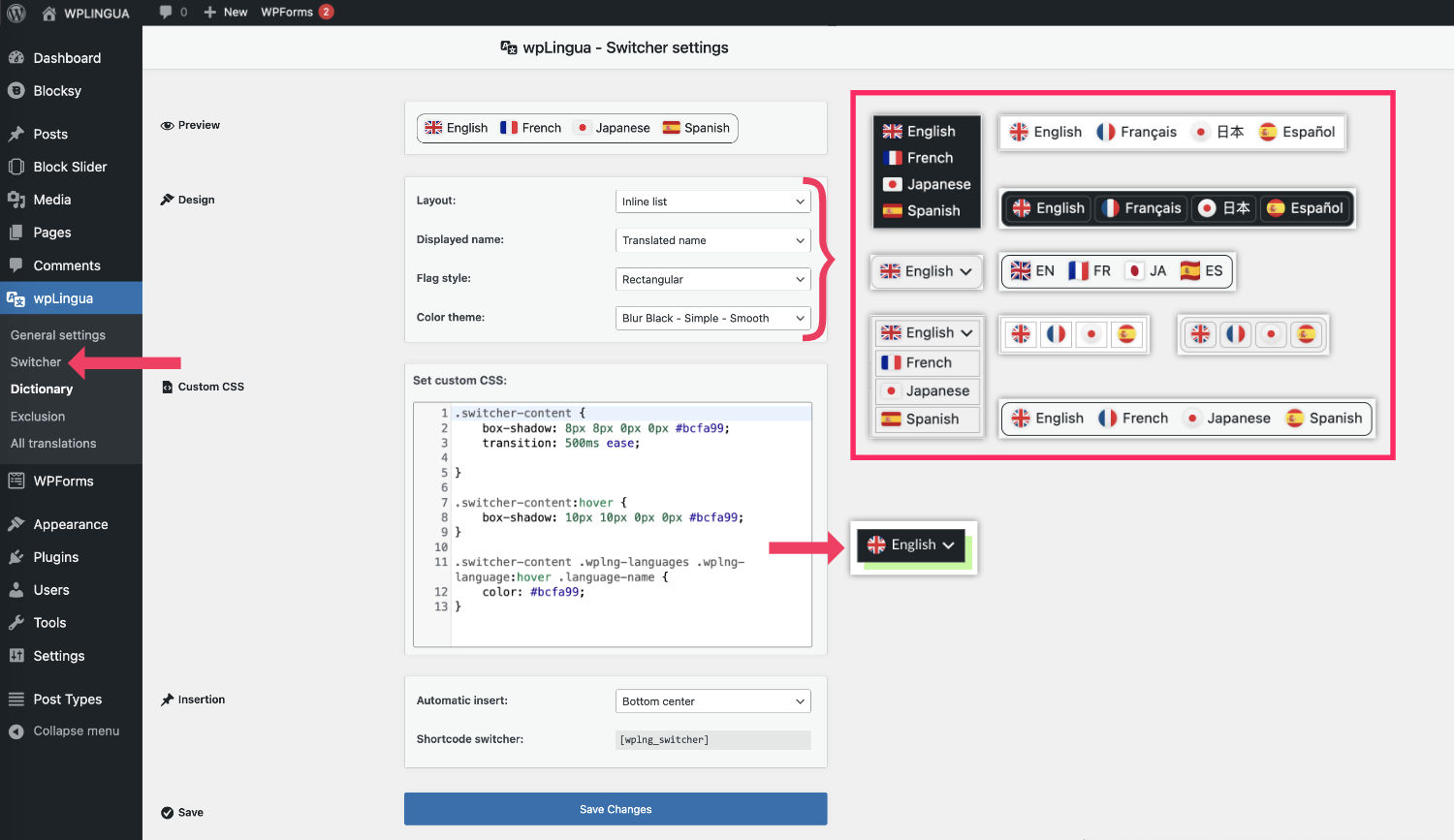
## 🎨 Fully customizable language switcher
The wpLingua language switcher is fully customisable. You can display the language switcher in three ways:
✅ Automatic insertion via predefined positions
✅ Using a shortcode to display it wherever you like
✅ Insertion in the navigation menu using the design defined by the theme
You can also control the appearance of the language switcher using:
✅ Switcher styles (dropdown, inline, block...)
✅ Predefined themes (light, dark, chameleon, etc.)
✅ Configurable language names (translated name, original name, language ID, etc.)
✅ Flag shapes (round, rectangle, wavy)
✅ Language-based flag choices or import your own flag images
✅ Adding custom CSS in a dedicated insert
With all these customization options, there's no way your website's language switcher will look like any other!
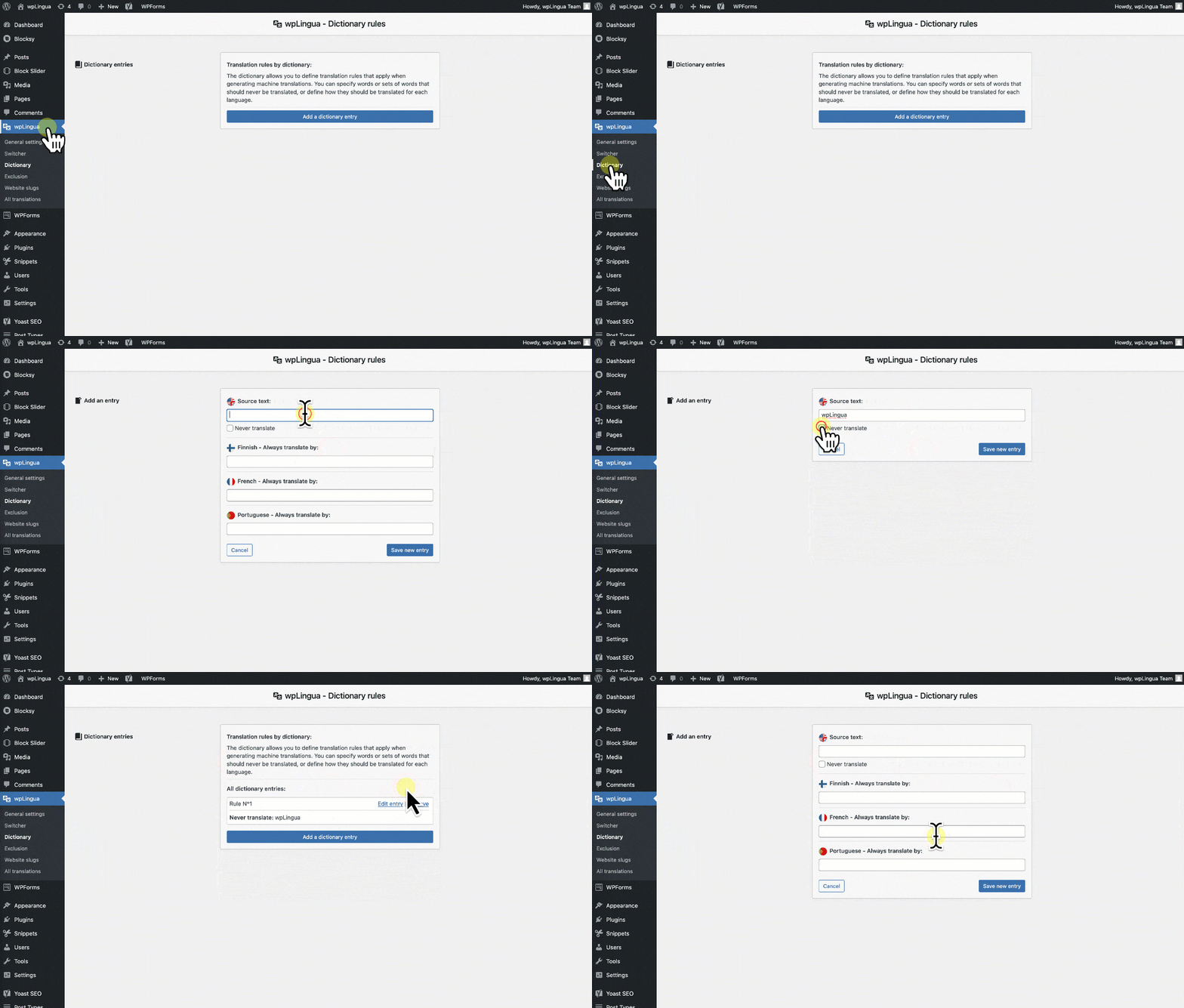
## 📖 Translation rules by dictionary
The dictionary allows you to define translation rules that apply when generating machine translations. You can specify words or sets of words that should never be translated, or define how they should be translated for each language.
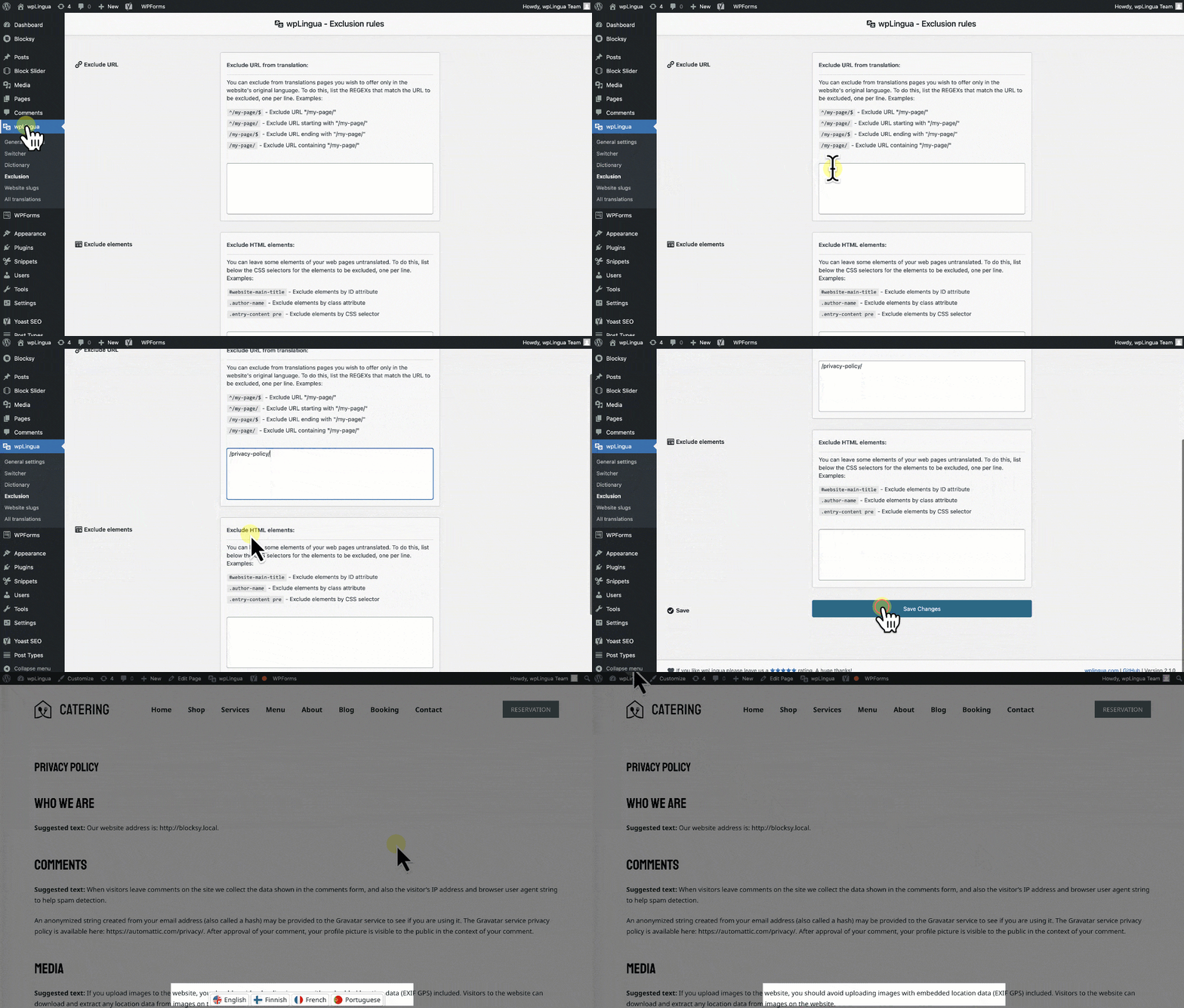
## 🧭 Intuitive possibilities to exclude certain translations
Want to preserve specific sections of a page in its original language? Our system seamlessly allows you to pinpoint and **exclude translations using CSS selectors**. If entire pages need to remain untouched, effortlessly exclude them by their URL. All of this can be managed with ease through our user-friendly exclusions manager.
## 🖼️ Translation of links and media
This feature lets you apply translation rules to links and media, offering even greater customization. You can display different images or modify link URLs according to the current language. These rules apply to the following elements: Link URLs, image URLs, iframe URLs and URLs in intercepted JSONs.
## 💫 Supported languages
### The plugin supports the following languages
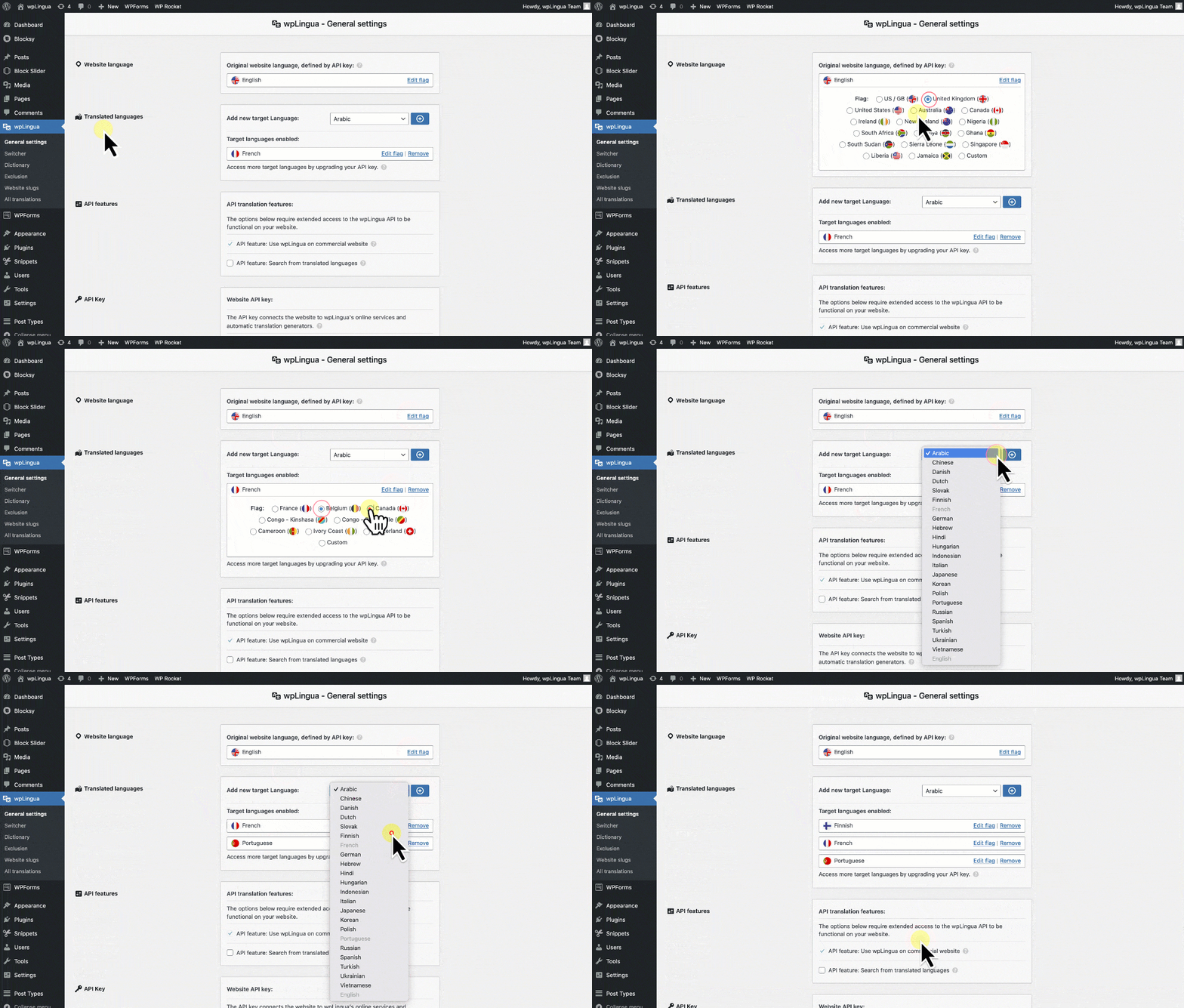
Arabic ∘ Chinese ∘ Danish ∘ Dutch ∘ English ∘ Finnish ∘ French ∘ German ∘ Greek ∘ Hebrew ∘ Hindi ∘ Hungarian ∘ Indonesian ∘ Italian ∘ Japanese ∘ Korean ∘ Polish ∘ Portuguese ∘ Russian ∘ Slovak ∘ Spanish ∘ Swedish ∘ Turkish ∘ Ukrainian ∘ Vietnamese
### The plugin is translated into the following languages
Danish ∘ Dutch ∘ English ∘ Finnish ∘ French ∘ German ∘ Hindi ∘ Hungarian ∘ Indonesian ∘ Italian ∘ Japanese ∘ Korean ∘ Portuguese ∘ Spanish ∘ Swedish
## ⚡️ The wpLingua API
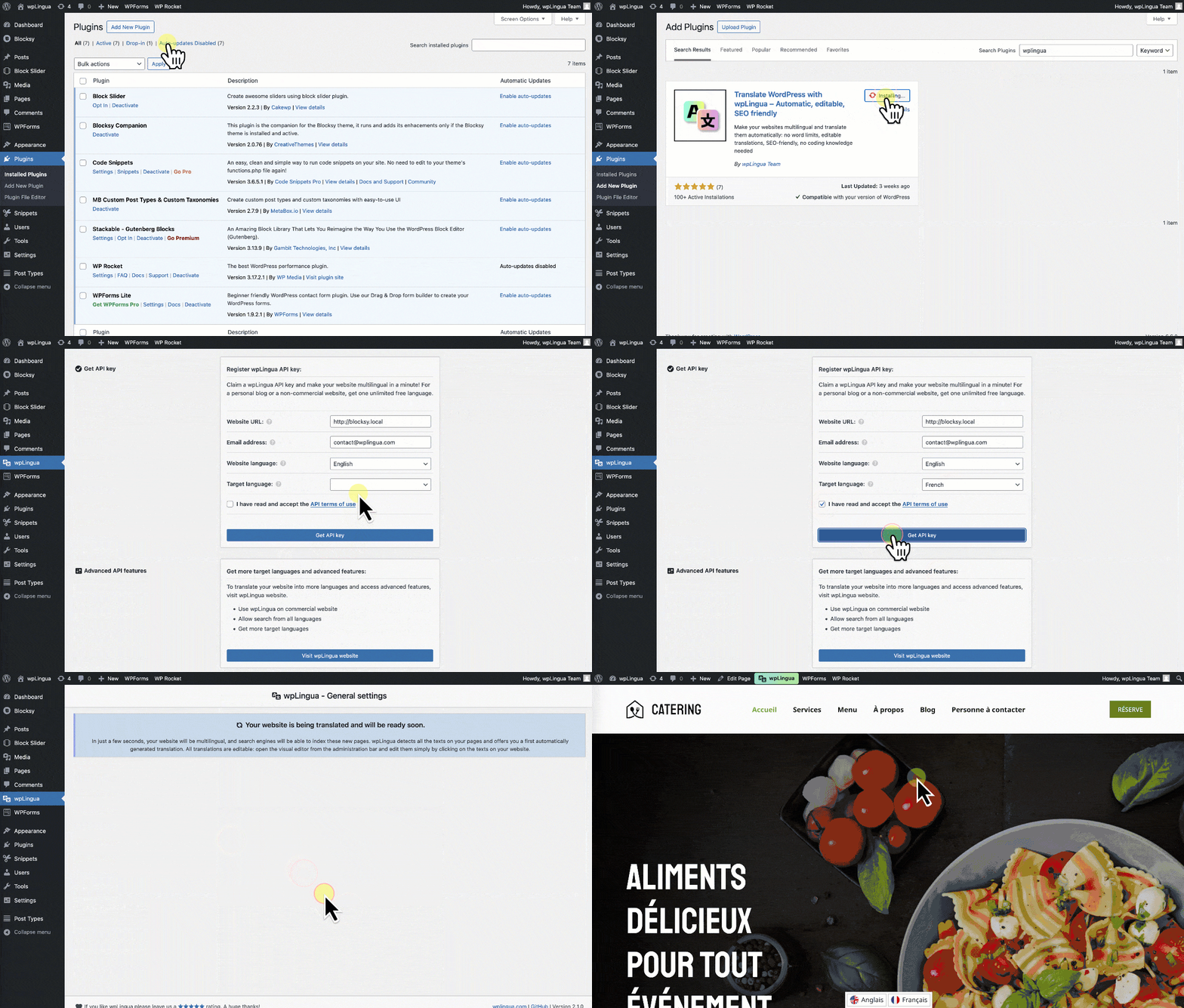
The wpLingua plugin relies on our own wpLingua API, an integrated third-party service, to provide its machine translation functionality. The call to this Third Party Service (wpLingua API) is made when creating an API key from the plugin, during API key verification and when your website requests a new automatic translation (new texts discovered on a page web or request automatic translations from the translation edition). We invite you to consult our [Terms & Conditions page](https://wplingua.com/terms-and-conditions/) for more information.
## 📸 Screenshots of the plugin
## 🤖 Build commands
```
# Install npm dependencies
$ npm i
# Create or update the /assets/ folder
$ gulp
# Start the watcher
$ gulp watch
# Create an archive
$ gulp archive
```
**Keywords:** wpLingua, WP Lingua, WP-Lingua, Multilingual, Bilingual, Translation, Translate, Translated, Translator, Localization, Automatic translation, Machine translation, Languages, WordPress, WP, Plugin, Language switcher, Language selector, API, SEO, Custom flags