https://github.com/julzerinos/velo-frontend
The frontend application for the Bachelor's Thesis project "Velo" - a cycling-dedicated analysis platform POC.
https://github.com/julzerinos/velo-frontend
account-management analysis athletics bachelor-project bachelor-thesis cycling d3 d3-visualization javascript password-reset performance-analysis power-curve strava-api user-scripts vue-router vue2 vuejs vuex
Last synced: 5 months ago
JSON representation
The frontend application for the Bachelor's Thesis project "Velo" - a cycling-dedicated analysis platform POC.
- Host: GitHub
- URL: https://github.com/julzerinos/velo-frontend
- Owner: julzerinos
- License: other
- Created: 2022-06-21T11:12:23.000Z (about 4 years ago)
- Default Branch: master
- Last Pushed: 2022-06-24T12:14:25.000Z (about 4 years ago)
- Last Synced: 2024-01-27T12:09:43.754Z (over 2 years ago)
- Topics: account-management, analysis, athletics, bachelor-project, bachelor-thesis, cycling, d3, d3-visualization, javascript, password-reset, performance-analysis, power-curve, strava-api, user-scripts, vue-router, vue2, vuejs, vuex
- Language: JavaScript
- Homepage:
- Size: 1.88 MB
- Stars: 2
- Watchers: 2
- Forks: 0
- Open Issues: 0
-
Metadata Files:
- Readme: README.md
- License: LICENSE
Awesome Lists containing this project
README
# Velo
###### This repository stores the frontend component, for the backend component please visit [velo-backend](https://github.com/Kornelos/velo-backend).
Velo is the fruit of labour project created for [Kornel](github.com/Kornelos/)'s and [Julian](github.com/julzerinos/)'s Bachelor's Thesis. The application is a standalone atheltic performance anaylsis platform targeted towards cyclists.
Due to strict regulations involving the copyright of the work created under the watchful wing of the University, the code is shared under an equally strict [CC BY-NC-ND 4. license](https://creativecommons.org/licenses/by-nc-nd/4.0/). Please review the license before using the source code.
The following sections contain paraphrased excerpts from the Thesis to provide insight for the technical project.
## Application summary
Velo is a web application created for the use case of advanced, customizable and extendable
analysis of cycling training by cycling coaches and/or cyclists themselves. The application should
allow user profile creation which will be used by both athletes and coaches. The coach may
subscribe to an athlete (after their permission has been received) which grants access to athlete
training data.
The coach may use predefined formulae and data visualization blocks to analyze training
progress. These may include (among others) a single training view, averages over a selected time
period and the training power curve. Various data visualization tools will be used (line charts,
graphs, raw data extracts).
The coach is permitted access to a scripting module which they may use to define custom
scripts for the data visualization blocks or create variations of the existing predefined scripts.
The coach is allowed (under the condition that he is subscribed to multiple athletes) to overlay
and/or compare the data visualization results of multiple athletes. This will be used by cycling
team coaches for contextual data analysis.
The athlete is allowed to manually upload data or connect external data collection APIs
(eg. Strava) which will allow for automated data ingestion by the application without requiring
athlete prompting.
This application will store the data it collects to allow for a faster and easier data processing
flow. The calculations for the specific data scripts in the application (selected by the user) will
be performed on the client-side (i.e. frontend).
## Deployment details
To deploy the frontend application, clone/download the repository and run `npm i` or `yarn` (depending on preference).
The application may be run with `npm run serve` or `yarn serve`. The backend server has to be deployed seperately.
## About the frontend application
Our main goal was to create a webpage for desktop users - we use the Vue framework to provide a reactive single page application. We wanted to adhere to the modern design standards, that is why apart from Vue, we use Vuetify to provide a familiar and standardized design style.
Another library we used is D3. D3 is a high-performance tool for creating data presentation objects like graphs, charts or plots. What makes D3 unique is the low-level approach of the library. It allowed us to create a system where the user can design their own plot without any limitations.
Our frontend application communicates with the backend and external services over REST API interfaces. Below, we will present an overview of the configuration of current frontend components.
### Vue views
The views described in the following sections are made accessible to the user. The content of the page (i.e. views) changes by the control of vue-router.
#### Landing Page/Data Bricks Page
This is the centerpiece of the entire application, although it is unavailable until a user logs in. Once there is a user logged in (assuming they are subscribed to an athlete/themselves with available data), they may interact with the creation menu.
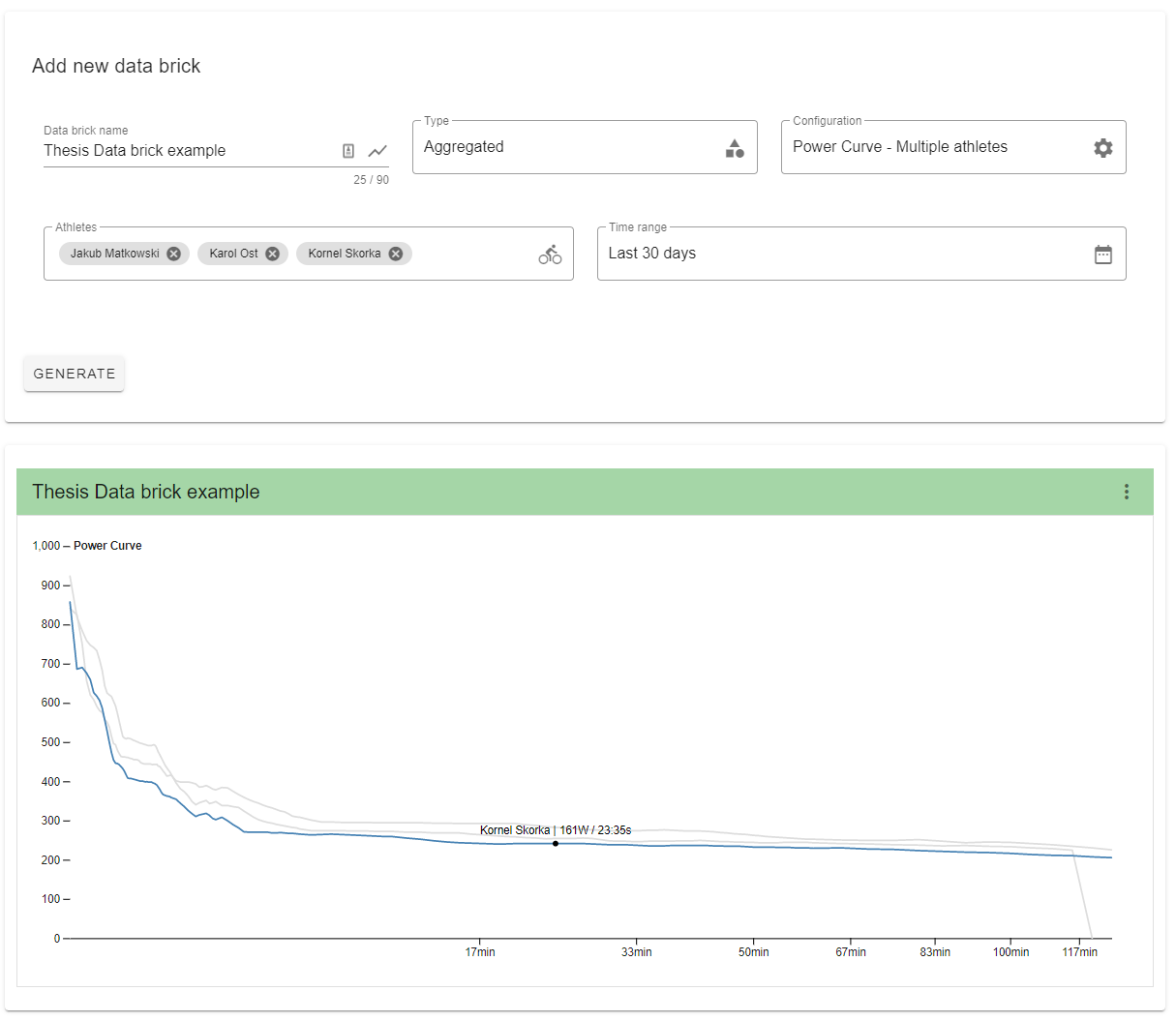
The vue structure for this component is
```
Layout.vue
DataBricksLayout.vue
DataBricksSetup.vue
DataBricks.vue
DataBrick.vue
DataBrick.vue
DataBrick.vue
...
```
The flow (triggered on load, add/remove databrick) for this component is
1. DataBricks.vue triggers `loadWorkout()`. A time range union is calculated for the current
data bricks.
2. DataBricks.vue moves into loading state and each child DataBrick.vue component is shown
as visually loading. `refreshWorkouts()` is triggered to REST GET the requested workouts
from the server.
3. Once the request is completed, DataBricks.vue returns to initial state. This triggers each
DataBrick.vue to run the data manipulation script on its respective slice of the new dataset.
#### Scripting Page & Module
The main goal of the scripting module is to allow the user to define their own scripts for generating D3 charts or other data visualization objects based on athlete workout data. The tree structure for this component is displayed below.
```
Layout.vue
DataBricksLayout.vue
Scripting.vue
ScriptSetup.vue
ScriptEditor.vue
ScriptSave.vue
```
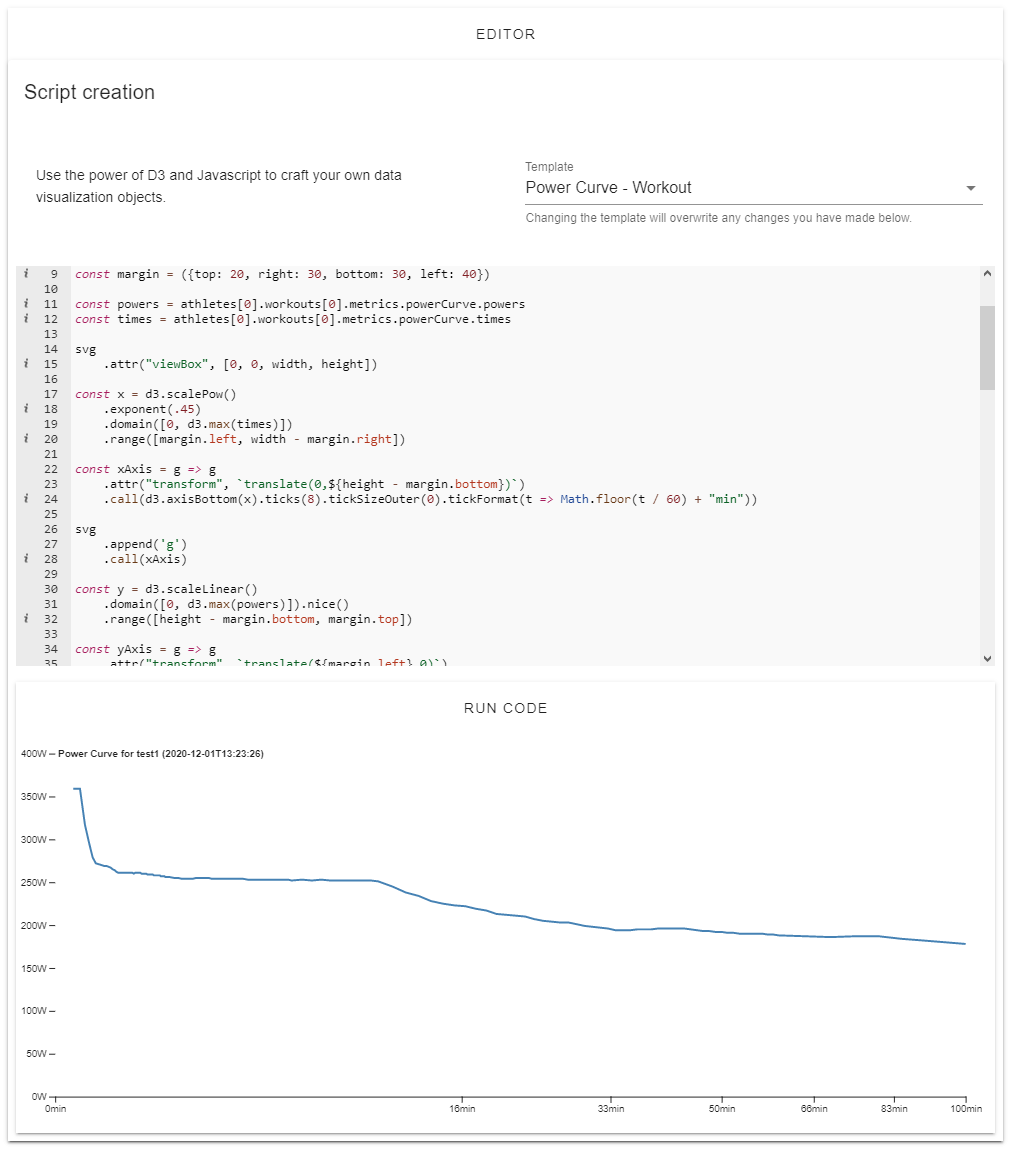
In the first section, ScriptSetup.vue, the user supplies the name and type of the script, whereas the last section, ScriptSave.vue, is only used for committing the created script to the repository. The middle section, ScriptEditor.vue, is the core of the module.
We decided to use ace-editor for the code editor, as it focuses foremost on performance and being light-weight. The rather modern and sleek design is an added bonus which works well with the artistic vision of the application.
Within the code editor namespace, the user has access to three objects which may be used throughout the process of scripting. The recommended preamble for each script is used to initialize the code editor. It is displayed and explained below.
```js
const d3 = args.d3
const svg = args.svg
const athletes = args.athletes
```
The d3 object contains the entire D3 library. From this object, the user may access any
of D3's functions. The svg object is the container for storing objects created with the help of
D3 (this is a reference to the html svg object). `athletes` is an object which
contains the requested data of athletes and their workouts from a given time range. At the point
of writing the script, the user should assume that they are receiving the data they are expecting.
Above the code editor is a select element from which they may select an existing script in the
scripts repository. The code editor is then re-initialized with the selected script. Each script is
committed to the repository with a unique ID, by which it may be requested. This is done so
that data brick configurations do not contain copies of the string literals, but rather a reference
they may use to request the script with.
At any point the user would like to test their script, they may use the testing section below
the code editor. The script is run with a set of mock data, which contains more than one athlete
and a couple of workouts each. The test section is in reality just a simplified data brick. To fully
understand the process of how a script is executed within a data brick, we shall begin with the
presenting the key code fragment below.
```js
callConfiguration : (code , args) => new Function ('args', code) (args)
```
The above callConfiguration is an anonymous function used for executing
a script stored within a string literal. Choosing an anonymous function over a normal function
limits the scope of what the user has access to, providing a lighter as well as safer interface
to work with. The lambda takes two arguments, code, being the string literal storing a script
and args.
There is a strong debate on the validity and safety of using run-time compiled code in the programming community and there is
no denying the potential dangers it brings along. In the end, the application is as safe as the most
malicious end user is able to interact with ill intentions. Nevertheless, this is a key Velo feature,
and while the security risks will be ever present, we can address them in various methods.
Firstly, the assumption is that all data available to the user in local application state is data
which is inherently permitted for the user. There is no data in the application layer (as well as
data stored from the server) which the user would not be able to access without malicious intent.
Scripts are only executed in the scope of the local state, which makes their security risk equal to
scripts run through the browser console.
Secondly, the backend acts as a middleman between the potentially nefarious user and the
database. All frontend-to-database requests must have the appropriate tokens or metadata and
must go through very specific endpoints controlling the flow of information. These restrictions
very strongly limit the potential risks of malevolent users.
As for the method of run-time code execution, we have selected new Function() over the
infamous eval() due to the former being more clear and transparent in the code-base, a
characteristic which is very valuable during code maintenance.
#### Profile Page
The Profile page is, for all intents and purposes, the entry into the Velo ecosystem for its
users. As long as the user is not logged in, the page acts as a hub for signing in or signing
up. The structural setup of the Profile page while the user is not logged in, is displayed by the
following tree.
```
Layout.vue
Profile.vue (signed out)
SignIn.vue
PassResetModal.vue
SignUp.vue
Captcha.vue
```
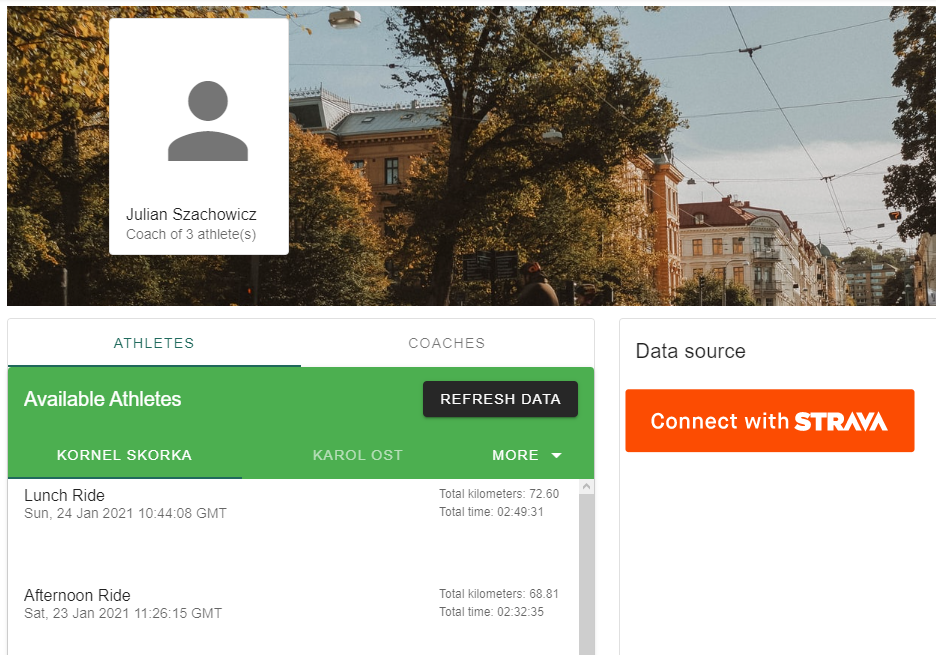
The Profile page after logging in (i.e. when a profile is successfully loaded from server and
stored in local state) is more complex. The tree structure is displayed below.
```
Layout.vue
Profile.vue (signed in)
ProfileManagement.vue
ProfileCard.vue
Subscriptions.vue
Athletes.vue
Coaches.vue
CoachByEmail.vue
FileUploadCard.vue
```
#### Password Reset Module
The password reset module is more subtle compared to the others, as this is a component
which will never be used if all goes well. The user requests a password reset for the email they used to register with. Sendgrid API is used to generate an email with a link. The link transfers the user back to the Velo ecosystem to a component `PassReset.vue` which is otherwise
inaccessible. The token (embedded in the link) is used to authorize
the password reset. After submitting, the user may use their new password, if they received
positive feedback via a web application alert.
#### Alerts Module
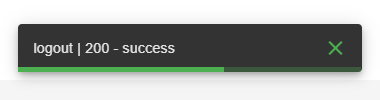
There is an alert module present in the web application. The
error message displays the "blame" (in which component/pro-
cess the error appeared) and the error message itself, which
is most cases is sourced from the server.
The modal is embedded in the layout and messages are processed in local state, allowing global
access to the module. Race conditions are addressed by using publication-subscriber (pub/sub)
design principles - the latest message according to timestamps is shown.
#### Testing
On the frontend we provide unit tests validating logic of the single components. Unit tests on
the frontend are very similar to tests in the backend, we are testing http requests module which
communicates with backend and storage which persists data within the user’s browser.