https://github.com/jundl77/auto-format
A light-weight javascript auto-formatting library for code snippets.
https://github.com/jundl77/auto-format
auto cut formatter formatting indentline java javascript snippets
Last synced: 6 months ago
JSON representation
A light-weight javascript auto-formatting library for code snippets.
- Host: GitHub
- URL: https://github.com/jundl77/auto-format
- Owner: jundl77
- License: apache-2.0
- Created: 2016-11-20T20:27:14.000Z (over 9 years ago)
- Default Branch: master
- Last Pushed: 2019-02-18T23:42:38.000Z (over 7 years ago)
- Last Synced: 2025-08-31T10:52:16.169Z (11 months ago)
- Topics: auto, cut, formatter, formatting, indentline, java, javascript, snippets
- Language: JavaScript
- Homepage: https://goo.gl/1o9GAq
- Size: 1.92 MB
- Stars: 4
- Watchers: 1
- Forks: 1
- Open Issues: 1
-
Metadata Files:
- Readme: README.md
- License: LICENSE
Awesome Lists containing this project
README
# auto-format
[](https://travis-ci.org/jundl77/auto-format)
[](https://coveralls.io/github/jundl77/auto-format?branch=master)
[](https://www.npmjs.com/package/auto-format)
[](https://jundl77.github.io/auto-format/)
An easy to use, light-weight library to auto-format code in javascript. Works well with code highlighting libraries to display beautiful, uniformly formatted code.
As of right now only Java can be formatted properly, although you will probably get decent results with any language that uses brackets as scope delimiters. Furthermore, the library is very extensible, in fact you only have to implement 5 methods to add support for another language.
Please see [contribute](#contribute) if you would like to contribute. Help is always welcome!
## Examples
*format* method:
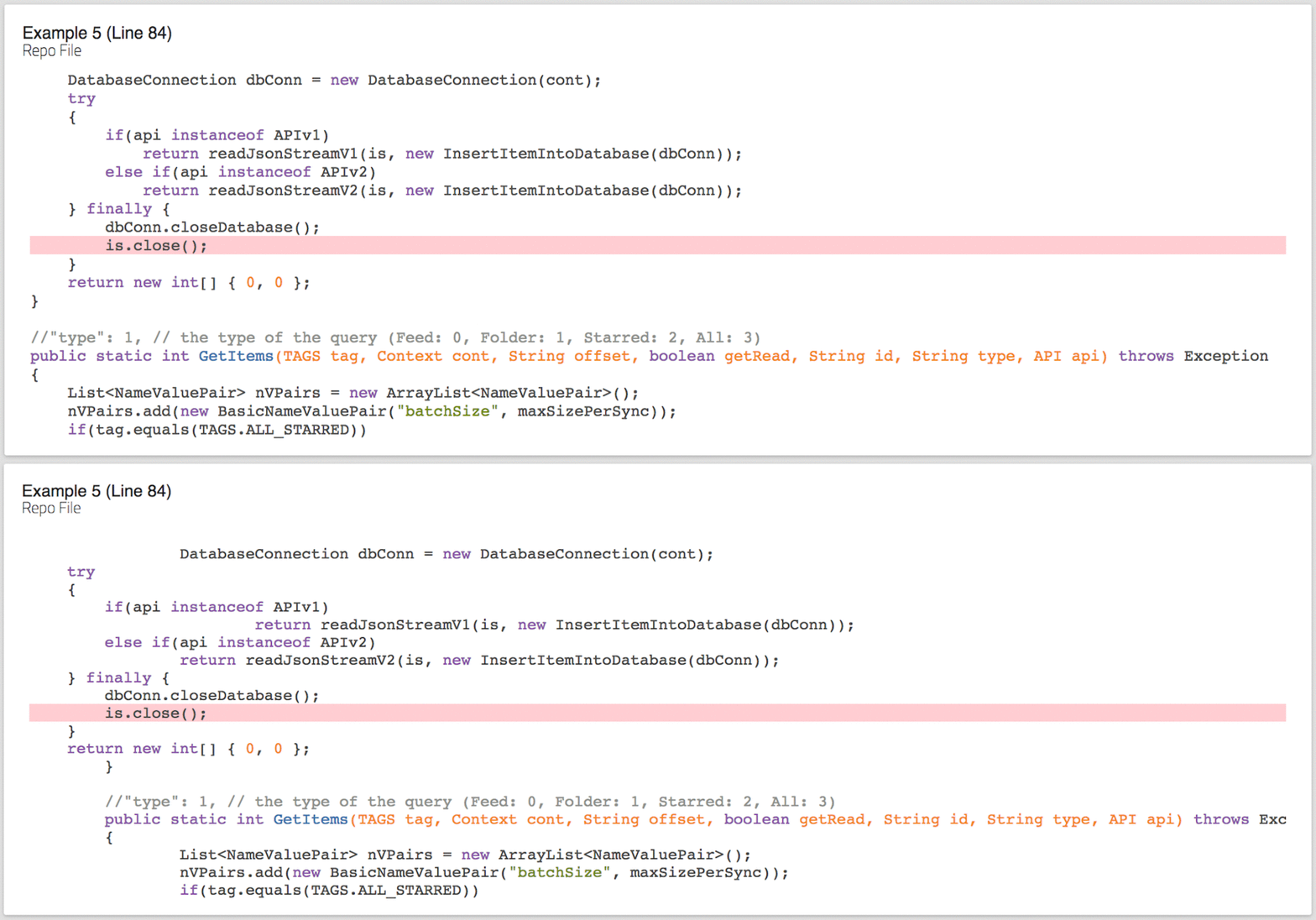
You can also check out https://exemplator.xyz where all code samples are formatted
with this library.
[Live example](https://runkit.com/jundl77/auto-format.format) of *format* method.
## Install
Run ` npm install auto-format --save`
## Usage
As of right now, only Java is fully supported.
ES6:
```es6
import Formatter from "auto-format"
```
Vanilla JS:
```js
var Formatter = require('auto-format');
```
***
#### Simple example: *format*
```js
var indentToken = " ";
var unformattedCode = "code to format";
var javaFormatter = Formatter.createJavaFormatter(indentToken);
var formattedCode = javaFormatter.format(unformattedCode);
```
Format a string of code. The string will be cut into lines and lines will
be indented accordingly to their scope.
##### -- Parameters:
`indentToken` : The token used to indent lines (e.g. 2 or 4 spaces).
`unformattedCode` : A string of unformatted code (including line breaks).
##### -- Return:
`formattedCode` : An array lines of code. All lines will have been correctly
indented according to their scope.
***
#### Complex example: *formatSnippet*
```js
var indentToken = " ";
var javaFormatter = Formatter.createJavaFormatter(indentToken);
var unformattedCode = "code to format";
var selectionStartRow = 11;
var selectionEndRow = 11;
var snippetOffset = 6;
var formattedCode = javaFormatter.formatSnippet(unformattedCode, selectionStartRow,
selectionEndRow, snippetOffset);
```
A slight variation of ```format(codeString)```. Useful if you want to display a code snippet around a selection of lines like
[here](https://exemplator.xyz).
In addition to indenting lines, formatSnippet takes a selection and an offset.
The selection consists of one or several lines which should be "highlighted" in the code. For example the line that you would like to show off. The offset defines the number of lines above and below the selection.
The start and end of the snippet is calculated from the selection start, end and the offset. `formatSnippet` intelligently cuts the snippet out of the original codebase. 'Intelligently' means the method
always tries to cut out only the method out of the selection. If the method is too big, only a part of the method will be cut out, but lines outside this method (i.e. other methods etc.) are cut away unless they comment that method.
##### -- Parameters:
`indentToken` : The token used to indent lines (e.g. 2 or 4 spaces).
`unformattedCode` : A string of unformatted code (including line breaks).
`selectionStartRow` : The start row of the selection in the code base.
`selectionEndRow` : The end row of the selection in the code base.
`snippetOffset` : The number of lines above and below the selection.
##### -- Example:
```
Selection start row: 11
Selection end row: 11
Offset: 6
------------------------------
Snippet start row: 11 - 6 = 5
Snippet end row: 11 + 6 = 17
```
##### -- Return:
`formattedCode` : An array in the form of
```
[code string above selection, code string of selection, code string below selection,
[new start line of snippet in original file, new end line of snippet in original file]]
```
For more details and examples see the [documentation](https://jundl77.github.io/auto-format/).
## Contribute
Pull requests are always welcome. To add support for a new language, look at the [JavaFormatter](./src/formatters/javaFormatter.js).
The documentation is [here](https://jundl77.github.io/auto-format/).