https://github.com/jwellone/custom-player-loop
Customize the player loop from the settings window. One of the "j1Tech" series developed by jwellone Inc for Unity.
https://github.com/jwellone/custom-player-loop
unity
Last synced: about 1 year ago
JSON representation
Customize the player loop from the settings window. One of the "j1Tech" series developed by jwellone Inc for Unity.
- Host: GitHub
- URL: https://github.com/jwellone/custom-player-loop
- Owner: jwellone
- License: mit
- Created: 2021-07-31T03:12:08.000Z (almost 5 years ago)
- Default Branch: main
- Last Pushed: 2021-09-09T05:14:38.000Z (almost 5 years ago)
- Last Synced: 2025-04-08T18:17:09.301Z (about 1 year ago)
- Topics: unity
- Language: C#
- Homepage:
- Size: 48.8 KB
- Stars: 11
- Watchers: 1
- Forks: 0
- Open Issues: 0
-
Metadata Files:
- Readme: README.md
- License: LICENSE
Awesome Lists containing this project
README
[](https://github.com/jwellone/custom-player-loop/blob/main/LICENSE)
[](https://GitHub.com/jwellone/custom-player-loop/releases/latest)
[](https://GitHub.com/jwellone/custom-player-loop/releases)


[](https://unity.com)
# custom-player-loop
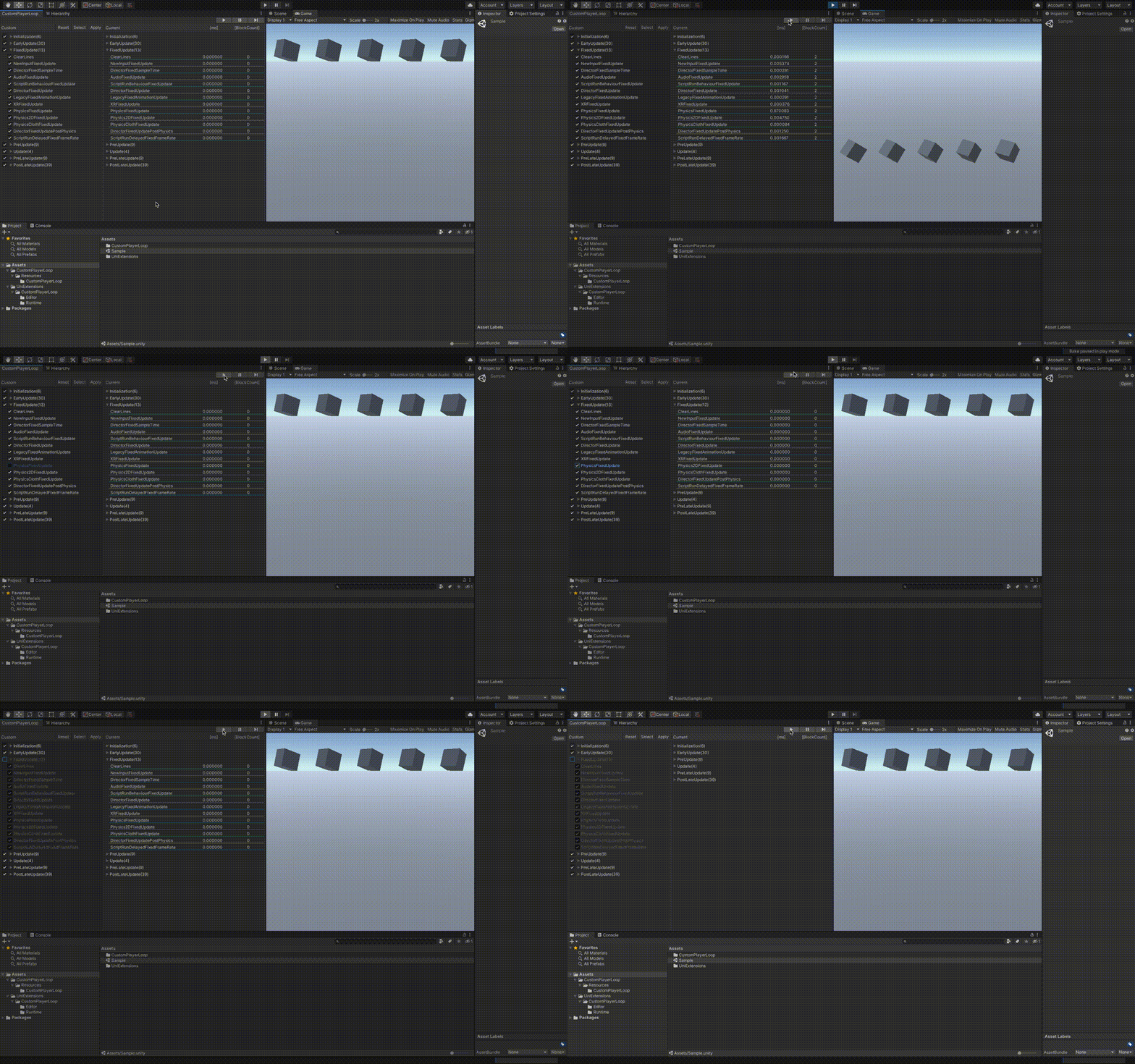
Can customize the player loop from the settings window.
This feature is one of the "j1Tech" developed by jwellone Inc for Unity.
## GET STARTED
- Import the package.
- "jwellone > Window > Custom Player Loop" Choose.
- From the items in the custom area, uncheck the items you want to disable.
When you run the editor, the display of the current area is updated to show only the items that are running.
- Press the Apply button to save Custom PlayerLoop Settings.asset.
## Authors
Developer:[Yasuhiko Usui.](https://github.com/UsuiYasuhiko-jw1)
[](https://GitHub.com/jwellone/custom-player-loop/watchers/)
[](https://GitHub.com/jwellone/custom-player-loop/stargazers)
[](https://GitHub.com/jwellone/custom-player-loop/network/members)
[](http://twitter.com/jwellone)
[](https://www.facebook.com/jwellone)