https://github.com/k0in/can-i-use-embed
Create beautiful svg that you can embed in your website / readme to show which browsers are supported.
https://github.com/k0in/can-i-use-embed
browser-compat-data can-i-use deno deno-deploy image-generation serverless svg web-standards
Last synced: 3 months ago
JSON representation
Create beautiful svg that you can embed in your website / readme to show which browsers are supported.
- Host: GitHub
- URL: https://github.com/k0in/can-i-use-embed
- Owner: K0IN
- License: mit
- Created: 2025-07-10T00:15:05.000Z (12 months ago)
- Default Branch: main
- Last Pushed: 2025-07-17T23:45:26.000Z (12 months ago)
- Last Synced: 2025-08-04T03:32:02.213Z (11 months ago)
- Topics: browser-compat-data, can-i-use, deno, deno-deploy, image-generation, serverless, svg, web-standards
- Language: TypeScript
- Homepage:
- Size: 1.17 MB
- Stars: 1
- Watchers: 0
- Forks: 0
- Open Issues: 0
-
Metadata Files:
- Readme: Readme.md
- License: LICENSE
Awesome Lists containing this project
README
# Can I Use Embed
Generate browser compatibility badges for your projects.
This service creates SVG badges showing which browsers support specific web features, using Mozilla's official browser compatibility data.
## What it does
Shows minimum browser versions required for web features you use in your project. Instead of manually checking compatibility tables, get a visual badge that updates automatically.
## Quick Start
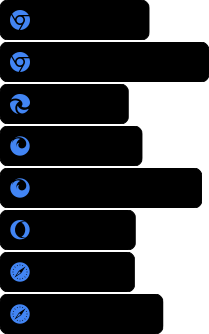
Add this to your README to show Service Worker support:
```markdown
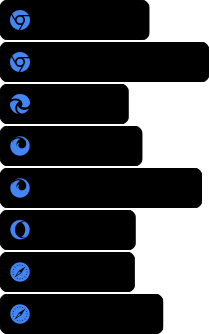
```
Result:
## Usage
There is a public instance of the service running at [can-i-use-embed.1k0.in](https://can-i-use-embed.1k0.in). You can use it to generate badges for your projects.
If you think your service will be used by many people, consider running your own instance to avoid rate limits.
### Basic syntax
```url
https://can-i-use-embed.1k0.in/min-browser-version?features=FEATURE_NAME&filter=FILTER
```
**Parameters:**
- `features` - Web feature identifier (e.g., `api:navigator:serviceworker`)
- `filter` - Target browsers: `main`, `desktop`, `mobile`, etc. (defaults to `all`)
**Multiple features:** Add multiple `&features=` parameters to check several features at once.
📋 [View all available features](https://can-i-use-embed.1k0.in/all-features)
### Multiple features
Check several features at once:
```url
https://can-i-use-embed.1k0.in/min-browser-version?features=api:navigator:serviceworker&features=api:indexeddb&features=api:webgl
```
### Browser filtering
Use `&filter=` to target specific browsers:
- `main` - Chrome, Firefox, Safari, Edge (recommended for most projects)
- `desktop` - Desktop browsers only
- `mobile` - Mobile browsers only (Chrome Android, Firefox Android, Safari iOS, Opera Mobile, WebViews, Samsung Internet)
- `chrome` - Chrome and Chrome Android
- `firefox` - Firefox and Firefox Android
- `safari` - Safari and Safari iOS
- `web` - Web browsers (includes all major browsers)
- `legacy` - Older browsers like IE, Node.js, etc.
- `chromium` - Chromium-based browsers (Chrome, Edge, Opera)
- `webview` - WebView browsers (Android, iOS)
- `standaloneEngines` - Standalone engines (Deno, Node.js)
- `vr` - VR browsers (Oculus)
- `all` - All browsers
## Examples
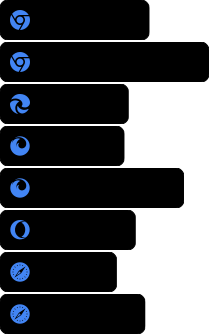
### Installable Progressive Web App
```markdown
```

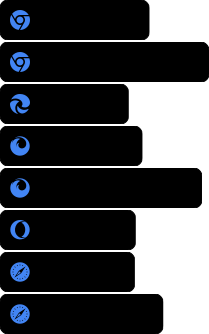
### WebGL Application
```markdown
```

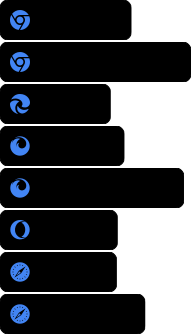
### Unsupported Feature (ambientlightsensor)
Note features behind flags are shown as unsupported
```markdown
```

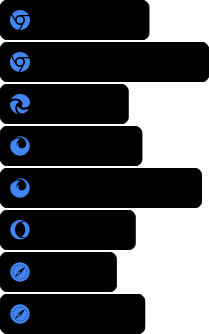
### Multiple Features (serviceworker, indexeddb, webgl2renderingcontext, abortcontroller)
```markdown
```

## Deployment
Want to run your own instance?
```bash
# Clone and run locally
git clone https://github.com/K0IN/can-i-use-embed.git
cd can-i-use-embed
# Deploy to Deno Deploy
deno deploy main.ts
```
## API Endpoints
- `/min-browser-version` - renders the badge
- `/all-features` - Lists all available features (JSON)
## Credits
- Browser data: [MDN Browser Compat Data](https://github.com/mdn/browser-compat-data)
- Built with: [Deno](https://deno.land/) and [Hono](https://hono.dev/)
- Icons: [Font Awesome](https://fontawesome.com/)