https://github.com/kabbouchi/adonisjs-scheduler
Task scheduler for AdonisJS
https://github.com/kabbouchi/adonisjs-scheduler
adonisjs cron cronjob scheduler
Last synced: about 1 year ago
JSON representation
Task scheduler for AdonisJS
- Host: GitHub
- URL: https://github.com/kabbouchi/adonisjs-scheduler
- Owner: KABBOUCHI
- License: mit
- Created: 2022-11-08T20:00:27.000Z (over 3 years ago)
- Default Branch: master
- Last Pushed: 2025-03-22T13:24:06.000Z (over 1 year ago)
- Last Synced: 2025-03-29T13:05:27.382Z (over 1 year ago)
- Topics: adonisjs, cron, cronjob, scheduler
- Language: TypeScript
- Homepage:
- Size: 813 KB
- Stars: 64
- Watchers: 3
- Forks: 0
- Open Issues: 3
-
Metadata Files:
- Readme: README.md
- License: LICENSE.md
Awesome Lists containing this project
README
AdonisJS Scheduler
Task scheduler for AdonisJS v6



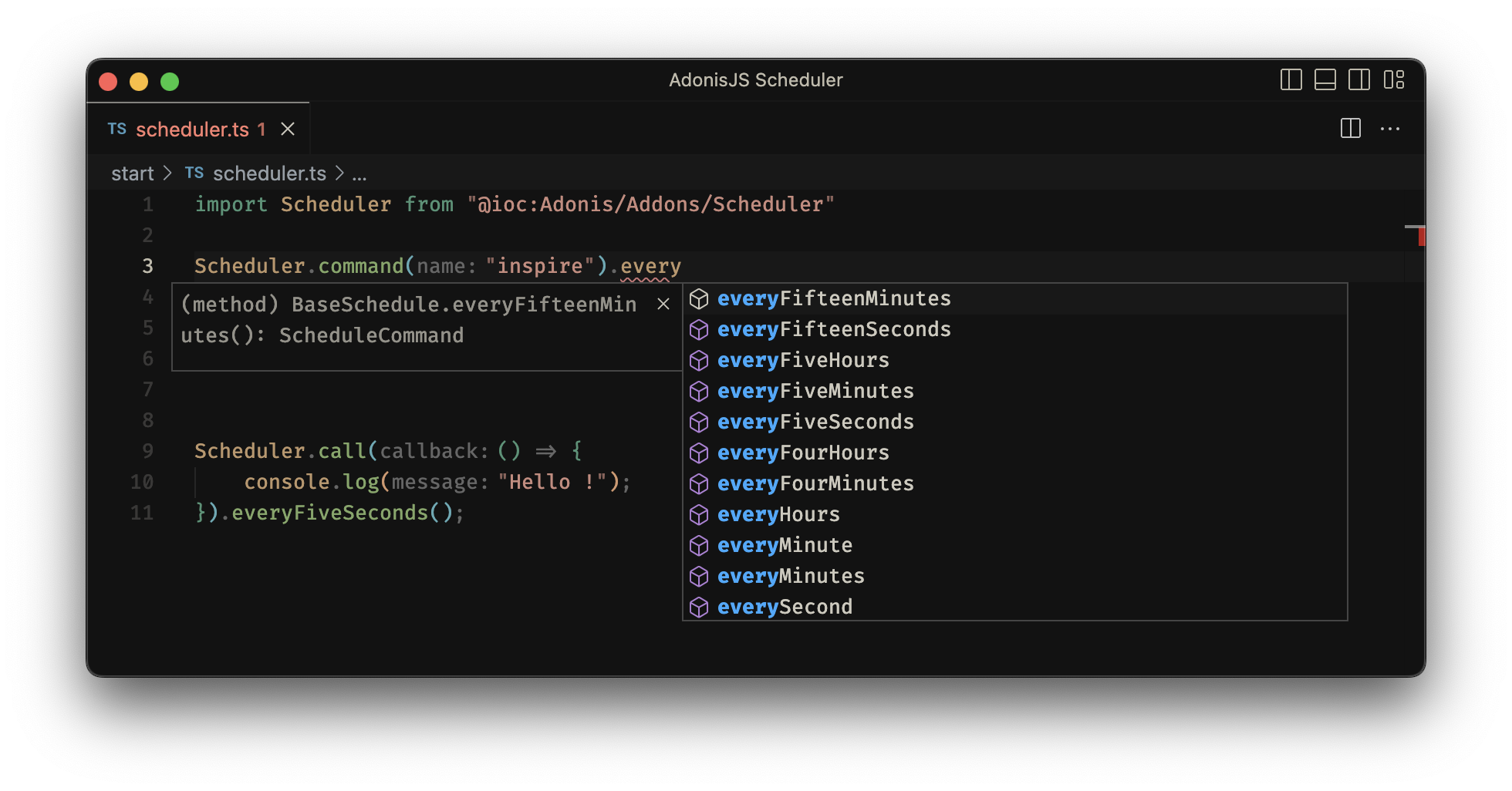
For AdonisJS v5 use 0.x branch
## Installation
Install the package from npm using the following command:
```bash
node ace add adonisjs-scheduler
```
## Running The Scheduler
```sh
node ace scheduler:run
# or
node ace scheduler:work
# automatically restart the scheduler when files are modified during development mode
node ace scheduler:run --watch
```
## Defining Schedules
```ts
// start/scheduler.ts
import scheduler from 'adonisjs-scheduler/services/main'
import PurgeUsers from '../commands/purge_users'
scheduler.command('inspire').everyFiveSeconds()
scheduler.command(PurgeUsers, ['30 days']).everyFiveSeconds().withoutOverlapping()
scheduler.withoutOverlapping(
() => {
scheduler.command('inspire').everySecond()
scheduler.command(PurgeUsers, ['30 days']).everyFiveSeconds()
},
{ expiresAt: 30_000 }
)
scheduler
.call(() => {
console.log('Pruge DB!')
})
.weekly()
```
or define schedule directly on command
```ts
import { BaseCommand, args } from '@adonisjs/core/ace'
import { schedule } from 'adonisjs-scheduler'
@schedule("* * * * *", ["30 days"])
@schedule((s) => s.everyFiveSeconds().immediate(), ["7 days"])
@schedule((s) => s.everyMinute(), ["42 days"])
export default class PurgeUsers extends BaseCommand {
static commandName = 'purge:users'
static description = ''
static options: CommandOptions = {}
@args.string()
declare olderThan: string
async run() {
//
}
}
```
## Schedule Frequency Options
| Method | Description |
| -------------------------------- | ------------------------------------------------------- |
| `.cron('* * * * *');` | Run the task on a custom cron schedule |
| `.everyMinute();` | Run the task every minute |
| `.everyTwoMinutes();` | Run the task every two minutes |
| `.everyThreeMinutes();` | Run the task every three minutes |
| `.everyFourMinutes();` | Run the task every four minutes |
| `.everyFiveMinutes();` | Run the task every five minutes |
| `.everyTenMinutes();` | Run the task every ten minutes |
| `.everyFifteenMinutes();` | Run the task every fifteen minutes |
| `.everyThirtyMinutes();` | Run the task every thirty minutes |
| `.hourly();` | Run the task every hour |
| `.hourlyAt(17);` | Run the task every hour at 17 minutes past the hour. |
| `.everyTwoHours();` | Run the task every two hours |
| `.everyThreeHours();` | Run the task every three hours |
| `.everyFourHours();` | Run the task every four hours |
| `.everyFiveHours();` | Run the task every five hours |
| `.everySixHours();` | Run the task every six hours |
| `.daily();` | Run the task every day at midnight |
| `.dailyAt('13:00');` | Run the task every day at 13:00. |
| `.twiceDaily(1, 13);` | Run the task daily at 1:00 & 13:00. |
| `.twiceDailyAt(1, 13, 15);` | Run the task daily at 1:15 & 13:15. |
| `.weekly();` | Run the task every Sunday at 00:00 |
| `.weeklyOn(1, '8:00');` | Run the task every week on Monday at 8:00. |
| `.monthly();` | Run the task on the first day of every month at 00:00 |
| `.monthlyOn(4, '15:00');` | Run the task every month on the 4th at 15:00. |
| `.twiceMonthly(1, 16, '13:00');` | Run the task monthly on the 1st and 16th at 13:00. |
| `.lastDayOfMonth('15:00');` | Run the task on the last day of the month at 15:00. |
| `.quarterly();` | Run the task on the first day of every quarter at 00:00.|
| `.quarterlyOn(4, '14:00');` | Run the task every quarter on the 4th at 14:00. |
| `.yearly();` | Run the task on the first day of every year at 00:00. |
| `.yearlyOn(6, 1, '17:00');` | Run the task every year on June 1st at 17:00. |
| `.timezone('America/New_York');` | Set the timezone for the task. |
| `.immediate();` | Run the task on startup |
| `.withoutOverlapping();` | Run the task without overlapping |
## Alternative Ways to Run the Scheduler
Besides using `node ace scheduler:run`, you can also manually initialize and control the scheduler worker in your code:
```ts
import { Worker } from 'adonisjs-scheduler'
import app from '@adonisjs/core/services/app'
const worker = new Worker(app)
app.terminating(async () => {
await worker.stop()
})
await worker.start()
```