https://github.com/kaki87/phi-for-vivaldi
φ The ultimate vertical experience mod for @Vivaldi, made with attention to details. | Mirror from Forgejo ; PRs only accepted on original repo & issues transferred to original repo
https://github.com/kaki87/phi-for-vivaldi
arc-browser browser css mod theme vertical-tabs vivaldi vivaldi-browser vivaldi-css vivaldi-mod vivaldi-modification vivaldi-theme zen-browser
Last synced: 10 months ago
JSON representation
φ The ultimate vertical experience mod for @Vivaldi, made with attention to details. | Mirror from Forgejo ; PRs only accepted on original repo & issues transferred to original repo
- Host: GitHub
- URL: https://github.com/kaki87/phi-for-vivaldi
- Owner: KaKi87
- Created: 2025-02-11T00:56:29.000Z (over 1 year ago)
- Default Branch: master
- Last Pushed: 2025-03-27T16:56:34.000Z (over 1 year ago)
- Last Synced: 2025-03-27T17:25:33.133Z (over 1 year ago)
- Topics: arc-browser, browser, css, mod, theme, vertical-tabs, vivaldi, vivaldi-browser, vivaldi-css, vivaldi-mod, vivaldi-modification, vivaldi-theme, zen-browser
- Language: CSS
- Homepage: https://git.kaki87.net/KaKi87/phi-for-vivaldi
- Size: 9.32 MB
- Stars: 53
- Watchers: 1
- Forks: 0
- Open Issues: 1
-
Metadata Files:
- Readme: README.md
Awesome Lists containing this project
README
#  Phi (/faɪ/)
The ultimate vertical experience mod for Vivaldi, made with attention to details.
|  |  |  |
|---------------------------------|-------------------------------|-----------------------------------|
## :sparkles: Features
- Supported Vivaldi features : UI on left & right sides, theming from [themes.vivaldi.net](https://themes.vivaldi.net), toggle UI, panels, popups, split tabs ;
- Enhanced Vivaldi features :
- Stacked tabs : displayed inline with titles ;
- Pinned tabs : displayed as icon-only grid ;
- Unique Phi features :
- Address bar : expandable on focus, optional, enabled by default ;
- Compact mode : icon-only sidebar, implemented under the "panel toggle" command, keyboard shortcut assignable.
## :camera_flash: More screenshots
|  |  |  |
|---------------------------------------------|----------------------------------------|----------------------------------------------|
| **Address bar** expands on focus (optional) | **Stacked tabs** inline | **Pinned tabs** icon-only |
|  |  |  |
| **Panels** at the bottom | **Right side UI** supported | **Themes** supported |
|  | | |
| **Compact mode** as "panel toggle" | | |
## :gear: Installation ([video](https://www.youtube.com/watch?v=gt5pZEUbFbM))
1. Create a folder to download the mod into ;
2. Download the mod by right-clicking [here](https://git.kaki87.net/KaKi87/phi-for-vivaldi/raw/branch/master/phi.css) then "Save Link As..." to the folder created in step 1 ;
3. Go to `vivaldi:experiments` and check "Allow CSS modifications" ;
4. Open Vivaldi settings ;
- Under "General" ➔ "Startup" ➔ "Default Browser", uncheck "Check on Startup" ;
- (Optionally, recommended on Mac), under "Appearance" ➔ "Window Appearance", check "Use Native Window" ;
- Under "Appearance" ➔ "Window Appearance" ➔ "Status Bar", select "Status Info Overlay" or "Hide Status Bar" ;
- Under "Appearance" ➔ "Custom UI Modifications", open the folder created in step 1 ;
- Under "Tabs" ➔ "Tabs" ➔ "Tab Bar Position", select "Left" or "Right" ;
- Under "Tabs" ➔ "Tab Display" ➔ "Tab Options", uncheck "Show Popup Thumbnails" ;
- Under "Tabs" ➔ "Tab Features" ➔ "Tab Stacking", select "Compact" ;
- (Optionally) Under "Panel" ➔ "Panel Position", select "Left" or "Right" ;
- Under "Panel" ➔ "Panels" ➔ "Panel Options", check "Floating Panel" ;
- (Optionally) Under "Address Bar" ➔ "Extension Visibility", check "Expand Hidden Extensions to Drop-Down Menu" ;
- (Optionally) Under "Keyboard" ➔ "View" ➔ "Panel Toggle", set a shortcut for compact mode ;
5. Quit and relaunch Vivaldi ;
6. Start tweaking the UI ;
- Right-click in the blank above the URL bar then "Customize Toolbar..." ;
- Right-click the space items then "Remove from Toolbar" : left to the "Back" button, below the URL bar, below the panel buttons at the bottom ;
- Then add, move and remove whatever you want, before clicking "Done" ;
7. (Optionally) Star the [GitHub repo](https://github.com/KaKi87/phi-for-vivaldi) ;
8. Subscribe to Theo.
## :hammer_and_wrench: Customization
While the mod aims to be compatible with as many native customization features as possible (especially sidebar position, side panel position & width, themes, etc.), some had to be moved (e.g. sidebar width), but more were also added, these are located in the file you downloaded, above the source code :
| Name | Description | Value(s) | Default |
|------------------------------------------|---------------------------------------------------------------------------------------------------|-----------------------------------------|-----------------|
| `sidebar-width` | Amount of horizontal space for the area containing the whole UI.(1) | Any number (in pixels) | `210` |
| `compact-sidebar-width` | Amount of horizontal space for the area containing the whole UI in compact mode.(1, 2) | Any number (in pixels) | `50` |
| `is-phi-menu-icon` | Whether to show Phi's logo in place of Vivaldi's as menu button. | `1` = enable
`0` = disable | `1` |
| `toolbar-column-count` | Number of toolbar buttons above the URL bar.(3) | Any quantity | `5` |
| `address-bar-focused-width-increase` | Enlarge the URL bar over the page content when focused. | Any number (in pixels)
`0` = disable | `200` |
| `address-bar-font-size-decrease` | Lower the character size of the URL to see more of it. | Any number (in pixels)
`0` = disable | `1` |
| `is-address-bar-focused-height-increase` | Whether to enlarge the URL bar over the extensions row below it when focused. | `1` = enable
`0` = disable | `1` |
| `is-address-bar-unfocused-partial` | Whether to hide "unimportant"(4) parts of the URL when the bar is not focused. | `1` = enable
`0` = disable | `0` |
| `is-address-bar-unfocused-hide-icons` | Whether to hide icons(5) in the URL bar when not focused to see more of the URL. | `1` = enable
`0` = disable | `1` |
| `is-address-bar-focused-hide-icons` | Whether to hide icons(5) in the URL bar when focused to see more of the URL. | `1` = enable
`0` = disable | `0` |
| `pinned-column-count` | Number of pinned tabs per row. | Any quantity | `4` |
| `webview-border` | Amount of space around the page content.(6) | Any number (in pixels)
`0` = disable | `0` |
| `webview-border-radius` | Round the corners of the page content.(7) | Any quantity
`0` = disable | `0` |
| `webview-shadow-size` | Amount of shadow around the page content.(8) | Any number (in pixels)
`0` = disable | `0` |
| `webview-shadow-color` | Color of shadow around the page content. | Comma-separated RGBA values | `0, 0, 0, 0.25` |
(1) Unfortunately, the sidebar cannot be resized by drag-and-drop.
(2) On Mac, recommended value is `90` when using non-native window controls on left side.
(3) Unfortunately, the toolbar cannot have more than one row (unless hard-coded to do so, trust me I tried hard).
(4) Path and query parameters.
(5) Except the following indicators : (in)valid HTTP(S), obfuscated domain name, loading.
(6) Reduces page content area. When enabled, recommended value is `10`. A lower value will reveal an unavoidable page content width inconsistency between normal & split tabs.
(7) When enabled, recommended value is `5`.
(8) To copy Zen Browser, set value to `10`.
Applying modifications requires restarting Vivaldi.
## :wrench: Troubleshooting
- Double check Vivaldi settings as per installation step 4 ;
- Find potentially incompatible settings by comparing with an empty profile ;
- You may disable Phi by setting the tab bar position to top or bottom or toggling the tab bar off ;
- Simultaneously using Phi with another CSS mod is not supported.
## :handshake: Feedback & Support
- [Issues](https://git.kaki87.net/KaKi87/phi-for-vivaldi/issues)
- [GitHub Issues](https://github.com/KaKi87/phi-for-vivaldi/issues)
- [Discord](https://discord.gg/pdgQE6juqM)
- [Reddit](https://old.reddit.com/r/vivaldibrowser/comments/1ieyt5a/)
- [Vivaldi forum](https://forum.vivaldi.net/topic/105134/%CF%86-phi-the-ultimate-vertical-experience-theme-for-vivaldi-made-with-attention-to-details)
## 🛜 Why "Phi" ?
Phi (φ) is a greek letter, used (among other things) to designate angles, like (for example) [sextant](https://en.wikipedia.org/wiki/Sextant) ( ) & [compass](https://en.wikipedia.org/wiki/Compass) (
 ) measurements for *navigation*.
## :busts_in_silhouette: They use Phi
Are you using Phi ? You're welcome to star the [GitHub repo](https://github.com/KaKi87/phi-for-vivaldi), submit your feedback with (optionally) a screenshot to showcase your setup here !


[@Rohit685](https://github.com/Rohit685) — Stargazer
[@sohamsarkar1993](https://github.com/sohamsarkar1993) — Stargazer
[@MaxedPC08](https://github.com/MaxedPC08) — Stargazer
[@TwilightGarden](https://forum.vivaldi.net/post/848121) — Forum commenter
[@furui1 / @NoProfilePicture](https://old.reddit.com/r/vivaldibrowser/comments/1n3v325/switched_to_vivaldi_so_far_its_been_great/) — Discord & Reddit community member
[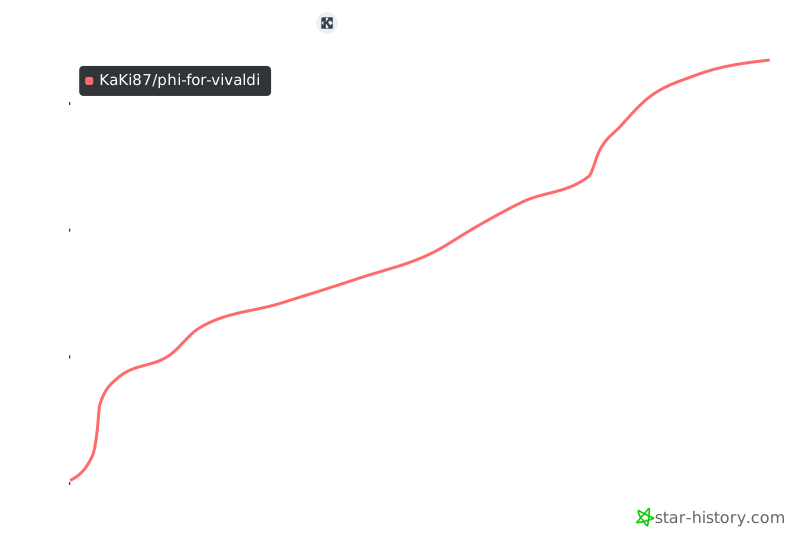](https://github.com/KaKi87/phi-for-vivaldi)
## :link: Related projects
- [ImMainTheme/ArchyVivaldi](https://github.com/ImMainTheme/ArchyVivaldi)
- [tovifun/VivalArc](https://github.com/tovifun/VivalArc)
- [(Address Bar + Title Bar + Status Bar) = Docked to side | Vivaldi Forum](https://forum.vivaldi.net/topic/80588/address-bar-title-bar-status-bar-docked-to-side)
- [HKayn/vivaldi-vh](https://github.com/HKayn/vivaldi-vh)
## :technologist: Development notes
Guide : [Customizing Vivaldi’s UI with CSS mods - gabevilela.vivaldi.net](https://gabevilela.vivaldi.net/2020/12/26/guide-customizing-vivaldis-ui-with-css-mods/)
DevTools URL : `vivaldi://inspect/#apps`
DOM structure :
```
#browser.linux.win.mac.minimal-ui.fullscreen.tabs-left.tabs-right
├─ [aria-label="Address"]
│ ├─ .vivaldi
│ ├─ .button-toolbar
│ ├─ .UrlBar-AddressField
│ └─ .toolbar-extensions
├─ [aria-label="Panels"]
│ └─ .button-toolbar.button-toolbar-webpanel
├─ .panel-group
├─ [name="WorkspaceButton"]
├─ #tabs-container
│ └─ .tab-strip
│ ├─ .tab-position.is-pinned
│ │ └─ .tab-wrapper.active.group
│ │ ├─ .tab.pinned.active.tab-group
│ │ │ └─ .tab-header
│ │ │ ├─ .favicon
│ │ │ ├─ .title
│ │ │ └─ .close
│ │ └─ .tab-group-indicator
│ │ └── .tab-indicator.active
│ ├─ .separator
│ └─ .newtab
└─ #webview-container
```
---
© 2025 — KaKi87
Released under the [MIT license](https://opensource.org/license/mit).