https://github.com/kanugurajesh/snaptext
Ready-to-use, simply paste the YouTube video link and easily download the transcript and thumbnails. All functionalities crafted for seamless integration.
https://github.com/kanugurajesh/snaptext
admin-dashboard authjs github-oauth lottie-animation nextjs14 profile-management responsive rive-animations tailwindcss thumbnails typescript
Last synced: 12 months ago
JSON representation
Ready-to-use, simply paste the YouTube video link and easily download the transcript and thumbnails. All functionalities crafted for seamless integration.
- Host: GitHub
- URL: https://github.com/kanugurajesh/snaptext
- Owner: kanugurajesh
- Created: 2024-10-09T16:44:47.000Z (almost 2 years ago)
- Default Branch: main
- Last Pushed: 2024-10-15T17:12:58.000Z (almost 2 years ago)
- Last Synced: 2024-12-07T03:09:43.688Z (over 1 year ago)
- Topics: admin-dashboard, authjs, github-oauth, lottie-animation, nextjs14, profile-management, responsive, rive-animations, tailwindcss, thumbnails, typescript
- Language: TypeScript
- Homepage: https://snap-text-two.vercel.app
- Size: 978 KB
- Stars: 8
- Watchers: 1
- Forks: 0
- Open Issues: 0
-
Metadata Files:
- Readme: README.md
Awesome Lists containing this project
README
# SnapText

Ready-to-use, simply paste the YouTube video link and easily download the transcript and thumbnails. All functionalities crafted for seamless integration.
## ✨ Key Features:
- **📋 YouTube Transcript & Thumbnail Download**:
- Paste the **YouTube video link**, and easily download both the **plain text** and **JSON format** transcript with just a click.
- Download all the **thumbnails** from the video for easy access.
- **🌗 Dark/Light Mode Toggle**:
- Customize the appearance with an intuitive **Dark/Light Mode** toggle to suit your environment and personal preferences.
- **🔒 GitHub Authentication**:
- Sign in with **GitHub** using **Auth.js**, and enjoy a secure login experience.
- The app provides an **admin profile page** where you can view your session details, and conveniently **sign out** using the profile button.
---
## 🛠️ How It Works:
1. **🔗 Paste YouTube URL**: Enter the **YouTube URL** into the provided input box.
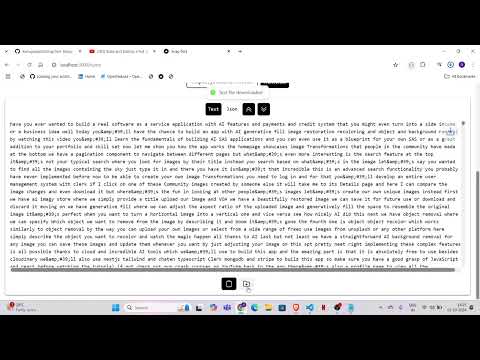
2. **📝 Transcribe**: Click **Transcribe** to extract the **plain text** or **JSON format** transcript of the video. You can also **copy** or **download** the transcript.
3. **🖼️ Download Thumbnails**: Enter the **YouTube URL**, then click **Get Thumbnails** to fetch and download all the thumbnails associated with the video.
4. **👤 Manage Profile**: Use the **profile page** to view your login session details or **sign out** via the **GitHub OAuth** integration.
Enjoy a seamless experience with this powerful **YouTube transcription and thumbnail downloader** tool!
---
## 🚀 Quick Start
### 📦 Installation
1. Clone the repository:
```bash
git clone https://github.com/yourusername/SnapText.git
```
2. Change the directory
```bash
cd Pic2Text
```
3. Install the packages
```bash
npm install
```
4. Run the project
```bash
npm run dev
```
## 🧰 Tech Stack
🖥️ **Frontend**: Next.js, TypeScript, Tailwind CSS
---
## Images


## Demo
[](https://www.youtube.com/watch?v=zh3dCqHLzUE)