https://github.com/kanugurajesh/trading
Trading UI
https://github.com/kanugurajesh/trading
charts coingecko-api nextjs14 tailwindcss typescript uiux
Last synced: over 1 year ago
JSON representation
Trading UI
- Host: GitHub
- URL: https://github.com/kanugurajesh/trading
- Owner: kanugurajesh
- Created: 2024-03-06T05:48:54.000Z (over 2 years ago)
- Default Branch: main
- Last Pushed: 2025-01-10T14:41:15.000Z (over 1 year ago)
- Last Synced: 2025-01-10T14:52:39.507Z (over 1 year ago)
- Topics: charts, coingecko-api, nextjs14, tailwindcss, typescript, uiux
- Language: TypeScript
- Homepage: https://koinx-frontend-tawny.vercel.app/
- Size: 437 KB
- Stars: 9
- Watchers: 1
- Forks: 0
- Open Issues: 0
-
Metadata Files:
- Readme: README.md
Awesome Lists containing this project
README
# 🌟 Koinx
A modern frontend application for a trading platform powered by the **CoinGecko API** and **TradingView** to deliver an immersive trading experience.
If you find this project helpful, don't forget to ⭐️ star the repo!
---
## 🚀 Features
- **Real-Time Market Data**: Fetch live cryptocurrency data using the CoinGecko API.
- **Interactive Charts**: Integrated with TradingView for advanced charting and technical analysis.
- **Seamless UI**: Built with a sleek and responsive interface for a smooth user experience.
- **Dark Mode Toggle**: Enable dark and light mode screen with toggle
---
## 🛠️ Tech Stack
Koinx leverages the following technologies to ensure high performance and developer efficiency:
- **[Next.js](https://nextjs.org/)**: A powerful React framework for server-side rendering and static site generation.
- **[TypeScript](https://www.typescriptlang.org/)**: For type-safe development and better scalability.
- **[TailwindCSS](https://tailwindcss.com/)**: A utility-first CSS framework for rapid UI design.
- **[CoinGecko API](https://www.coingecko.com/en/api)**: To fetch live cryptocurrency data and market stats.
---
## 🛠️ Getting Started
Follow these steps to run the project locally:
### Prerequisites
- Node.js (>= 16.0.0)
- npm or yarn package manager
### Installation
1. Clone the repository:
```bash
git clone https://github.com/kanugurajesh/Trading.git
cd Trading
```
2. Install the dependencies
```bash
npm install
```
3. Add the environment variables
```bash
cp .env.example .env.local
```
4. Run the project
```bash
npm run dev
```
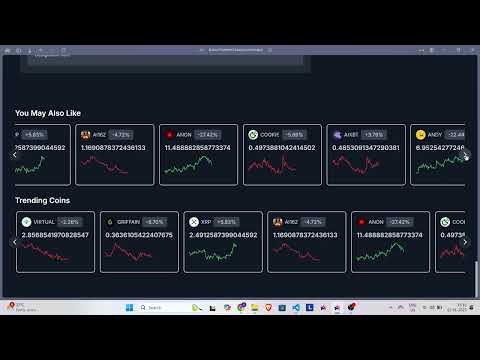
### Demo
[](https://youtu.be/tlvaoP5nuVA)