https://github.com/karpetrosyan/uv-vscode
A Visual Studio Code extension with support for the Uv package manager.
https://github.com/karpetrosyan/uv-vscode
package-management uv vscode
Last synced: 8 months ago
JSON representation
A Visual Studio Code extension with support for the Uv package manager.
- Host: GitHub
- URL: https://github.com/karpetrosyan/uv-vscode
- Owner: karpetrosyan
- License: mit
- Created: 2025-06-21T17:34:13.000Z (12 months ago)
- Default Branch: main
- Last Pushed: 2025-10-16T19:21:25.000Z (8 months ago)
- Last Synced: 2025-10-17T22:00:59.129Z (8 months ago)
- Topics: package-management, uv, vscode
- Language: TypeScript
- Homepage: https://karpetrosyan.github.io/uv-vscode/
- Size: 7 MB
- Stars: 11
- Watchers: 0
- Forks: 0
- Open Issues: 0
-
Metadata Files:
- Readme: README.md
- Changelog: CHANGELOG.md
- License: LICENSE
Awesome Lists containing this project
README
# uv-vscode
A VS Code extension that provides enhanced integration with [uv](https://github.com/astral-sh/uv), the fast Python package installer and resolver. This extension makes it easier to manage Python dependencies and work with inline script metadata (PEP 723) directly in VS Code.
## Documentation
Go through the [documentation](https://karpetrosyan.github.io/uv-vscode/) to get started.
## Highlights
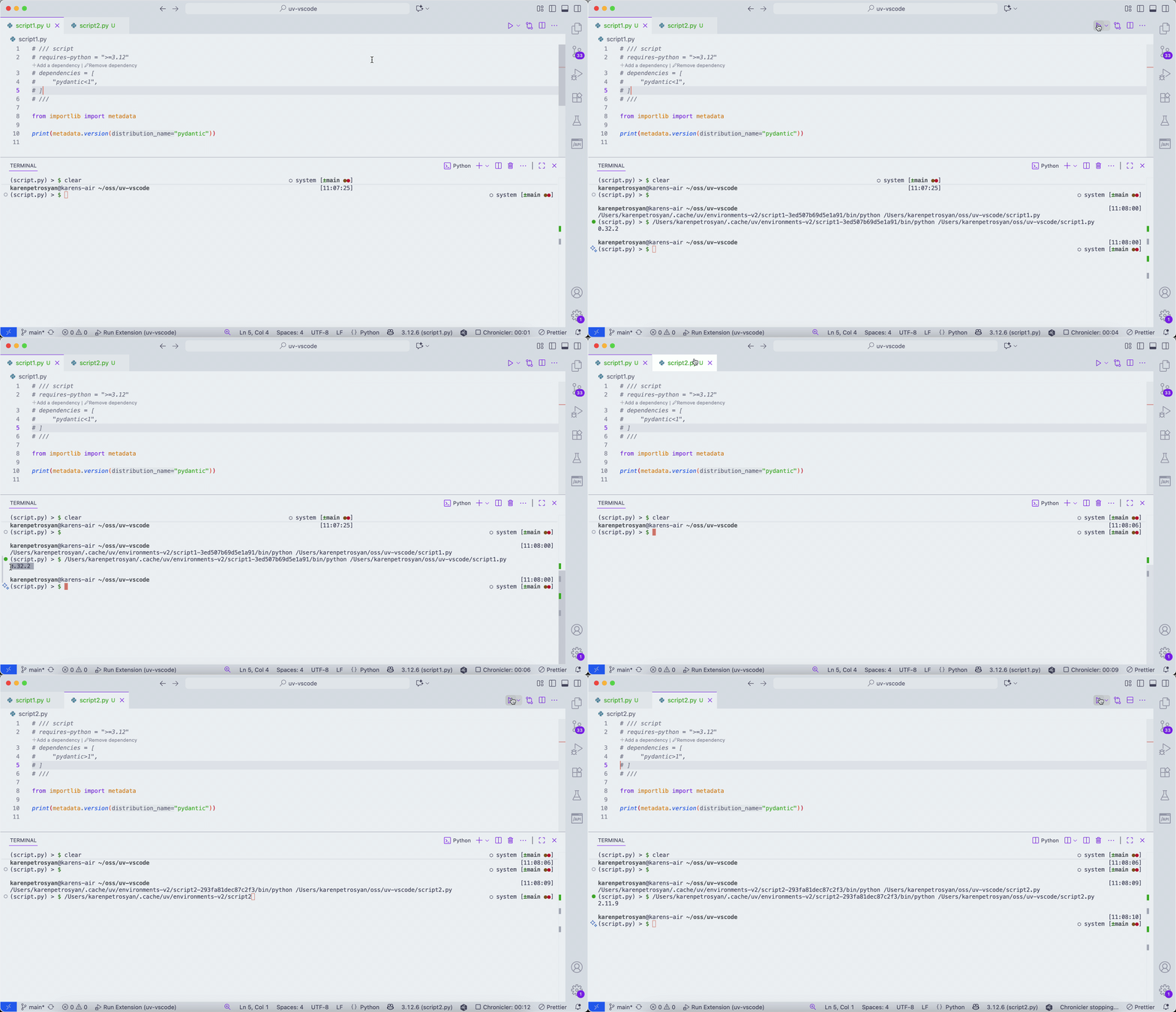
### Automatically enters the script environment when the active editor is a script
When you change your active text editor in `VS Code` to a file that is `PEP 723` compatible script, you will get a full LSP support because the extension will automatically create, enter to the python environment, installing all the dependencies defined in a file
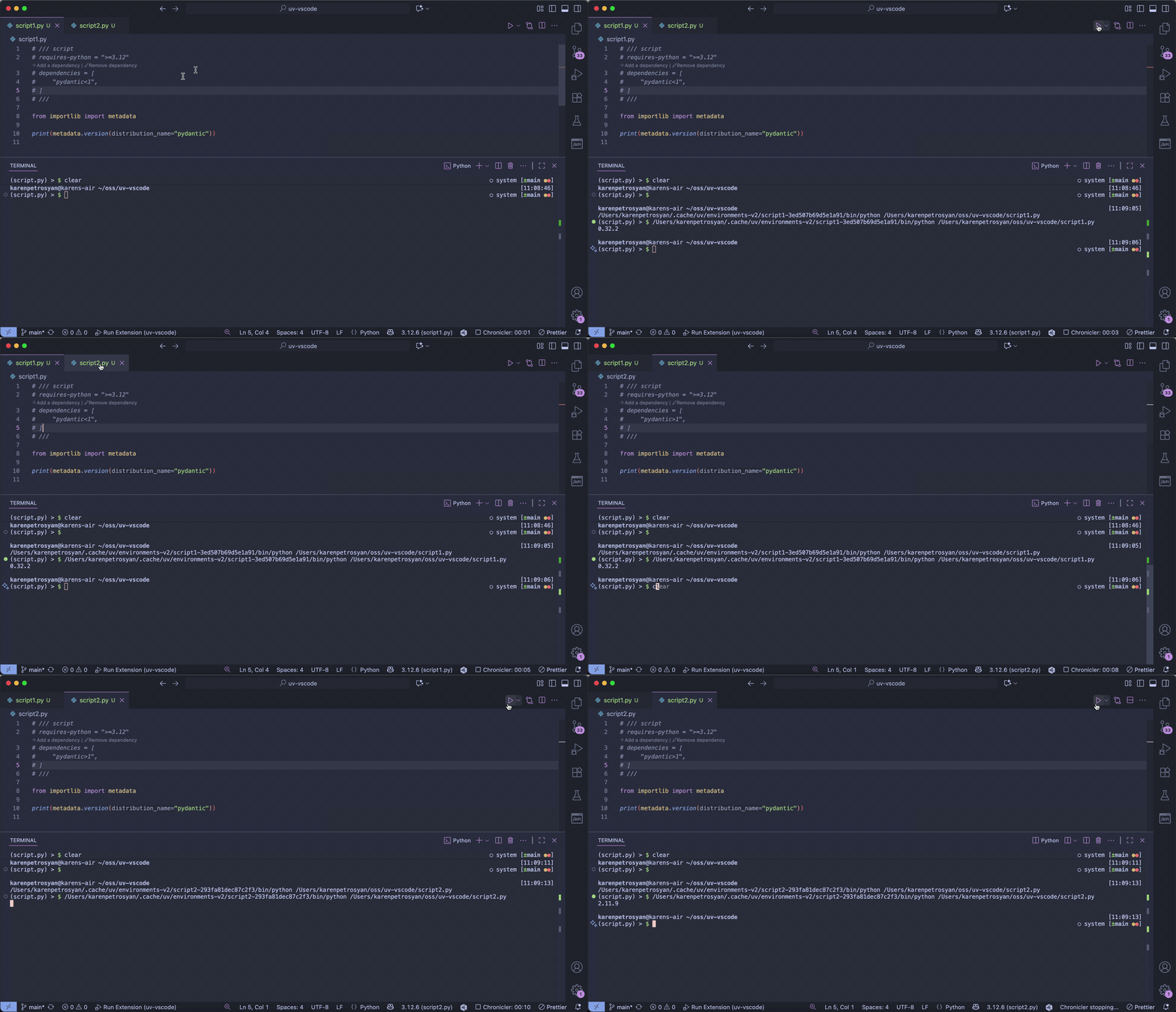
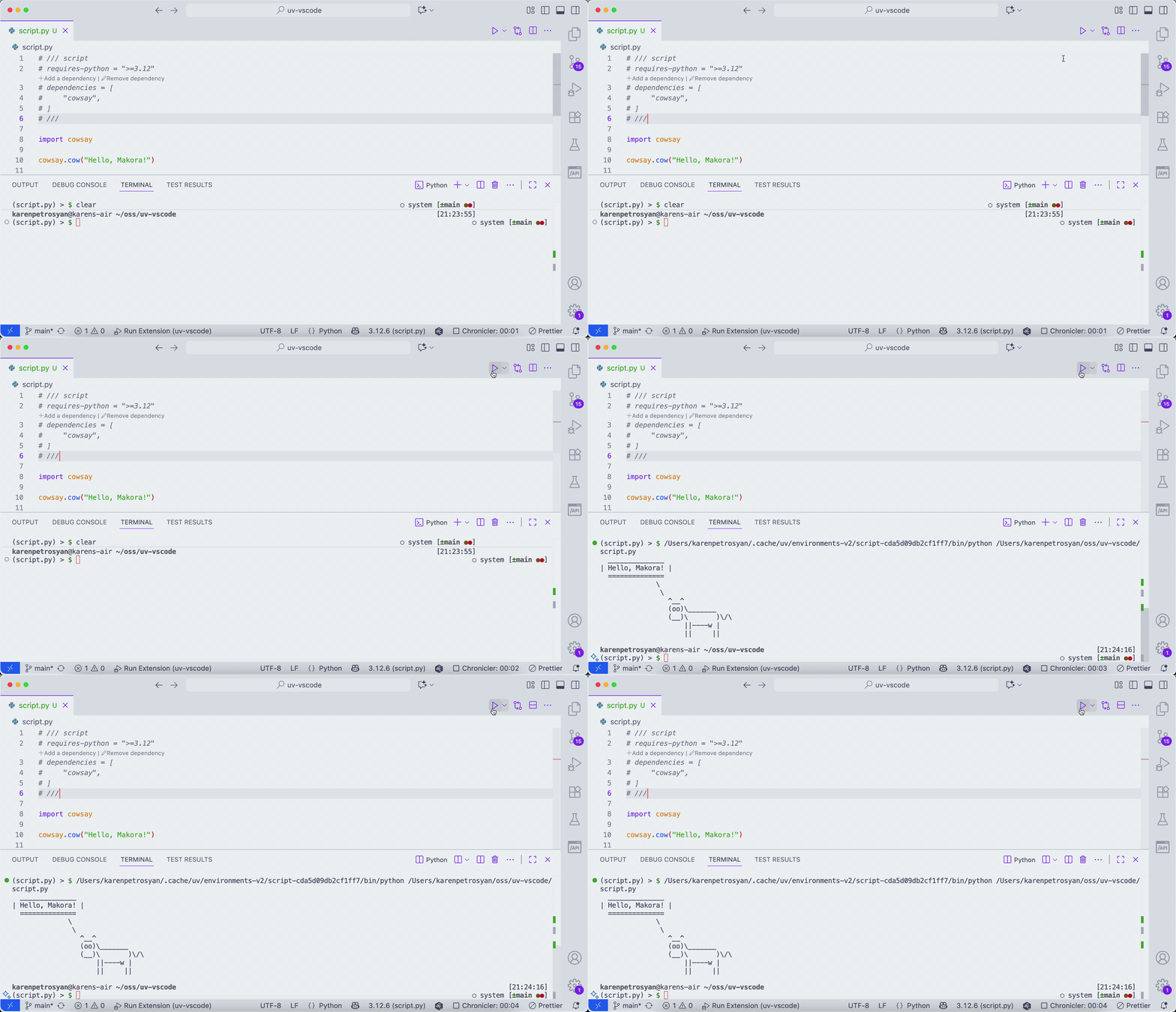
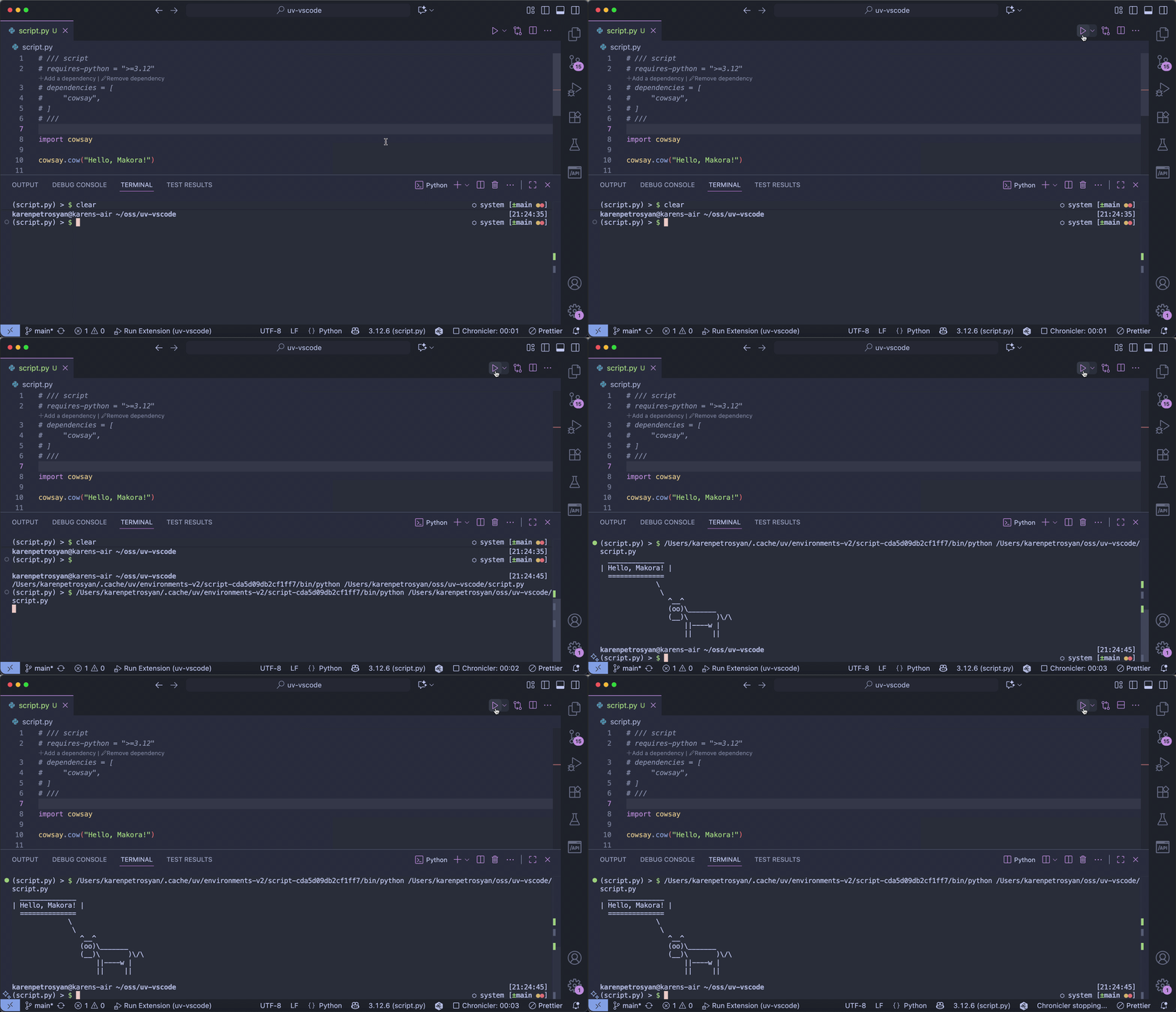
### Run & debug your scripts just like normal Python files, but without worrying about dependencies
Buttons like Run and Debug will also handle the inline metadata of the script, installing missing dependencies if needed
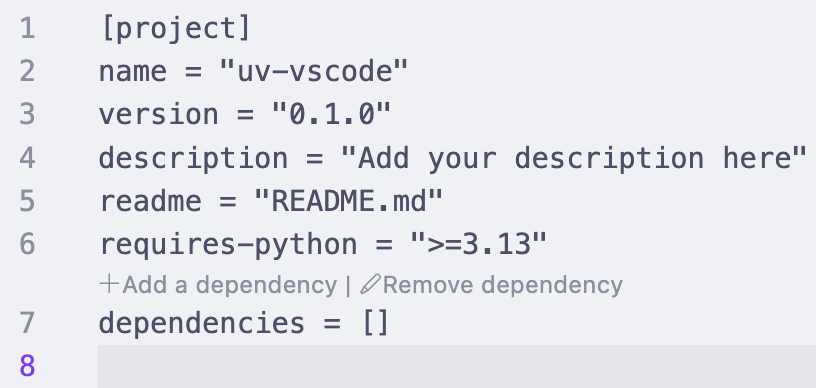
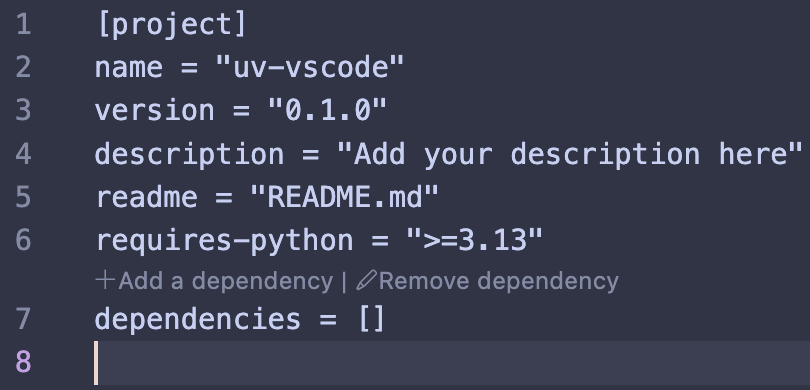
### Manage dependencies directly in VS Code
UI elements added to `pyproject.toml` and any `PEP 723` compatible script files for managing dependencies without switching to a terminal.