https://github.com/katono/rogue.vim
Porting of Rogue-clone II for Vim
https://github.com/katono/rogue.vim
game lua rogue vim vim-plugins
Last synced: 15 days ago
JSON representation
Porting of Rogue-clone II for Vim
- Host: GitHub
- URL: https://github.com/katono/rogue.vim
- Owner: katono
- License: other
- Created: 2014-09-06T14:10:14.000Z (over 11 years ago)
- Default Branch: master
- Last Pushed: 2021-11-21T04:44:22.000Z (over 4 years ago)
- Last Synced: 2025-12-20T09:43:24.290Z (3 months ago)
- Topics: game, lua, rogue, vim, vim-plugins
- Language: Lua
- Size: 169 KB
- Stars: 91
- Watchers: 3
- Forks: 10
- Open Issues: 1
-
Metadata Files:
- Readme: README.md
- License: LICENSE
Awesome Lists containing this project
README
rogue.vim
=========
*"Hello Vimmer, welcome to the Dungeons of Doom..."*
## Description
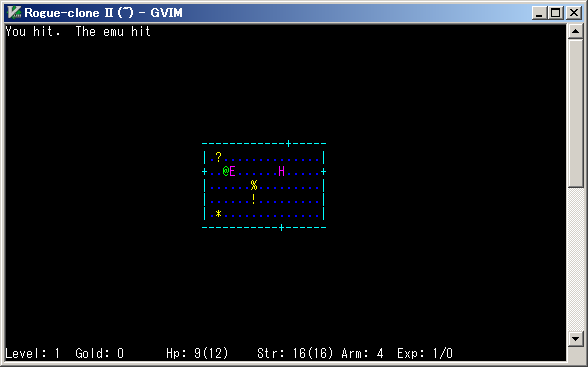
This Vim plugin is a game that is porting of Rogue-clone II.
You can enjoy the game on your Vim.
This rogue-clone is message-separated, and so you can make your original message file.
By the way, you can get the original of this game from FreeBSD ports `japanese/rogue_s`.
## Repository
You can get the latest version from here.
https://github.com/katono/rogue.vim
## Requirements
rogue.vim requires Lua-enabled Vim.
Check `:echo has('lua')` returns 1 and `:echo luaeval('_VERSION')` returns `Lua 5.1` or later.
LuaJIT is recommended because that is very fast.
## Installation
Copy `autoload`, `doc`, `plugin`, and `syntax` directories into your Vim runtimepath,
like `$HOME/.vim` or `$VIM/vimfiles`.
And execute this Vim command to make help tags.
:helptags /doc
You can execute `:h rogue` to see this plugin's help.
If you use a Vim plugin manager, follow its way.
## License
MIT License