https://github.com/katsutedev/background
The most advanced background image extension for VSCode
https://github.com/katsutedev/background
background background-image backgrounds extension ide-theme nodejs theme ts typescript visual-studio-code visual-studio-code-extension visual-studio-code-theme vscode vscode-background vscode-extension vscode-theme
Last synced: about 1 year ago
JSON representation
The most advanced background image extension for VSCode
- Host: GitHub
- URL: https://github.com/katsutedev/background
- Owner: KatsuteDev
- License: gpl-2.0
- Created: 2022-06-22T17:40:10.000Z (about 4 years ago)
- Default Branch: main
- Last Pushed: 2025-06-10T11:26:59.000Z (about 1 year ago)
- Last Synced: 2025-06-10T12:32:27.446Z (about 1 year ago)
- Topics: background, background-image, backgrounds, extension, ide-theme, nodejs, theme, ts, typescript, visual-studio-code, visual-studio-code-extension, visual-studio-code-theme, vscode, vscode-background, vscode-extension, vscode-theme
- Language: TypeScript
- Homepage: https://marketplace.visualstudio.com/items?itemName=katsute.code-background
- Size: 88.6 MB
- Stars: 99
- Watchers: 2
- Forks: 4
- Open Issues: 1
-
Metadata Files:
- Readme: README.md
- Changelog: CHANGELOG.md
- License: LICENSE
Awesome Lists containing this project
README

Background
The most advanced background image extension for VSCode
Windows + Mac + Linux



Add multiple background images for the window, editors, sidebars, or the panel. Load backgrounds from file, [glob](https://github.com/isaacs/node-glob#glob-primer), or URL. Transition between multiple background images.
## Installation
- Install from the [Visual Studio Marketplace](https://marketplace.visualstudio.com/items?itemName=katsute.code-background).
- Install directly from VSCode using the id [`katsute.code-background`](https://marketplace.visualstudio.com/items?itemName=katsute.code-background).
Customize using the Background: Configuration command or press the **Background** button in the bottom right to access the configuration menu.
Install using the Background: Install command or press the **Install** button in the configuration menu to install the background.
## Features
#### Multiple Backgrounds
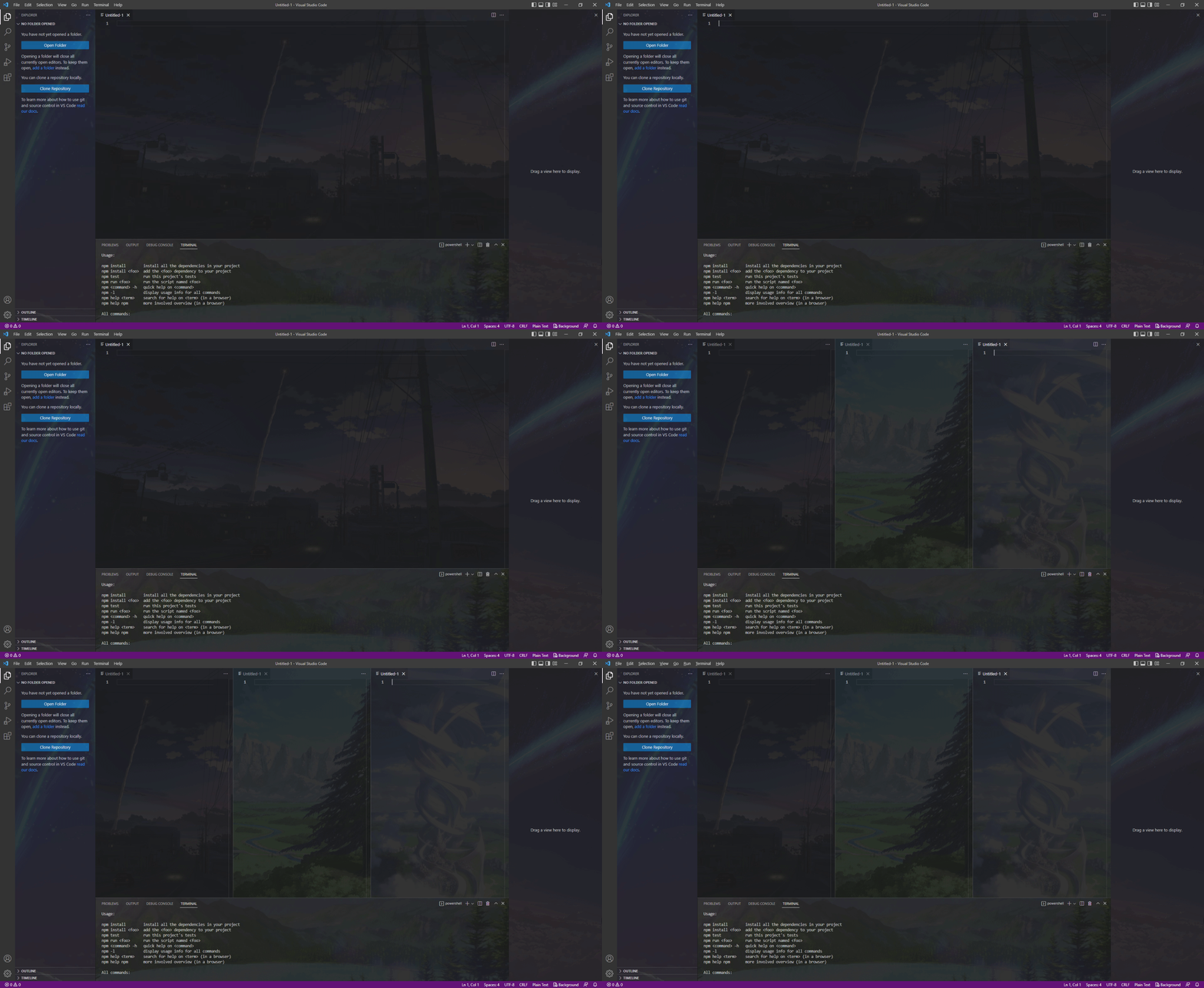
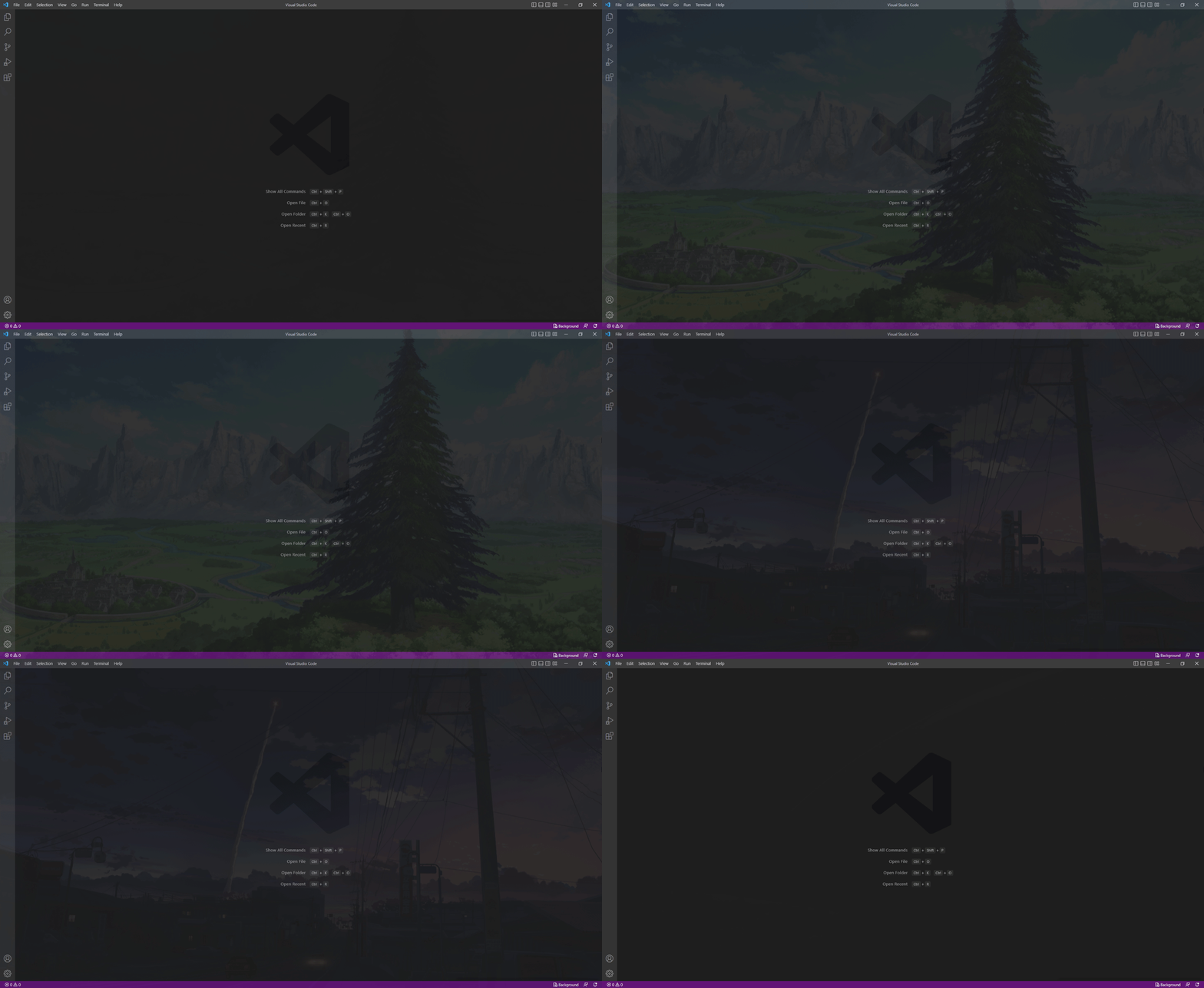
Add background images for the whole window, editors, sidebars, or the panel. Transition between multiple background images.
Full Window
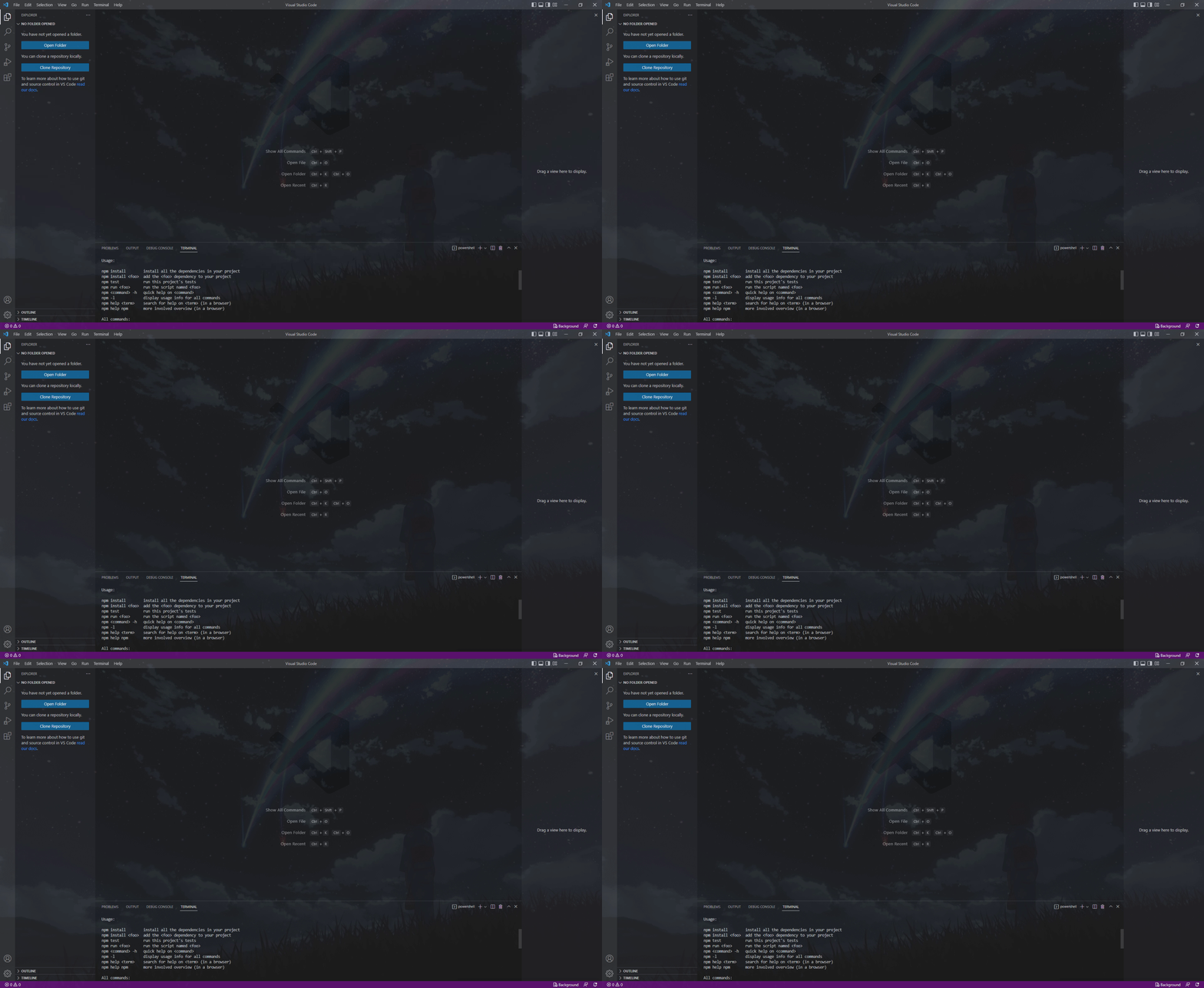
Editor, Sidebar, and Terminal
Slideshow
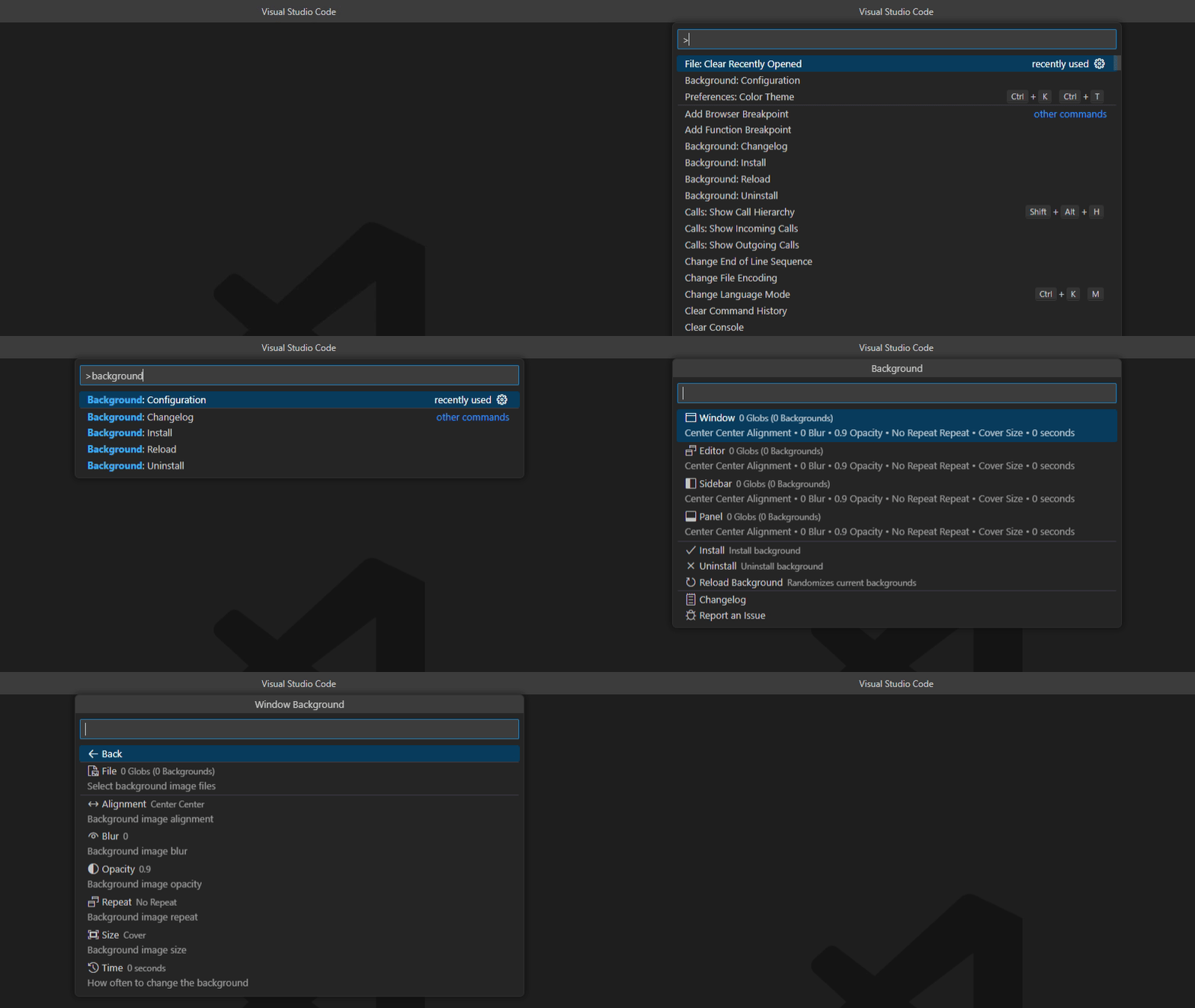
#### Configuration Menu
Use the Background: Configuration command or press the **Background** button in the bottom right to access the configuration menu.
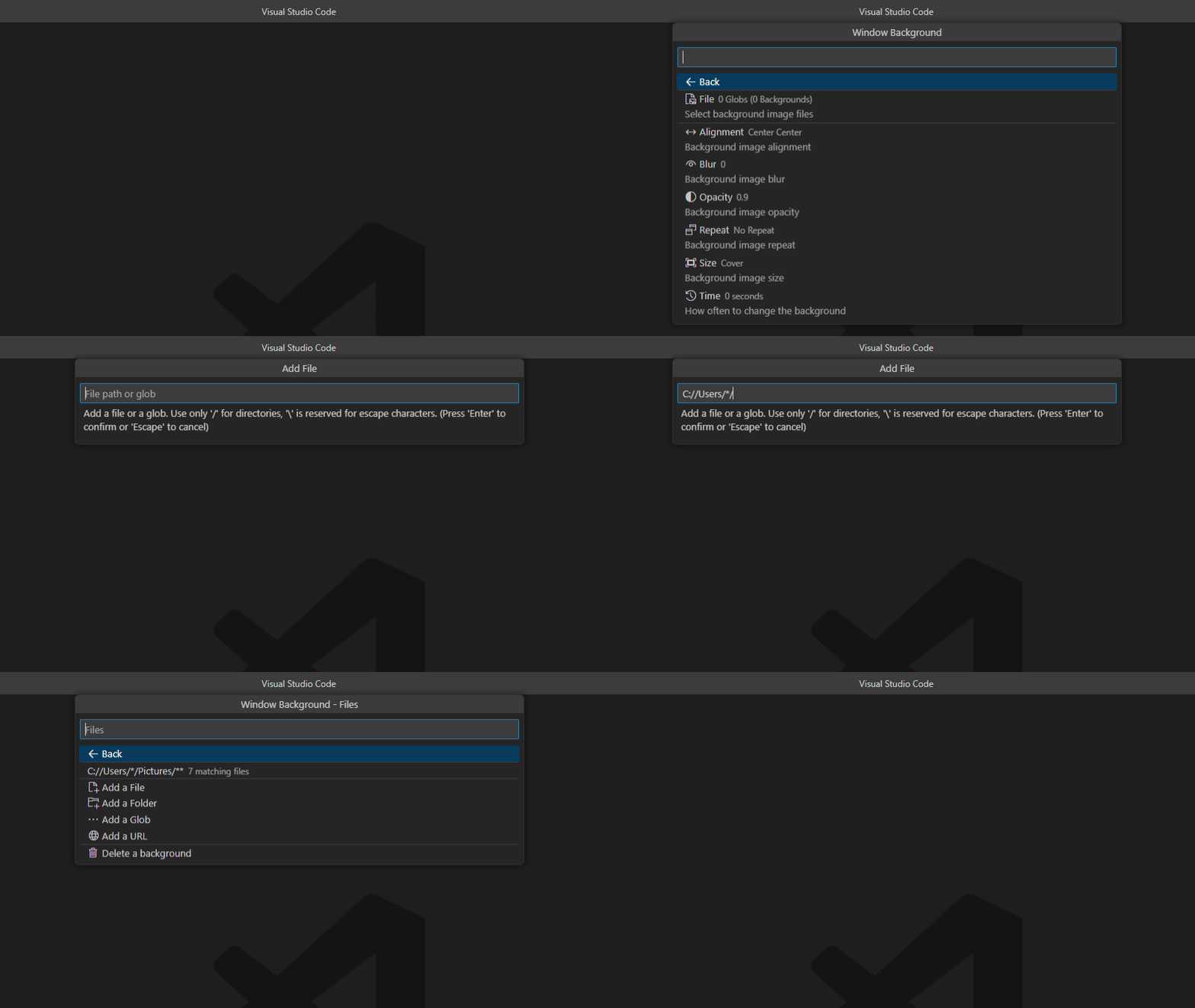
#### Glob, URL, and Environment Variable Support
Add background images by file, folder, or URL. Supports [glob](https://github.com/isaacs/node-glob#glob-primer) and [environment variables](#environment-variables).
## Commands
| Command | Description |
|:--|:--|
|Background: Install|Installs and enables the background|
|Background: Uninstall|Uninstalls and disables the background|
|Background: Reload|Randomizes the current background|
|Background: Configuration|Opens the configuration menu|
|Background: Changelog|Opens the changelog|
## Configuration
Use the Background: Configuration command or press the **Background** button in the bottom right to access the configuration menu.
|Background|Description|
|:--|:--|
|Window Backgrounds|The list of files or globs to use for the window background image|
|Editor Backgrounds|The list of files or globs to use for editor background images|
|Sidebar Backgrounds|The list of files or globs to use for the sidebar background images|
|Panel Backgrounds|The list of files or globs to use for the panel background image|
|||
|**Style Option**|**Description**|
|Alignment|Background alignment|
|Alignment Value|Background alignment (CSS)|
|Blur|Background blur (CSS)|
|Opacity|Background opacity, 1 is fully visible and 0 is invisible|
|Repeat|Background repeat|
|Size|Background size|
|Size Value|Background size (CSS)|
|Change Time|How often to change the background image in seconds, set to 0 to never change|
|||
|**Advanced Option**|**Description**|
|Auto Install|Automatically install backgrounds on startup|
|Render Content Above Background|Show images, PDFs, and markdown previews on top of the background|
|Use Inverted Opacity|Use an inverted opacity, so 0 is visible and 1 is invisible|
|Smooth Image Rendering|Use smooth image rendering when resizing images instead of pixelated|
|Setting Scope|Where to save background settings - Global or Workspace|
|CSS|Custom CSS|
## Environment Variables
If the path is not working, add an additional `/` after the variable.
|Variable|Description|
|:--|:--|
|`${vscode:workspace}`|Current VSCode project folder|
|`${vscode:user}`|VSCode user directory, either `Code/User` or `data/user-data/User`|
|`${user:home}`|Current user's home directory|
|`${...}`|System environment variable|
##
### API
Add this extension to your `package.json`.
```json
{
...
"extensionDependencies": [
"katsute.code-background"
]
...
}
```
Access the api by using:
```js
const background = vscode.extensions.getExtension("katsute.code-background").exports;
```
* `install(): void`
Runs the `Background: Install` command.
* `uninstall(): void`
Runs the `Background: Uninstall` command.
* `reload(): void`
Runs the `Background: Reload` command.
* `get(ui): string[]?`
* `ui` : Background to get from; either `window`, `editor`, `sidebar`, `panel`.
Returns an array of globs for the specified background.
* `add(ui, glob): Promise`
* `ui` : Background to add to; either `window`, `editor`, `sidebar`, `panel`.
* `glob`: Glob to add.
Returns true if successful.
* `replace(ui, old, glob): Promise`
* `ui` : Background to replace from; either `window`, `editor`, `sidebar`, `panel`.
* `old`: Glob to replace.
* `glob`: Updated glob.
Returns true if successful.
* `remove(ui, glob): Promise`
* `ui` : Background to remove from; either `window`, `editor`, `sidebar`, `panel`.
* `glob`: Glob to remove.
Returns true if successful.
##
This extension is released under the [GNU General Public License (GPL) v2.0](https://github.com/KatsuteDev/Background/blob/main/LICENSE).