https://github.com/kawamataryo/8bitdo_zero2
Python code to use the 8bitdo zero2 controller with a Raspberry Pi.
https://github.com/kawamataryo/8bitdo_zero2
8bitdo raspberry-pi
Last synced: about 1 year ago
JSON representation
Python code to use the 8bitdo zero2 controller with a Raspberry Pi.
- Host: GitHub
- URL: https://github.com/kawamataryo/8bitdo_zero2
- Owner: kawamataryo
- License: mit
- Created: 2021-04-07T12:01:01.000Z (over 5 years ago)
- Default Branch: master
- Last Pushed: 2022-05-24T20:56:54.000Z (about 4 years ago)
- Last Synced: 2025-06-27T19:18:09.713Z (about 1 year ago)
- Topics: 8bitdo, raspberry-pi
- Language: Python
- Homepage: https://pypi.org/project/eightbitdo-zero2/
- Size: 9.22 MB
- Stars: 14
- Watchers: 2
- Forks: 1
- Open Issues: 0
-
Metadata Files:
- Readme: README.md
- License: LICENSE
Awesome Lists containing this project
README
# 8bitdo zero2
Python code to use the [8bitdo zero2](https://www.8bitdo.com/zero2/) controller with a Raspberry Pi.
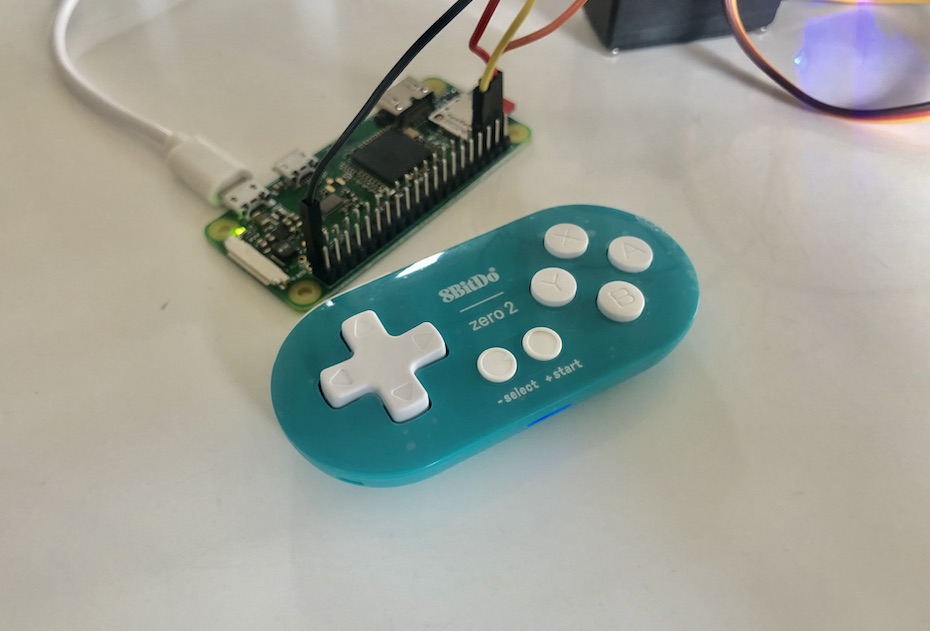)
# How to use
## Installation
```bash
$ pip install eightbitdo-zero2
```
## Usage example
```python
from gpiozero import LED
from eightbitdo_zero2 import EightBitDoZero2
# led
red = LED(17)
blue = LED(10)
def main():
# Initialize controller
controller = EightBitDoZero2(
on_y=red.on,
off_y=red.off,
on_a=blue.on,
off_a=blue.off,
)
# Start listen
controller.listen()
if __name__ == "__main__":
main()
```
There are more example code in [examples](https://github.com/kawamataryo/8bitdo_zero2/tree/master/examples).
## Options
Controller initialize options.
|name|type|default|detail|
|---|---|---|---|
|device_path|string|"/dev/input/js0"|File path to which device is connected.|
|debug|boolean|False|Debug mode setting. When True, The entered command is displayed on STDOUT.|
|on_|function|lambda: None|Action when the button is pressed.|
|off_|function|lambda: None|Action when the button is Released.|
# License
This software is released under the MIT License, see LICENSE.