https://github.com/kayjamlang/executor-cli
Command Line Interface (CLI) for KayJam scripts
https://github.com/kayjamlang/executor-cli
cli executor java java-8 kayjam kayjam-language language script scripting-language
Last synced: about 1 year ago
JSON representation
Command Line Interface (CLI) for KayJam scripts
- Host: GitHub
- URL: https://github.com/kayjamlang/executor-cli
- Owner: KayJamLang
- License: gpl-3.0
- Created: 2021-02-24T14:30:55.000Z (over 5 years ago)
- Default Branch: main
- Last Pushed: 2021-05-18T15:09:46.000Z (about 5 years ago)
- Last Synced: 2025-05-07T06:15:51.707Z (about 1 year ago)
- Topics: cli, executor, java, java-8, kayjam, kayjam-language, language, script, scripting-language
- Language: Java
- Homepage:
- Size: 6.02 MB
- Stars: 1
- Watchers: 2
- Forks: 0
- Open Issues: 0
-
Metadata Files:
- Readme: README.md
- License: LICENSE
Awesome Lists containing this project
README
# KayJam Executor CLI
Command Line Interface for [KayJam language](https://github.com/KayJamLang/core) executor
[](https://github.com/KayJamLang/executor-cli)
## Installation
So far, installation is possible only on Windows.
### For Windows
1. Download windows.exe from latest release in [GitHub Releases](https://github.com/KayJamLang/executor-request-library/releases/latest)
2. Run windows.exe
3. Done
## Usage
### Run file
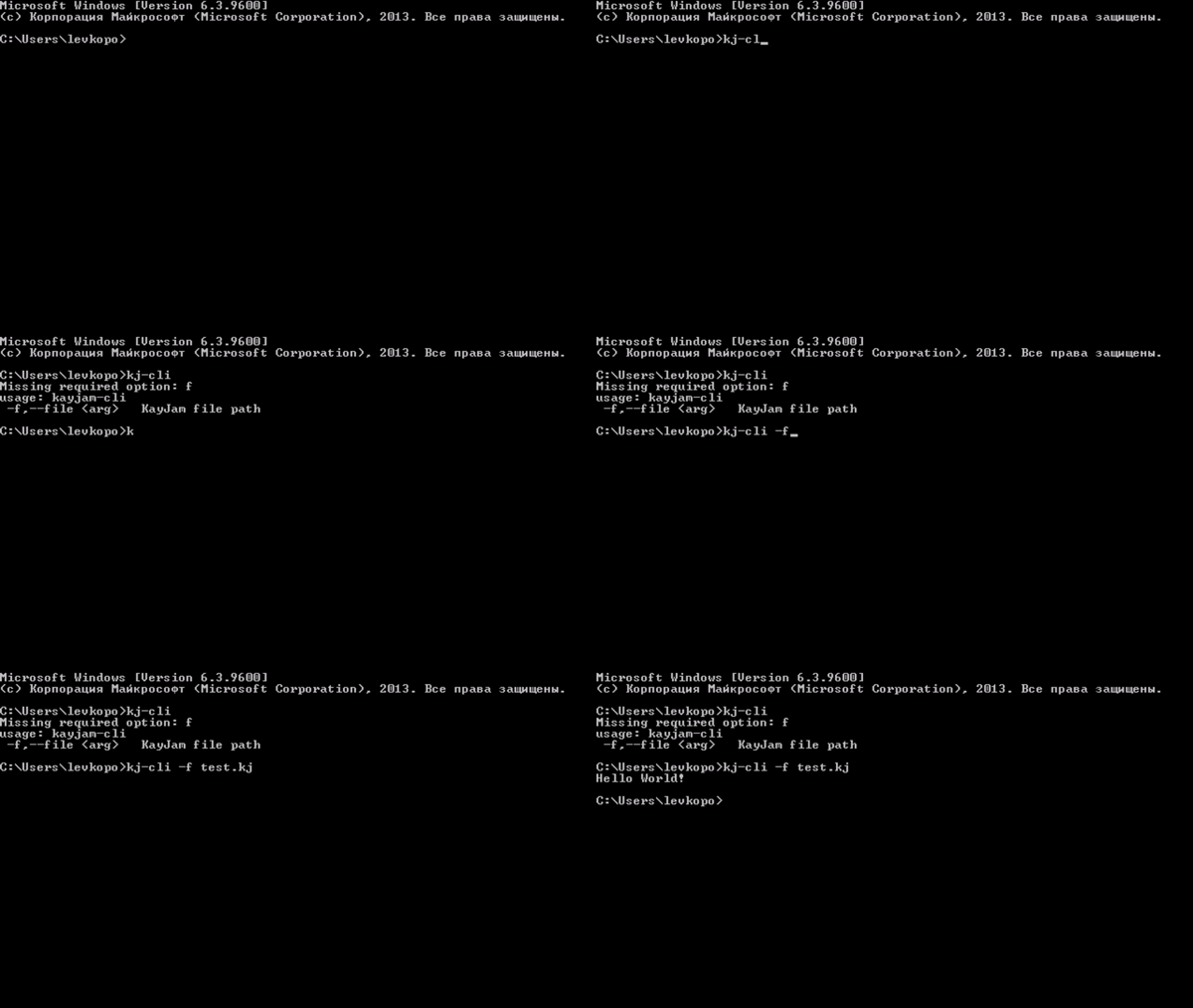
Open cmd (Win+R, type "cmd") and open the folder with the file.
Type "kj-cli -f "
## Installing libraries
### For Windows
1. Open the folder where KayJam is installed (Usually installed in C:\Program Files (x86)\kj-cli)
2. Open the "libs" folder
3. Copy the jar file of the downloaded library
4. Done
## Additionally
[Library catalog for KayJam Executor](https://github.com/KayJamLang/executor/blob/main/libs.md)