https://github.com/kayvansol/cephadm
Install Ceph Cluster by cephadm
https://github.com/kayvansol/cephadm
ceph cephadm mng monitor osd
Last synced: 4 months ago
JSON representation
Install Ceph Cluster by cephadm
- Host: GitHub
- URL: https://github.com/kayvansol/cephadm
- Owner: kayvansol
- License: apache-2.0
- Created: 2024-12-18T08:14:37.000Z (over 1 year ago)
- Default Branch: main
- Last Pushed: 2024-12-18T12:06:15.000Z (over 1 year ago)
- Last Synced: 2025-04-07T21:47:13.486Z (about 1 year ago)
- Topics: ceph, cephadm, mng, monitor, osd
- Homepage: https://medium.com/@kayvan.sol2/install-ceph-cluster-by-cephadm-169829ebf531
- Size: 429 KB
- Stars: 1
- Watchers: 1
- Forks: 0
- Open Issues: 0
-
Metadata Files:
- Readme: README.md
- License: LICENSE
Awesome Lists containing this project
README
# Install Ceph Cluster by cephadm
Ceph is a distributed network storage and file system with distributed metadata management and POSIX semantics.
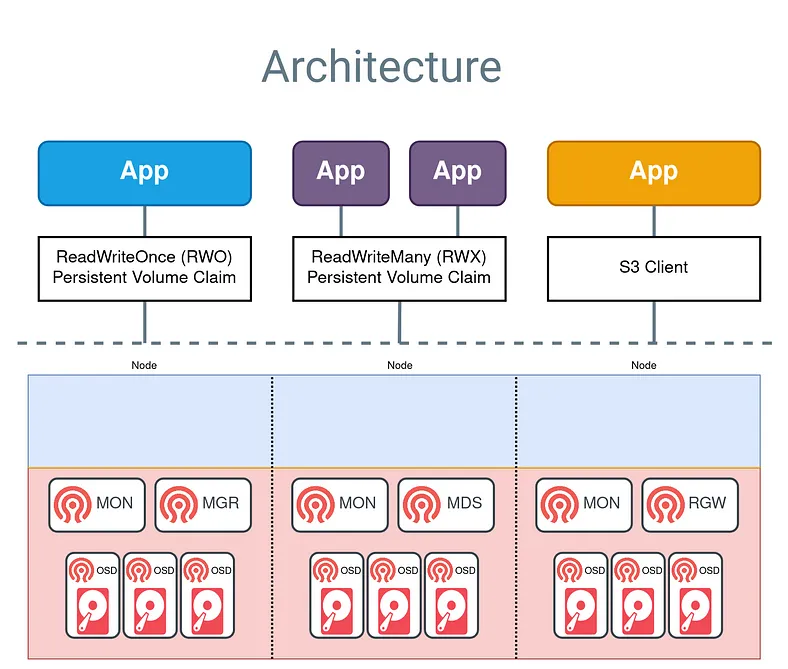
Ceph Storage Clusters consist of several types of daemons :
a Ceph OSD Daemon (OSD) stores data as objects on a storage node
a Ceph Monitor (MON) maintains a master copy of the cluster map.
a Ceph Manager manager daemon
A Ceph Storage Cluster might contain thousands of storage nodes. A minimal system has at least one Ceph Monitor and two Ceph OSD Daemons for data replication.
The Ceph File System, Ceph Object Storage and Ceph Block Devices read data from and write data to the Ceph Storage Cluster.
Cephadm Orchestrator creates a new Ceph cluster by bootstrapping a single host, expanding the cluster to encompass any additional hosts, and then deploying the needed services.
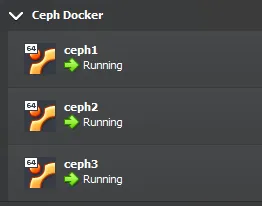
Requirements :
```
Python 3
Systemd
Podman or Docker for running containers
Time synchronization (such as Chrony or the legacy ntpd)
LVM2 for provisioning storage devices
```
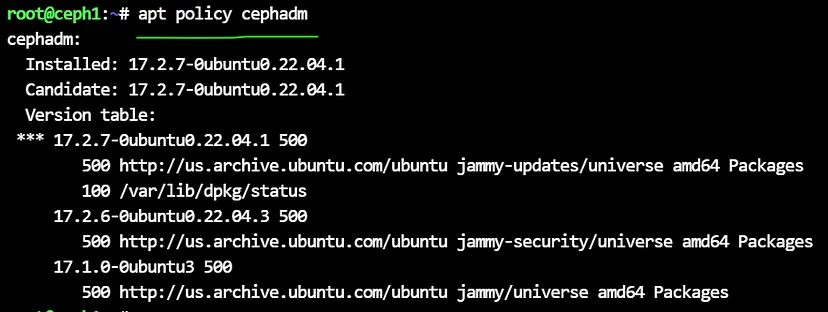
Get the version from repository :
```
apt policy cephadm
```
Run cephadm install:
```
apt install cephadm
```
This is installing all the dependencies …
Note : Do all of above command at all nodes.
Run the ceph bootstrap command :
```
cephadm bootstrap --mon-ip 192.168.56.143 --initial-dashboard-user admin --initial-dashboard-password 123456
```
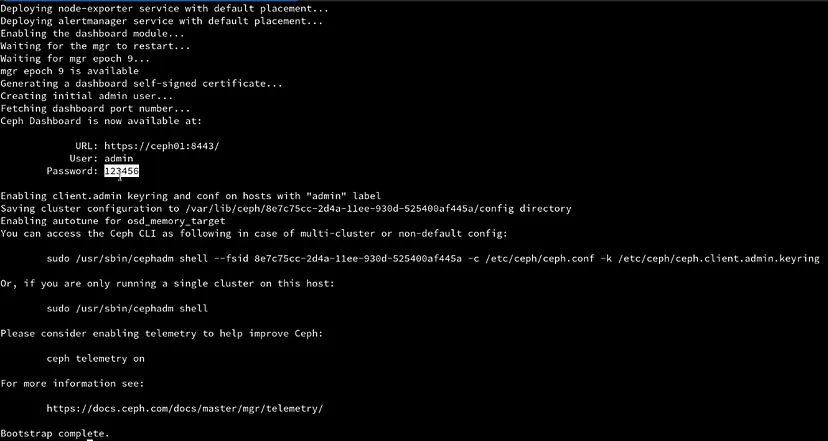
The cephadm shell command launches a bash shell in a container with all of the Ceph packages installed :
```
cephadm shell
```

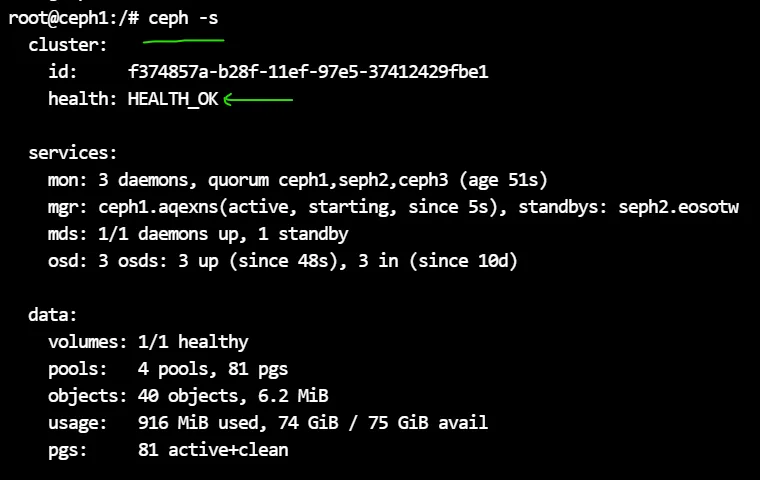
Confirm that the ceph command can connect to the cluster and also its status with :
```
ceph -s
```
To add each new host to the cluster :
```
cat /etc/ceph/ceph.pub
```

copy the result key and paste to other nodes :
```
nano /root/.ssh/authorized_keys
```
Tell Ceph that the new node is part of the cluster :
```
ceph orch host add Seph2 192.168.56.144
ceph orch host add Ceph3 192.168.56.145
```
To add a label a existing host, run :
```
ceph orch host label add Seph2 _admin
ceph orch host label add Ceph3 _admin
```
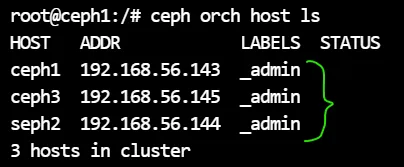
get the list of nodes & containers :
```
ceph orch host ls
ceph orch ps
```


check the ports (6789 for ceph v1 & 3300 for ceph v2) :
```
netstat -nltp | grep ceph-mon
```

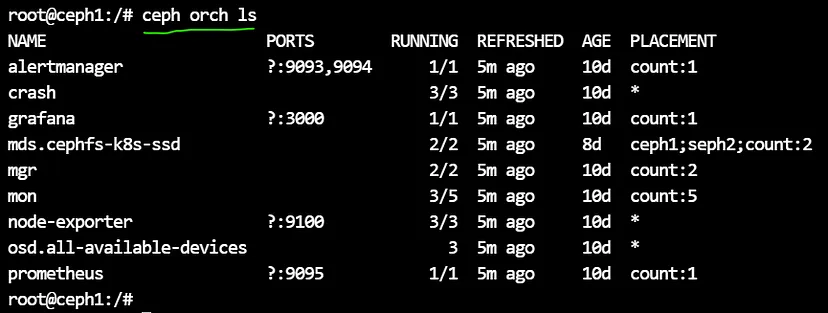
check the services :
```
ceph orch ls
```
To add storage to the cluster, you can tell Ceph to consume any available and unused device(s):
The --dry-run flag causes the orchestrator to present a preview of what will happen without actually creating the OSDs.
Run the below command twice :
```
ceph orch apply osd --all-available-devices --dry-run
```
then run the main command :
```
ceph orch apply osd --all-available-devices
```
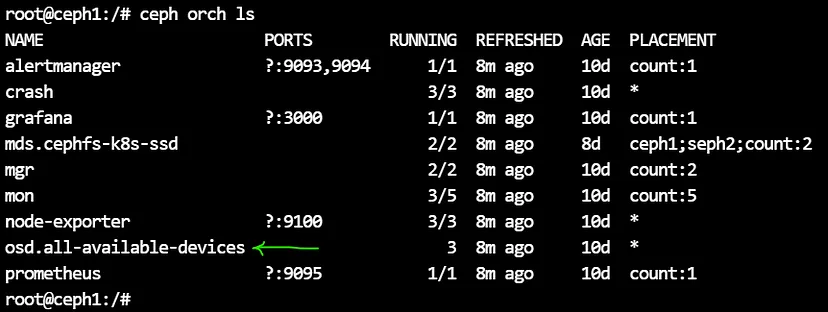
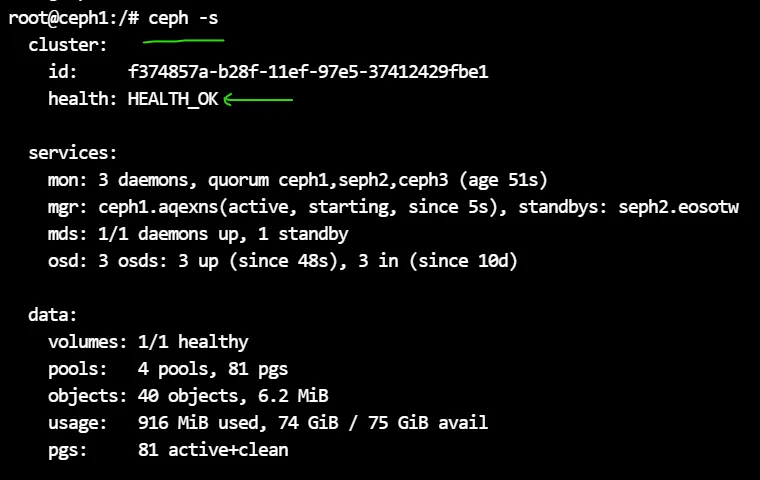
check the cluster status :
```
ceph -s
```
ensure that the status is : HEALTH_OK
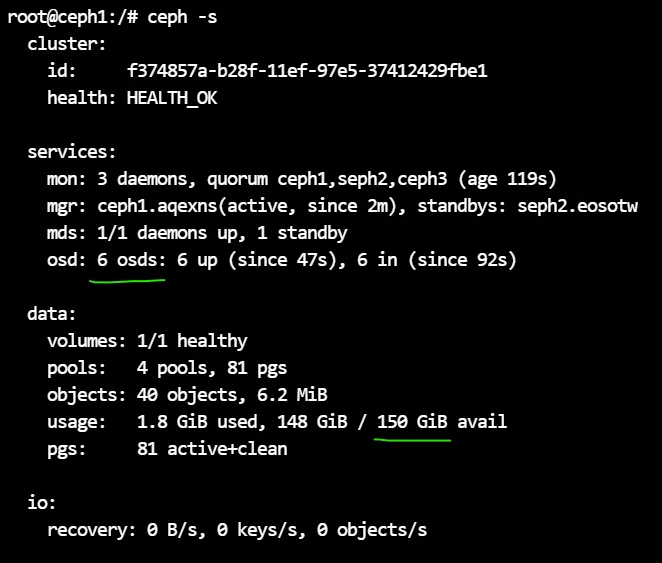
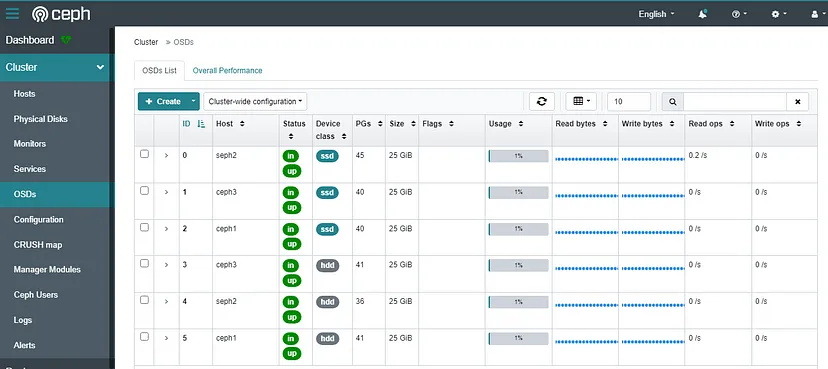
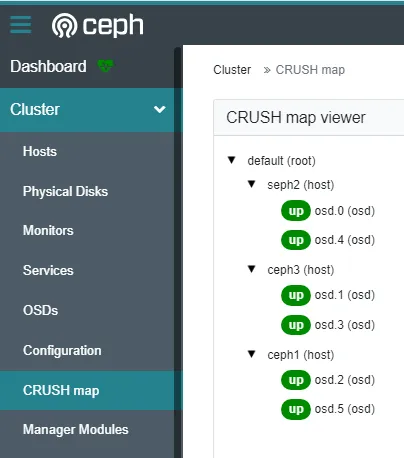
if you add 3 new hard disks to 3 nodes, ceph automatically adds them to OSDs :
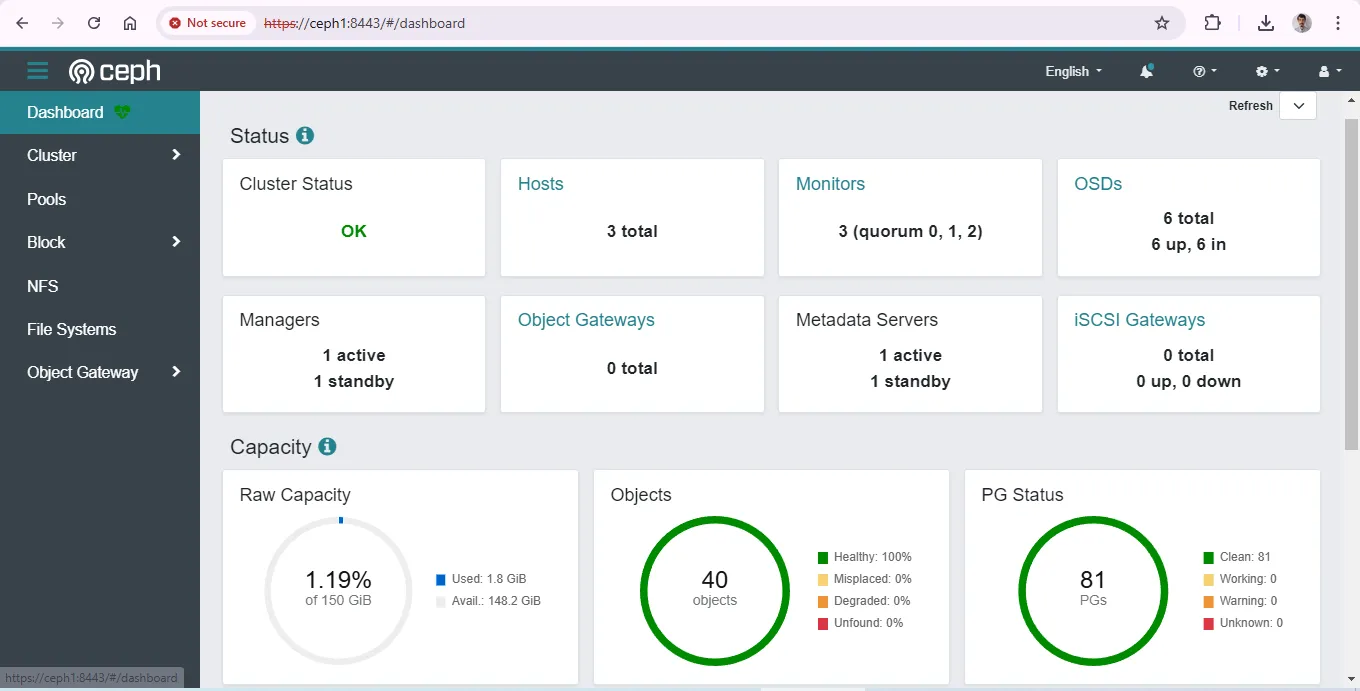
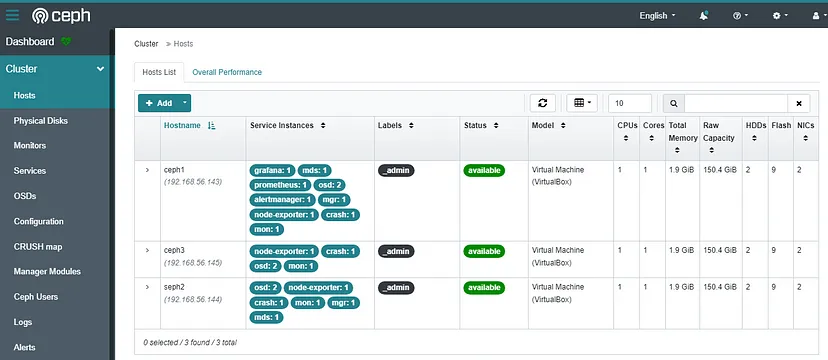
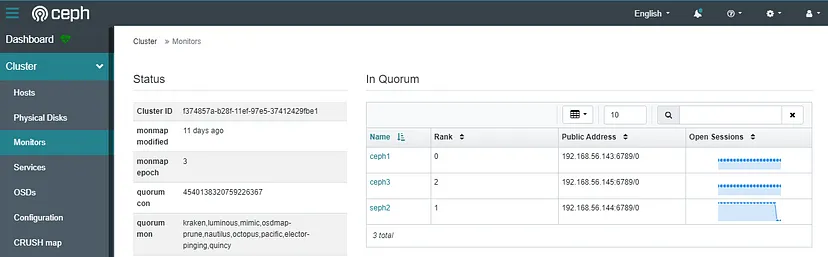
you can access to the dashboard :
if any warning appeard related to crash module, check the url :
```
https://docs.ceph.com/en/quincy/mgr/crash
```
The Architecture is :