https://github.com/kayvansol/ingress
NGINX Ingress Controller for Kubernetes (Microservices)
https://github.com/kayvansol/ingress
acme cert-manager certificate haproxy ingress-controller ingress-nginx kubernetes letsencrypt nginx-ingress tls ubuntu
Last synced: 11 months ago
JSON representation
NGINX Ingress Controller for Kubernetes (Microservices)
- Host: GitHub
- URL: https://github.com/kayvansol/ingress
- Owner: kayvansol
- Created: 2024-03-02T17:11:13.000Z (over 2 years ago)
- Default Branch: main
- Last Pushed: 2024-03-28T06:38:45.000Z (over 2 years ago)
- Last Synced: 2025-02-22T00:44:19.773Z (over 1 year ago)
- Topics: acme, cert-manager, certificate, haproxy, ingress-controller, ingress-nginx, kubernetes, letsencrypt, nginx-ingress, tls, ubuntu
- Homepage: https://medium.com/@kayvan.sol2/nginx-ingress-controller-in-kubernetes-3438479fe11c
- Size: 1.57 MB
- Stars: 2
- Watchers: 1
- Forks: 0
- Open Issues: 0
-
Metadata Files:
- Readme: README.md
Awesome Lists containing this project
README
Setting up **Ingress controller NGINX** (as a router) along with HAproxy for Microservice deployed inside **Kubernetes cluster** (Bare-metal servers)
General Design (big picture) :
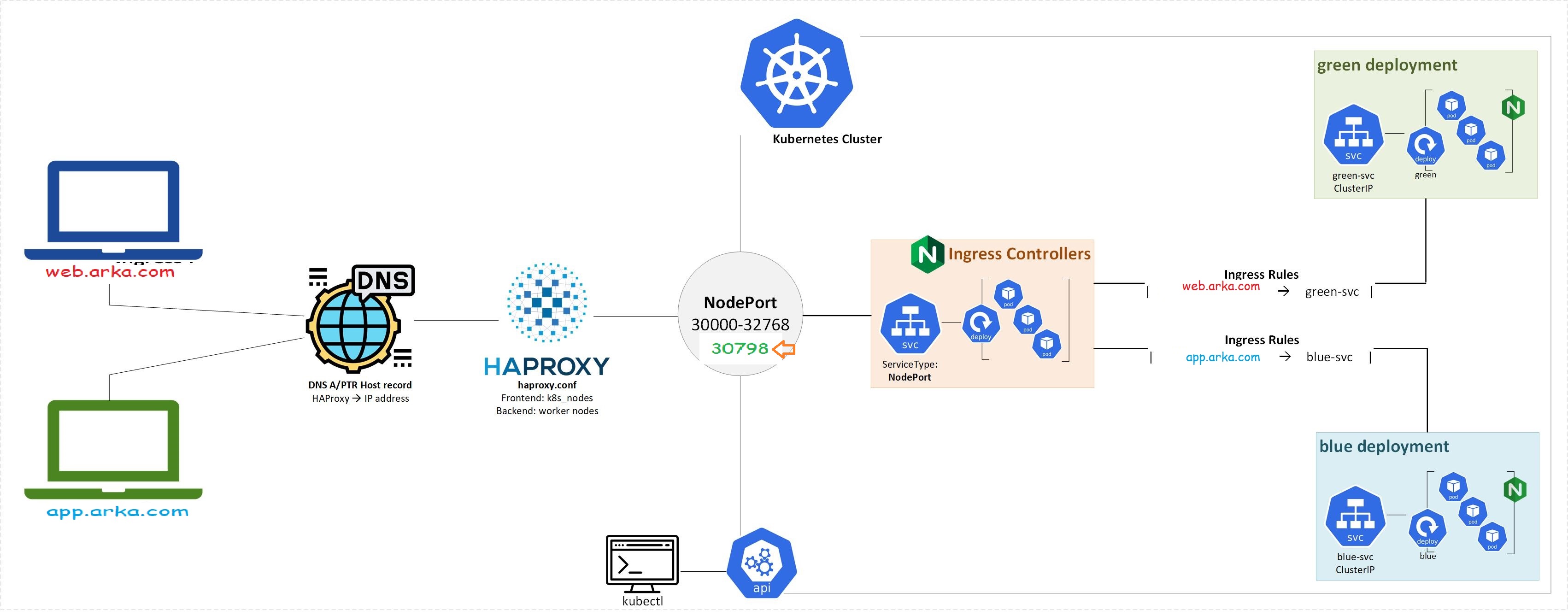
All files needed for deployments are available at Manifests folder.
The control-plane & worker nodes addresses are :
```
192.168.56.115
192.168.56.116
192.168.56.117
```
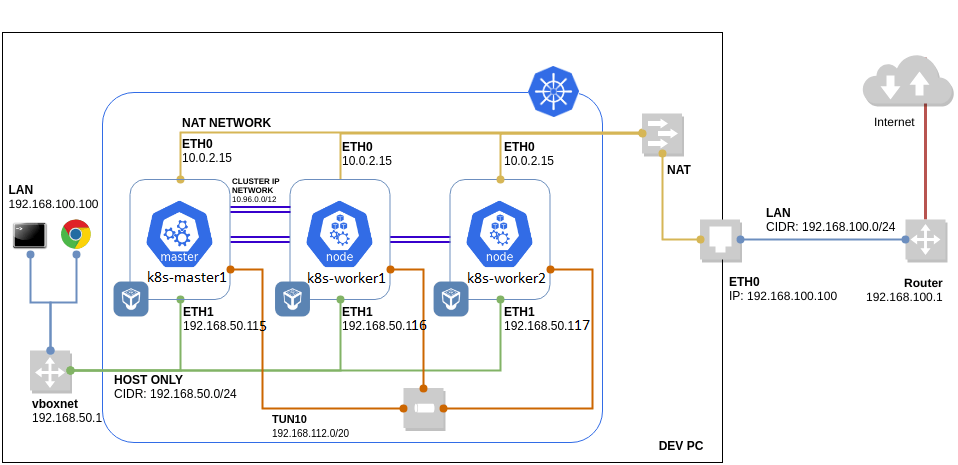
and HAProxy as a Load Balancer :
```
192.168.56.118
```
Kubernetes cluster nodes :

The Steps :
1) Install NGINX Ingress Controller from :
```
https://docs.k0sproject.io/main/examples/nginx-ingress
```
```
kubectl apply -f https://raw.githubusercontent.com/kubernetes/ingress-nginx/controller-v1.1.3/deploy/static/provider/baremetal/deploy.yaml
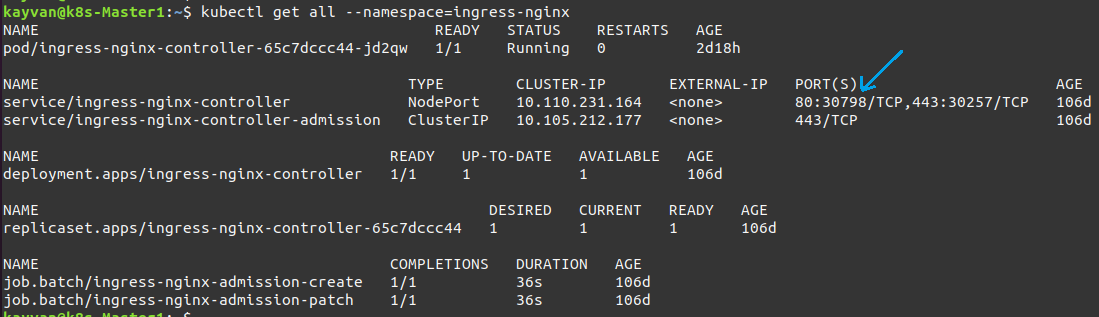
kubectl get all --namespace=ingress-nginx
```
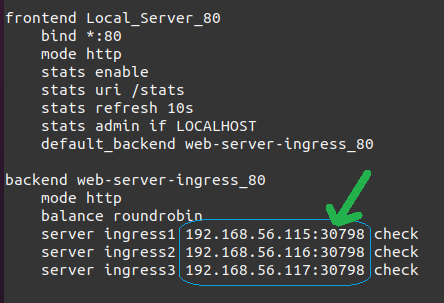
Ingress-Nginx workloads (ingress port in our case is **30798**) :
***
2) On the node, where the POD will be located (node1 and node2 in our case) :
```
DIRNAME="vol1"
mkdir -p /mnt/disk/$DIRNAME
chcon -Rt svirt_sandbox_file_t /mnt/disk/$DIRNAME
chmod 777 /mnt/disk/$DIRNAME
```
***
3) Deploy the Storage Class & PV & PVC :
```
kubectl apply -f storageClass.yaml
kubectl apply -f persistentVolume.yaml
kubectl apply -f persistentVolume1.yaml
kubectl apply -f persistentVolumeClaim.yaml
kubectl apply -f persistentVolumeClaim1.yaml
```

***
4) Deploy the **web apps** :
```
kubectl apply -f http-pod.yaml
kubectl apply -f http-pod1.yaml
```

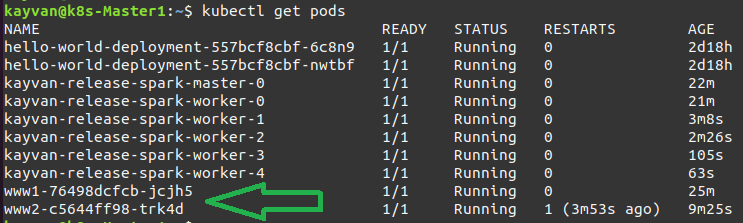
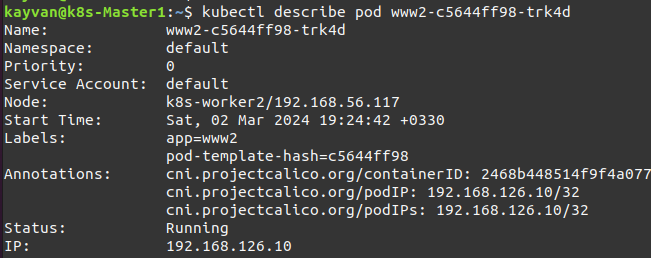
Get pod ip & curl the related web app :
```
POD_IP=$(kubectl get pod www2-c5644ff98-trk4d -o yaml | grep podIP | awk '{print $2}'); echo $POD_IP
curl $POD_IP
```
***
5) Deploy the **Services** :
```
kubectl apply -f IngressService.yaml
kubectl apply -f IngressService1.yaml
```

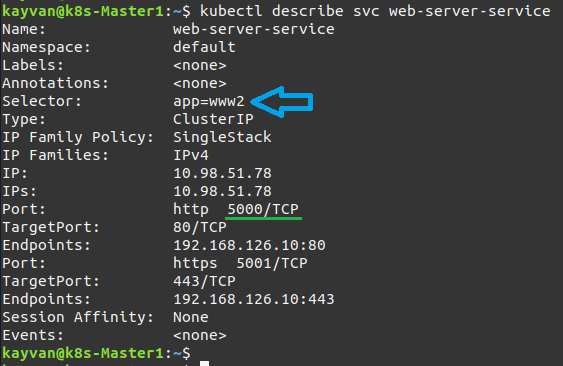
***
6) Deploy the **Ingress resource** :
```
kubectl apply -f Ingress.yaml
```

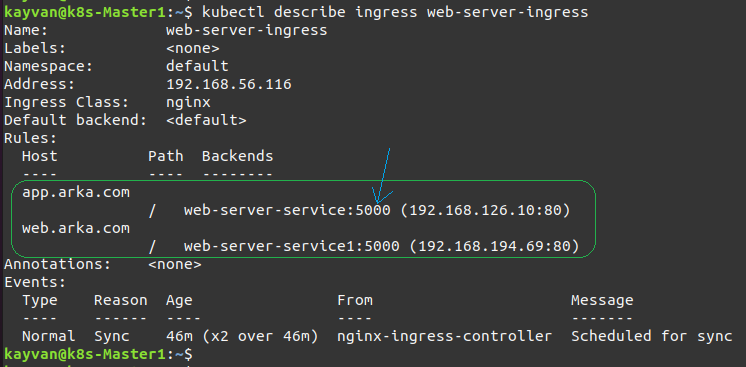
Note: you can also Secure NGINX-ingress via this [Securing NGINX-ingress](https://cert-manager.io/docs/tutorials/acme/nginx-ingress/)
***
7) HAProxy config as a **Load Balancer** (On 192.168.56.118) :
```
sudo nano /etc/haproxy/haproxy.cfg
```
***
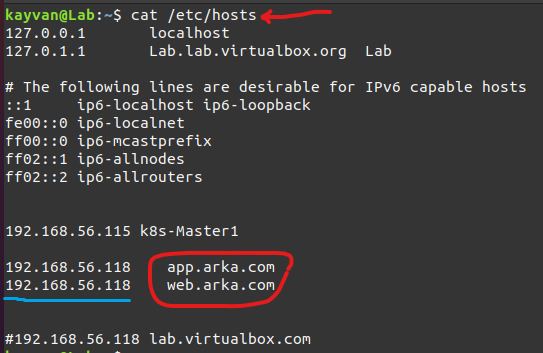
8) DNS Record (On DNS Server) :
***
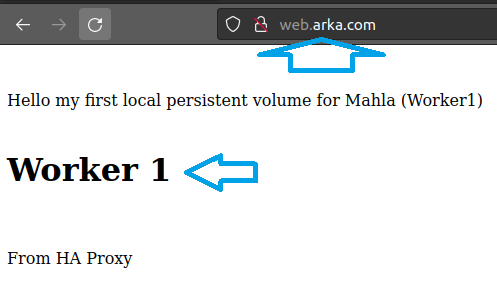
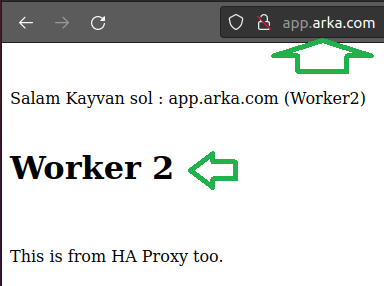
The final results are 🍹 :