https://github.com/kazuhito00/windowutilfor360webcam
サンワダイレクトの360度Webカメラ(400-CAM084)のウィンドウをOpenCVで分割するプログラム
https://github.com/kazuhito00/windowutilfor360webcam
400-cam084 jvcu360 opencv
Last synced: 25 days ago
JSON representation
サンワダイレクトの360度Webカメラ(400-CAM084)のウィンドウをOpenCVで分割するプログラム
- Host: GitHub
- URL: https://github.com/kazuhito00/windowutilfor360webcam
- Owner: Kazuhito00
- License: apache-2.0
- Created: 2021-06-25T12:51:19.000Z (about 5 years ago)
- Default Branch: main
- Last Pushed: 2021-06-26T09:26:08.000Z (about 5 years ago)
- Last Synced: 2026-04-14T20:00:18.261Z (3 months ago)
- Topics: 400-cam084, jvcu360, opencv
- Language: Python
- Homepage:
- Size: 20.5 KB
- Stars: 3
- Watchers: 1
- Forks: 1
- Open Issues: 0
-
Metadata Files:
- Readme: README.md
- License: LICENSE
Awesome Lists containing this project
README
# WindowUtilFor360WebCam
https://user-images.githubusercontent.com/37477845/123508197-de752100-d6a8-11eb-97be-9cb73b982eed.mp4
サンワダイレクトの[360度Webカメラ(400-CAM084)](https://direct.sanwa.co.jp/ItemPage/400-CAM084)のウィンドウをOpenCVで分割するプログラムです。
実機での確認は取れていませんが、j5createの[360° パノラマミーティングカメラ(JVCU360)](https://jp.j5create.com/products/model_jvcu360)でも使用できると思います(メニュー自動選択を利用する際は検出色の調整が必要かもしれません)
# Requirement
* opencv-python 4.5.2.54 or later
# Usage
以下コマンドでサンプルを起動できます。
デフォルトではカメラ側のモード切替メニューを画像処理で判別して、自動で表示が切り替わるようになっています。
また、キーボードの数字を押下することでモードを切り替えることが出来ます。
0:そのまま表示
1:上下2分割360度
2:パノラマ360度
3:360度+1方向
4:360度+2方向
5:広角90度
6:広角120度
```bash
python sample.py
```
実行時には、以下のオプションが指定可能です。
* --device
カメラデバイス番号の指定
デフォルト:0
* --width
カメラキャプチャ時の横幅 ※縦幅はwidth*(9/16)で計算されます
デフォルト:960
* --device
カメラデバイス番号の指定
デフォルト:0
* --webcam_model
カメラデバイス種類の指定 ※現状、400-CAM084のみ
デフォルト:400-CAM084
* --unuse_autochange
画像解析によるメニュー自動選択の不使用
デフォルト:指定なし
# Device
|01:400-CAM084|02:-|
:---:|:---:
|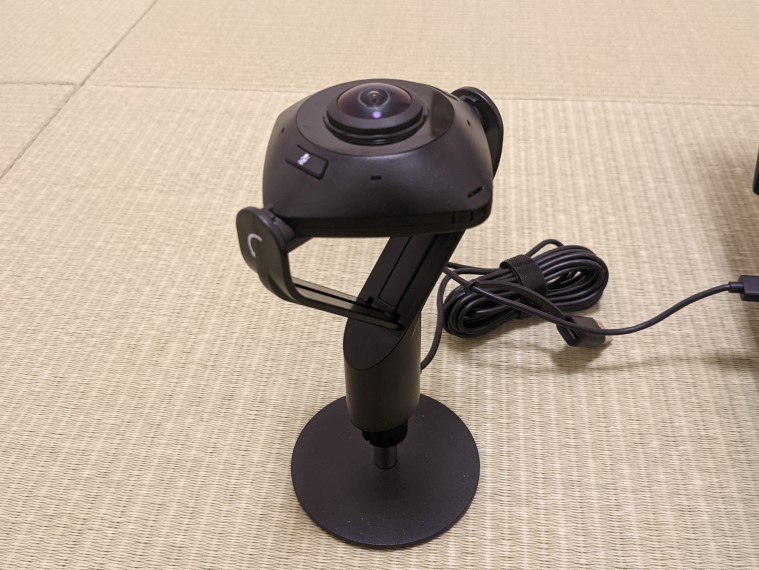 |
| |
|
# Author
高橋かずひと(https://twitter.com/KzhtTkhs)
# License
WindowUtilFor360WebCam is under [Apache-2.0 License](LICENSE).