https://github.com/kbengine/kbengine_unity3d_demo
This client-project is written for kbengine(a MMOG engine of server)
https://github.com/kbengine/kbengine_unity3d_demo
kbengine
Last synced: over 1 year ago
JSON representation
This client-project is written for kbengine(a MMOG engine of server)
- Host: GitHub
- URL: https://github.com/kbengine/kbengine_unity3d_demo
- Owner: kbengine
- Created: 2014-03-04T13:09:13.000Z (over 12 years ago)
- Default Branch: master
- Last Pushed: 2024-04-29T10:22:25.000Z (about 2 years ago)
- Last Synced: 2025-03-28T15:11:18.430Z (over 1 year ago)
- Topics: kbengine
- Language: C#
- Homepage: http://kbengine.org
- Size: 13.3 MB
- Stars: 296
- Watchers: 47
- Forks: 287
- Open Issues: 3
-
Metadata Files:
- Readme: README.md
Awesome Lists containing this project
README
KBEngine_unity3d_demo
=============
## This client-project is written for KBEngine(a MMOG engine of server)
http://www.kbengine.org
## 中文
[Demo搭建文档](https://github.com/kbengine/kbengine_unity3d_demo/blob/master/README_CN.md),QQ交流群:461368412,[论坛](http://bbs.kbengine.org)
## Releases
sources : https://github.com/kbengine/kbengine_unity3d_demo/releases/latest
## KBE-Plugins docs
kbengine_unity3d_demo\Assets\Plugins\kbengine_unity3d_plugins\README.md
## Start:
1. Download KBEngine(a MMOG engine of server):
Download(KBEngine):
https://github.com/kbengine/kbengine/releases/latest
Build(KBEngine):
http://kbengine.github.io/docs/build.html
Installation(KBEngine):
http://kbengine.github.io/docs/installation.html
2. Use git to get the demo-assets(server):
In the kbengine_unity3d_demo directory:
* Git command: git submodule update --init --remote
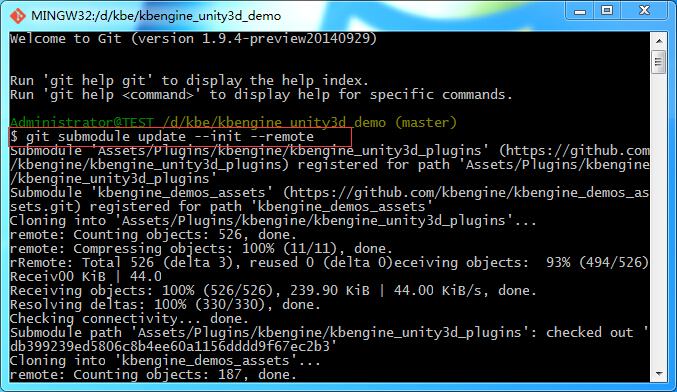
* Or use TortoiseGit(menu): TortoiseGit -> Submodule Update:
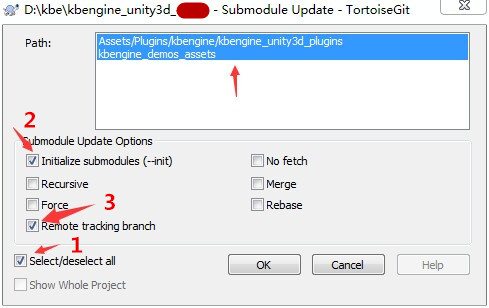
* Or manually get the demo-assets(server)
Download demo-assets(server):
https://github.com/kbengine/kbengine_demos_assets/releases/latest
unzip and copy to "kbengine/" (The root directory server engine, such as $KBE_ROOT)
3. Copy "kbengine_unity3d_demo\kbengine_demos_assets" to "kbengine\" root directory
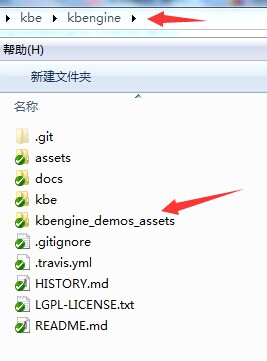
4. Generate a Client plugins from the server-side asset library (optional, one by default unless the server-assets is modified)
1: Double-click to run kbengine/kbengine_demos_asset/gensdk.bat
2: Copy kbengine_unity3d_plugins to kbengine_unity3d_demo\Assets\Plugins\
## Configure Demo(Optional):
Change the login address:
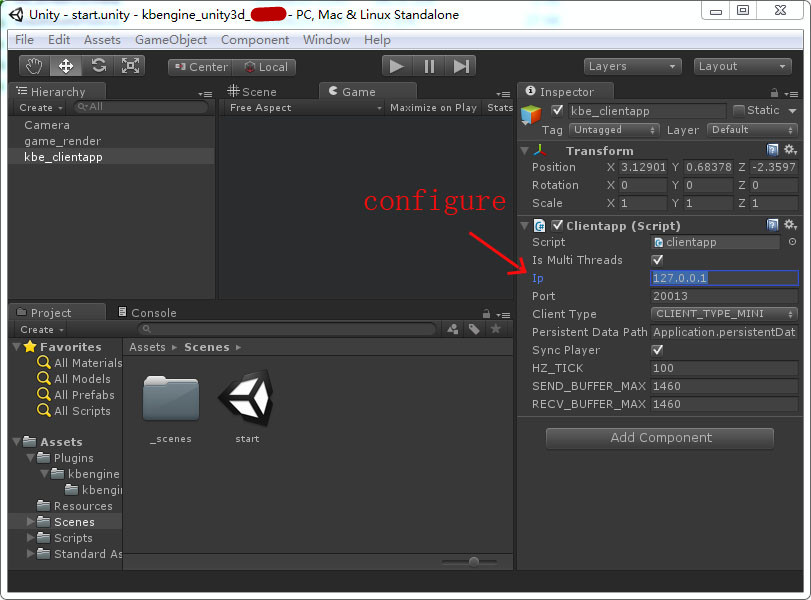
kbengine_unity3d_demo\Scripts\kbe_scripts\clientapp.cs -> ip
kbengine_unity3d_demo\Scripts\kbe_scripts\clientapp.cs -> port
## Start the Servers:
Ensure that the "kbengine_unity3d_demo\kbengine_demos_assets" has been copied to the "kbengine\" directory
Reference:Start
Check the startup status:
If successful will find log "Components::process(): Found all the components!".
Otherwise, please search the "ERROR" keyword in logs, according to the error description to try to solve.
(More: http://kbengine.github.io/docs/startup_shutdown.html)
Start server:
Windows:
kbengine\kbengine_demos_assets\start_server.bat
Linux:
kbengine\kbengine_demos_assets\start_server.sh
(More: http://kbengine.github.io/docs/startup_shutdown.html)
## Start the Client:
Directly start(U3DEditor or Executable file).
(Build Client:Unity Editor -> File -> Build Settings -> PC, MAC & Linux Standalone.)
## Navmesh-navigation(Optional):
The server to use recastnavigation navigation.
Recastnavigation generated navigation mesh (Navmeshs) placed on the:
kbengine\kbengine_demos_assets\res\spaces\*
Generation Navmeshs:
https://github.com/kbengine/unity3d_nav_critterai
## Structure and interpretation:
The relationship between plug-ins(KBE) and U3D and servers:
Plug-in and servers: Responsible for processing and server network packet. account login/logout process.
By server notification logic entities are created and destroyed. Processing synchronous logical entity attribute data. etc.
Plug-in and U3D: The plug-in will trigger some events to the U3D graphics layer, the graphics layer determines whether to capture some events,
get data to render performance (for example: create a monster, a NPC move-speed increase, HP changes).
U3D graphics layer will input the event trigger to the plug-in layer (for example: the player moved, hit the relive button UI),
the plug-in logic script layer determines whether the need to transfer to the server. etc.
Plugins\kbengine\kbengine_unity3d_plugins:
Client plug-in core codes.
Scripts\kbe_scripts:
KBE client logic scripts(in this implementation of the server side of the entity script, the entity's bag data structure, skills in client condition checks, etc.).
Scripts\kbe_scripts\Account.cs:
Corresponds to the client side of the KBE server account entity.
Scripts\kbe_scripts\Avatar.cs:
Corresponds to the client side of the KBE server avatar entity.
Scripts\kbe_scripts\Monster.cs:
Corresponds to the client side of the KBE server monster entity.
Scripts\kbe_scripts\clientapp.cs:
In the system of KBE abstraction of a client APP, which contains the KBE client plug-in initialization and destruction, etc.
Scripts\kbe_scripts\interfaces:
Corresponding to the module defined in KBE(entity_defs\interfaces).
Scripts\u3d_scripts:
Unity graphics layer (including scene rendering, UI, object, character model, monster model).
Scripts\u3d_scripts\GameEntity.cs:
Monster/NPC or player script (management model and animation, etc.).
Scripts\u3d_scripts\World.cs:
Manage a map of the game script, for example: to create a specific 3D monster into the scene.
Scripts\u3d_scripts\UI.cs:
the game's UI processing script.
start.unity:
Start the scene, which starts to enter the game.
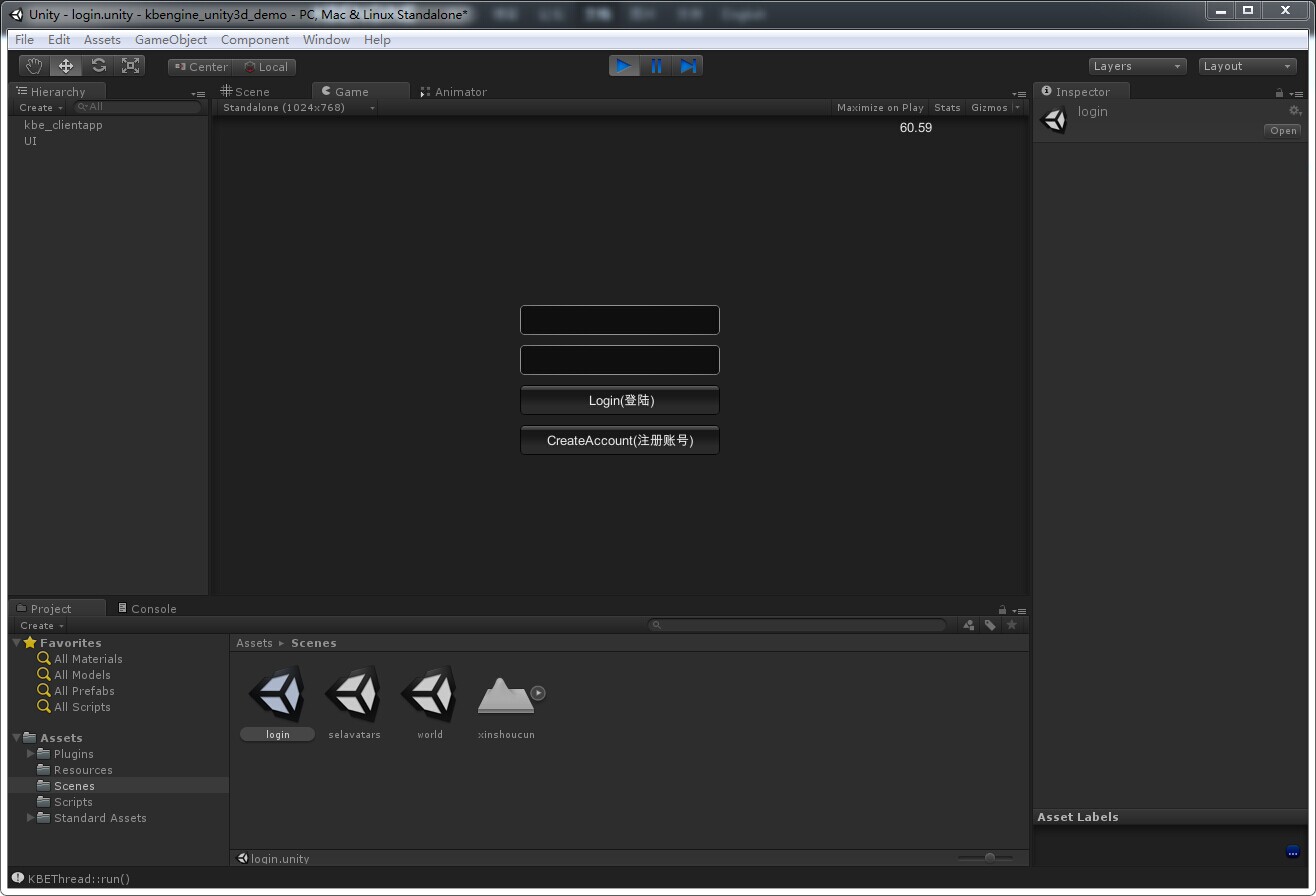
Scenes\login.unity:
login map.
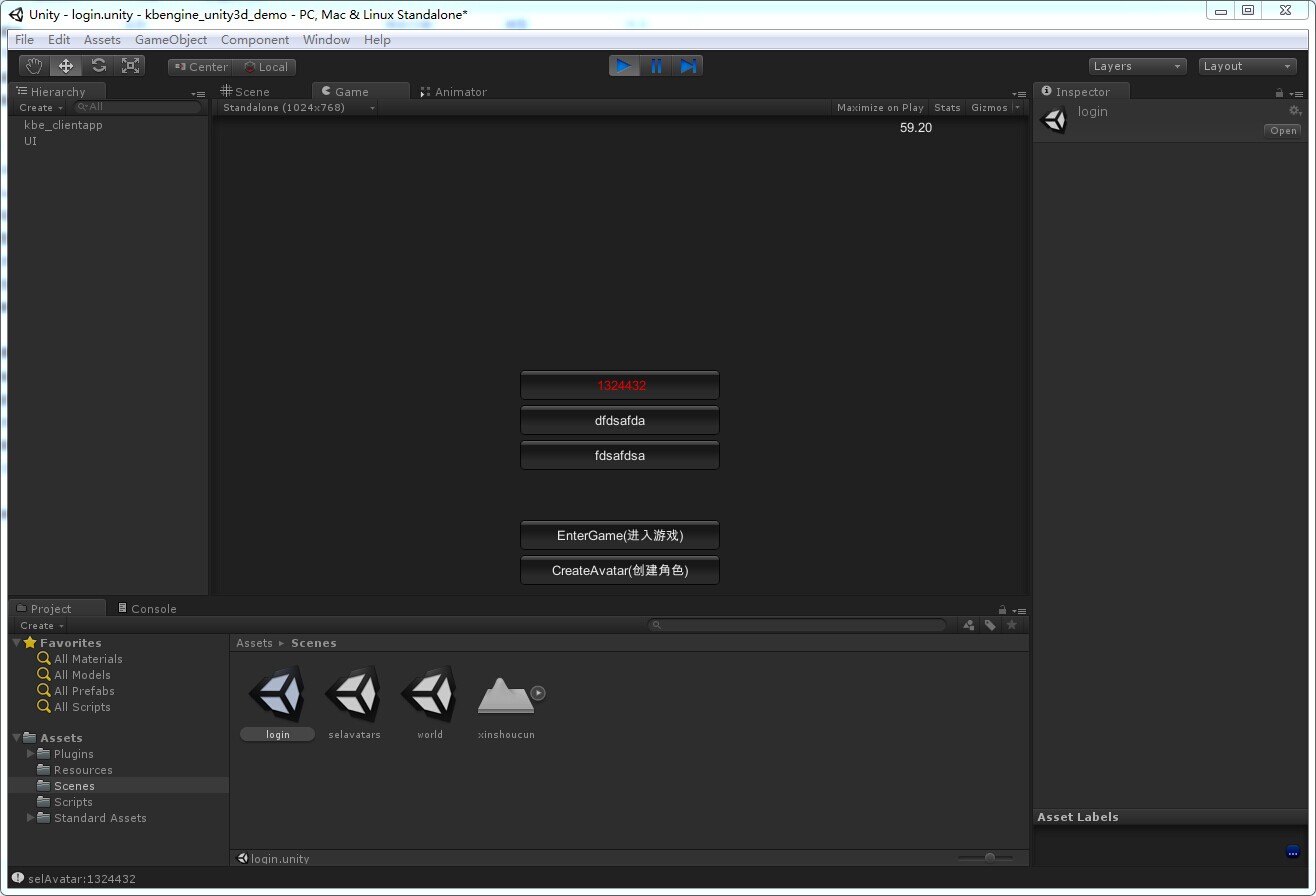
Scenes\selavatars.unity:
Game character selection map.
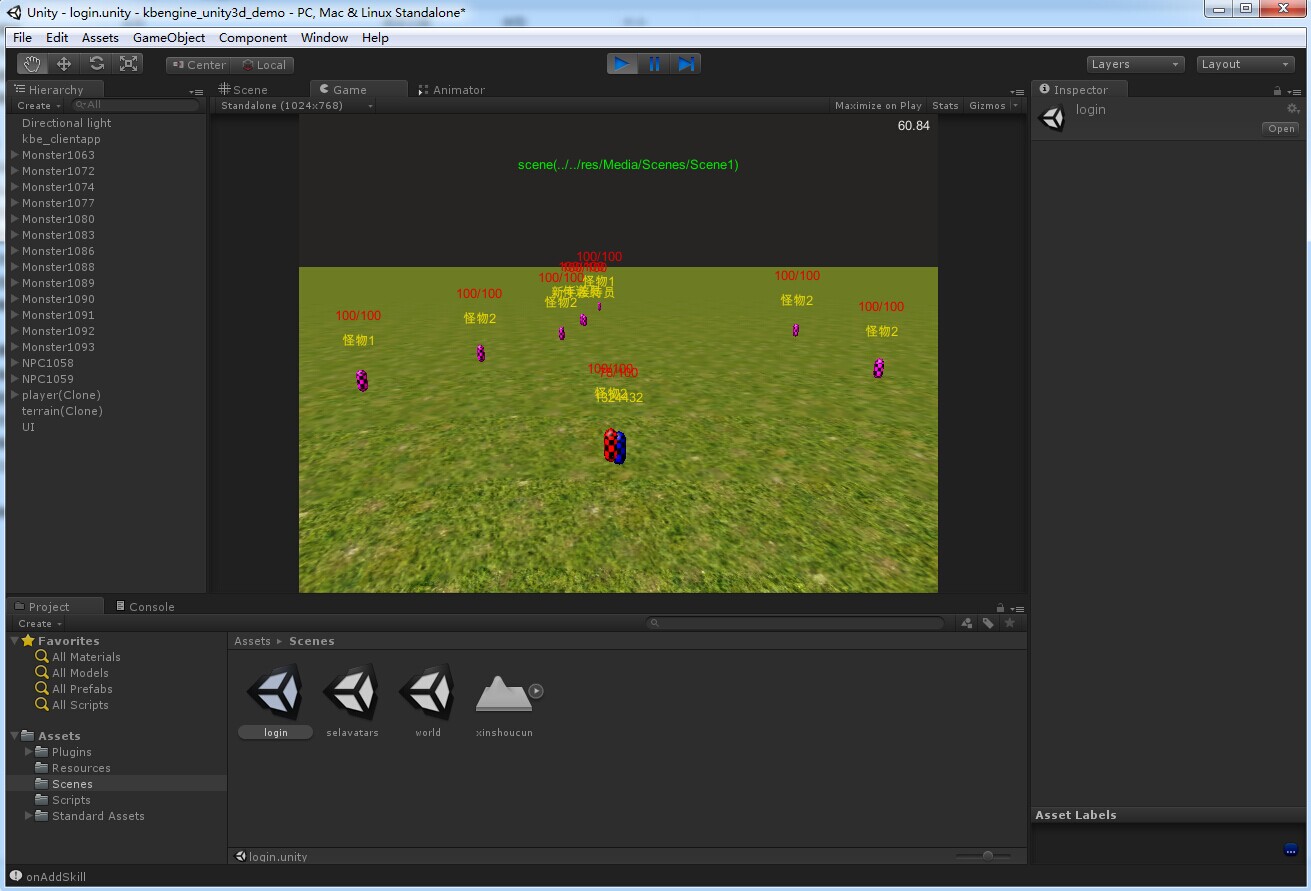
Scenes\world.unity:
A map of the scene in the game.
## Screenshots: