https://github.com/kcmr/most
My Own Stupid Tools. A collection of CLI tools for working with Polymer Web Components.
https://github.com/kcmr/most
cli node polymer tools web-components
Last synced: about 1 year ago
JSON representation
My Own Stupid Tools. A collection of CLI tools for working with Polymer Web Components.
- Host: GitHub
- URL: https://github.com/kcmr/most
- Owner: kcmr
- License: mit
- Created: 2017-10-13T18:50:41.000Z (over 8 years ago)
- Default Branch: master
- Last Pushed: 2018-06-03T18:46:01.000Z (about 8 years ago)
- Last Synced: 2025-05-04T01:02:01.321Z (about 1 year ago)
- Topics: cli, node, polymer, tools, web-components
- Language: JavaScript
- Homepage:
- Size: 1.31 MB
- Stars: 7
- Watchers: 2
- Forks: 0
- Open Issues: 1
-
Metadata Files:
- Readme: README.md
- License: LICENSE
Awesome Lists containing this project
README
# M.O.S.T.
> A collection of CLI tools for working with Polymer Web Components.
## Installation
```sh
$ npm i -g most-cli
```
or
```sh
$ yarn global add most-cli
```
## Usage
```sh
$ cd && most
```
## Commands
Command params can also be set in a [`.mostrc` file](#config-file) placed in the component's root or any other parent directory.
### 1. `css-api`
```sh
$ cd your-component
$ most css-api
```
#### Params
| Name | Alias | Description | Default |
|:-------------- | :---- | :------------------------------------------------------------------------ | -------------------|
|`--file` | `f` | File where the CSS properties will be searched. | ``.html |
|`--docs` | `d` | File where the CSS docs in markdown format will be searched. | ``.html |
|`--sort` | `s` | Set to true to sort CSS properties alphabetically. | `false` |
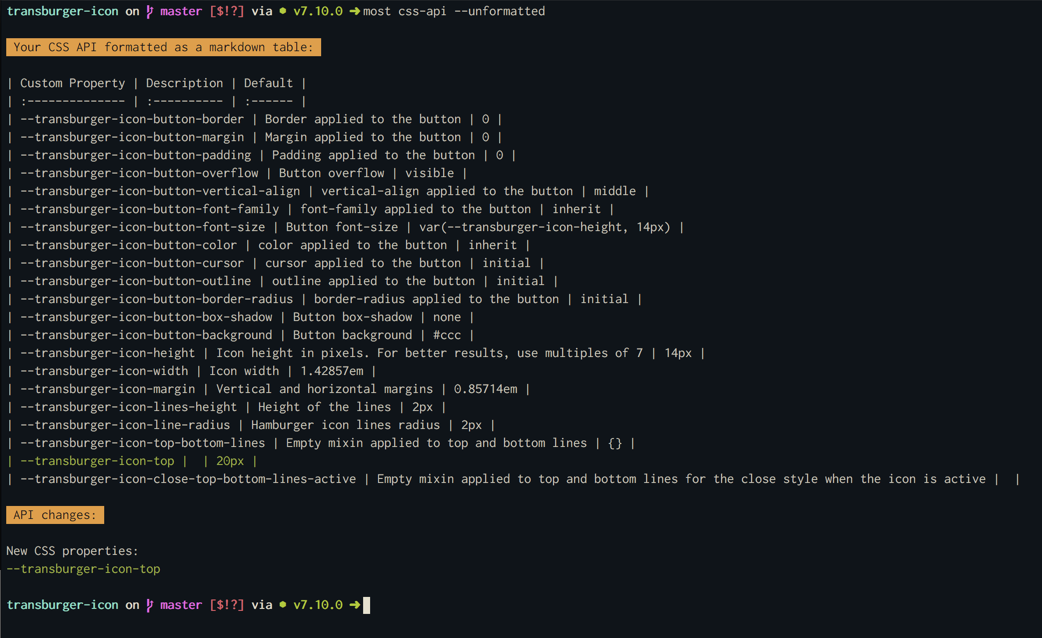
|`--unformatted` | `u` | Set to true to render the markdown table without format (unaligned cells) | `false` |
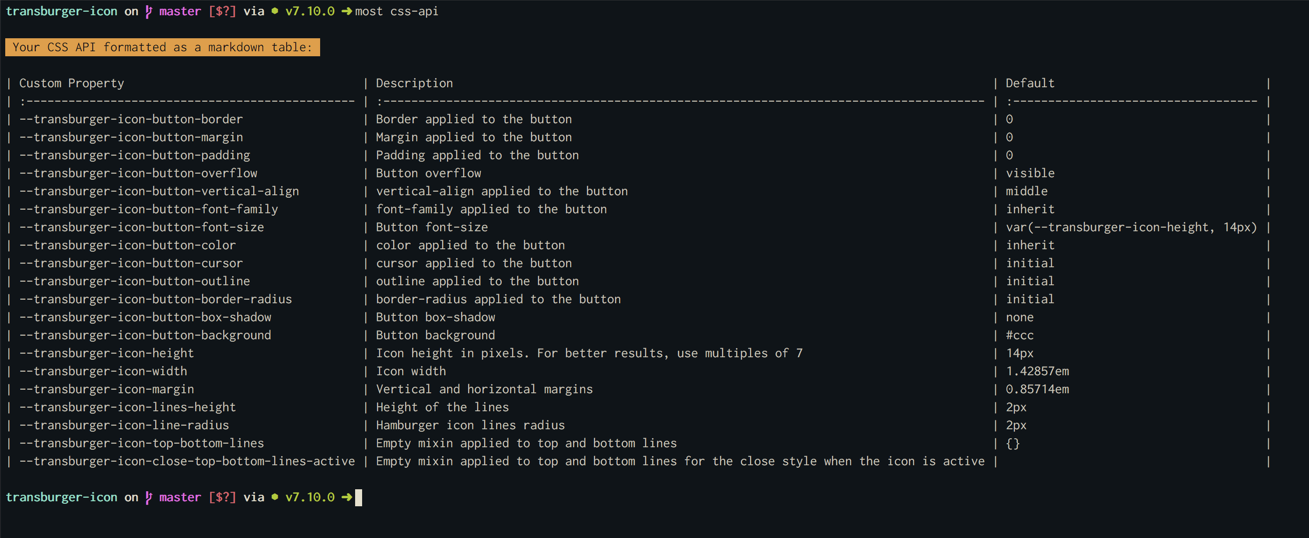
The command compares your current CSS API docs inside your component's HTML (markdown table) with the CSS properties and mixins found in the component styles and prints a markdown table with all the properties found in your component styles. If a property is not documented previously in your docs, it will take the value used in styles.
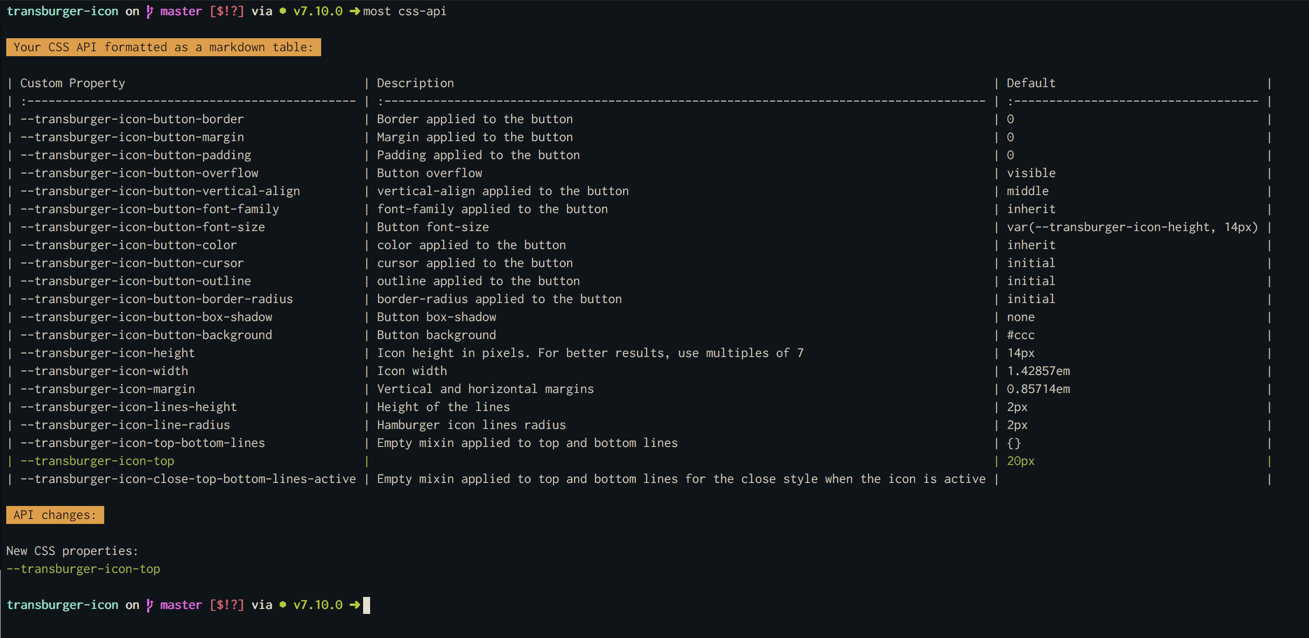
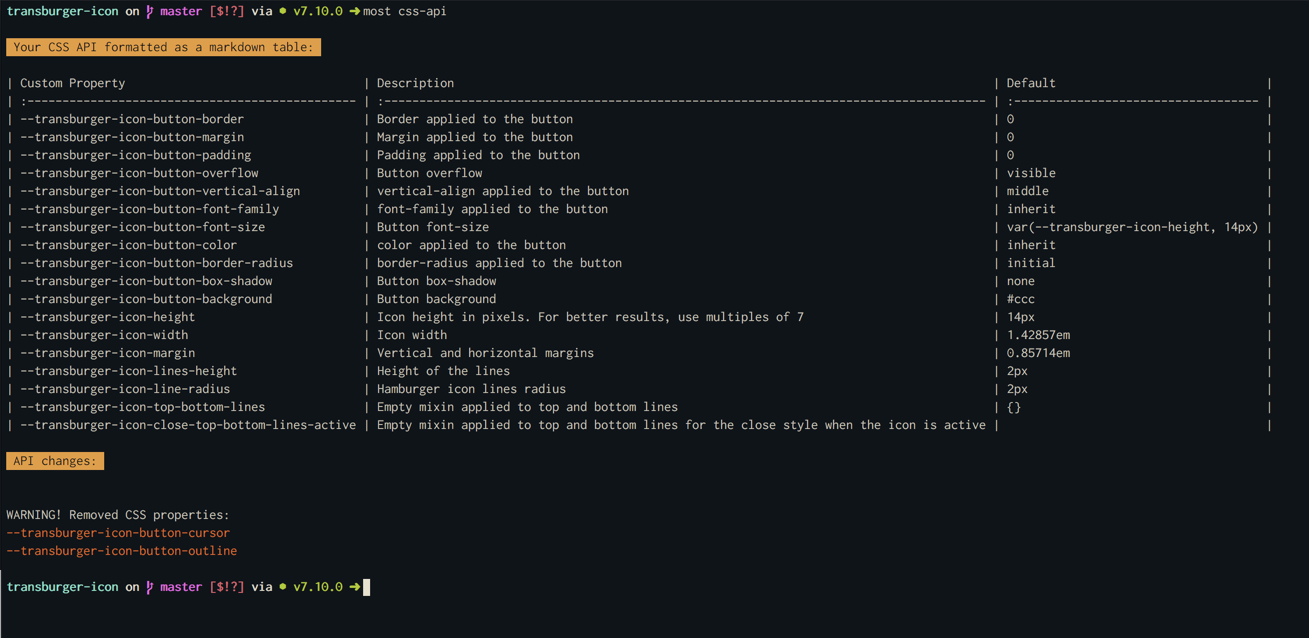
The command also warns you about API diffs (new properties) and potentially BREAKING CHANGES (removed properties) that may require a major version upgrade for the component.
Used without params, it will search CSS properties and docs in ``.html.
If you need to specify a different file for the styles, you can use the `--file` param. The placeholder `{{component}}` can be used instead of the component's name.
Example with custom path to styles:
```sh
$ most css-api --file {{component}}-styles.html
```
Example with custom path to docs:
```sh
$ most css-api --docs README.md
```
#### Screenshots
Default output
Added properties
Removed properties
Unformatted table
### 2. `public-api`
```sh
$ cd your-component
$ most public-api
```
The command writes a file (`public-api.json`) with the public properties, methods, events and CSS properties of the analyzed component.
This command can be useful to detect breaking changes in the component's API by comparing the generated file with the same file generated in a previous version (release) of the component.
## Config file
### `.mostrc`
You can set the the params used for each command in a `.mostrc` file that can be placed in the component's root or any other parent directory. This file allows to use placeholders like `{{component}}` that will be replaced by the component's name.
Example:
```json
{
"css-api": {
"file": "{{component}}-styles.html",
"docs": "README.md",
"sort": false,
"unformatted": true
}
}
```