https://github.com/keiloktql/tutorial-stripe-payments
Repository for 'Stripe with React & NodeJS' Tutorial
https://github.com/keiloktql/tutorial-stripe-payments
nodejs react sass stripe tutorial
Last synced: about 2 months ago
JSON representation
Repository for 'Stripe with React & NodeJS' Tutorial
- Host: GitHub
- URL: https://github.com/keiloktql/tutorial-stripe-payments
- Owner: keiloktql
- License: mit
- Created: 2021-10-02T14:08:45.000Z (over 4 years ago)
- Default Branch: main
- Last Pushed: 2023-02-17T09:15:49.000Z (over 3 years ago)
- Last Synced: 2025-03-30T17:34:48.389Z (about 1 year ago)
- Topics: nodejs, react, sass, stripe, tutorial
- Language: JavaScript
- Homepage:
- Size: 4.23 MB
- Stars: 0
- Watchers: 1
- Forks: 0
- Open Issues: 0
-
Metadata Files:
- Readme: README.MD
- License: LICENSE
Awesome Lists containing this project
README
# Repo for 'Stripe with React & NodeJS' guide.
> Note: The guide might be outdated for the current version of Stripe payments.
Simple user management system with subscription plans and one time payment. The pdf version of the guide can be found in docs folder.
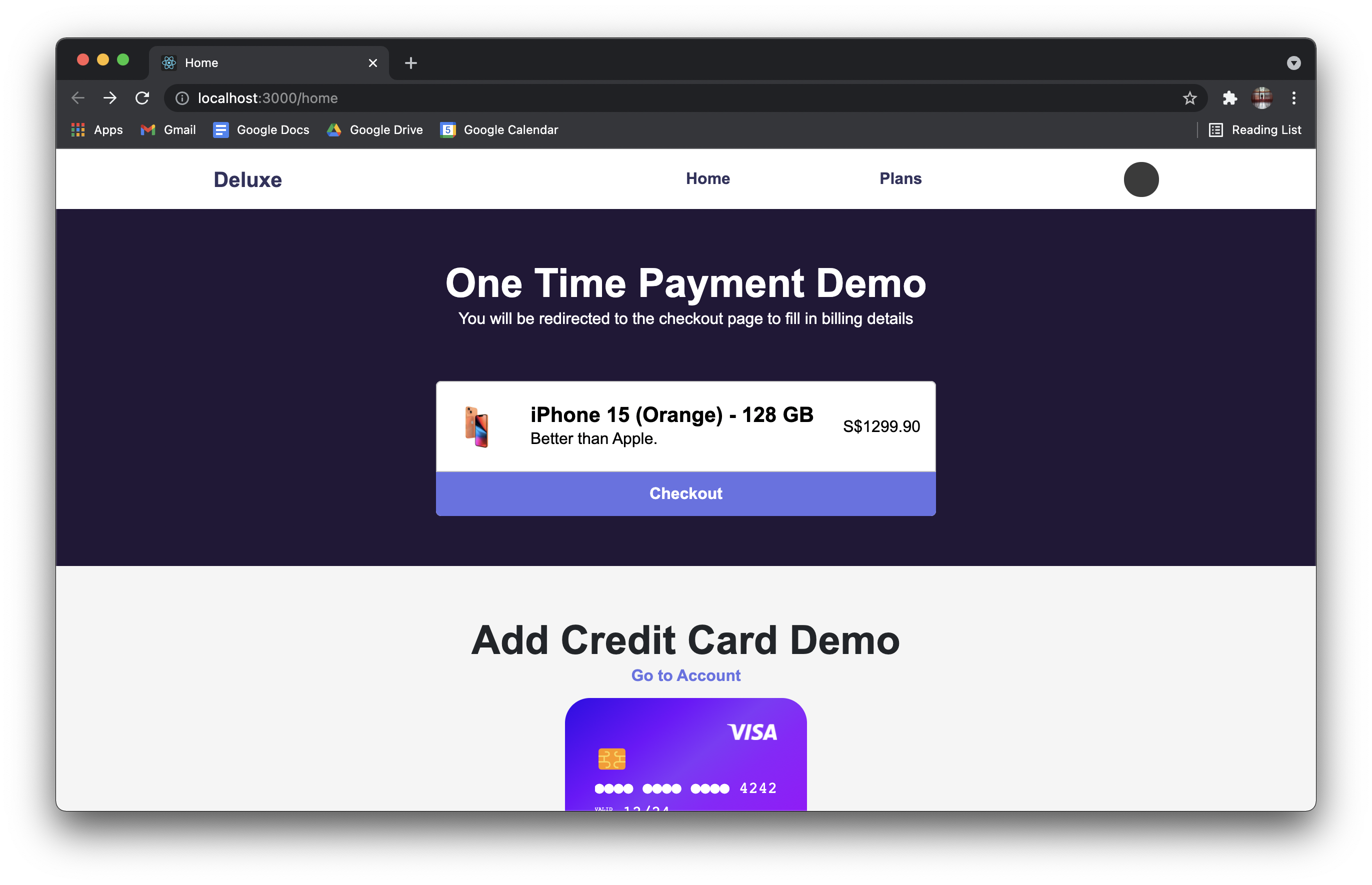
# Project Set Up
## Stripe
- Setup account on Stripe
- Next, proceed to Client Section for more instructions
- Come back here after setting up your ngrok connection
- Setup webhook events using your ngrok URL
- You should listen to the following 7 events
- customer.subscription.updated
- customer.updated
- invoice.paid
- invoice.payment_action_required
- invoice.payment_failed
- payment_intent.succeeded
- payment_method.automatically_updated
- Refer to the pdf guide found in docs folder to find out what webhooks are and how to set up webhooks
## Client
- Run `npm i` to install the necessary dependencies
- Create a new `.env` file and paste this inside and **make any necessary changes**:
- `REACT_APP_BASEURL_STRIPE_PK_TEST` api key can be obtained from https://dashboard.stripe.com/test/apikeys
```
REACT_APP_BASEURL=http://localhost:4242/api/v1
REACT_APP_BASEURL_STRIPE_PK_TEST=
```
## Server
- Run `npm i` to install the necessary dependencies
- Run the SQL init file located in `database/init.sql`
- Create a new `.env` file and paste this inside and **make any necessary changes**:
- `REACT_APP_BASEURL_STRIPE_PK_TEST` api key can be obtained from https://dashboard.stripe.com/test/apikeys
- `STRIPE_TEST_WEBHOOK_SECRET` can be found in your webhook settings in the Developer Dashboard (only exists after your webhooks have been set up)
```
PORT=4242
DB_HOST=localhost
DB_NAME=deluxe
DB_PORT=3306
DB_USER=root
DB_PASSWORD=
JWT_SECRET=
STRIPE_TEST_SK=
STRIPE_TEST_WEBHOOK_SECRET=
```
### Seeding Data
- This step is required when starting the application for the first time
- To seed data, ensure that in `index.js` line 41,
```Javascript
const reset = true;
```
- Next, start the server
- Upon completion of the seeding process, set reset to false to prevent table drop and seeding of new data when starting the server again
## ngrok
- ngrok will be required to connect your local development server to the internet
- Connecting the server to the internet will enable us to listen to webhook events emitted by Stripe
- Download ngrok
- Sign up for an account on ngrok
- Login to ngrok on the website and navigate to 'Setup and Installation' page
- Copy the command that looks something like this ``ngrok authtoken {{TOKEN}}``
- Open up command prompt/terminal
- Paste ``ngrok authtoken {{TOKEN}}`` and run the server
- From now on, you would not need to rerun ``ngrok authtoken {{TOKEN}}`` again to relogin
- Run ``ngrok http 4242`` to listen to the server
- Return to Stripe section at the top to continue setting up your webhooks