https://github.com/kenmeriftw/notepad
This an educational Ruby application - improved notepad with sqlite3 data storage.
https://github.com/kenmeriftw/notepad
notepad ruby sqlite3 sqlite3-database
Last synced: about 2 months ago
JSON representation
This an educational Ruby application - improved notepad with sqlite3 data storage.
- Host: GitHub
- URL: https://github.com/kenmeriftw/notepad
- Owner: kenmeriftw
- Created: 2021-02-26T09:40:56.000Z (over 5 years ago)
- Default Branch: master
- Last Pushed: 2021-06-04T07:59:22.000Z (about 5 years ago)
- Last Synced: 2025-01-27T12:50:00.354Z (over 1 year ago)
- Topics: notepad, ruby, sqlite3, sqlite3-database
- Language: Ruby
- Homepage:
- Size: 9.77 KB
- Stars: 0
- Watchers: 1
- Forks: 0
- Open Issues: 0
-
Metadata Files:
- Readme: Readme.md
Awesome Lists containing this project
README
# notepad_with_sqlite3
This an educational `Ruby` application - improved notepad with `sqlite3` data storage.
To start using this application, you have to have
```
ruby
sqlite library
```
installed on your local machine.
You can clone this repo onto your local machine, make `cd` in the directory and, first of all,
you have to create `notepad.sqlite` database in the project dir with `SQLite manager` or other tool you would
like to use. You can change the database name if you like, it is hardcoded in `lib/post.rb`, just change the value of
`SQLITE_DB_FILE` constant.
After creating the database you can start the application in `write-mode`. In your local app dir, run
```
ruby new_post.rb
```
Then you have to choose post type you would like to create: memo, task or link.
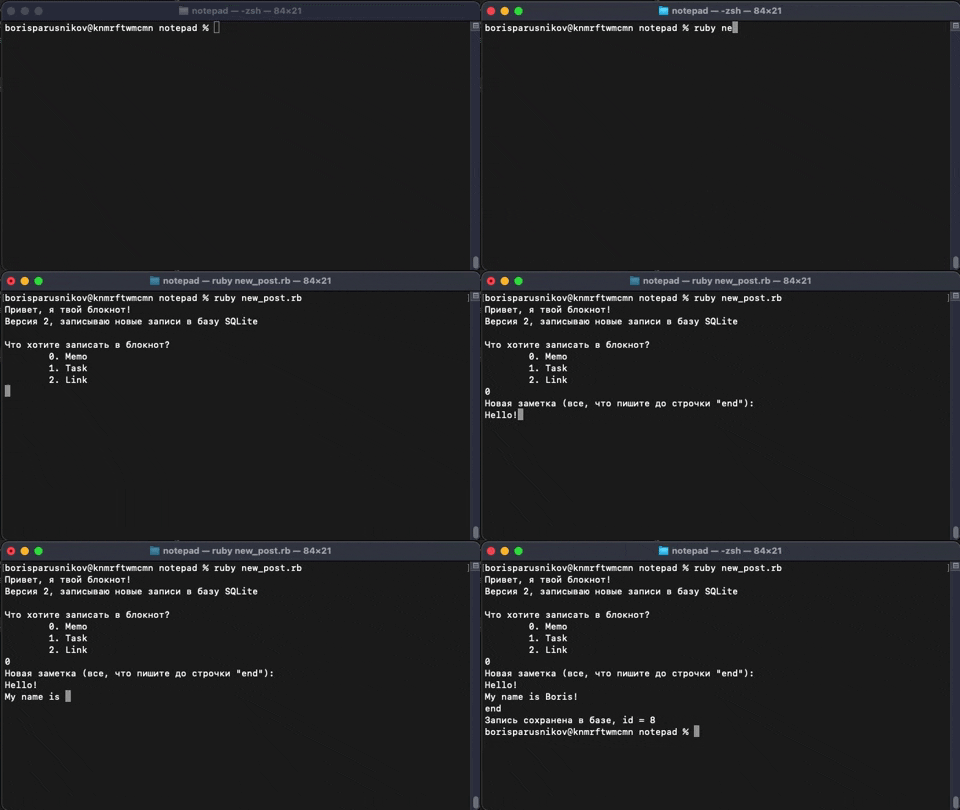
As for `memo`, it is just a note which may consist of several strings. When you're done writing your memo,
just input `end` on new line. Your memo will be saved.
Here is the memo example:
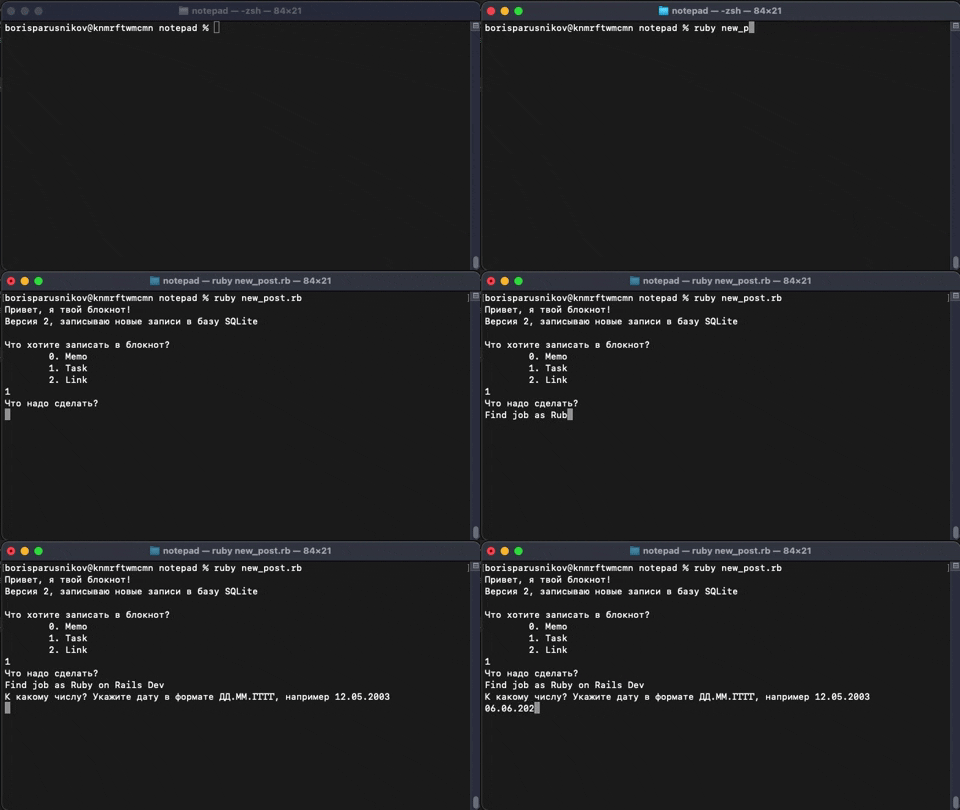
Furthermore, you may create `task`. It is just your average 'to-do-list' with 'due-date' field. Just enter your
task and date you want to accomplish this.
Here it is:
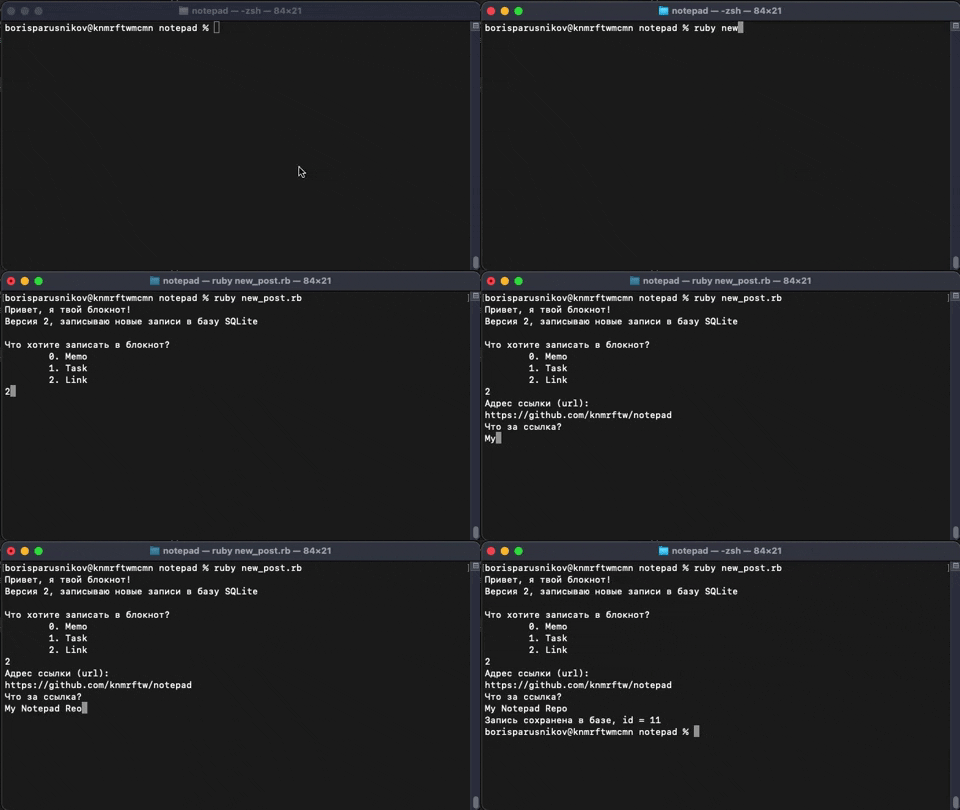
Finally, there is a `link` option. Choose it if you want to save some link. Don't forget to enter the description!
Look at it, it is pretty awesome, isn't it:
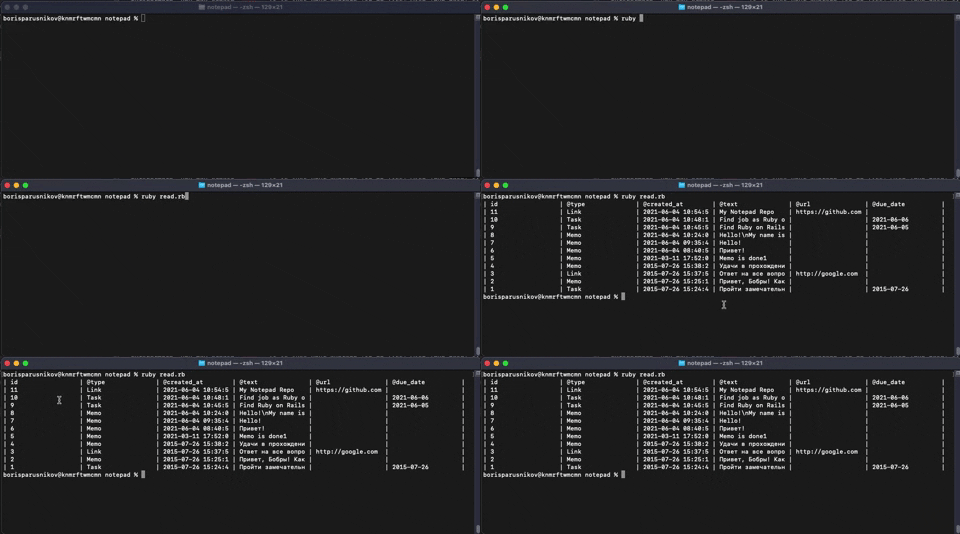
To read all your data, just run the application in `read-mode`. In your local app dir, run
```
ruby read.rb
```
and get all the notes you've added.
Hope you will enjoy my app.