https://github.com/kgashok/filesocr
Handwritten image and its OCR'ed text file
https://github.com/kgashok/filesocr
clang files programming
Last synced: over 1 year ago
JSON representation
Handwritten image and its OCR'ed text file
- Host: GitHub
- URL: https://github.com/kgashok/filesocr
- Owner: kgashok
- Created: 2017-12-21T17:34:01.000Z (over 8 years ago)
- Default Branch: master
- Last Pushed: 2019-03-18T02:37:13.000Z (over 7 years ago)
- Last Synced: 2025-02-04T21:20:18.030Z (over 1 year ago)
- Topics: clang, files, programming
- Language: C
- Size: 4.59 MB
- Stars: 1
- Watchers: 2
- Forks: 3
- Open Issues: 0
-
Metadata Files:
- Readme: README.md
Awesome Lists containing this project
README
# Handwritten image and its OCR'ed text file
1. Create your own paper document by writing a few numbers
and words in 3-4 lines. Do not use cursive writing, instead
use capital letters and write as neatly as possible. Here's
an [example](http://j.mp/numberWords).
2. Create a digital copy of the same (what will you use to
create a scanned copy?)
3. Look inside the digital copy and examine it using a hex
editor
5. Do an **OCR** of your digital copy and download a text
version of your digital essay. Write down and share what
you used to do an OCR on your own handwritten document.
6. Send the digital copy and the text file (created using
your OCR effort) to your faculty's email;
7. Create a github repository containing a digital scan of
your document and an OCR'ed text file of your document
8. Bring the written document to class; Bring a print out
of the OCR'ed text file to class
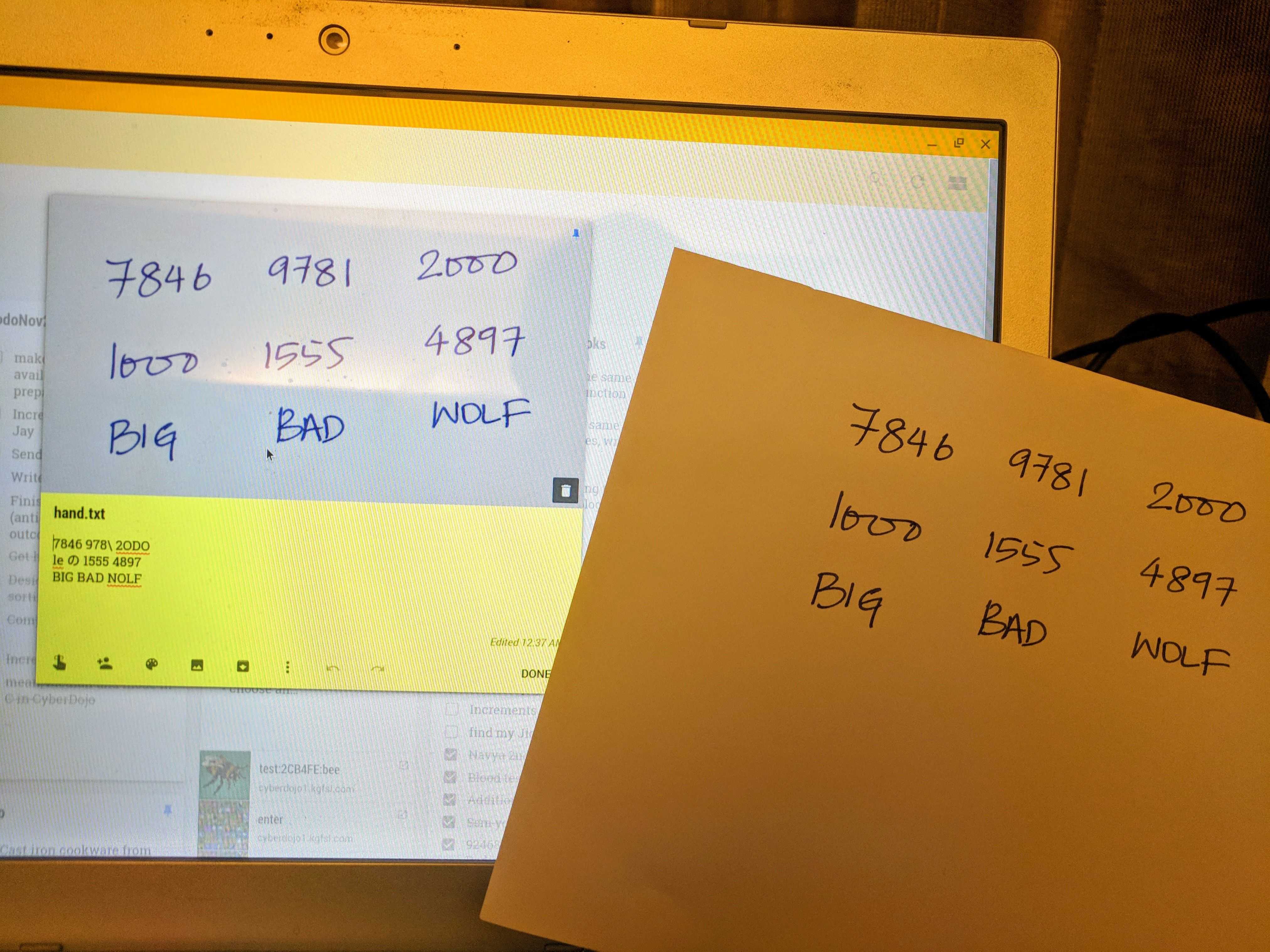
9. If you do everything as per the steps above, you should
end up with a snapshot of a cloned repo directory similar
to the image below:

### Three Artifacts
## Python program
Write your own Python program to count the number of
bytes in a text file.
### CyberDojo session
Use CyberDojo to execute the program on your personal `hand.txt` file.
- Go to http://cyberdojo1.kgfsl.com and use `3C071B767B` as the session ID
- Alternatively, use the session http://cyberdojo1.kgfsl.com/kata/edit/Cz0e1R