https://github.com/khaledalam/softcropper
Automatically resize and blur-pad rectangular images into perfect squares. Ideal for photo preparation and print workflows.
https://github.com/khaledalam/softcropper
image-processing pypl python
Last synced: about 1 year ago
JSON representation
Automatically resize and blur-pad rectangular images into perfect squares. Ideal for photo preparation and print workflows.
- Host: GitHub
- URL: https://github.com/khaledalam/softcropper
- Owner: khaledalam
- License: other
- Created: 2025-05-08T02:00:17.000Z (about 1 year ago)
- Default Branch: main
- Last Pushed: 2025-06-01T04:04:22.000Z (about 1 year ago)
- Last Synced: 2025-06-01T13:03:21.607Z (about 1 year ago)
- Topics: image-processing, pypl, python
- Language: Python
- Homepage: https://pypi.org/project/softcropper/
- Size: 708 KB
- Stars: 0
- Watchers: 1
- Forks: 0
- Open Issues: 0
-
Metadata Files:
- Readme: README.md
- Changelog: CHANGELOG.md
- License: LICENSE
Awesome Lists containing this project
README
# SoftCropper
[](https://pypi.org/project/softcropper/)
[](https://opensource.org/licenses/MIT)
[](https://github.com/khaledalam/softcropper/actions/workflows/test.yml)
[](https://www.python.org/)
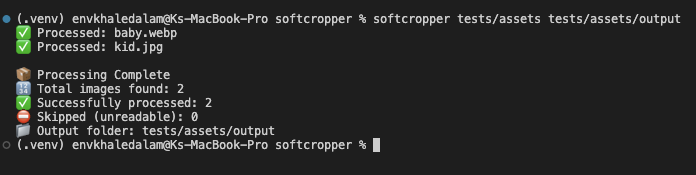
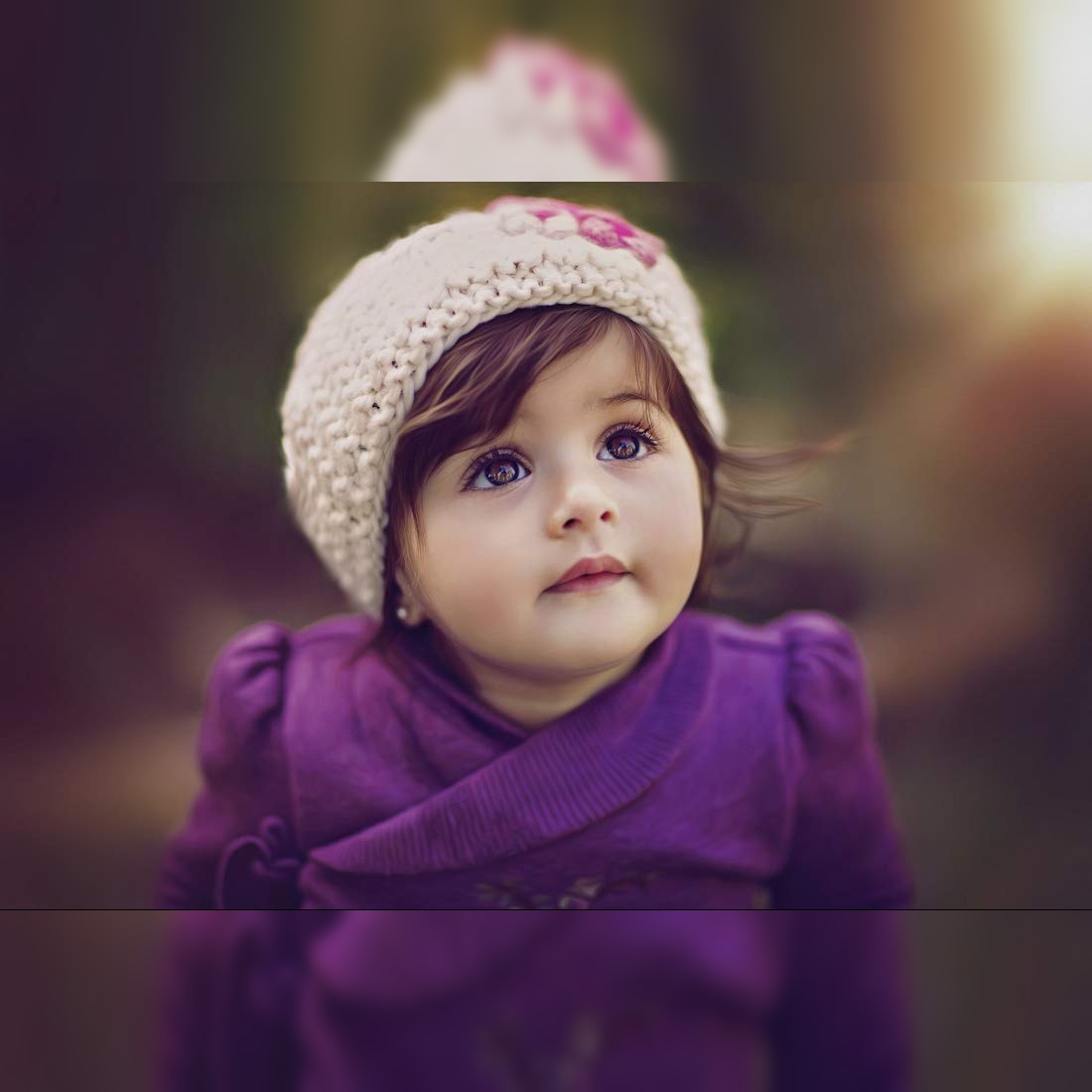
**SoftCropper** is a Python tool that automatically resizes rectangular images into squares and adds soft, blurred borders — ideal for prepping images for print or display.
> _This package is part of the internal tools used at [CanvasMagnet](https://www.instagram.com/canvamagnet/) for order preparation and production automation._
---
---
### 📸 Example Results
| Before | ➡️ | After |
|--------|----|-------|
| Baby.webp (600×900)
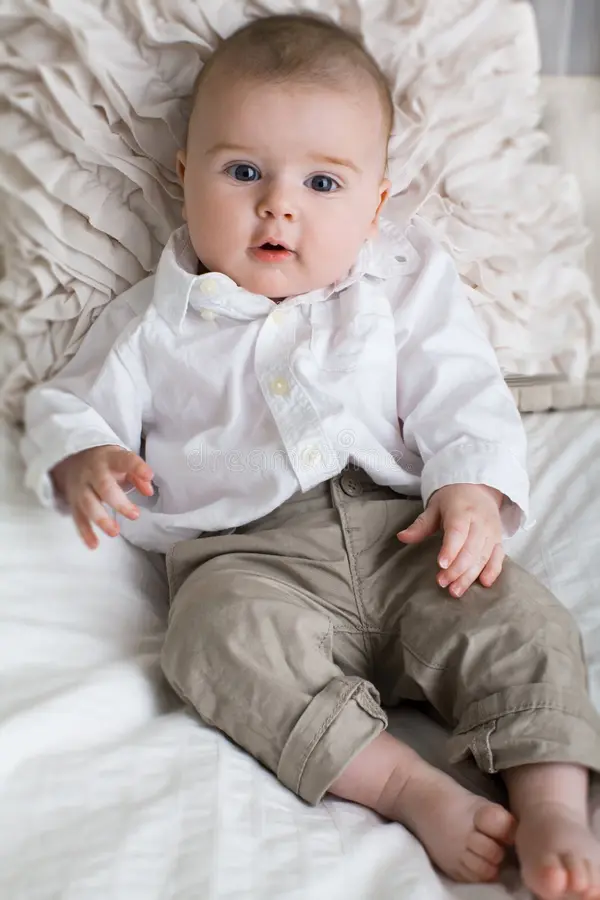 | | Output (900×900)
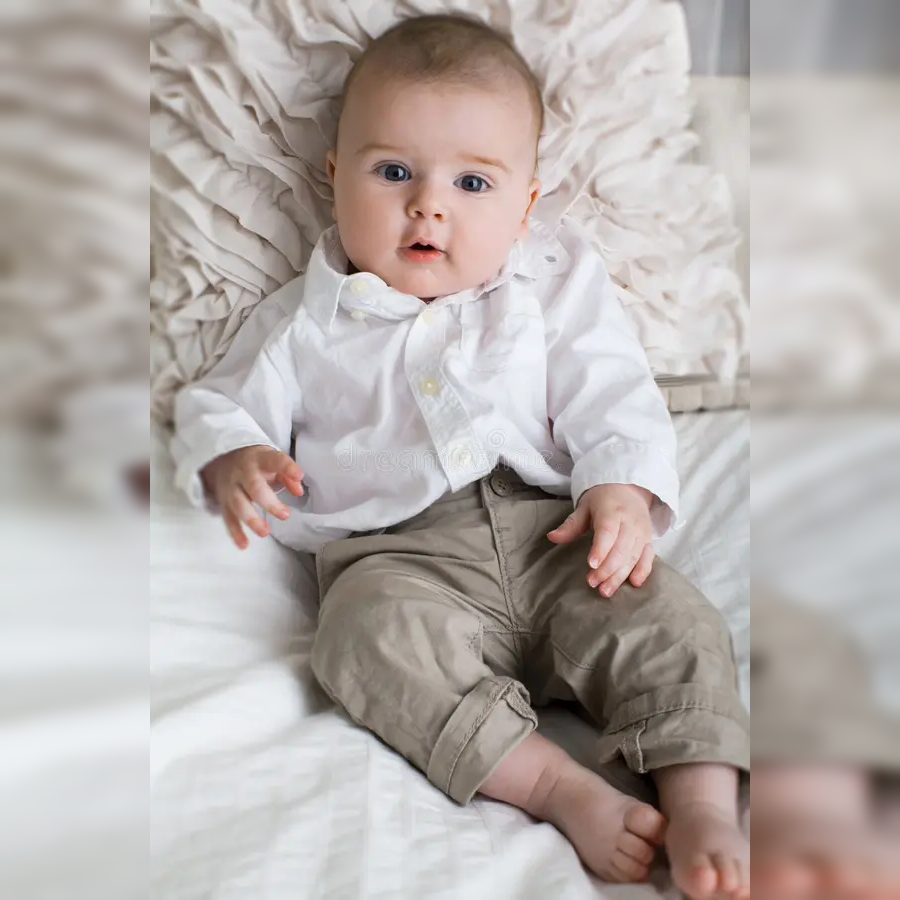 |
|
| Kid.jpg (1100×733)
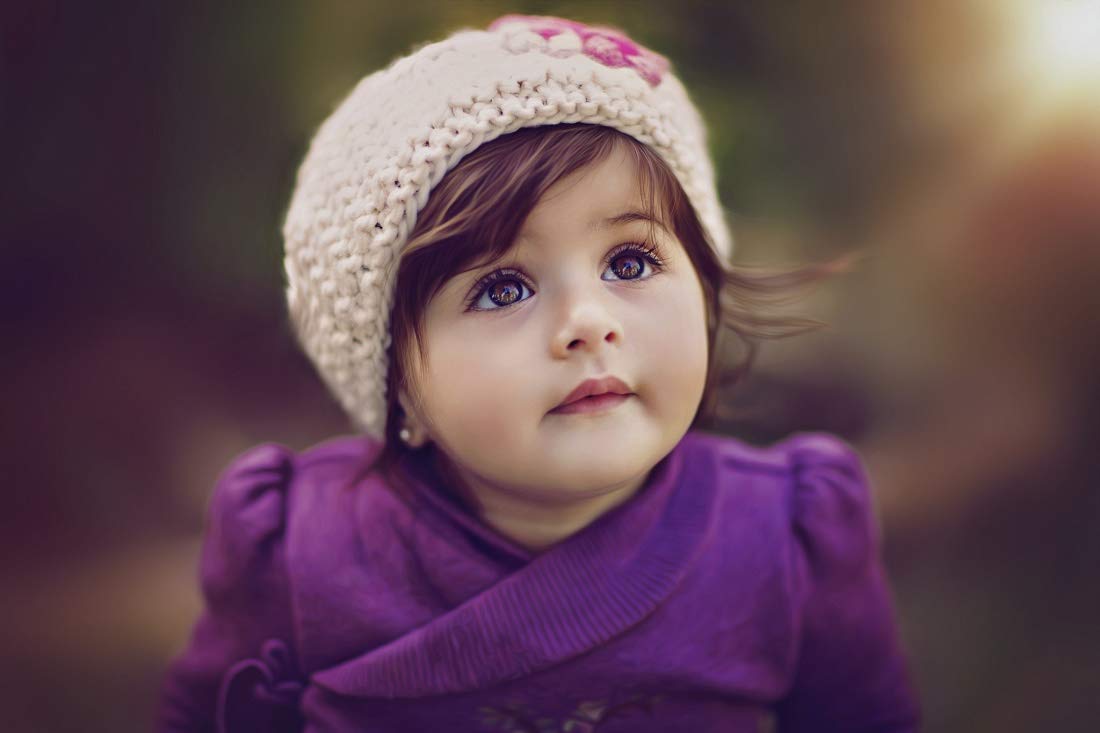 | | Output (1100×1100)
 |
|
---
## 🚀 Features
- Pads any image to a perfect square
- Fills padding using soft Gaussian blur from original image
- Automatically saves output in a separate folder
---
## 📦 Requirements
- Python `>= 3.7`
- `opencv-python`
- `numpy`
## 🔧 Installation
```bash
pip install softcropper
```
## ⚙️ Usage
```bash
softcropper ./path/input_photos ./path/output_ready --mode blur
```
- input_photos: folder with png, jpg, jpeg, or webp files
- output_photos: optional (defaults to ./input_photos/output/)
- modes: blur, solid, gradient
## ✅ Testing
```bash
PYTEST_DISABLE_PLUGIN_AUTOLOAD=1 pytest tests/test_softcropper.py -v
```
## 📄 Changelog
✨ [CHANGELOG.md](./CHANGELOG.md)
## 🛠️ Makefile Commands
```
make venv # create .venv
make install # install in editable mode
make test # run unit/integration tests
make build # build for PyPI
make clean # remove all build artifacts and caches
```
## 🤝 Contribution
Pull requests are welcome! If you'd like to suggest improvements or fix issues, feel free to fork and submit.
## Author
**Khaled Alam**
📧 [khaledalam.net@gmail.com](mailto:khaledalam.net@gmail.com)
🌍 [Website](https://khaledalam.net/) | [LinkedIn](https://www.linkedin.com/in/khaledalam/) | [X(Twitter)](https://x.com/khaledalamxyz)