https://github.com/khoidauminh/coffeevis_rs
Coffeevis, a personal music visualizer
https://github.com/khoidauminh/coffeevis_rs
audio audio-visualizer console graphics gui linux music music-visualizer rust-lang tui visualization
Last synced: about 1 year ago
JSON representation
Coffeevis, a personal music visualizer
- Host: GitHub
- URL: https://github.com/khoidauminh/coffeevis_rs
- Owner: khoidauminh
- License: mit
- Created: 2021-12-25T15:03:06.000Z (over 4 years ago)
- Default Branch: master
- Last Pushed: 2025-04-06T03:37:02.000Z (over 1 year ago)
- Last Synced: 2025-04-23T23:48:43.789Z (about 1 year ago)
- Topics: audio, audio-visualizer, console, graphics, gui, linux, music, music-visualizer, rust-lang, tui, visualization
- Language: Rust
- Homepage:
- Size: 8.51 MB
- Stars: 10
- Watchers: 2
- Forks: 0
- Open Issues: 0
-
Metadata Files:
- Readme: README.md
- License: LICENSE
Awesome Lists containing this project
README

# Coffee Music Visualizer
A personal GUI + TUI music visualizer written in Rust.
## About this project
I decided to write the visualizer because existing projects didn't suit me.
Some too slow, some didn't have the visualizer I like, some take up too much cpu usage, etc.
This project also serves as my playground, so you'll see a lot of weird implementations in the source files.
## What's new in v0.6.0
#### YOU CAN NOW WRITE COFFEEVIS VISUALIZERS *OUTSIDE* OF COFFEEVIS
Guess what? I got bored 4 something days before my statistsics exam and
wrote an interface for foreign programs to communicate with coffeevis lol
See [README.md](src/data/README.md)
### Other changes
Terminal mode is back and enabled by default!
Minifb support has been removed!
Two new features have been added: 'window_only' and 'console_only` that
respectively disables terminal mode and winit mode if you don't want it.
A little post-processing effect has been added to window mode which should
make the animations a little more smooth looking.
New visualizers: TODO!
Configuration changes: TODO!
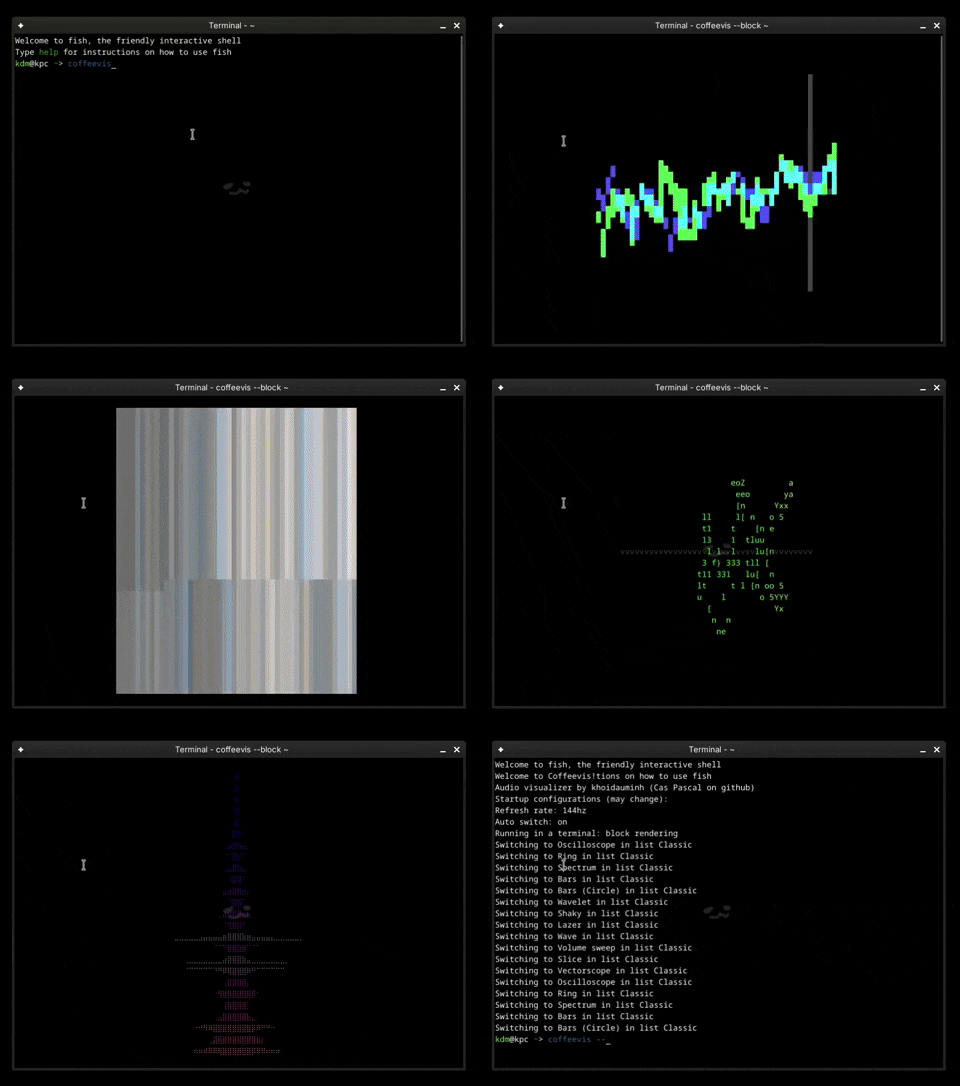
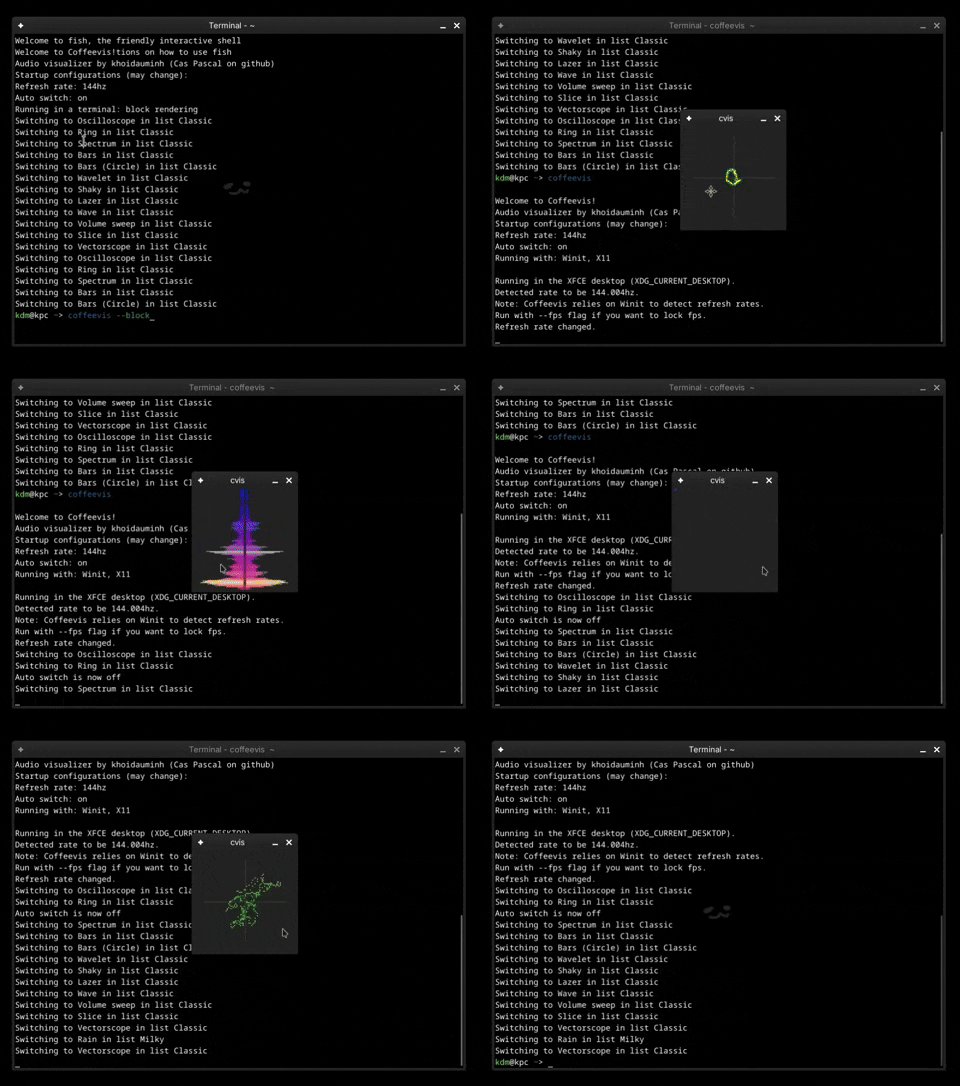
## Examples:
## Platform support
Coffeevis so far only runs on Linux.
Windows, MacOS and BSD support is not available.
## Installation
```
cargo install coffeevis
```
To disable winit, use:
```
cargo install coffeevis --features console_only
```
To disable console mode, use:
```
cargo install coffeevis --features window_only
```
## Configuration
Coffeevis does not remember settings and does not generate config files
(feature won't be implemented unless requested).
To get around this, make a user script that runs coffeevis with flags
E.g:
```
#!/bin/bash
/path/to/coffeevis --fps 60 --no-auto-switch --size 40x40
```
To force Coffeevis to run in Xwayland, unset `WAYLAND_DISPLAY`
```
WAYLAND_DISPLAY= coffeevis
```
## Flags
Coffeevis supports temporary options at launch
| Option | Value (example) | Description |
| ------ | ------ | ------ |
| --ascii
--block
--braille | | runs in the terminal |
| --no-auto-switch | | disables automatic visualizer switching |
| --size | 80x80 | sets resolution in window mode |
| --scale | 2 | upscales in window mode |
| --fps | 60 | sets refresh rate (by default coffeevis will try to query your monitor's refresh rate) |
| --resizable | | allows resizing in window mode |
| --max-con-size | 50x50 | sets maximum resolution in terminal mode |
| --vis | spectrum | launches coffeevis with the specified visualizer |
## Experimental
| Option | Value (example) | Description |
| ------ | ------ | ------ |
| --foreign | | instructs coffeevis to send out audio and listens to input commands see [Foreign Communicator](src/data/README.md) |
| --desktop-file | | (Specifically for GNOME) creates a desktop file so that it gets an icon |
## Notes
Upon launch coffeevis will grab your default audio source, use an audio
config tool to direct your desired source to coffeevis (e.g. `pavucontrol`).
On Wayland, coffeevis cannot set itself on top so you will have to rely on an external tool. For example, on KDE Plasma, you can use the window rules feature.
When input is quiet, the visualizer will try to amplify the input so that the visualizers don't become boring.
Coffeevis prints text directly to stdout, rendering may be heavy depending on your terminal.
A terminal with GPU-accelerated support is recommended (i.e Alacritty, Kitty, Wezterm, ...)
A maximum resolution is built into the console mode (default: 50x50). Coffeevis will render in the center of the screen if terminal dimensions are larger than the limit.
## Keyboard shortcuts
### Global
| Key | Description |
| ------ | ------ |
| Space | iterates forward through visualizers (wraps around) |
| b | iterates backward (wraps around) |
| q | exits |
| / | resets all settings |
| - / + | decreases/increases input volume |
| \[ / \] | decreases/increases spectrum roughness |
| ; / ' | decreases/increases amount of samples into input (works for some wave-based visualizers only) |
| \\ | toggles auto switching (default: ON, 8 seconds) |
| n | switches through sets of visualizers (wraps around) |
| f | (when launched with foreign communicator) switches between foreign visualizer and built-in. |
### Terminal
| Key | Description |
| ------ | ------ |
| . | toggles between ascii rendering, block rendering and braille rendering |
| 9 / 0 | decreases/increases maximum resolution |
| 7 / 8 | decreases/increases fps by 5 (default: 60) |
| 1 .. 6 | changes fps to 10 ... 60 respectively |
Please don't look at my code. No I'm not hiding anything in there it's all garbage code idk how to do gpu programming so it's all cpu code uh uhhh