https://github.com/kiedtl/meow
A lolcat clone for Windows 10 that actually works.
https://github.com/kiedtl/meow
lolcat powershell utility windows
Last synced: over 1 year ago
JSON representation
A lolcat clone for Windows 10 that actually works.
- Host: GitHub
- URL: https://github.com/kiedtl/meow
- Owner: kiedtl
- License: agpl-3.0
- Created: 2019-01-15T00:51:06.000Z (over 7 years ago)
- Default Branch: master
- Last Pushed: 2025-01-20T13:33:34.000Z (over 1 year ago)
- Last Synced: 2025-03-18T20:15:11.346Z (over 1 year ago)
- Topics: lolcat, powershell, utility, windows
- Language: PowerShell
- Size: 4.44 MB
- Stars: 42
- Watchers: 1
- Forks: 2
- Open Issues: 1
-
Metadata Files:
- Readme: README.md
- License: LICENSE
Awesome Lists containing this project
README
# Meow
A minimalistic `lolcat` clone for Windows that actually works.
## What?
No `lolcat` clone would be complete without this picture, right? So here it is.
> 
## Screenshot
#### Current screenshot (v0.2019.03.22)
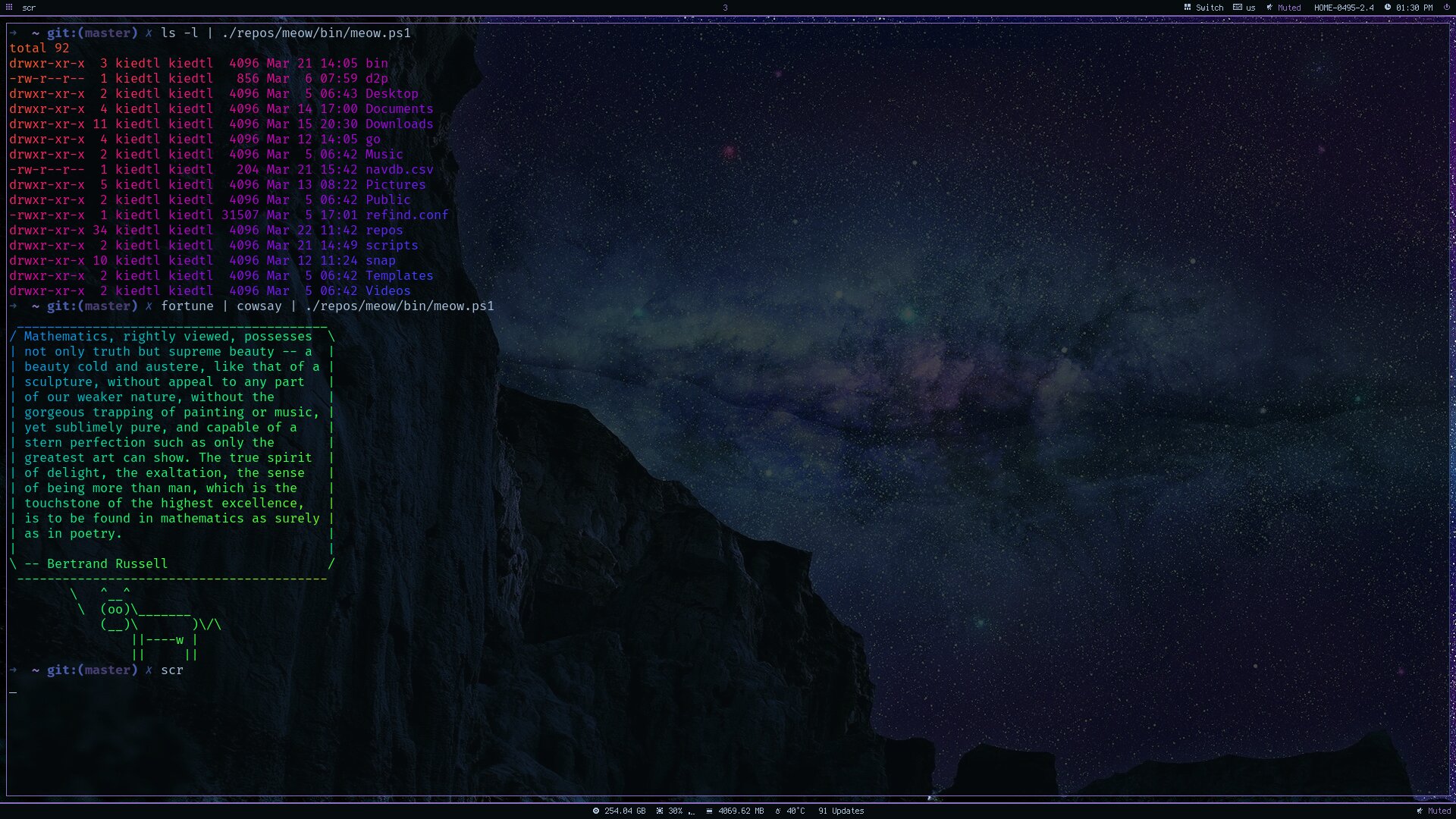
#### Old Screenshot (v0.2019.01.31)

#### Original screenshot (v0.2019.01.15)

## Usage
Because Meow is meant to be a minimalistic clone, and due to the limitations of the Windows Console (`conhost.exe`), Meow has very little functionality compared to `lolcat` itself.
**OPTIONS**
| Alias | Option | Description |
|-------|----------------|---------------------------------------------------------------------------------------------|
| | -text | The text to display. (as of v0.2019.03.22, meow no longer supports reading from files.) |
| -s | -spread | The color spread for the color rainbow. |
| -q | -frequency | The frequency of the color spread. |
| -i | -invert | Invert the foreground and background colors. |
| -h | -help | Display the help message. |
| -d | -demo | Show a demonstration of `meow`. |
## Installation
If you have Git installed, clone the repository into whatever directory you want and add the `bin\meow.ps1` file to your PATH. And if you don't, install it and come back later.
You can also painlessly install Meow with [Scoop](https://scoop.sh).
First, ensure that you have the `extras` bucket added:
```powershell
$ scoop bucket list
nirsoft
java
blah blah
...
extras
```
If you don't, add it.
```
$ scoop bucket add extras
```
Then install Meow:
```powershell
$ scoop install meow
```
Updating to the latest version is also easy:
```powershell
$ scoop update meow
```
## License
I'm a cranky dev, and i'm not too fond of people freely using my stuff that I worked hard on, so I've licensed my work under the following license:
- AGPL-v3.0