https://github.com/kikoseijo/antbot
A Frontend application in php for interacting with crypto bots and its own exchanges scrapper and incomes analitycs.
https://github.com/kikoseijo/antbot
alpinejs crypto exchange laravel livewire php python scrapper trading-bot trading-platform
Last synced: 6 months ago
JSON representation
A Frontend application in php for interacting with crypto bots and its own exchanges scrapper and incomes analitycs.
- Host: GitHub
- URL: https://github.com/kikoseijo/antbot
- Owner: kikoseijo
- Created: 2023-01-10T22:02:14.000Z (over 3 years ago)
- Default Branch: master
- Last Pushed: 2024-01-19T11:31:41.000Z (over 2 years ago)
- Last Synced: 2024-01-19T12:47:40.473Z (over 2 years ago)
- Topics: alpinejs, crypto, exchange, laravel, livewire, php, python, scrapper, trading-bot, trading-platform
- Language: PHP
- Homepage:
- Size: 8.01 MB
- Stars: 26
- Watchers: 7
- Forks: 8
- Open Issues: 4
-
Metadata Files:
- Readme: README.md
Awesome Lists containing this project
README

Antbot
======
This open source project comes from the need to run several [Passivbot](https://www.passivbot.com/) ***"A fully automated trading bot"*** on same server, with multiple exchanges with infinite trading accounts & APIs.
A Multi-tenancy architecture allows you to have your friends and family running their own crypto trading bots without any knowledge of Shell or Programming Skills because everything its database driven & managed trough a website.
At same time, this application its able to monitor and interact with the Python crypto bots and comes with exchange scrapper thats able to pull your trades historic data and give you full control over your assets, incomes & bot performance.
The application its developed using the [TALL stack](https://tallstack.dev/), uses Tailwind, Alpine.js, Laravel, and Livewire to achieve a Reactive full-stack solution.
***Important notes:***
- It's a Beta version.
- It's under ~~heavy~~ development.
- You need a knowledge installing Laravel + Installing Python applications and environments.
## Roadmap
New features can be easily achieve with little effort, being based on a full stack for fast development.
Many features can be implemented but the main ones right now are the following:
- [X] Bybit exchange scrapper.
- [ ] Binance exchange scrapper.
- [x] Bitget exchange scrapper.
- [ ] OKX exchange scrapper.
- [ ] Dockerize application.
- [ ] Chart for the exchange information.
- [ ] Panic mode (stoping bots and all orders, if necessary).
- [ ] Grid editor with live visualisation in a chart.
- [ ] Export trading records for financial books.
- [x] Bot routines with WebHooks.
- [x] Update app using UI.
- [x] UI settings area.
- [x] What2Trade + [Direcctional Scalper](https://github.com/donewiththedollar/directional-scalper).
## Python crypto bots
### Passivbot
Follow [Passivbot](https://www.passivbot.com/) installation guide, its better if you try to run a bot as indicated before linking into Antbot.
...
## Docker install (Comming Soon, under development)
Setup instructions:
```
git clone git@github.com:kikoseijo/antbot.git
cd antbot
cp .env.example .env
sed -i 's#^APP_KEY=.*$#APP_KEY=base64:'`openssl rand -base64 32`'#g' .env
ln -s ../storage/app/public public/storage
docker-compose up -d
```
Update image with new code (including database migration):
`docker-compose up -d --build`
The data of `mysql` and `redis` is saved in those paths respectively:
`antbot/docker/mysql/volume`
`antbot/docker/redis/volume`
## Web server deployment
Antbot its a PHP + MYSQL application, can be run on any webserve, vps, etc.
Use this guide as an example for remote deployment, adjust accord.
#### Download and install
You can use this piece of script as an example of what steps are needed for installing Antbot.
```bash
ssh user@yourserver
cd ~
git clone git@github.com:kikoseijo/antbot.git
cd antbot
composer install --no-dev
cp .env.example .env
php artisan key:generate
php artisan storage:link
```
Docker equivalent:
```bash
git clone git@github.com:kikoseijo/antbot.git
cd antbot
cp .env.example .env
sed -i 's#^APP_KEY=.*$#APP_KEY=base64:'`openssl rand -base64 32`'#g' .env
ln -s ../storage/app/public public/storage
docker-compose up -d
```
#### Configure your enviroment variables
The `.env` file created in previous step needs your information for database, email and paths for bots to work.
Email configuration its important, application should be able to send emails at certain moments.
```bash
DB_DATABASE=antbot
DB_USERNAME=root
DB_PASSWORD=yorupassword
...
PYTHON_PATH="python3"
PASSIVBOT_PATH="/path/to/passivbot"
PASSIVBOT_LOGS_PATH="/path/to/logs_folder"
...
MAIL_USERNAME=null
MAIL_PASSWORD=null
```
Run the following command: for changes to be effective.
```bash
php artisan config:clear
```
#### Publish application
Please note the root of your webserver should be a folder called `public` inside Antbot installation folder.
```bash
cd ~
rm -rf public_html
ln -s ~/antbot/public ~/public_html
echo "App should be now live."
```
You are now ready to go, navigate to your new application url and register the first user (First user will be created as Admin).
#### Cronjob
Exchange scrapper needs a CronJob to run every minute, this will maintaine bots running even after reboots and keep exchanges up to date.
```bash
* * * * * cd /path/to/antbot && /opt/remi/php81/root/usr/bin/php artisan schedule:run >> /dev/null 2>&1
```
### Configure Passivbot default grids
Passivbot comes with 3 [run modes](https://www.passivbot.com/en/latest/passivbot_modes/), its best starting point for someone new to Passivbot.
You can leave this settings as default, just make sure the files linked are available inside Passivbot installation.
You will also be able to create and edit your own grids directly from the control panel.
```php
'grid_configs' => [
'recursive' => 'configs/live/recursive_grid_mode.example.json',
'neat' => 'configs/live/neat_grid_mode.example.json',
'static' => 'configs/live/static_grid_mode.example.json',
],
```
## Updates
For updating antbot you can follow this steps, its not a zero downtime deployment, but we dont need such advance feature because bots are run separately from the application.
```bash
cd ~/antbot
php artisan down --render="errors::503" --refresh=10
git fetch --all
git reset --hard origin/master
git pull origin master
composer install --no-dev --prefer-dist --optimize-autoloader --ignore-platform-reqs
php artisan migrate --force
php artisan config:clear
php artisan config:cache
php artisan view:clear
php artisan view:cache
php artisan up
```
Screenshots
-----------
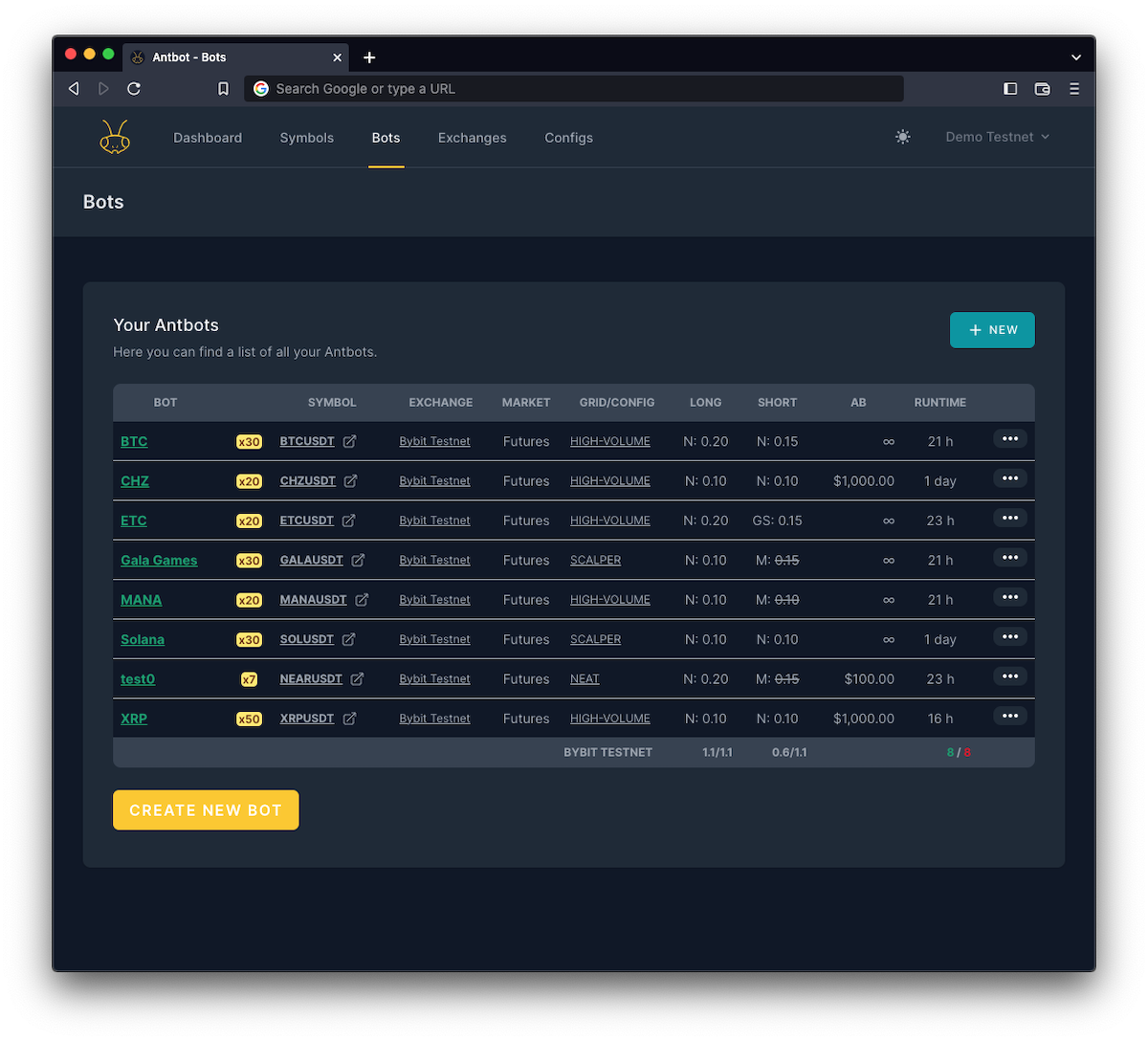
### Bots
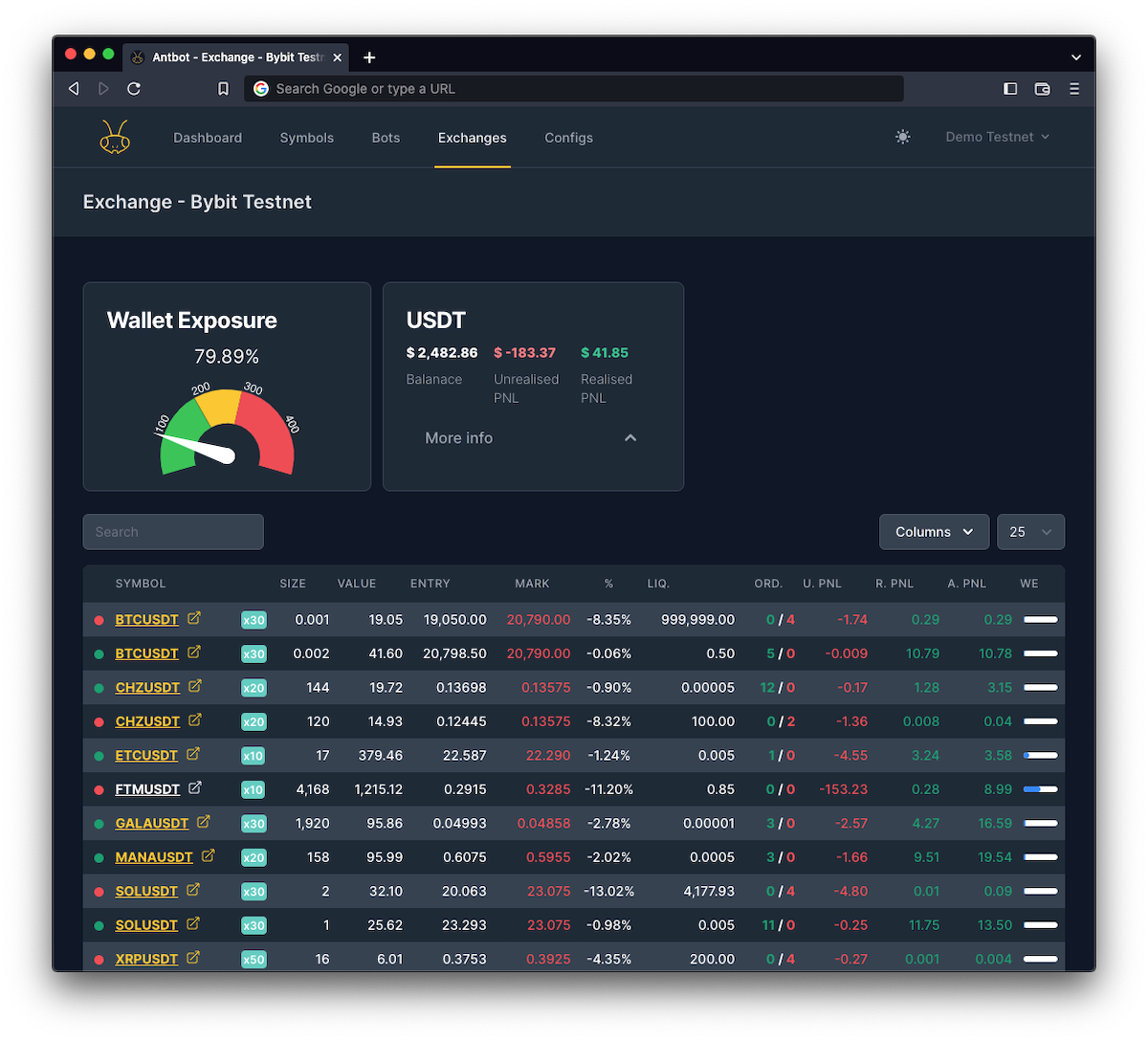
### Exchange dashboard
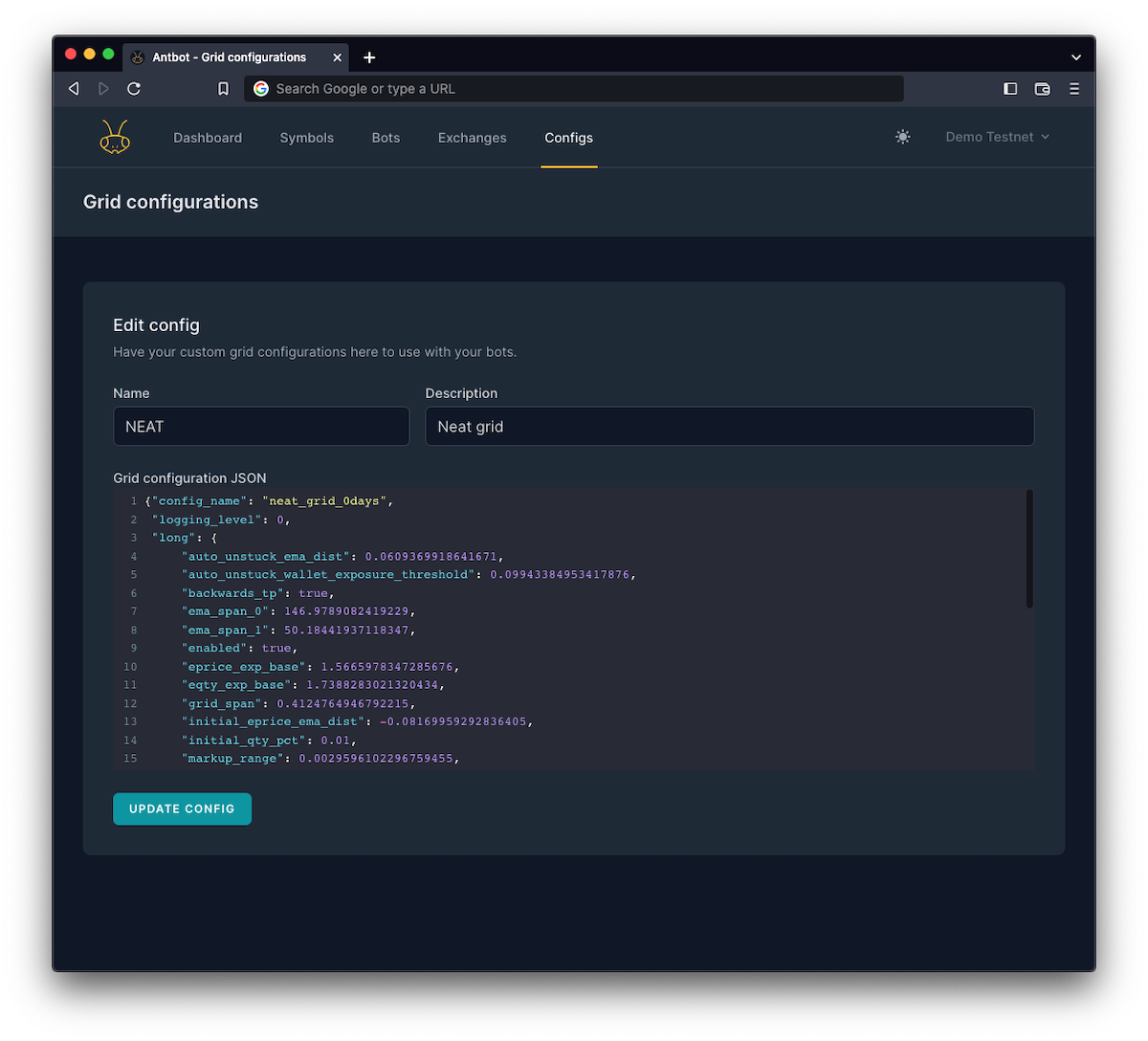
### Passivbot grid configuration
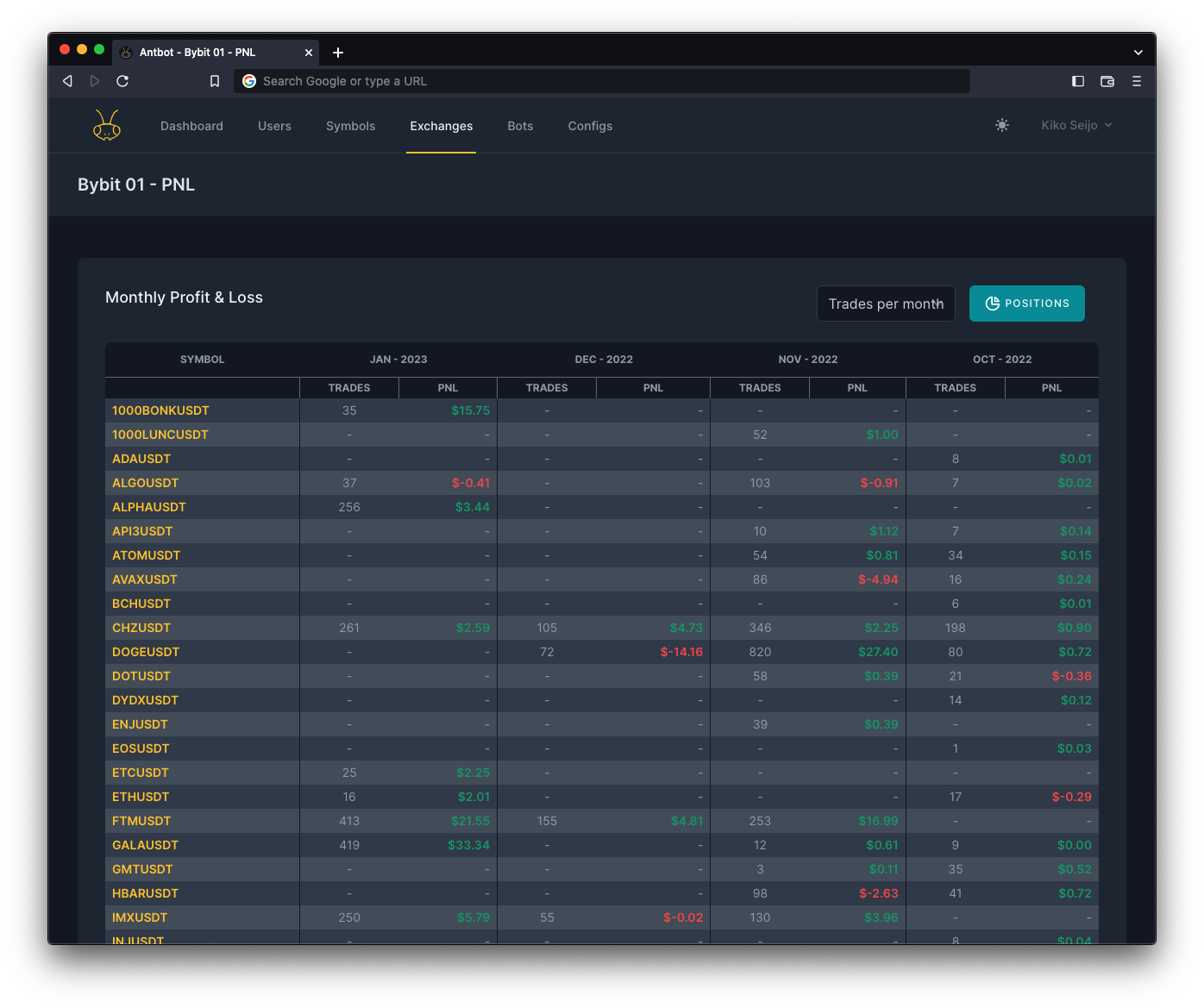
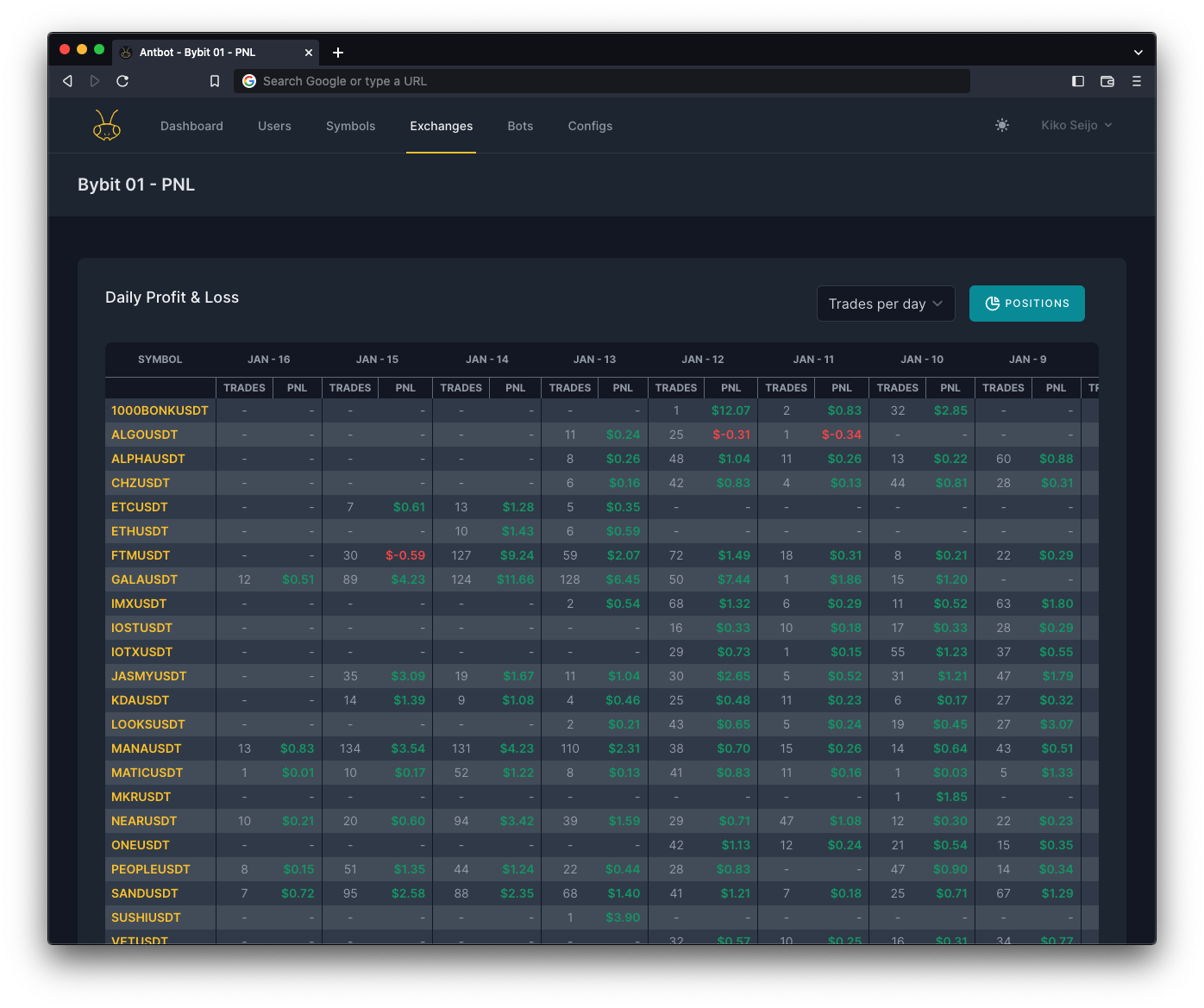
### Traded records
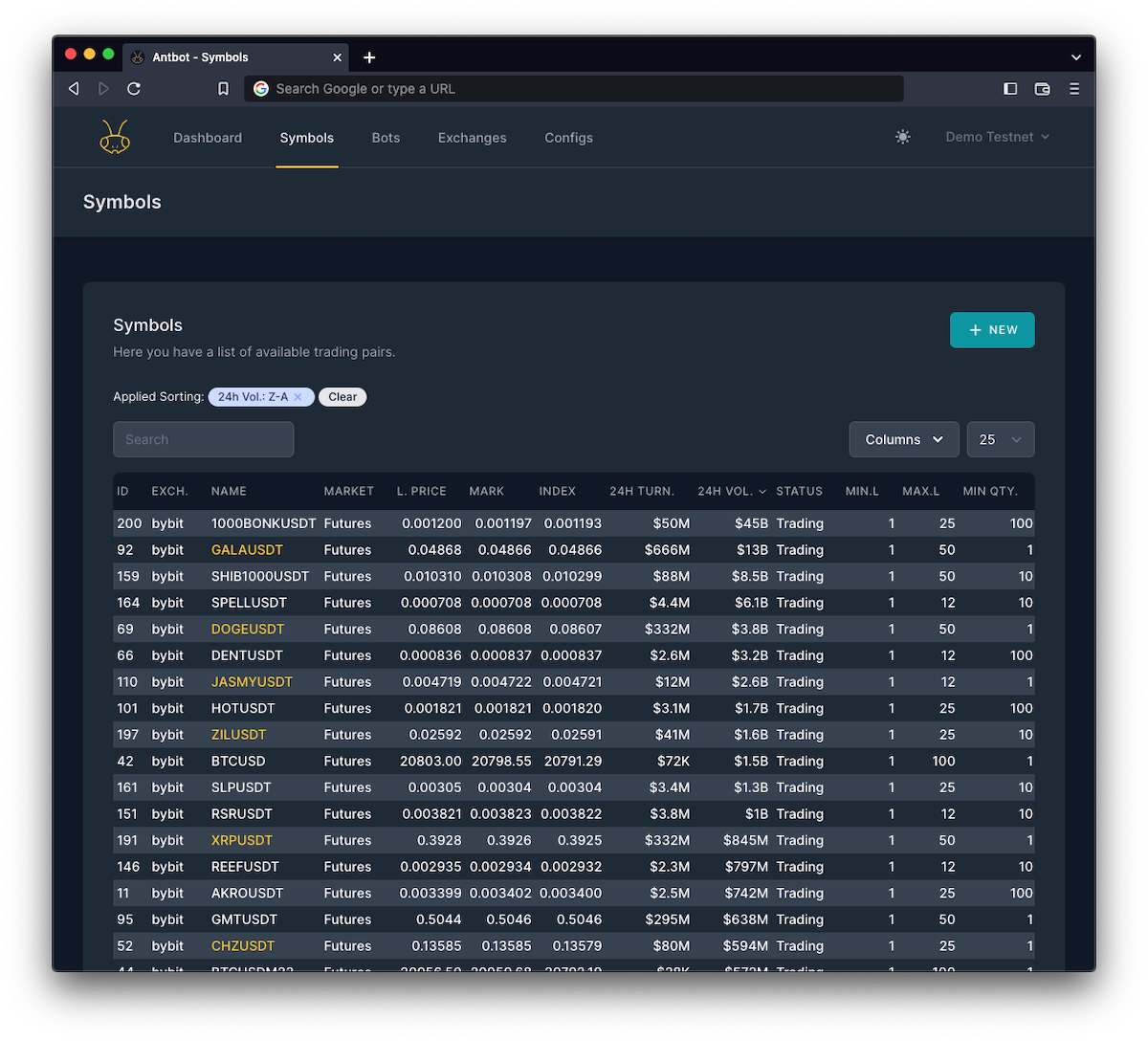
### Exchange symbols & volumes
Installation support
--------------------
If you need help installing the application I'm able to provide you with my professional services, just give me a shout.
I'll be pleased to do the job for you, choose the right VPS/Cloud Server or hosting provider around the world.
Installation example on Debian (LOCAL)
--------------------
Debian user who wants to run locally with no webserver can achieve just following this steps.
1. Install [PHP](https://computingforgeeks.com/how-to-install-php-on-debian-linux-2/)
2. Install [Composer](https://www.digitalocean.com/community/tutorials/how-to-install-and-use-composer-on-debian-11)
3. Install [MySQL](https://computingforgeeks.com/how-to-install-mysql-8-0-on-debian/) and created a db, and user.
4. Git clone "antbot"
5. Modify .env with sql infos from step 3
6. cd to antbot folder
7. composer install
8. php artisan key:generate
9. php artisan migrate:fresh --seed
10. php artisan storage:link
11. php artisan serve
Contributing
------------
Thank you for considering contributing to the Antbot system!
The contribution guide its not jet released, but you can always push a new commit with what you can think of new functionality or fixing bugs.
### Hanging Up with the crew
[](https://discord.gg/HFGEsE9Xgc)
Security Vulnerabilities
------------------------
If you discover a security vulnerability, please send an e-mail to Kiko Seijo via [kikopc@gmail.com](mailto:kikopc@gmail.com). All security vulnerabilities will be promptly addressed.
License
-------
The Antbot is an open-sourced software licensed under the [MIT license](https://opensource.org/licenses/MIT).
Credits
-------
* Kiko Seijo [Sunnyface.com](https://sunnyface.com 'Laravel, React, freelancer in Málaga')
Sunnyface.com, is a software development company from Málaga, Spain. We provide quality software based on the cloud for local & international companies, providing technology solutions with the latest [programming languages](https://sunnyface.com/tecnologia/ 'Programador experto react y vue en Málaga').
Special thanks: to supporters and clients that allows us contributing back to the WWW community.
[DevOps](https://sunnyface.com 'Programador ios málaga Marbella') Web development
---
Created by Kiko Seijo