https://github.com/kili-technology/kili-python-sdk
Simplest and fastest image and text annotation tool.
https://github.com/kili-technology/kili-python-sdk
annotation annotation-tool-offline annotation-tool-online bounding-box computer-vision-annotation-tool data-annotations document-annotation-tool image-annotation-tool image-labeling image-texte-video-classification labeling labeling-tool semantic-annotation semantic-segmentation text-annotation-tool text-labeling texte-video-classification video-classification
Last synced: 4 months ago
JSON representation
Simplest and fastest image and text annotation tool.
- Host: GitHub
- URL: https://github.com/kili-technology/kili-python-sdk
- Owner: kili-technology
- License: apache-2.0
- Created: 2019-07-03T13:49:30.000Z (about 7 years ago)
- Default Branch: main
- Last Pushed: 2026-03-26T21:18:30.000Z (4 months ago)
- Last Synced: 2026-03-27T03:29:33.478Z (4 months ago)
- Topics: annotation, annotation-tool-offline, annotation-tool-online, bounding-box, computer-vision-annotation-tool, data-annotations, document-annotation-tool, image-annotation-tool, image-labeling, image-texte-video-classification, labeling, labeling-tool, semantic-annotation, semantic-segmentation, text-annotation-tool, text-labeling, texte-video-classification, video-classification
- Language: Jupyter Notebook
- Homepage: https://kili-technology.com
- Size: 779 MB
- Stars: 233
- Watchers: 8
- Forks: 29
- Open Issues: 15
-
Metadata Files:
- Readme: README.md
- Contributing: CONTRIBUTING.md
- License: LICENSE.txt
- Codeowners: .github/CODEOWNERS
Awesome Lists containing this project
README
# Kili Python SDK
[](https://www.python.org/)
[](https://github.com/pre-commit/pre-commit)

---
**SDK Reference**:
**Kili Documentation**:
**App**:
**Website**:
---
## What is Kili?
Kili is a platform that empowers a data-centric approach to Machine Learning through quality training data creation. It provides collaborative data **annotation tools** and APIs that enable quick iterations between reliable dataset building and model training. More info [here](https://kili-technology.com/platform/label-annotate).
### Annotation tools examples
| Named Entities Extraction and Relation | PDF classification and bounding-box | Object detection (bounding-box) |
| :--------------------------------------------------------------------------------------------------------------: | :-----------------------------------------------------------------------------------------------------: | :------------------------------------------------------------------------------------------------------: |
| 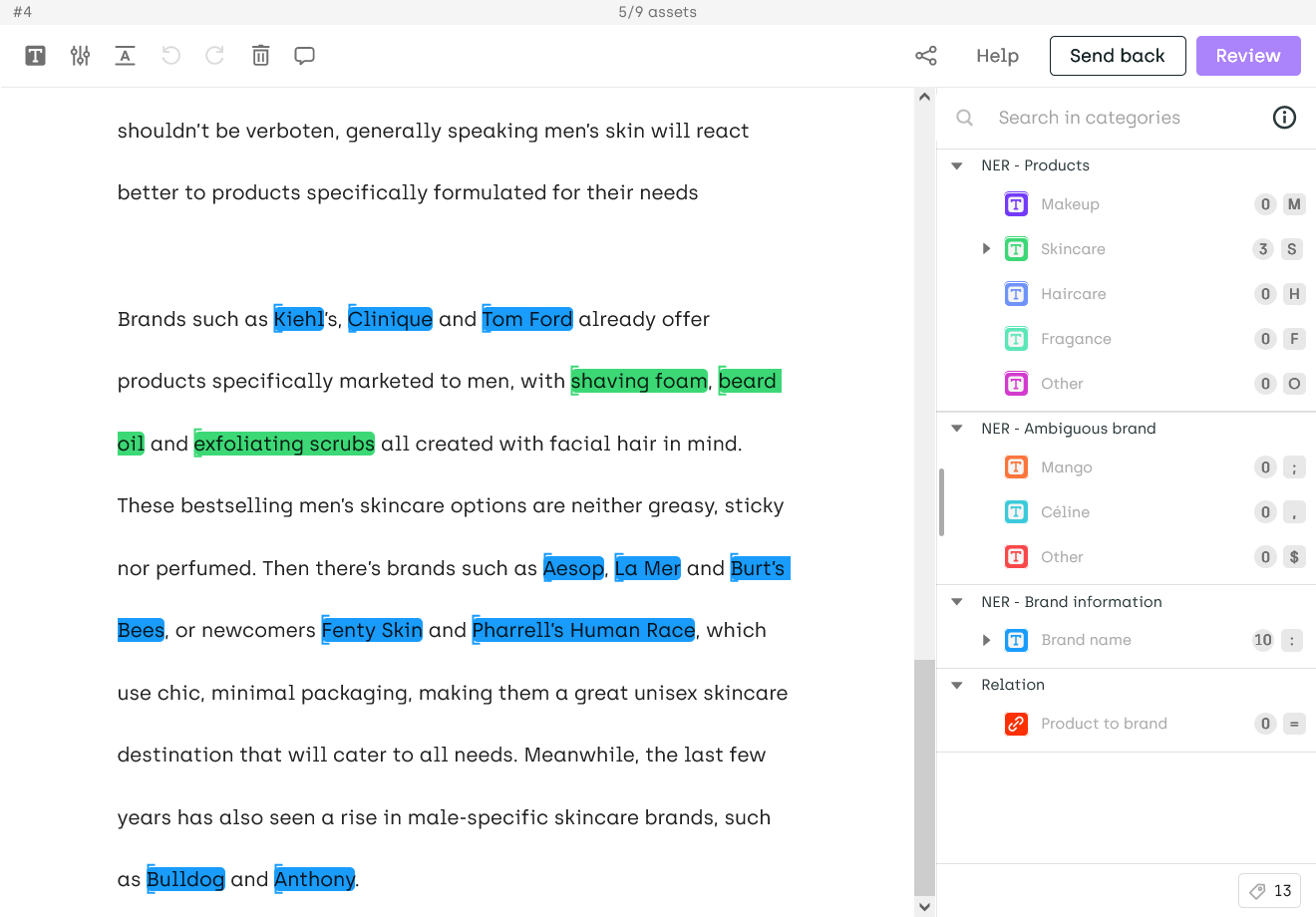 | 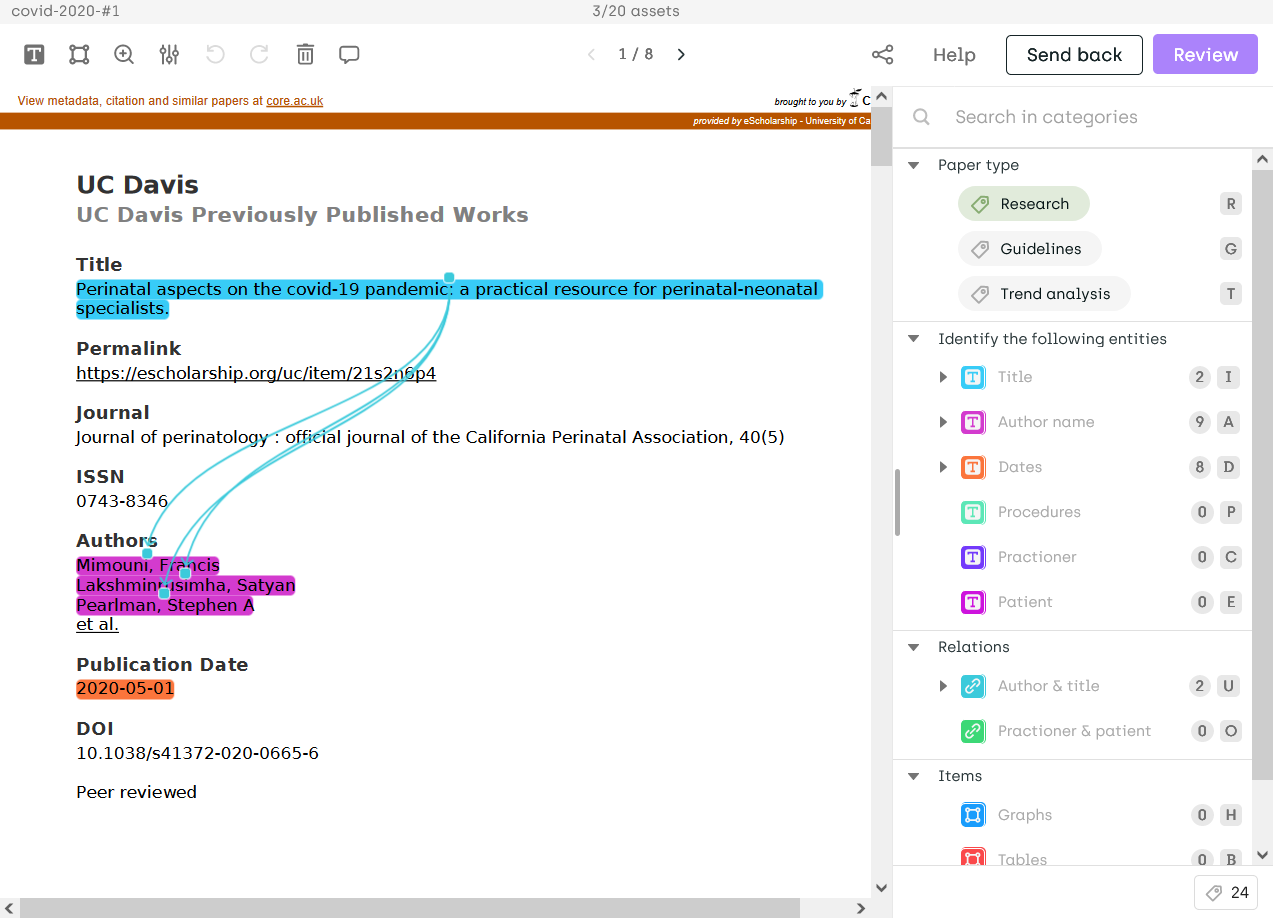 | 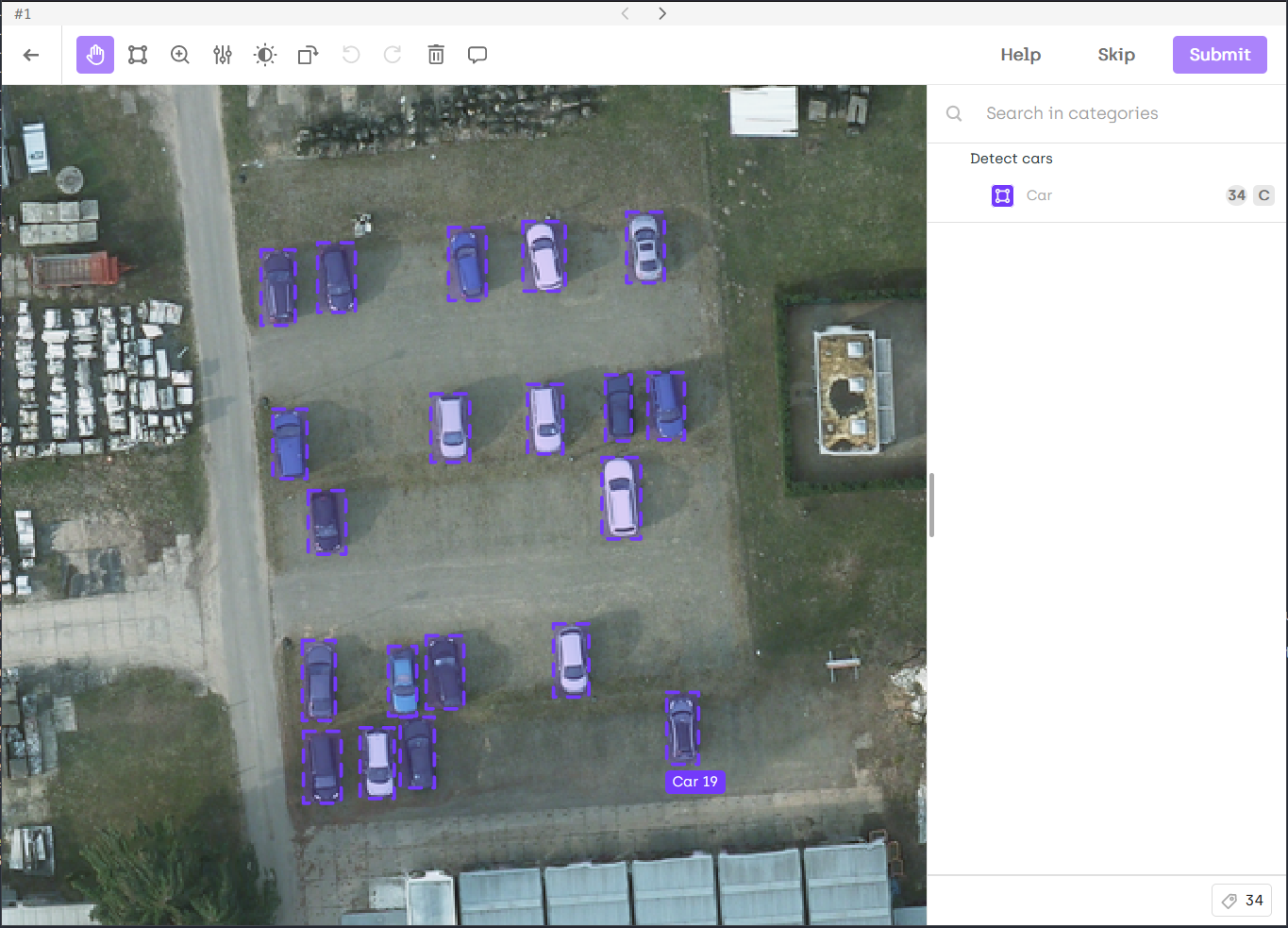 |
and [many more](https://docs.kili-technology.com/docs/labeling-overview).
## What is Kili Python SDK?
**Kili Python SDK** is the Python client for the Kili platform. It allows to query and manipulate the main entities available in Kili, like projects, assets, labels, api keys...
It comes with several [tutorials](https://python-sdk-docs.kili-technology.com/latest/sdk/tutorials/basic_project_setup/) that demonstrate how to use it in the most frequent use cases.
## Requirements
- Python >= 3.10
- Create and copy a [Kili API key](https://docs.kili-technology.com/docs/creating-an-api-key)
- Add the `KILI_API_KEY` variable in your bash environment (or in the settings of your favorite IDE) by pasting the API key value you copied above:
```bash
export KILI_API_KEY=''
```
## Installation
Install the Kili client with pip:
```bash
pip install kili
```
If you want to contribute, here are the [installation steps](CONTRIBUTING.md).
## Usage
Instantiate the Kili client:
```python
from kili.client import Kili
kili = Kili()
# You can now use the Kili client!
```
Note that you can also pass the API key as an argument of the `Kili` initialization:
```python
kili = Kili(api_key='')
```
For more details, read the [SDK reference](https://python-sdk-docs.kili-technology.com) or the [Kili documentation](https://docs.kili-technology.com/docs).
## Tutorials
Check out our [tutorials](https://python-sdk-docs.kili-technology.com/latest/tutorials)! They will guide you through the main features of the Kili client.
You can find several other recipes in this [folder](https://github.com/kili-technology/kili-python-sdk/tree/main/recipes).
## Examples
Here is a sample of the operations you can do with the Kili client:
### Creating an annotation project
```python
json_interface = {
"jobs": {
"CLASSIFICATION_JOB": {
"mlTask": "CLASSIFICATION",
"content": {
"categories": {
"RED": {"name": "Red"},
"BLACK": {"name": "Black"},
"WHITE": {"name": "White"},
"GREY": {"name": "Grey"}},
"input": "radio"
},
"instruction": "Color"
}
}
}
project_id = kili.create_project(
title="Color classification",
description="Project ",
input_type="IMAGE",
json_interface=json_interface
)["id"]
```
### Importing data to annotate
```python
assets = [
{
"externalId": "example 1",
"content": "https://images.caradisiac.com/logos/3/8/6/7/253867/S0-tesla-enregistre-d-importantes-pertes-au-premier-trimestre-175948.jpg",
},
{
"externalId": "example 2",
"content": "https://img.sportauto.fr/news/2018/11/28/1533574/1920%7C1280%7Cc096243e5460db3e5e70c773.jpg",
},
{
"externalId": "example 3",
"content": "./recipes/img/man_on_a_bike.jpeg",
},
]
external_id_array = [a.get("externalId") for a in assets]
content_array = [a.get("content") for a in assets]
kili.append_many_to_dataset(
project_id=project_id,
content_array=content_array,
external_id_array=external_id_array,
)
```
See the detailed example in this [tutorial](https://python-sdk-docs.kili-technology.com/latest/sdk/tutorials/importing_assets_and_metadata/).
### Importing predictions
```python
prediction_examples = [
{
"external_id": "example 1",
"json_response": {
"CLASSIFICATION_JOB": {
"categories": [{"name": "GREY", "confidence": 46}]
}
},
},
{
"external_id": "example 2",
"json_response": {
"CLASSIFICATION_JOB": {
"categories": [{"name": "WHITE", "confidence": 89}]
}
},
}
]
kili.create_predictions(
project_id=project_id,
external_id_array=[p["external_id"] for p in prediction_examples],
json_response_array=[p["json_response"] for p in prediction_examples],
model_name="My SOTA model"
)
```
See detailed examples in this [recipe](https://docs.kili-technology.com/recipes/importing-labels-and-predictions).
### Exporting labels
```python
kili.export_labels("your_project_id", "export.zip", "yolo_v4")
```
See a detailed example in this [tutorial](https://python-sdk-docs.kili-technology.com/latest/sdk/tutorials/export_a_kili_project/).