https://github.com/kingname/markdownpicpicker
MarkdownPicPicker is a tool to upload a picture in clipboard to cloud and write a markdown format url of the picture to clipboard
https://github.com/kingname/markdownpicpicker
markdown-tools python shortkey-based
Last synced: 11 months ago
JSON representation
MarkdownPicPicker is a tool to upload a picture in clipboard to cloud and write a markdown format url of the picture to clipboard
- Host: GitHub
- URL: https://github.com/kingname/markdownpicpicker
- Owner: kingname
- License: gpl-3.0
- Created: 2016-06-04T08:26:58.000Z (about 10 years ago)
- Default Branch: master
- Last Pushed: 2019-01-05T13:20:27.000Z (over 7 years ago)
- Last Synced: 2024-12-01T13:29:35.977Z (over 1 year ago)
- Topics: markdown-tools, python, shortkey-based
- Language: Python
- Homepage:
- Size: 664 KB
- Stars: 149
- Watchers: 12
- Forks: 27
- Open Issues: 5
-
Metadata Files:
- Readme: README.md
- License: LICENSE
Awesome Lists containing this project
README
# MarkdownPicPicker
[](http://markdownpicpicker.readthedocs.io/en/latest/?badge=latest)

[](https://saythanks.io/to/kingname)
## Attention
As Qiniu will delete your domain after 30 days, it will not be recommanded anymore. I will write plugin for Tencent Cloud instead.
## Introduce
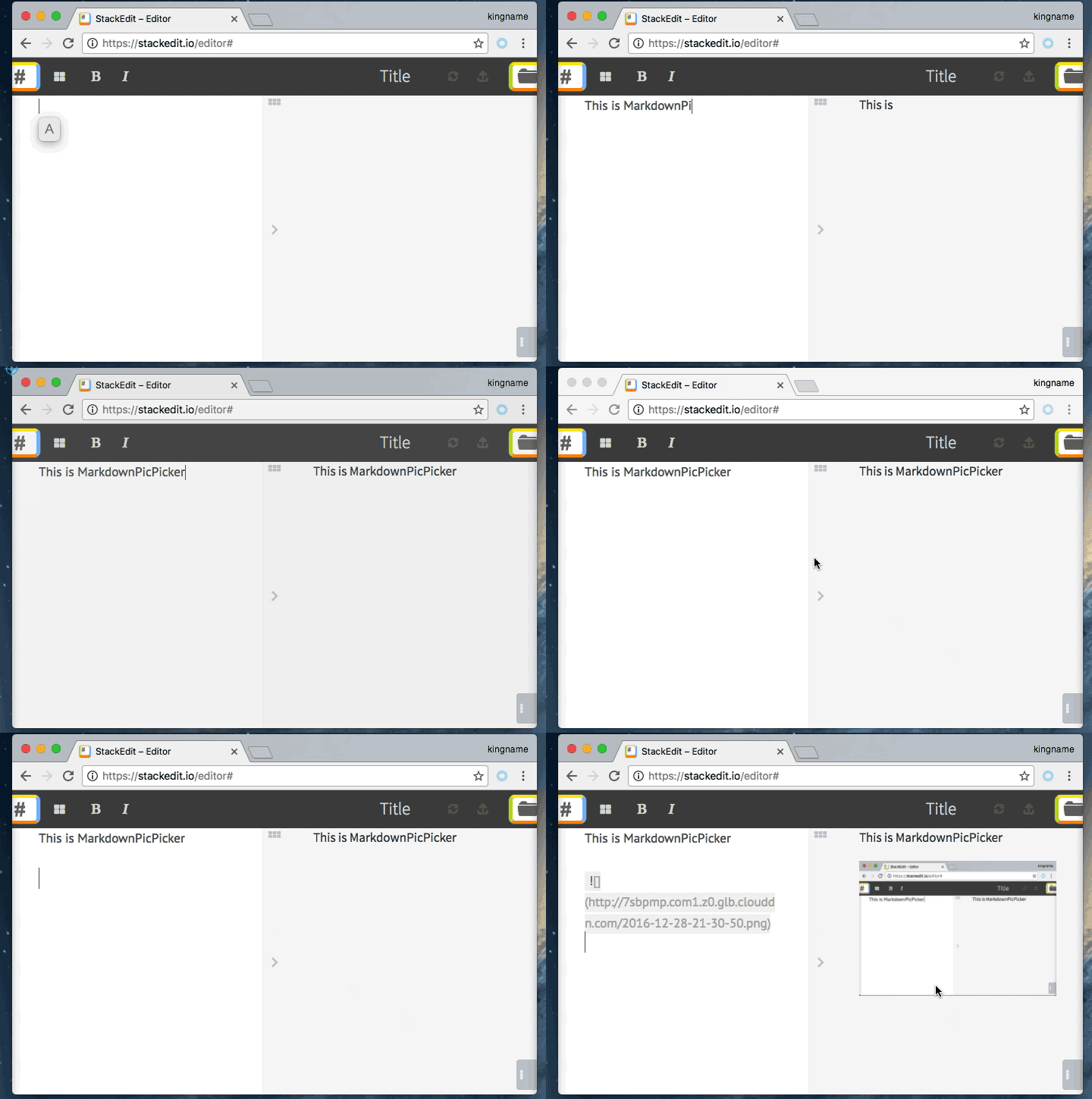
MarkdownPicPicker is an assistant which can help you add picture in Markdown. It will upload the image in your clipboard to web picture host and copy the Markdown-format link(\!\[\]\(url\)) to your clipboard or pasteboard. Now it supports Windows and Mac OS.
## Function
Version 1.1.0 can do:
1. Picture host support Qiniu and SM.MS.
2. You can use it as soon as you download it without any config.
3. Through config, you can add your own picture host uploader.
4. Picture will be saved to local first.
3. Copy the Markdown-format link to clipboard or pasteboard.
5. Easy to add your own uploader.
## How to use
### Windows
1. Download MarkdownPicPicker at:[https://github.com/kingname/MarkdownPicPicker/releases/download/v1.0.0/MarkdownPicPicker_v1.0.0.zip](https://github.com/kingname/MarkdownPicPicker/releases/download/v1.0.0/MarkdownPicPicker_v1.0.0.zip)
2. Copy image into clipboard
3. Run MarkdownPicPicker.exe
### Mac OS
1. Install pngpaste: `brew install pngpaste`
2. Download and unzip MarkdownPicPicker at: [https://github.com/kingname/MarkdownPicPicker/releases/download/v1.0.0/macOS_MarkdownPicPicker.zip](https://github.com/kingname/MarkdownPicPicker/releases/download/v1.0.0/macOS_MarkdownPicPicker.zip)
3. Copy image into pasteboard
4. Run MarkdownPicPicker.app
## Documentation
More document and how to develop new uploader, please refer to: [http://markdownpicpicker.readthedocs.io/en/latest/](http://markdownpicpicker.readthedocs.io/en/latest/)
## Thanks to
[laixintao](https://github.com/laixintao)
[Sean10](https://github.com/Sean10)