https://github.com/kkomelin/create-fhenix-dapp
"Create React App" for Fhenix DApps
https://github.com/kkomelin/create-fhenix-dapp
cli create-fhenix-dapp ethereum fhenix hardhat nextjs scaffold-eth scaffold-eth-2 viem wagmi
Last synced: about 2 months ago
JSON representation
"Create React App" for Fhenix DApps
- Host: GitHub
- URL: https://github.com/kkomelin/create-fhenix-dapp
- Owner: kkomelin
- Created: 2024-03-29T12:27:22.000Z (over 2 years ago)
- Default Branch: cli
- Last Pushed: 2024-05-02T06:44:37.000Z (about 2 years ago)
- Last Synced: 2025-03-14T21:41:58.215Z (over 1 year ago)
- Topics: cli, create-fhenix-dapp, ethereum, fhenix, hardhat, nextjs, scaffold-eth, scaffold-eth-2, viem, wagmi
- Language: TypeScript
- Homepage:
- Size: 1.72 MB
- Stars: 9
- Watchers: 2
- Forks: 0
- Open Issues: 4
-
Metadata Files:
- Readme: README.md
- Changelog: CHANGELOG.md
- Contributing: CONTRIBUTING.md
Awesome Lists containing this project
README
# Create Fhenix DApp
Fhenix Documentation |
Scaffold ETH Documentation |
Scaffold ETH Website
🧪 An open-source, up-to-date toolkit for building decentralized applications (dapps) on the Fhenix blockchain.
It's designed to make it easier for developers to create and deploy smart contracts and build user interfaces that interact with those contracts.
⚙️ Built using Scaffold ETH, Next.js, RainbowKit, Hardhat, Wagmi, Viem, Ethers.js, Fhenixjs, and Typescript.
_Started at [ETHSeoul](https://devfolio.co/projects/createfhenixapp-af32), where won 2d prize from [Fhenix](https://www.fhenix.io/) and 3d prize from [BuidlGuidl](https://buidlguidl.com/)._
## Features
- ✅ **Contract Hot Reload**: Your frontend auto-adapts to your smart contract as you edit it.
- 🪝 **[Custom hooks](https://docs.scaffoldeth.io/hooks/)**: Collection of React hooks wrapper around [wagmi](https://wagmi.sh/) to simplify interactions with smart contracts with typescript autocompletion.
- 🧱 [**Components**](https://docs.scaffoldeth.io/components/): Collection of common web3 components to quickly build your frontend.
- 🔥 **Burner Wallet & Local Faucet**: Quickly test your application with a burner wallet and local faucet.
- 🔐 **Integration with Wallet Providers**: Connect to different wallet providers and interact with the Ethereum/Fhenix network.
- **Fhenix tools**: fhenix-hardhat-docker, fhenix-hardhat-plugin and fhenixjs for a quick start with Fhenix.
## Requirements
Before you begin, you need to install the following tools:
- [Node (>= v18.17)](https://nodejs.org/en/download/)
- [pnpm](https://pnpm.io/installation)
- [Git](https://git-scm.com/downloads)
- [Docker](https://docs.docker.com/engine/install/)
## Quickstart
To get started with Create Fhenix DApp, follow the steps below:
1. Install and run it:
```
pnpm create fhenix-dapp@latest
```
2. Run a local network:
```
pnpm chain:start
```
This command starts a local Fhenix node using Hardhat and Docker for testing and development.
You can customize the network configuration in `packages/backend/hardhat.config.ts`.
3. Deploy a demo contract to the local network:
```
pnpm deploy:contracts
```
Note: The default deployer contract will be automatically funded to be able to deploy to the local node.
The contract can be modified here: `packages/backend/contracts`
The contract deployment script can be customized here: `packages/backend/deploy`
4. (optional) Run smart contract tests to make sure it's been deployed successfully:
```
pnpm test
```
5. Then start your Next.js app:
```
pnpm start
```
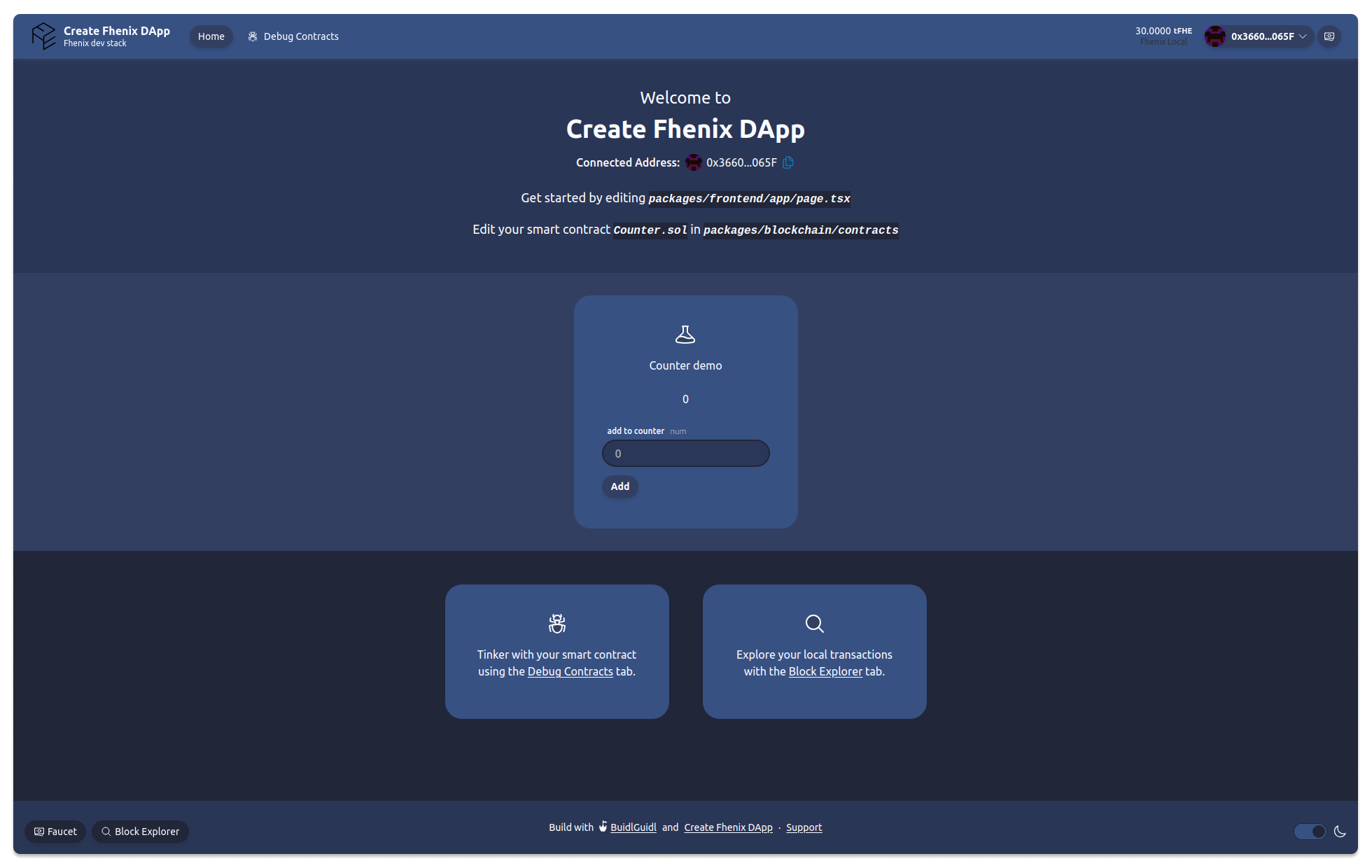
Visit your app on: `http://localhost:3000`. You can interact with your smart contract using the `Debug Contracts` page of the Counter demo on the frontpage.
You can tweak the app config in `packages/frontend/scaffold.config.ts`.
6. (optional) When you finish your work, stop the local Fhenix node to release resources:
```
pnpm chain:stop
```
## Development entry points
- Tweak the app config in `packages/frontend/scaffold.config.ts`.
- Edit the demo smart contract: `packages/backend/contracts/Counter.sol`
- Edit your frontend in `packages/frontend/app`
- Edit your deployment scripts: `packages/backend/deploy`
## Documentation
- Fhenix Website
- Fhenix Documentation
- Scaffold ETH Documentation
## Extend/develop this project
Check out [Wiki](https://github.com/kkomelin/create-fhenix-dapp/wiki)
## Credits
Many thanks to [Scaffold ETH](https://scaffoldeth.io/) developers for providing a solid foundation for this project.