https://github.com/kksoftwareag/laravel-model-generator
Laravel Components for code generation
https://github.com/kksoftwareag/laravel-model-generator
Last synced: 5 months ago
JSON representation
Laravel Components for code generation
- Host: GitHub
- URL: https://github.com/kksoftwareag/laravel-model-generator
- Owner: kksoftwareag
- License: mit
- Fork: true (reliese/laravel)
- Created: 2019-05-10T18:39:16.000Z (about 7 years ago)
- Default Branch: master
- Last Pushed: 2023-08-09T04:22:59.000Z (almost 3 years ago)
- Last Synced: 2025-07-22T23:53:00.782Z (11 months ago)
- Language: PHP
- Size: 169 KB
- Stars: 1
- Watchers: 1
- Forks: 1
- Open Issues: 1
-
Metadata Files:
- Readme: README.md
- Changelog: CHANGELOG.md
Awesome Lists containing this project
README
# Reliese Laravel
[](https://travis-ci.com/kksoftwareag/laravel-model-generator)
[](https://packagist.org/packages/kksoftwareag/laravel-model-generator)
[](https://packagist.org/packages/kksoftwareag/laravel-model-generator)
[](https://packagist.org/packages/kksoftwareag/laravel-model-generator)
[](https://packagist.org/packages/kksoftwareag/laravel-model-generator)
Reliese Laravel is a collection of Laravel Components which aim is
to help the development process of Laravel applications by
providing some convenient code-generation capabilities.
## How does it work?
This package expects that you are using Laravel 5.1 or above.
You will need to import the `reliese/laravel` package via composer:
```shell
composer require reliese/laravel
```
### Configuration
Add the service provider to your `config/app.php` file within the `providers` key:
```php
// ...
'providers' => [
/*
* Package Service Providers...
*/
Reliese\Coders\CodersServiceProvider::class,
],
// ...
```
### Configuration for local environment only
If you wish to enable generators only for your local environment, you should install it via composer using the --dev option like this:
```shell
composer require reliese/laravel --dev
```
Then you'll need to register the provider in `app/Providers/AppServiceProvider.php` file.
```php
public function register()
{
if ($this->app->environment() == 'local') {
$this->app->register(\Reliese\Coders\CodersServiceProvider::class);
}
}
```
## Models
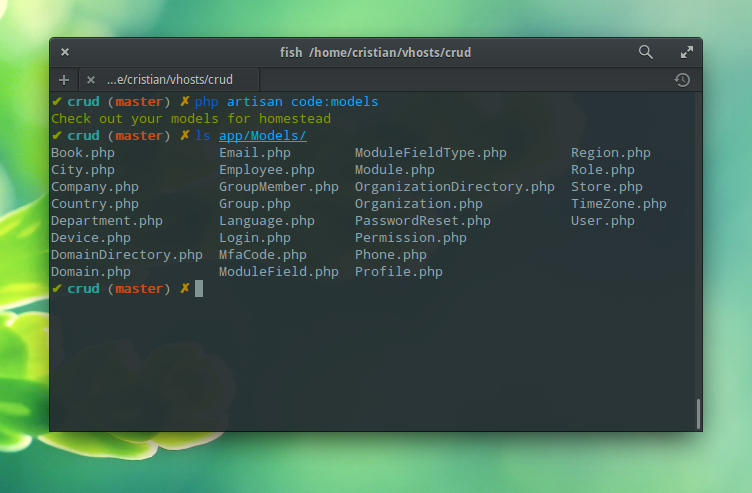
Add the `models.php` configuration file to your `config` directory and clear the config cache:
```shell
php artisan vendor:publish --tag=reliese-models
php artisan config:clear
```
### Usage
Assuming you have already configured your database, you are now all set to go.
- Let's scaffold some of your models from your default connection.
```shell
php artisan code:models
```
- You can scaffold a specific table like this:
```shell
php artisan code:models --table=users
```
- You can also specify the connection:
```shell
php artisan code:models --connection=mysql
```
- If you are using a MySQL database, you can specify which schema you want to scaffold:
```shell
php artisan code:models --schema=shop
```
### Customizing Model Scaffolding
To change the scaffolding behaviour you can make `config/models.php` configuration file
fit your database needs. [Check it out](https://github.com/reliese/laravel/blob/master/config/models.php) ;-)
### Tips
#### 1. Keeping model changes
You may want to generate your models as often as you change your database. In order
not to lose you own model changes, you should set `base_files` to `true` in your `config/models.php`.
When you enable this feature your models will inherit their base configurations from
base models. You should avoid adding code to your base models, since you
will lose all changes when they are generated again.
> Note: You will end up with two models for the same table and you may think it is a horrible idea
to have two classes for the same thing. However, it is up to you
to decide whether this approach gives value to your project :-)
#### Support
For the time being, this package only supports MySQL databases. Support for other databases will be added soon.