https://github.com/knhash/jekyllbear
An easy to use, minimal, text focused Jekyll theme
https://github.com/knhash/jekyllbear
bear bearblog blog dark-theme filter github-pages jekyll jekyll-theme light-theme minimal ruby-gem text theme
Last synced: 9 months ago
JSON representation
An easy to use, minimal, text focused Jekyll theme
- Host: GitHub
- URL: https://github.com/knhash/jekyllbear
- Owner: knhash
- License: mit
- Created: 2022-08-21T12:31:01.000Z (almost 4 years ago)
- Default Branch: master
- Last Pushed: 2025-07-18T13:56:52.000Z (12 months ago)
- Last Synced: 2025-10-07T21:42:11.635Z (9 months ago)
- Topics: bear, bearblog, blog, dark-theme, filter, github-pages, jekyll, jekyll-theme, light-theme, minimal, ruby-gem, text, theme
- Language: HTML
- Homepage: https://knhash.in/jekyllBear
- Size: 8.85 MB
- Stars: 135
- Watchers: 4
- Forks: 67
- Open Issues: 1
-
Metadata Files:
- Readme: README.md
- Funding: .github/FUNDING.yml
- License: LICENSE.txt
Awesome Lists containing this project
README
# jekyllBear
## An easy to use, minimal, text focused Jekyll theme
[Bear Blog](https://bearblog.dev/) is *"a blogging platform where words matter most"*.
This is a port of it's theme to Jekyll, with some tweaks. So you can use GitHub Pages to host your blog while getting the same awesome Bear Blog feels.
**Stop worrying about the style, focus on your writing.**
- Looks great on *any* device
- Tiny, optimized, and awesome pages, with [a 100 on PageSpeed Insights](https://pagespeed.web.dev/report?url=https%3A%2F%2Fknhash.in%2FjekyllBear%2F)
- No trackers, ads, or scripts, *did I mention minimal already?*
- Auto light and dark themes
- Tag support, to filter blog pages
- Quick, *15 minute* setup
- Gallery view for your images
- Code highlighting
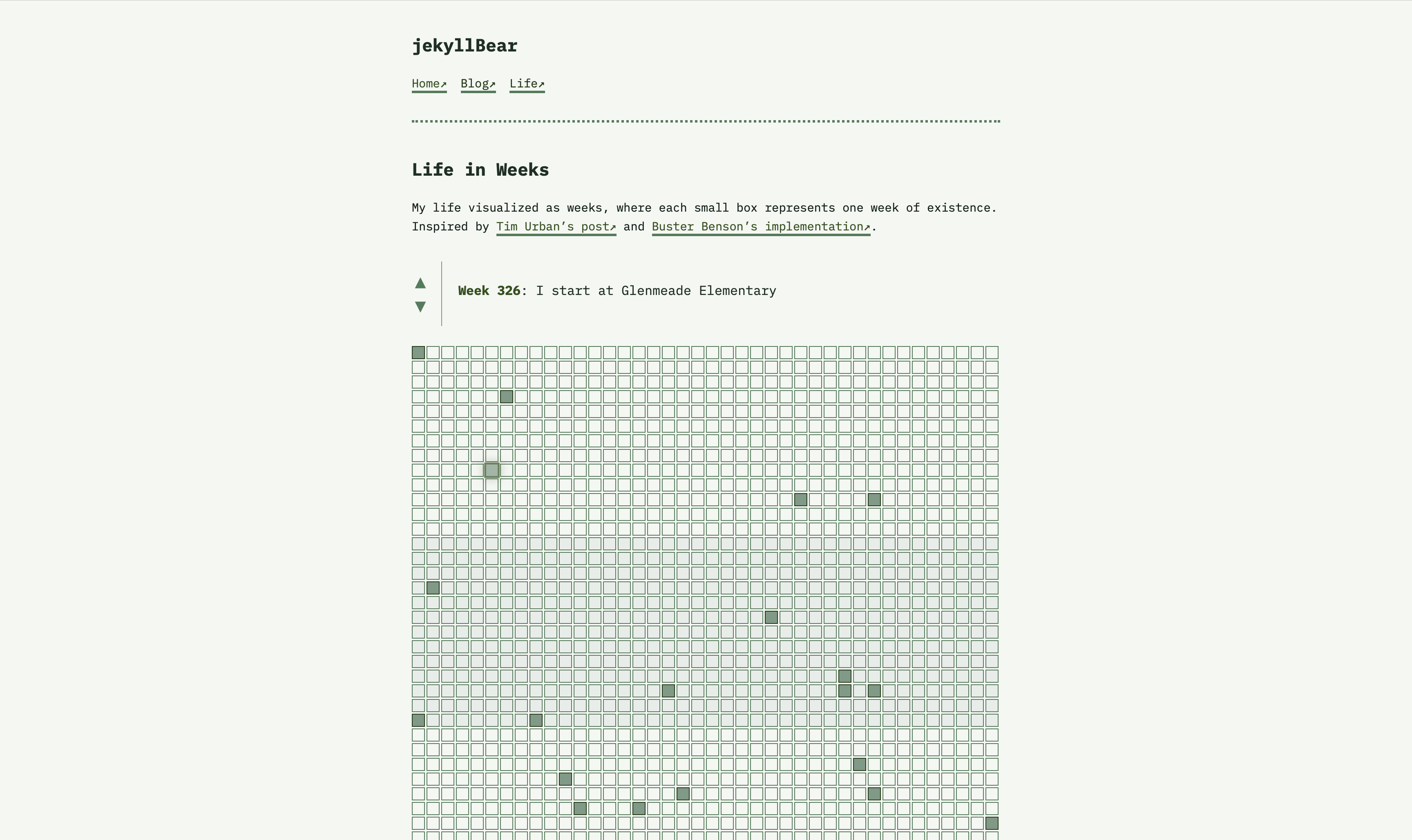
- **Life in Weeks visualization** - Interactive timeline of your life events
- **IBM Plex Mono typography** - Consistent monospace font across all elements
- **Pine Forest color palette** - Cool, nature-inspired greens with automatic dark mode
## Screenshots
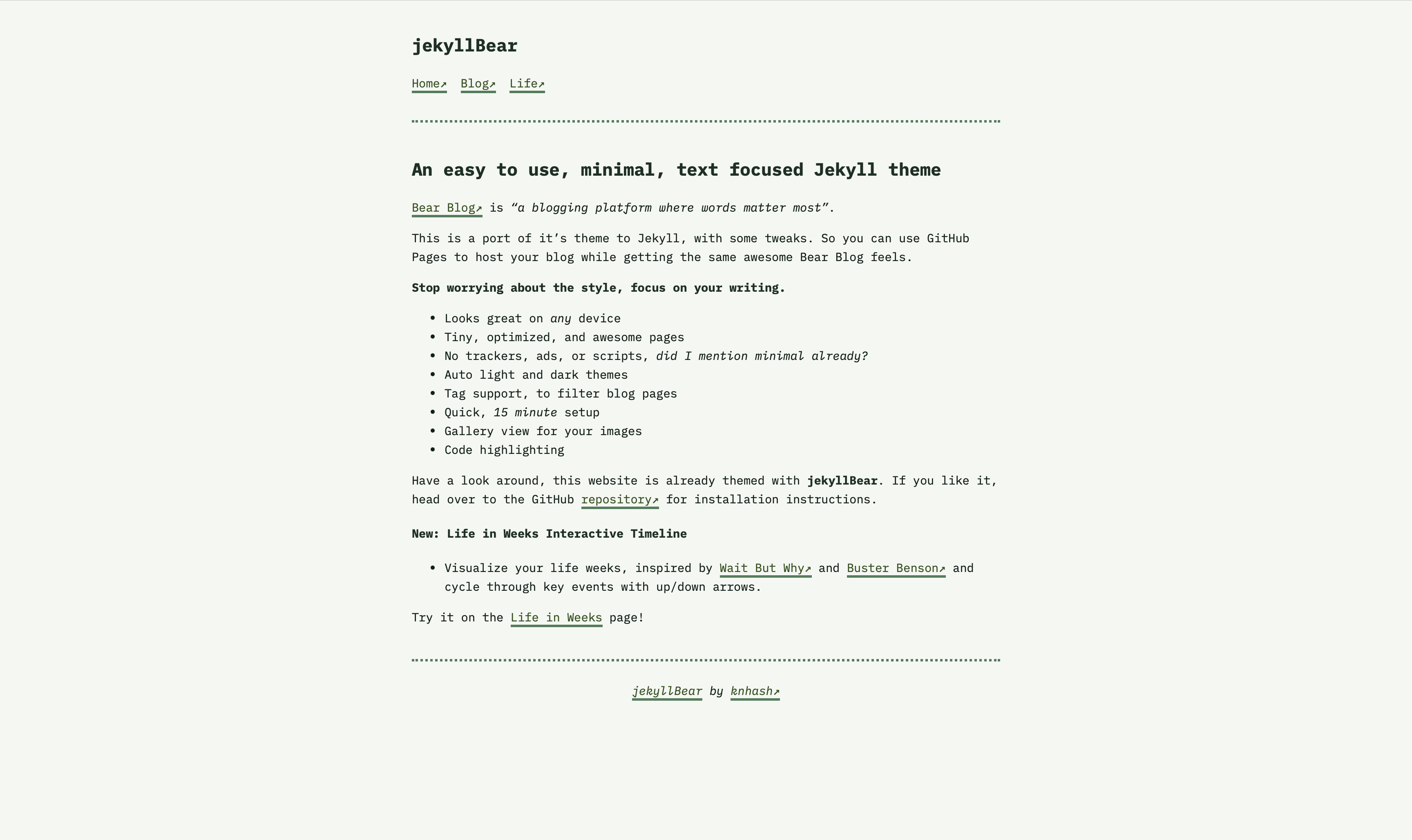
### Home
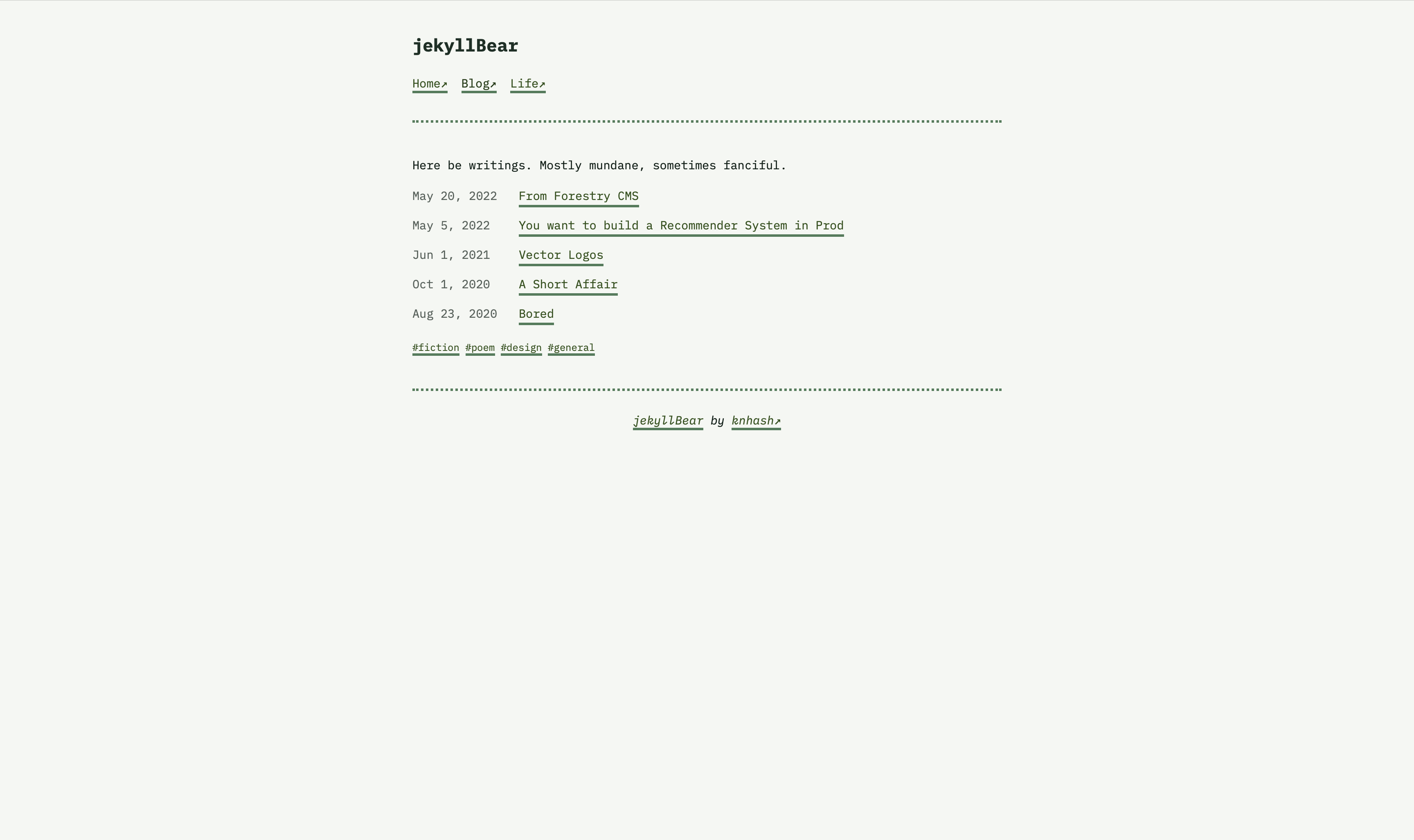
### Blog
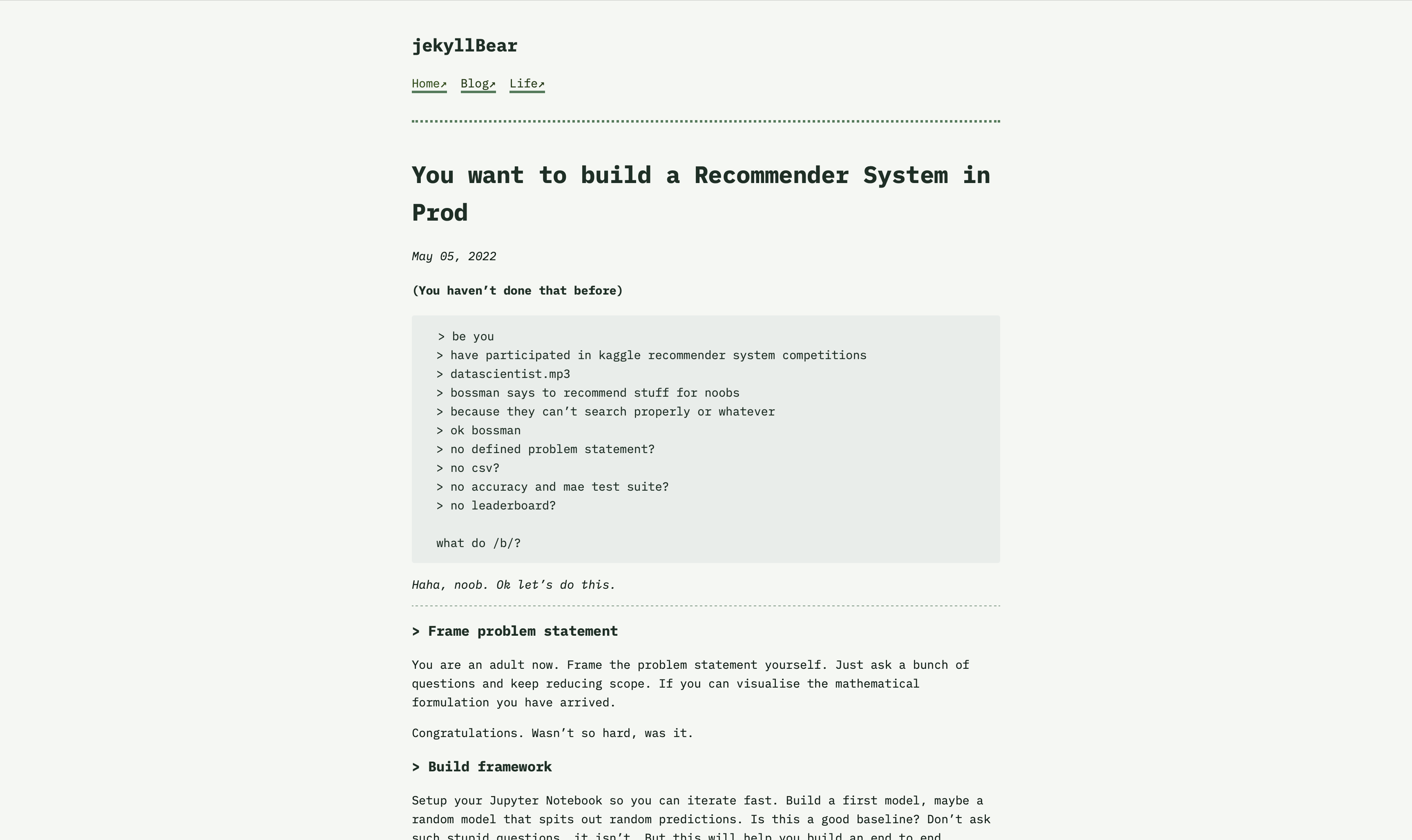
### Long Form
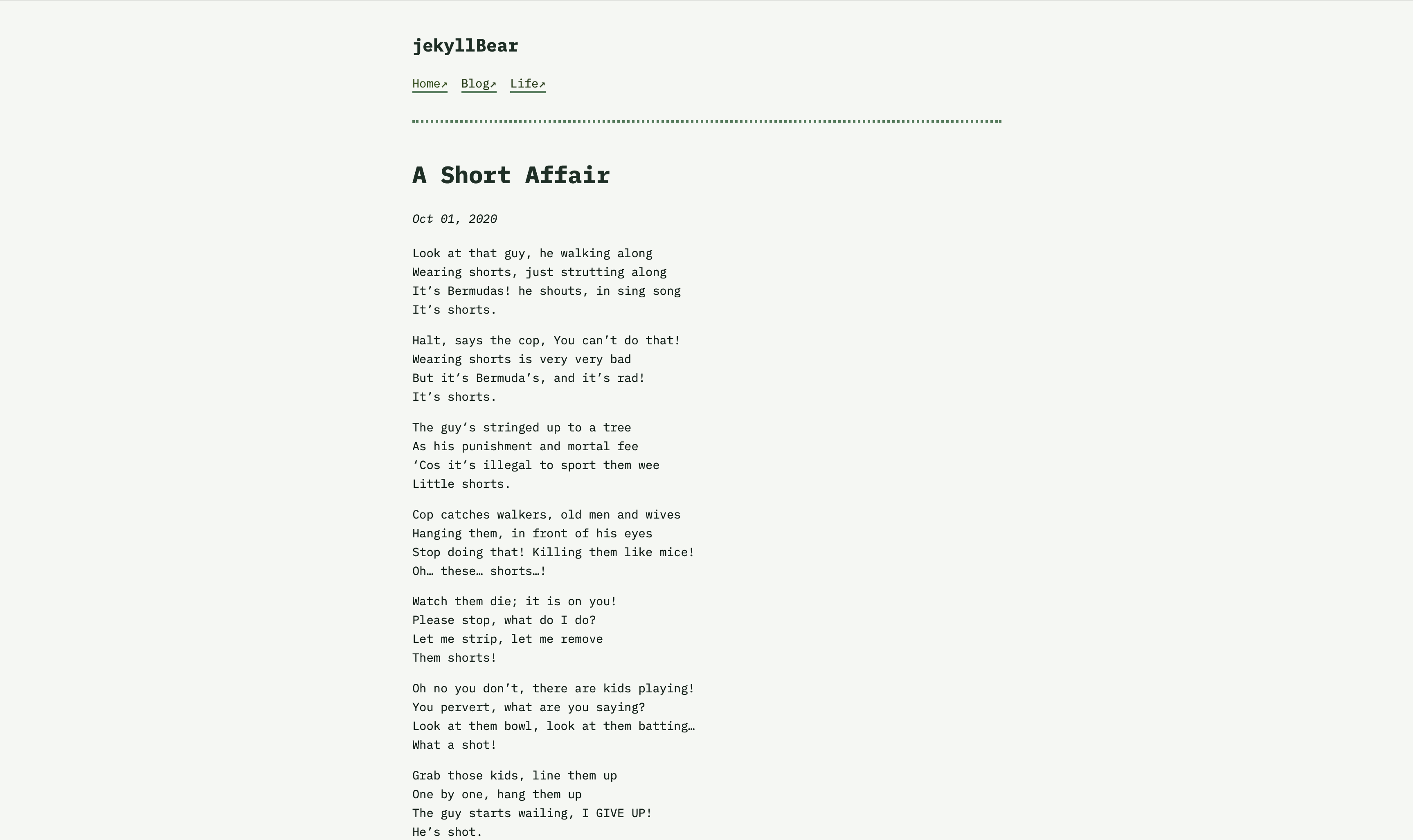
### Poetry
### Life
## Installation
Add this line to your Jekyll site's `Gemfile`:
```ruby
gem "jekyll-bear-theme"
```
And add this line to your Jekyll site's `_config.yml`:
```yaml
theme: jekyll-bear-theme
```
And then execute:
$ bundle
Or install it yourself as:
$ gem install jekyll-bear-theme
### Design Philosophy
jekyllBear now features a **monospace-first design** with IBM Plex Mono typography, creating a technical yet natural aesthetic. The pine forest color palette provides visual tranquility while maintaining excellent readability across light and dark modes, evoking the calm and focus of a peaceful woodland environment.
### Customization
The theme's CSS is now highly modular and customizable:
- **Typography**: Modify `--font-main`, `--font-secondary`, and `--font-monospace` variables
- **Spacing**: Use the standardized spacing scale for consistent layouts
- **Colors**: All theme colors are centralized in CSS custom properties for easy customization
- **Pine Forest Palette**: Cool greens ranging from light pine mist to deep forest shadows
- **Glow Effects**: Configurable glow colors via `--glow-color-light` and `--glow-color-medium`
- **Layout**: Responsive design with mobile-first approach
## Usage
### Basic Setup
Create a new repository for your website (if necessary)
```jekyll
jekyll new my_website
```
Copy over the following content from this repository, to serve as a base setup
```
/posts -> Where you will write your posts
/_my_tags -> Where you will define your tags, if you need to add anything new
blog.md -> Homepage for your blog
index.md -> Website homepage
life.md -> Life in weeks visualization page (optional)
404.html -> When a page is not available
```
You will need to update `_config.yml`. Copy over the lines after
```
#########################
# more settings
```
in the `_config.yml` present in this repository to your website repository `_config.yml`.
Any new links you want to add to the navbar goes here, towards the end.
This also defines the bits about tags and filtering.
### Life in Weeks Feature
To use the new Life in Weeks visualization:
1. **Create your life data**: Copy `_data/life-in-weeks.yml` and customize it with your own life events
2. **Add the life page**: Copy `life.md` and update the `start_date` and `end_year` parameters
3. **Configure navigation**: The "Life" link will automatically appear in your navigation
#### Life Data Format
Events in `_data/life-in-weeks.yml` follow this structure:
```yaml
'YYYY-MM-DD':
- name: "Event name"
desc: "Optional description shown in tooltip"
category: "category_name"
link: "https://optional-link.com"
tags: ["tag1", "tag2"]
```
### Blog Post Types
There should be 3 kinds of blog posts in the posts folder, an example of each type you can use:
- long-form reading
- poetry
- gallery view
Use them as templates for your front matter.
>To test your theme, run `bundle exec jekyll serve` and open your browser at `http://localhost:4000`.
See `life.md`, `_layouts/life-in-weeks.html`, and `assets/life-carousel.js` for implementation details.
## Contributing
Bug reports and pull requests are welcome on GitHub at https://github.com/knhash/jekyllBear. This project is intended to be a safe, welcoming space for collaboration, and contributors are expected to adhere to the [Contributor Covenant](http://contributor-covenant.org) code of conduct.
## Development
To set up your environment to develop this theme, run `bundle install`.
Your theme is setup just like a normal Jekyll site! To test your theme, run `bundle exec jekyll serve` and open your browser at `http://localhost:4000`. This starts a Jekyll server using your theme. Add pages, documents, data, etc. like normal to test your theme's contents. As you make modifications to your theme and to your content, your site will regenerate and you should see the changes in the browser after a refresh, just like normal.
When your theme is released, only the files in `_layouts`, `_includes`, `_sass` and `assets` tracked with Git will be bundled.
To add a custom directory to your theme-gem, please edit the regexp in `jekyllBear.gemspec` accordingly.
## License
The theme is available as open source under the terms of the [MIT License](https://opensource.org/licenses/MIT).