https://github.com/koala-interactive/react-anchor-navigation
React lightweight library for anchor scrolling and navigation tied to URL hash
https://github.com/koala-interactive/react-anchor-navigation
Last synced: 11 months ago
JSON representation
React lightweight library for anchor scrolling and navigation tied to URL hash
- Host: GitHub
- URL: https://github.com/koala-interactive/react-anchor-navigation
- Owner: koala-interactive
- License: mit
- Created: 2020-01-27T15:46:58.000Z (over 6 years ago)
- Default Branch: master
- Last Pushed: 2023-06-02T10:59:12.000Z (about 3 years ago)
- Last Synced: 2024-11-29T23:35:09.061Z (over 1 year ago)
- Language: TypeScript
- Size: 82 KB
- Stars: 11
- Watchers: 12
- Forks: 2
- Open Issues: 1
-
Metadata Files:
- Readme: README.md
- License: LICENSE.md
Awesome Lists containing this project
README

# react-anchor-navigation

[](https://www.cypress.io/)


## Description
This library exports multiple helpers designed to make your anchor navigation works seamlessly. Check the [examples](./examples/custom-section.html)
## 📖 table of content
- [Installation](#🚀-installation)
- [How to use](#🖥️-how-to-use)
- [How to test](#⏳-how-to-test)
- [How to contribute](#🤝-how-to-contribute)
- [List of our other package](#📦-list-of-our-other-package)
- [Join us](#⛵-join-us)
- [License](#license)
## 🚀 Installation
This project uses react hooks and is therefore reliant on react version >=16.8.6
To install and use react-anchor-navigation, add it to your package.json and modules with the following command line :
```ts
npm install --save react-anchor-navigation
```
OR
```ts
yarn add react-anchor-navigation
```
## 🖥️ How to use
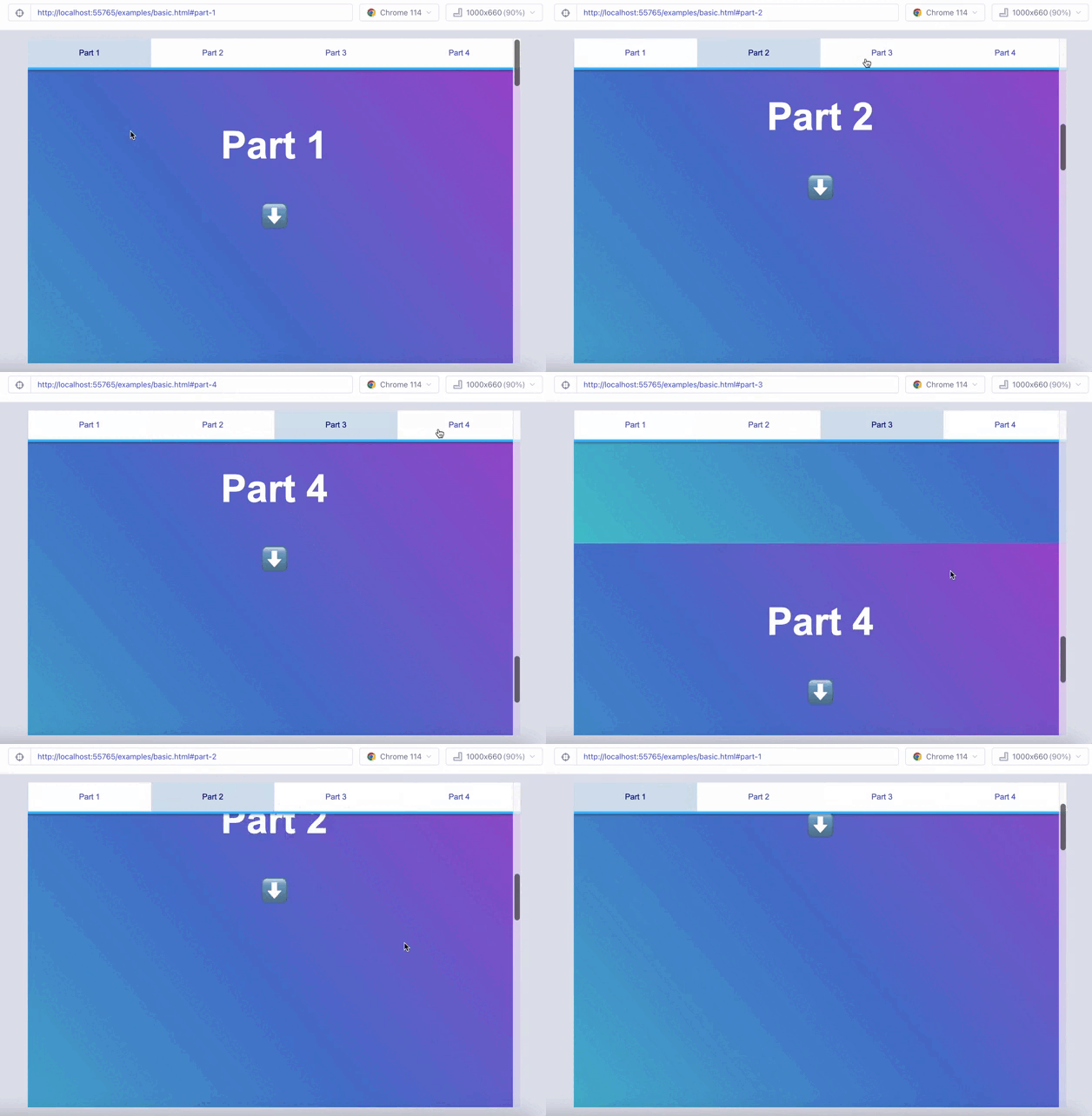
```tsx
import {
AnchorContext,
AnchorLink,
AnchorProvider,
AnchorSection,
} from "react-anchor-navigation";
```
#### AnchorProvider
AnchorProvider is our top level contextProvider. Wrap it around your topmost component for your view :
```tsx
```
| Key | Type | Description |
| ----------- | :-----------------: | ---------------------------------------------------------------------------------------------------------------: |
| offset | `number` | The offset amount of pixels from the top, usefull when handling fixed header or sticky navigation (default: `0`) |
| getScroller | `() => HTMLElement` | Function to returns the scrollable element (default: `body`) |
It will provide the AnchorContext to all children.
#### AnchorContext
AnchorContext is the context you can yield with the new `useContext` hook or with old-fashioned Context.consumer.
```ts
const { hash, sections } = useContext(AnchorContext);
```
Here is its typing :
| Key | Type | Description |
| ----------------- | :---------------------------------------------: | -------------------------------------------------------------------------------------------------------------------------------: |
| sections | `HTMLElement[]` | List of the registered sections elements that we watch, in our codebase it is AnchorSection |
| hash | `string` | The registered hash corresponding to our current scroll position |
| registerSection | `(element: HTMLElement) => void` | Function to add a Section to our sections list, our scrollEvent listener will then update the hash if the section is scrolled to |
| unregisterSection | `(element: HTMLElement) => void` | Function to remove a Section to our sections list, our scrollEvent listener will then stop checking this section |
| setHash | `(hash: string, withScroll?: boolean) => void;` | Setter function from the internal useHash hooks, use it to programmatically change the current hash |
| offset | `number` | The offset amount of pixels from the top, usefull when handling fixed header or sticky navigation (default: `0`) |
#### AnchorSection
AnchorSection is our most used components, it defines the scroll position you will arrive to on navigation/reloading
```ts
```
Its props are the usual HTMLElement's props (`className, data-*`), along with an id used for recognizing the update the current hash on scroll.
```ts
interface TProps extends React.HTMLAttributes {
id: string;
}
```
Internally it creates a `` tag to which we scroll to on reload and detect if we scrolled past it.
```tsx
<>
{...children}
>
```
#### AnchorLink
AnchorLink is a component made to have an activeClassname if its `href` is the current hash
```ts
interface TProps extends React.AnchorHTMLAttributes {
children: React.ReactNode[] | React.ReactNode;
activeClassName?: string;
}
```
```tsx
```
## ⏳ How to test
react-anchor-navigation can be tested with the end-to-end testing library Cypress.
To run the tests, run `yarn cypress` and select the test specs to run in the Cypress window.
Learn more about writing your own Cypress tests with the [Cypress documentation](https://docs.cypress.io/guides/getting-started/writing-your-first-test.html#Add-a-test-file).
## 🤝 How to contribute
- fork the project
- install dependencies (yarn)
- create a branch from main/master like that
$ contribution/fix/your-github-identity
OR
$ contribution/improvment/your-github-identity
- push several (if needed) clear commits
- add tests following the way of the other ones have been wrote
- make sure that all test runs
- push your code
## 📦 List of our other package
- [is-emoji-supported](https://www.npmjs.com/package/is-emoji-supported#fallback-to-images)
- [frenchkiss](https://www.npmjs.com/package/frenchkiss)
- [wowza-webrtc-player](https://www.npmjs.com/package/wowza-webrtc-player)
- [react-rich-mentions](https://www.npmjs.com/package/react-rich-mentions)
- [react-anchor-navigation](https://www.npmjs.com/package/react-anchor-navigation)
## ⛵ Join us
May you want to share more than a pull request
check our [jobs opportunity](https://www.linkedin.com/company/koala-interactive/jobs/)
## License
Copyright (c) 2023 [Koala-Interactive](https://koala-interactive.com/)
This project is [MIT](LICENSE.md) licensed.