https://github.com/kokushin/node-twatch
Monitor specific tweets and post to Slack.
https://github.com/kokushin/node-twatch
nodejs slack slack-api slack-bot twitter twitter-api twitter-bot
Last synced: about 1 year ago
JSON representation
Monitor specific tweets and post to Slack.
- Host: GitHub
- URL: https://github.com/kokushin/node-twatch
- Owner: kokushin
- License: mit
- Created: 2017-08-29T02:22:08.000Z (almost 9 years ago)
- Default Branch: master
- Last Pushed: 2017-09-03T05:29:11.000Z (almost 9 years ago)
- Last Synced: 2025-04-09T18:01:29.164Z (about 1 year ago)
- Topics: nodejs, slack, slack-api, slack-bot, twitter, twitter-api, twitter-bot
- Language: JavaScript
- Homepage: https://www.npmjs.com/package/node-twatch
- Size: 534 KB
- Stars: 3
- Watchers: 3
- Forks: 3
- Open Issues: 0
-
Metadata Files:
- Readme: README.md
- License: LICENSE
Awesome Lists containing this project
README
# node-twatch
> Monitor specific tweets and post to Slack.
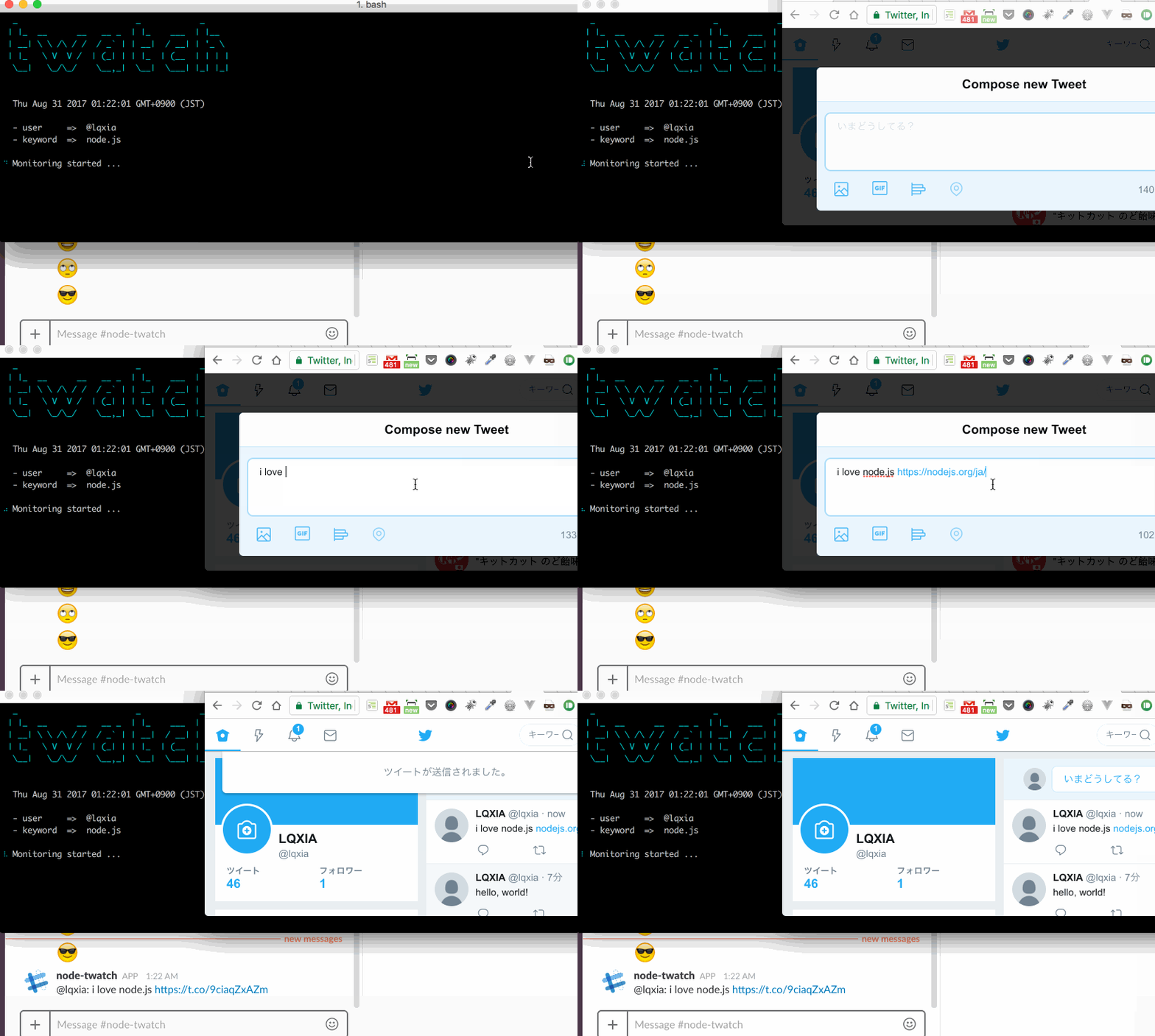
## Install
> npm (global)
```shell
$ npm install node-twatch -g
```
> clone
```shell
$ git clone git@github.com:kokushin/node-twatch.git
$ cd node-twatch
$ npm install
```
> download [here](https://github.com/kokushin/node-twatch/archive/master.zip)
```shell
$ unzip node-twatch-master.zip
$ cd node-twatch-master
$ npm install
```
## Usage
Open `config.json` in a text editor and enter the Twitter API key and Slack's API key.
> 💡 When `npm install node-twatch -g` is executed, config.json exists in `/usr/local/lib/node_modules/node-twatch`.
- How to get Twitter API key [here](https://apps.twitter.com/)
- How to get Slack API key [here](https://api.slack.com/apps?new_app=1)
```json
{
"twitter": {
"consumer_key": "YOUR_CONSUMER_KEY",
"consumer_secret": "YOUR_CONSUMER_SECRET",
"access_token_key": "YOUR_ACCESS_TOKEN_KEY",
"access_token_secret": "YOUR_ACCESS_TOKEN_SECRET"
},
"slack": {
"token": "YOUR_ACCESS_TOKEN_KEY",
"channel": "YOUR_CHANNEL_NAME"
}
}
```
When you enter the following command, Twatch starts monitoring.
> 💡 Twitter users to monitor must "follow".
> npm (global)
```shell
$ twatch
```
> clone & download
```shell
$ npm run twatch
```
Press Ctrl + C to stop monitoring.
## Options
There is an option to specify the Twitter ID to be monitored and the keyword contained within tweet respectively.
### -u, -user
You can specify the ID of the Twitter user to monitor. It is possible to specify more than one with ",".
> npm (global)
```shell
$ twatch -u user_id1,user_id2
```
> clone & download
```shell
$ npm run twatch -- --u user_id1,user_id2
```
### -k, -keyword
You can specify keywords to be included in the tweets to be monitored. Uppercase and lowercase letters are not distinguished. It is possible to specify more than one with ",".
> npm (global)
```shell
$ twatch -k keyword1,keyword2
```
> clone & download
```shell
$ npm run twatch -- --k keyword1,keyword2
```
### -l, -link
Available from `v1.1.0`
When this option is specified, only tweets containing links are monitored.
> npm (global)
```shell
$ twatch -l
```
> clone & download
```shell
$ npm run twatch -- --l
```
### combine
These options can be used in combination.
> npm (global)
```shell
$ twatch -u user_id1,user_id2 -k keyword1,keyword2 -l
```
> clone & download
```shell
$ npm run twatch -- --u user_id1,user_id2 --k keyword1,keyword2 --l
```
> 💡 If you do not specify an option, we will monitor all followers and tweets.
## Trouble shooting
> Error: Status Code: 401
The API key is not set correctly. You need to check and edit `config.json`.
> Error: Status Code: 420
Since the requests are concentrated, please wait for a while before running.
## Contributor
[@kokushin](https://github.com/kokushin)
## License
Code and documentation copyright 2017 by kokushin. Code released under the [MIT License](https://github.com/kokushin/node-twatch/blob/master/LICENSE).