https://github.com/krampus-nuggets/panopticon
Integrate local LLMs into your codebase. Save on tokens/cost + Always up-to-date documentation.
https://github.com/krampus-nuggets/panopticon
continue lancedb llm mcp mcp-server python
Last synced: about 1 month ago
JSON representation
Integrate local LLMs into your codebase. Save on tokens/cost + Always up-to-date documentation.
- Host: GitHub
- URL: https://github.com/krampus-nuggets/panopticon
- Owner: krampus-nuggets
- Created: 2026-03-07T20:49:04.000Z (4 months ago)
- Default Branch: master
- Last Pushed: 2026-04-22T03:15:11.000Z (3 months ago)
- Last Synced: 2026-04-22T05:22:00.520Z (3 months ago)
- Topics: continue, lancedb, llm, mcp, mcp-server, python
- Language: Python
- Homepage:
- Size: 50.8 KB
- Stars: 0
- Watchers: 0
- Forks: 0
- Open Issues: 0
-
Metadata Files:
- Readme: README.md
Awesome Lists containing this project
README
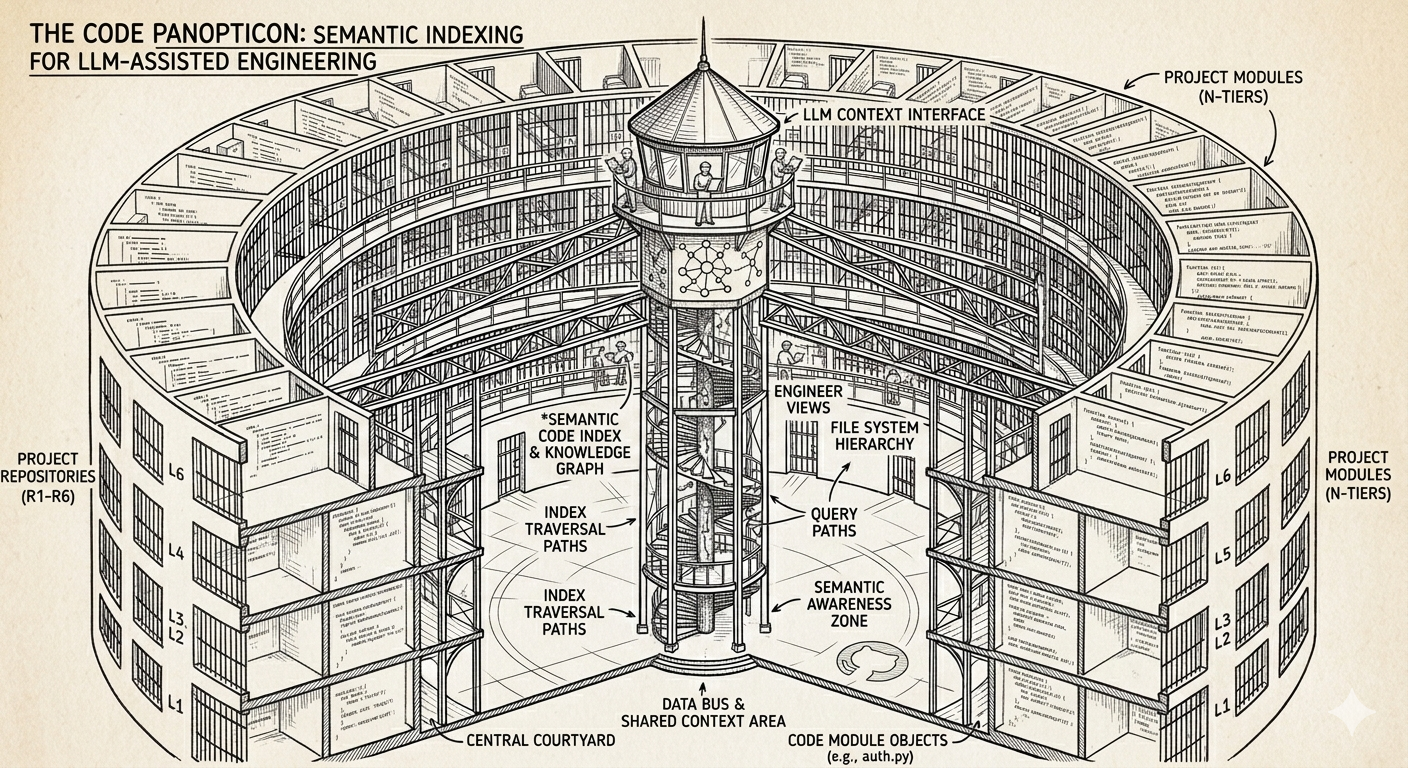
# PANOPTICON
```🚧 This project is in its early stages and is currently under active development 🚧```
This project is a modular bricolage, purposefully integrating existing tools to expose a local codebase to a suite of language models. The strategy prioritizes cost efficiency by handling routine queries locally, reserving cloud-based models like Claude for high-complexity tasks. A significant advantage is the resulting 'always-live' documentation, which remains synchronized and queriable as the code evolves.
## 1. Tools Utilized
* [UV](https://docs.astral.sh/uv)
* [Ollama](https://ollama.com)
* [Python](https://www.python.org)
* [LanceDB](https://docs.lancedb.com)
* [Continue Extension](https://www.continue.dev)
* [Nomic Embed Text](https://ollama.com/library/nomic-embed-text:latest) (Any viable embeddings model)
* [DeepSeek Coder V2 Lite](https://ollama.com/library/deepseek-coder-v2:lite) (Any viable language model/s)
* [Visual Studio Code](https://code.visualstudio.com) / [Cursor](https://cursor.com/home) (Any branch of VSC should work)
## 2. Getting Started
```👨🏾🔧 It is assumed that you already have UV, Python, Ollama, VS Code IDE (or equivalent) & Continue Extension installed. If not, please install them before proceeding. 👩🏾🔧```
**2.1 Install the dependencies -** ```uv sync```
**2.2 Pull required models:**
* *Ensure ollama is running*
* ```ollama pull deepseek-coder-v2:lite```
* ```ollama pull nomic-embed-text```
**2.3 Replace the placeholder - ```"your/path/to/main.py"``` - with your PATH in the Continue MCP-Server config file here - ```.continue\mcpServers\pano.yaml```**
**2.4 Ensure that your Continue local-config contents match the - ```continue_local_example.yaml``` - config**
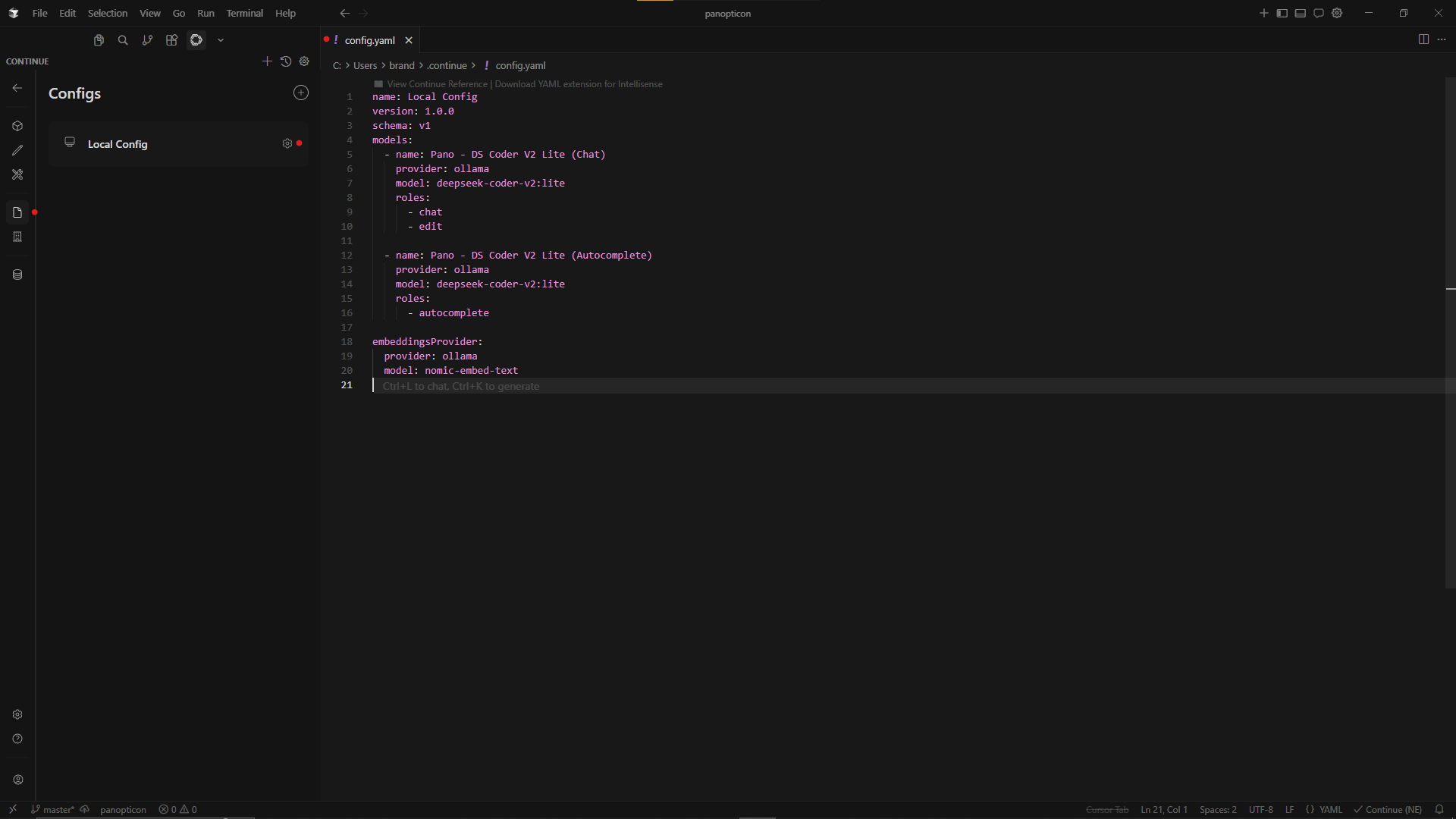
Example - Cursor IDE
**2.5 Index the codebase -** ```uv run main.py index```
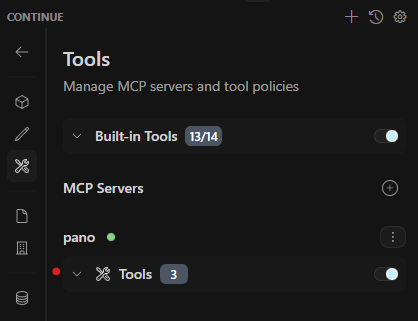
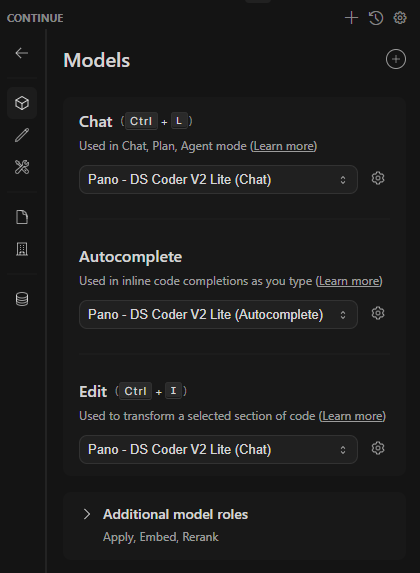
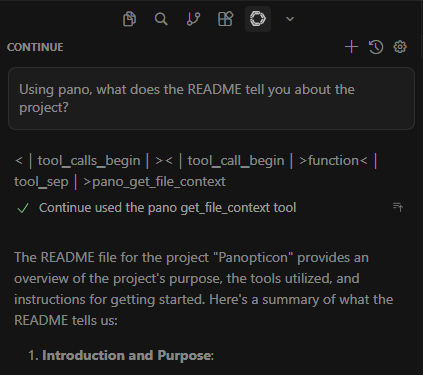
**2.6 You should now be able to see your MCP Server and Query your codebase:** (see below)
2.6.a MCP Connection
2.6.b Ollama Models
2.6.c Successful Query to Codebase
## 3. In-Progress Features
🟧 Switch to a file-change based indexing strategy
🟧 Improve usability to allow drop-in setup for any project
🟧 Evaluate other models for performance & usability *(for example - `qwen3-embedding:0.6b` with `qwen3.5:9b`)*