https://github.com/kratugautam99/logiclink-project
LogicLink is a conversational AI chatbot developed by Kratu Gautam (AIML Engineer). Powered by the TinyLlama-1.1B-Chat-v1.0 model, it provides an interactive interface for engaging conversations, query resolution, and task assistance. Version 5 features streaming responses, conversation management, and a sleek GUI.
https://github.com/kratugautam99/logiclink-project
antd-design chatbot-application conversational-ai cuda gradio graphical-user-interface huggingface-spaces huggingface-transformers jupyter-notebooks keras large-language-models mlops model-service-controller modelscope-studio natural-language-generation natural-language-processing pytorch reasoning-agent tensorflow
Last synced: 3 months ago
JSON representation
LogicLink is a conversational AI chatbot developed by Kratu Gautam (AIML Engineer). Powered by the TinyLlama-1.1B-Chat-v1.0 model, it provides an interactive interface for engaging conversations, query resolution, and task assistance. Version 5 features streaming responses, conversation management, and a sleek GUI.
- Host: GitHub
- URL: https://github.com/kratugautam99/logiclink-project
- Owner: Kratugautam99
- Created: 2025-05-02T18:10:12.000Z (about 1 year ago)
- Default Branch: main
- Last Pushed: 2025-06-27T01:19:17.000Z (about 1 year ago)
- Last Synced: 2025-06-27T02:21:10.065Z (about 1 year ago)
- Topics: antd-design, chatbot-application, conversational-ai, cuda, gradio, graphical-user-interface, huggingface-spaces, huggingface-transformers, jupyter-notebooks, keras, large-language-models, mlops, model-service-controller, modelscope-studio, natural-language-generation, natural-language-processing, pytorch, reasoning-agent, tensorflow
- Language: Jupyter Notebook
- Homepage: https://huggingface.co/spaces/KraTUZen/LogicLink-Project-Space
- Size: 37.9 MB
- Stars: 0
- Watchers: 1
- Forks: 0
- Open Issues: 0
-
Metadata Files:
- Readme: README.md
Awesome Lists containing this project
README
# 💬 LogicLink: Version 5
**LogicLink** is a conversational AI chatbot developed by **Kratu Gautam** (AIML Engineer). Powered by the **TinyLlama-1.1B-Chat-v1.0** model, it provides an interactive interface for engaging conversations, query resolution, and task assistance. Version 5 features streaming responses, conversation management, and a sleek GUI.
---
## 🔍 Topic Index
- [✨ Key Features](#-key-features)
- [📸 GUI Display](#-gui-display)
- [🛠️ Installation](#-installation)
- [Prerequisites](#prerequisites)
- [Setup](#setup)
- [Directory Structure](#directory-structure)
- [💬 Usage](#-usage)
- [⚙️ Technical Architecture](#-technical-architecture)
- [Model Configuration](#model-configuration)
- [Key Components](#key-components)
- [🧪 Troubleshooting Guide](#-troubleshooting-guide)
- [🚀 Future Roadmap](#-future-roadmap)
- [📜 License](#-license)
---
## ✨ Key Features
| Feature | Description | Benefit |
|---------|-------------|---------|
| **🤖 Conversational AI** | TinyLlama-1.1B-Chat-v1.0 powered responses | Natural, engaging dialogue |
| **⚡ Streaming Responses** | Real-time token generation with `TextIteratorStreamer` | Smooth user experience |
| **🎨 Customizable GUI** | Red/blue/black theme with Gradio & ModelScope Studio | Professional interface |
| **🗂️ Conversation Management** | New chat, clear history, delete conversations | Full control over interactions |
| **⏱️ Single Time Stamp** | Regex-cleaned response timing `*(4.50s)*` | Consistent performance metrics |
| **🚀 CUDA Support** | Automatic GPU detection with CPU fallback | Optimized performance |
| **🛡️ Error Handling** | Graceful failure for memory/input issues | Robust user experience |
---
## 📸 GUI Display
---
### 💬 Full-Fledged Conversation
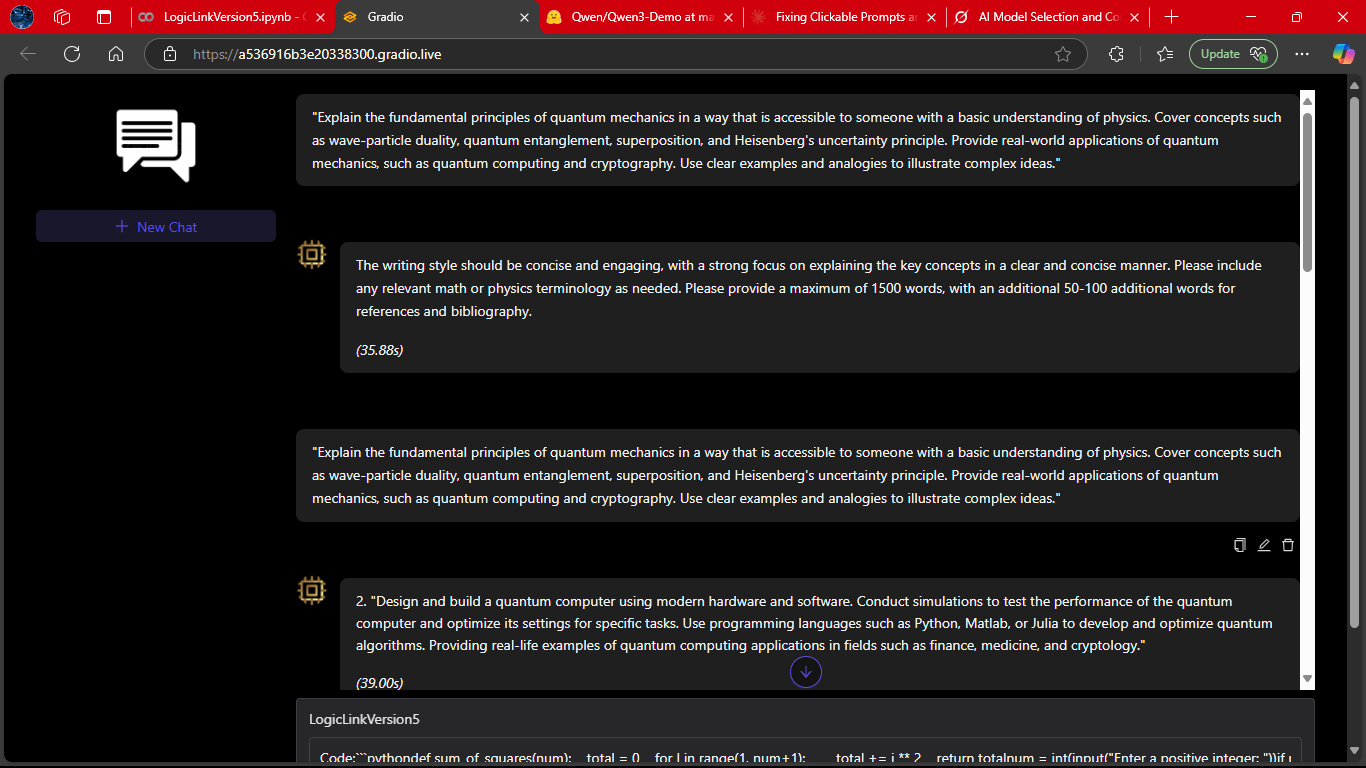
LogicLink engaging in a complete dialogue, handling multiple turns seamlessly.
This demonstrates its ability to maintain context, respond naturally, and adapt to user intent across an extended session.
---
### 🧑💻 Coding Response (Part 1)
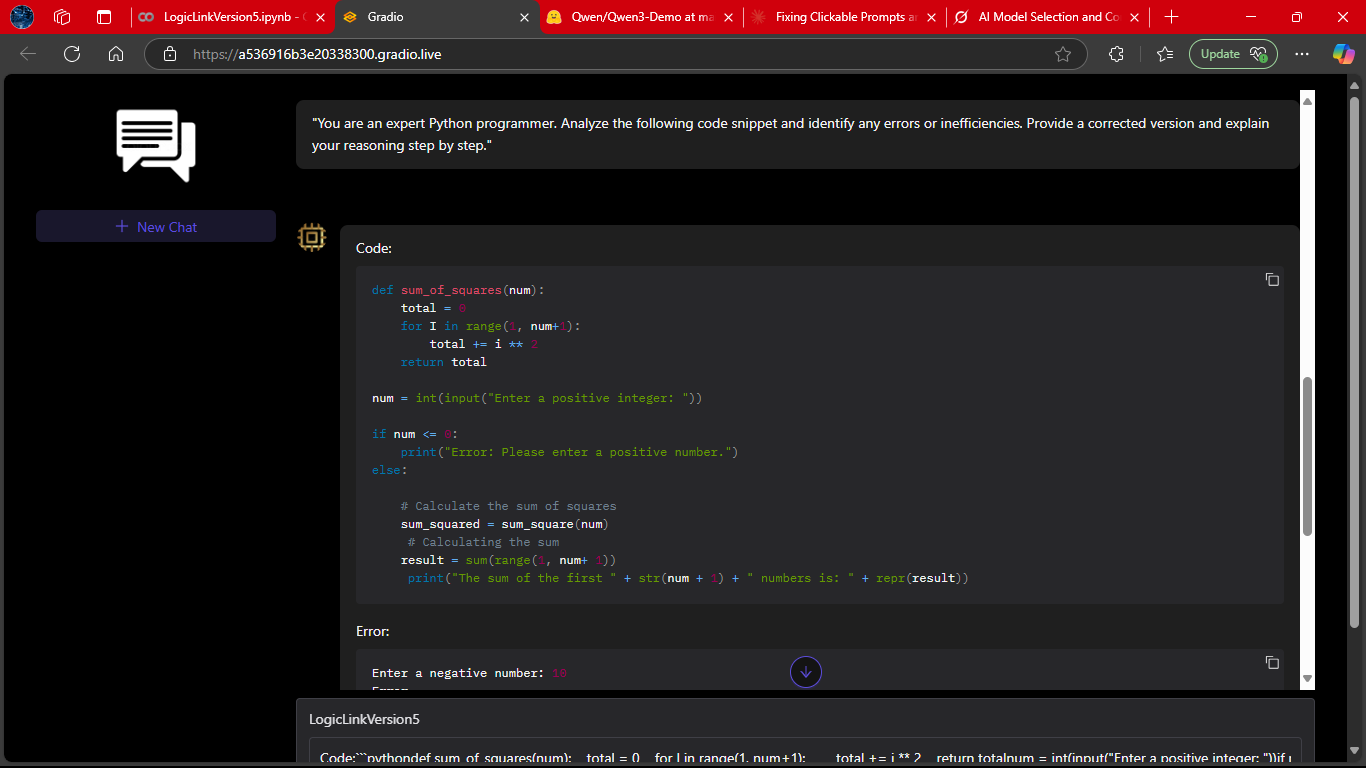
LogicLink generating a structured coding solution.
Notice how it explains the reasoning step-by-step, making the output not just correct but also **educational**.
---
### 🧑💻 Coding Response (Part 2)
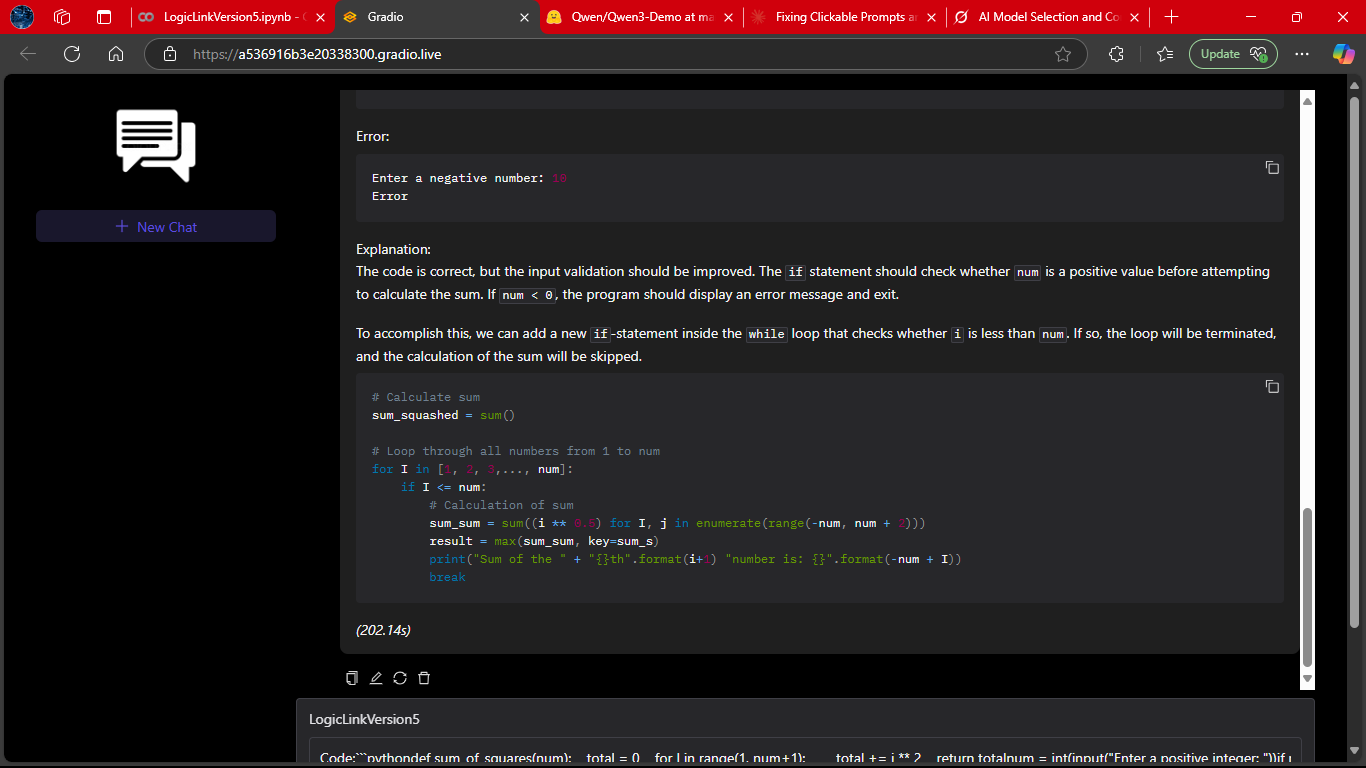
A continuation of the coding workflow, where LogicLink refines and expands on its earlier solution.
This shows its iterative reasoning ability — improving code quality when prompted.
---
### 🔑 Core Response
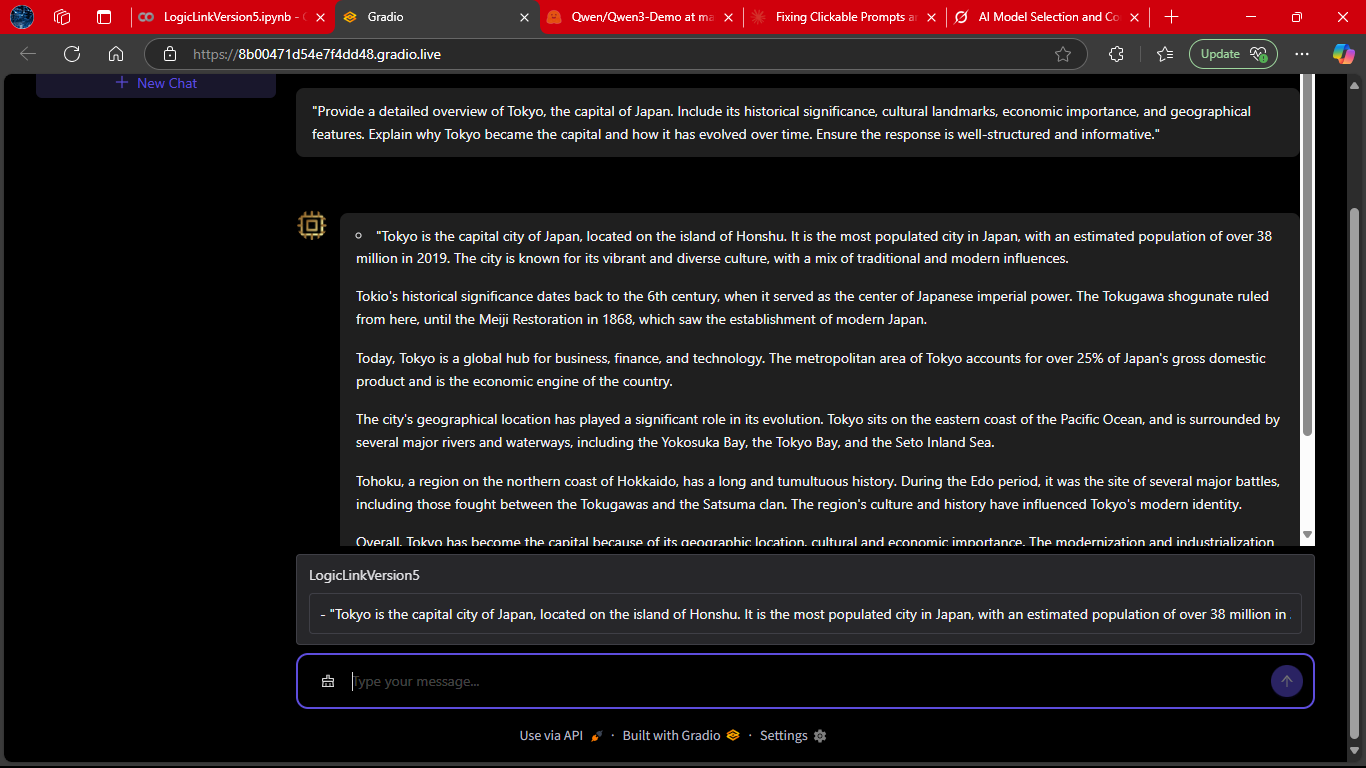
A snapshot of LogicLink delivering a **core logical explanation**.
This highlights its strength in breaking down abstract queries into clear, actionable insights.
---
### ⚡ While Processing
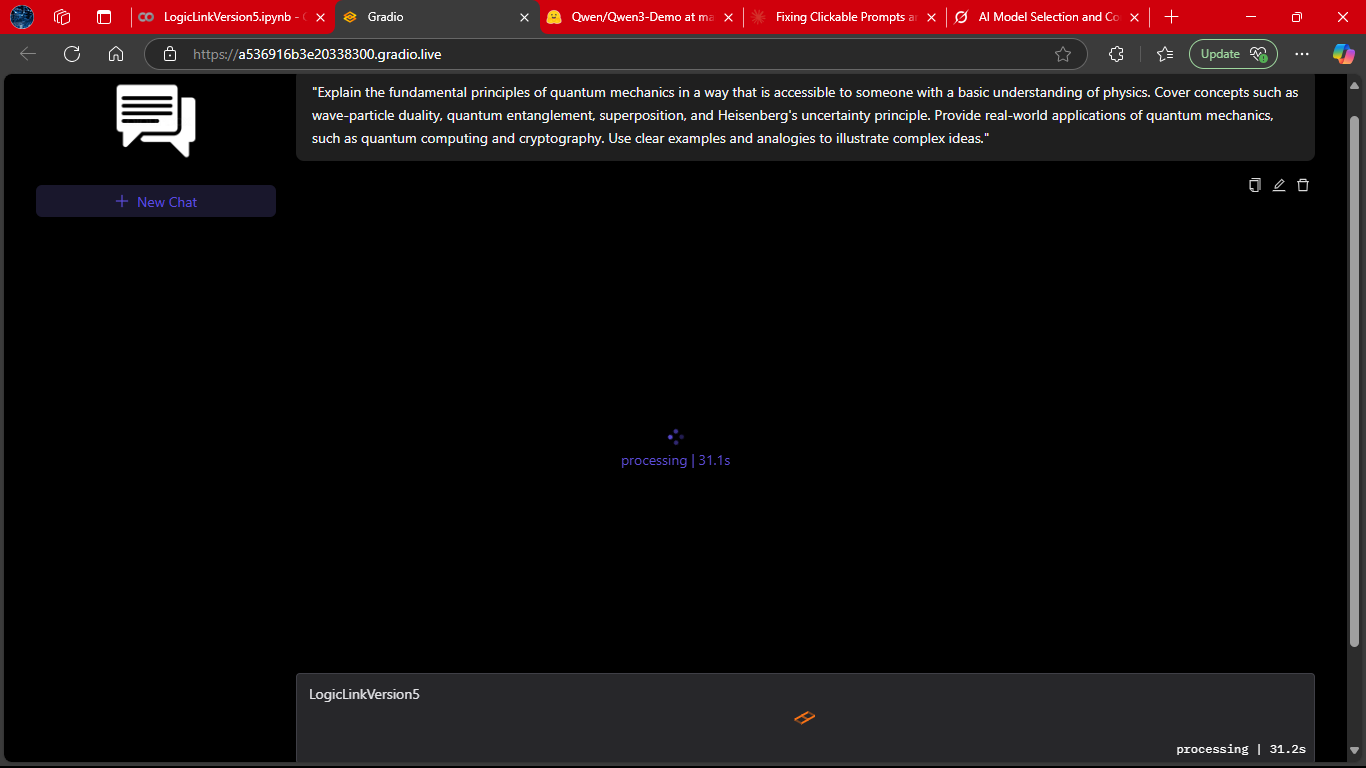
The system mid‑inference, showing its **real-time feedback loop**.
This reassures users that LogicLink is actively working on their request.
---
### 🔄 With vs Without Latest Output Text Box
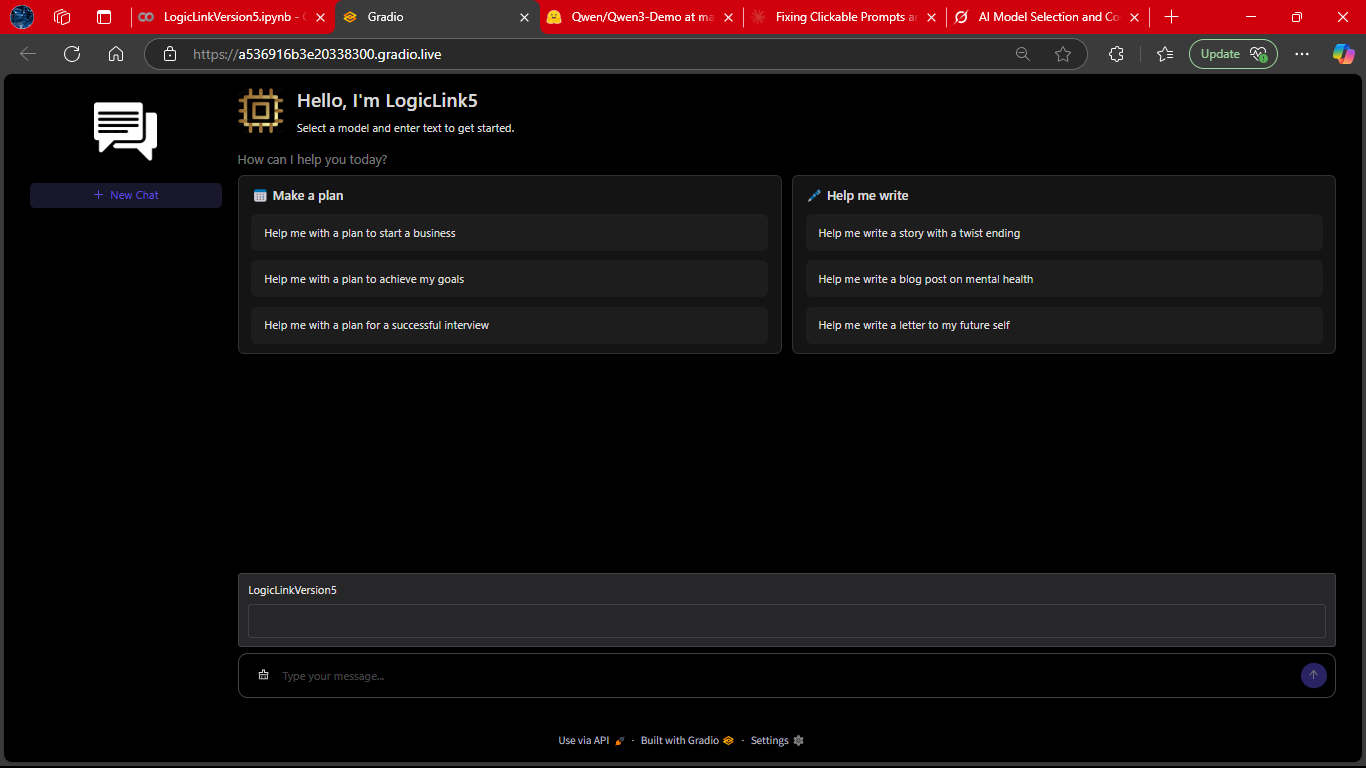
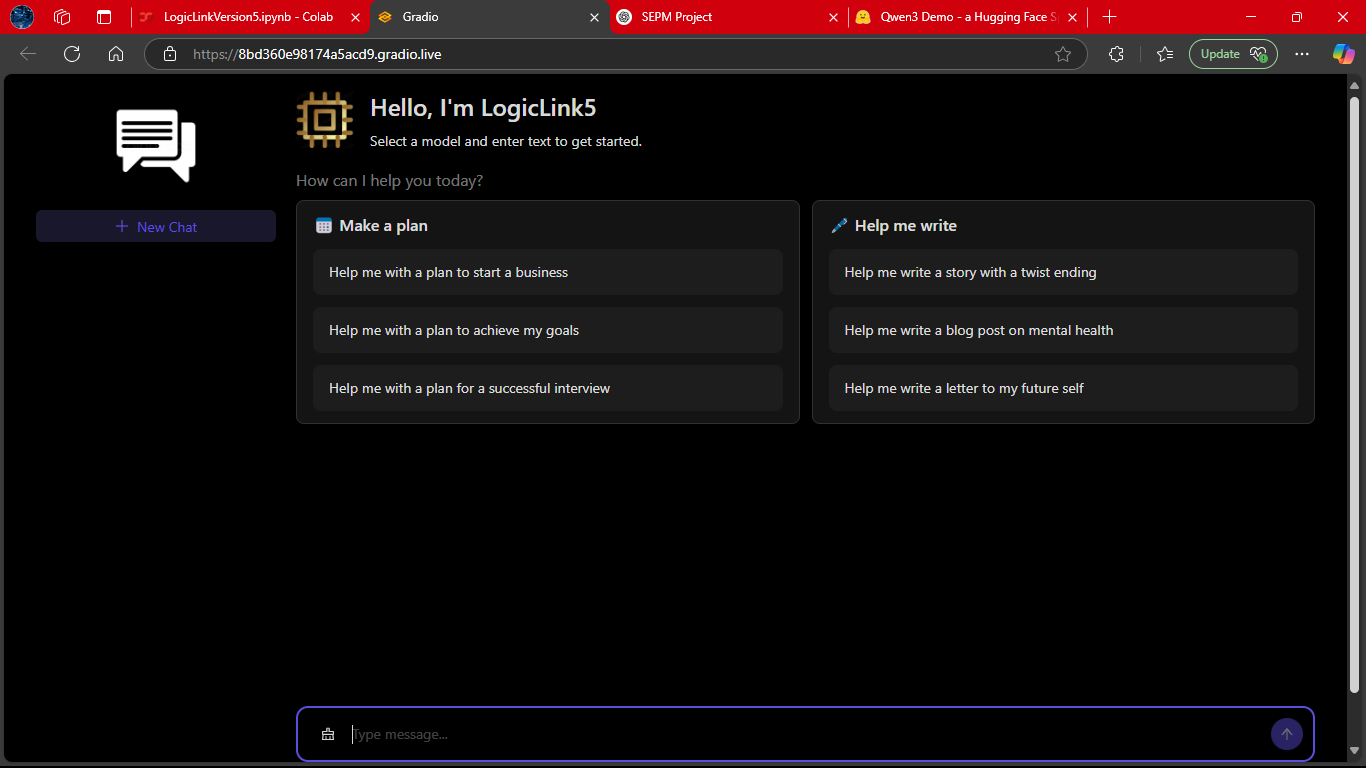
A side‑by‑side comparison of LogicLink’s performance **with** and **without LOTB (Latest Output Text Box)**.
The difference illustrates how LOTB enhances reasoning depth and response clarity.
---
### 📊 Bottom Section
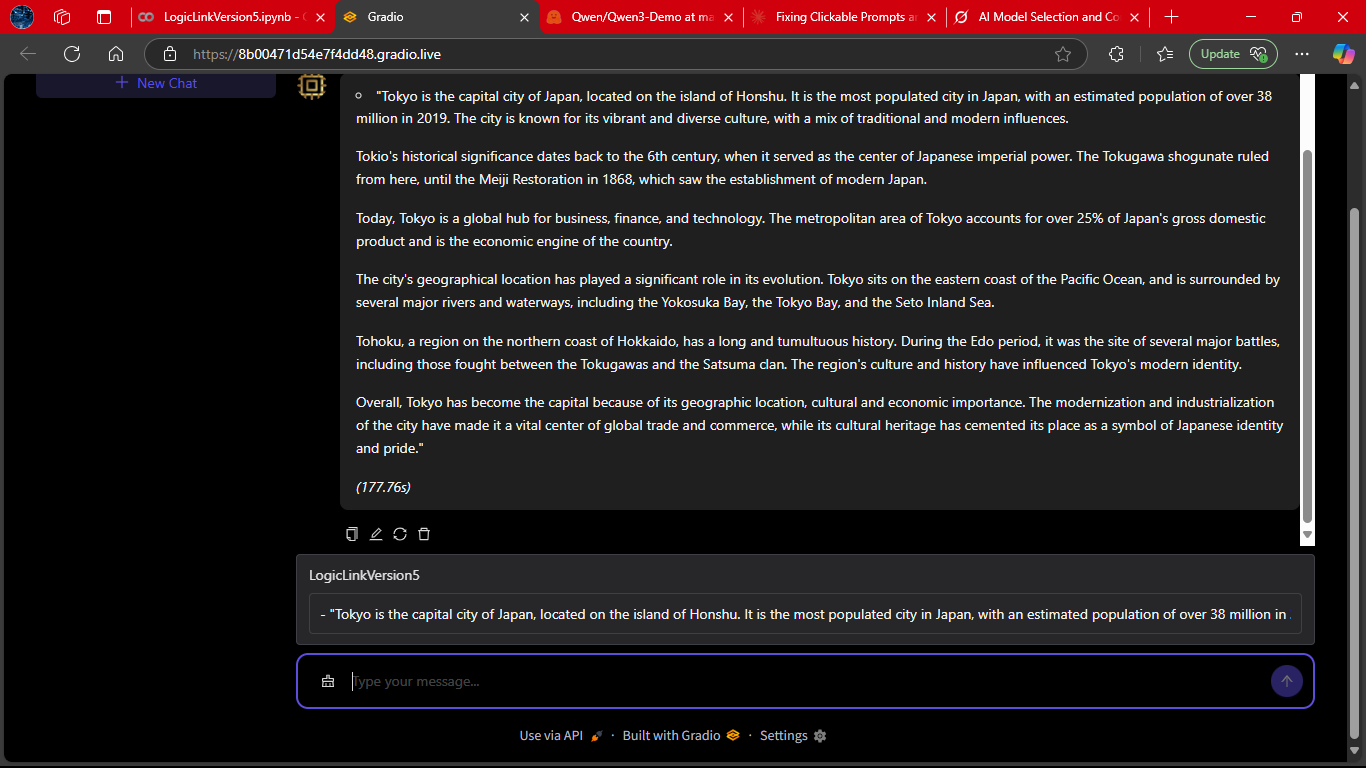
The footer view of the interface, where conversation summaries and quick actions are displayed.
This ties the user experience together, making LogicLink feel like a polished, end‑to‑end assistant.
### Prerequisites
- Python 3.8+
- CUDA-enabled GPU (recommended)
- Dependencies:
```bash
pip install gradio torch transformers modelscope-studio
```
---
### Setup
1. Clone repository:
```bash
git clone https://github.com/Kratugautam99/LogicLink-Project.git
cd LogicLink-Project
```
2. Install dependencies:
```bash
pip install -r requirements.txt
```
3. Run application:
```bash
python app.py
```
---
### Directory Structure
```
LogicLink-Project/
├── LogicLinkVersion5.ipynb
├── README.md
├── app.py
├── config.py
├── .gitattributes
├── requirements.txt
├── assets/
├── Documents/
├── Screenshots/
├── ui_components/
└── Different Versions of LogicLink/ (not expanded)
```
---
## 💬 Usage
```python
# Sample interaction flow
user >> "Who are you?"
LogicLink >> "I'm LogicLink V5, created by Kratu Gautam. How can I assist you today? *(4.50s)*"
```
1. **Interface Controls**:
- 💬 Input field: Type queries
- ➕ New Chat: Start fresh conversation
- 🧹 Clear History: Reset current chat
- 🗑️ Delete: Remove conversations from sidebar
2. **Performance Metrics**:
- ⏱️ Response time: 3-5s (GPU), 5-8s (CPU)
- 💾 RAM usage: 2-3GB (CPU), ~1.5GB (GPU)

Technical Architecture
### Model Configuration
```python
# Core model parameters
model = AutoModelForCausalLM.from_pretrained(
"TinyLlama/TinyLlama-1.1B-Chat-v1.0",
torch_dtype=torch.float16 if cuda else torch.float32
)
# Generation settings
generation_kwargs = {
"max_new_tokens": 1024,
"temperature": 0.7,
"top_k": 50,
"top_p": 0.95,
"num_beams": 1
}
```
---
### Key Components
1. **Prompt Engineering**:
```
<|system|>You are LogicLink V5 created by Kratu Gautam
<|user|>{user_input}
<|assistant|>
```
2. **Streaming Pipeline**:
```mermaid
graph LR
A[User Input] --> B(Tokenizer)
B --> C{TextIteratorStreamer}
C --> D[Model Generation]
D --> E[Real-time Output]
E --> F[Regex Cleaner]
F --> G[Timestamp Append]
```
3. **GUI Components**:
- `pro.Chatbot`: Conversation display
- `antdx.Sender`: Input field
- `antdx.Conversations`: Sidebar manager
- `antd.Button`: Action controls
---
## 🧪 Troubleshooting Guide
| Issue | Solution |
|-------|----------|
| Double timestamps | Verify regex: `re.sub(r'\*\(\d+\.\d+s\)\*', '', response)` |
| Slow responses | Enable CUDA, reduce `max_new_tokens` to 512 |
| GUI rendering issues | Update packages: `pip install --upgrade gradio modelscope-studio` |
| Delete button failure | Check `menu_click` event binding in JS |
| Model loading errors | Validate RAM ≥3GB, test with minimal example |
**Minimal Test Script**:
```python
from transformers import AutoModelForCausalLM, AutoTokenizer
tokenizer = AutoTokenizer.from_pretrained("TinyLlama/TinyLlama-1.1B-Chat-v1.0")
model = AutoModelForCausalLM.from_pretrained("TinyLlama/TinyLlama-1.1B-Chat-v1.0")
inputs = tokenizer(["Test input"], return_tensors="pt")
outputs = model.generate(**inputs, max_new_tokens=10)
print(tokenizer.decode(outputs[0]))
```
---
## 🚀 Future Roadmap
- **Persistent Storage**: SQLite conversation history
- **Multimodal Support**: Image/text inputs
- **Enhanced Prompting**: Context-aware responses
- **Deployment Options**: Docker containerization
- **Performance**: Quantization for CPU optimization
---
## 📜 License
MIT License - See [LICENSE](https://github.com/Kratugautam99/LogicLink-Project/LICENSE)
---