https://github.com/kshivendu/vscode-advanced-search
🔍 Advanced find-and-replace for VSCode that's more powerful than regex!
https://github.com/kshivendu/vscode-advanced-search
comby extension extensions find-and-replace regex search vscode vscode-extension
Last synced: about 1 year ago
JSON representation
🔍 Advanced find-and-replace for VSCode that's more powerful than regex!
- Host: GitHub
- URL: https://github.com/kshivendu/vscode-advanced-search
- Owner: KShivendu
- License: mit
- Created: 2023-03-03T04:52:09.000Z (over 3 years ago)
- Default Branch: main
- Last Pushed: 2023-07-20T18:56:25.000Z (almost 3 years ago)
- Last Synced: 2025-03-19T01:11:25.656Z (about 1 year ago)
- Topics: comby, extension, extensions, find-and-replace, regex, search, vscode, vscode-extension
- Language: TypeScript
- Homepage: https://youtu.be/J11cLFDFXTk
- Size: 131 KB
- Stars: 10
- Watchers: 1
- Forks: 1
- Open Issues: 0
-
Metadata Files:
- Readme: README.md
- License: LICENSE
Awesome Lists containing this project
README
# VS code advanced search and replace
This extension allows you to do a structured search on the code and replace it. This is much more powerful than the built-in search and replace which is limited to regex at the best.
> Checkout https://youtu.be/J11cLFDFXTk for the demo video
[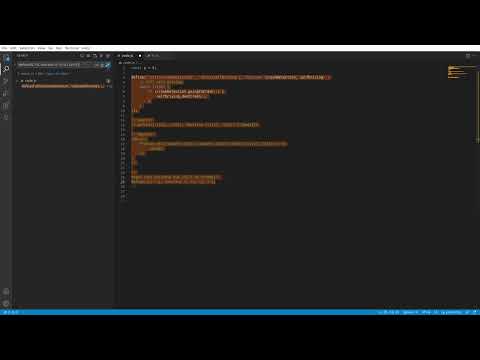](https://www.youtube.com/watch?v=J11cLFDFXTk)
## Setup:
1. Follow https://pnpm.io/installation to install pnpm.
2. Run `pnpm install` to install dependencies.
3. Go to `packages/webview` and run `pnpm dev`. This will build the UI of the extension.
4. Install workspace recommended extensions from VS code marketplace. https://marketplace.visualstudio.com/items?itemName=connor4312.esbuild-problem-matchers
4. Install comby from https://comby.dev/docs/get-started
5. Open the "Run and debug" panel in VS code and click "Run Extension" to run the extension
## Basic example
Here is a simple js program written using AMD modules
```js
define(['utils/crashDetection', 'utils/selfDriving'], function (crashDetection, selfDriving) {
// full self driving
while (true) {
if (crashDetection.goingToCrash()) {
selfDriving.dontCrash();
}
}
})
```
Now if we want to convert it to use ES6 dynamic import instead:
Enter the following search query in the search box:
```js
define([:[s1], :[s2]], function (:[v1], :[v2]) {:[body]})
```
And the following replace query:
```js
import(
Promise.all([import(:[s1]), import(:[s2])]).then(([:[v1],:[v2]]) => {
:[body]
})
)
```
and press `replace` button.
in the right pane we can see the applied change:
```js
import(
Promise.all([import('utils/crashDetection'), import('utils/selfDriving')]).then(([crashDetection, selfDriving]) => {
// full self driving
while (true) {
if (crashDetection.goingToCrash()) {
selfDriving.dontCrash();
}
}
})
);
```
This change is impossible to do with regex since it cannot understand balanced parentheses.
You can make changes in the diff view and save and close the diff view to apply the changes.
VS code default search uses [ripgrep](https://github.com/BurntSushi/ripgrep). But we're using [comby](https://github.com/comby-tools/comby). Please refer comby [docs](https://comby.dev/docs/overview) for more info on the search and replace syntax
## Future roadmap:
- Release on VS code marketplace.
- Extend UI to support comby rules for writing `where` and `rewrite` expressions.
- Ability to inject custom hole (`:[a]`) substitution using js. This will allow us to do more complex transformations based on from the AST and filtering of nodes.
## Citation:
https://github.com/comby-tools/comby (Special thanks to [Rijnard van Tonder](https://github.com/rvantonder) for starting the project)